


How to Mint TRC-20 Tokens on Tron in 4 Steps
Learn how to mint new TRC-20 tokens on the Tron network. Increase your token supply, understand how token minting works, and create additional tokens for your existing project using a simple step-by-step process.
 CoinFactory
What Is Token Minting on Tron?
Token minting is the process of creating new tokens within an existing TRC-20 smart contract. When a token is created with minting functionality enabled, the contract owner can issue additional tokens at any time without deploying a new contract.
Minting increases the total token supply and sends the newly created tokens to a specified wallet address. This feature is commonly used by projects that need flexibility to grow their ecosystem, reward users, provide liquidity, or manage future token distribution.
For example, a project may initially launch with 1 million tokens and later mint additional tokens as the community grows or new use cases emerge.
Step-by-step Instructions
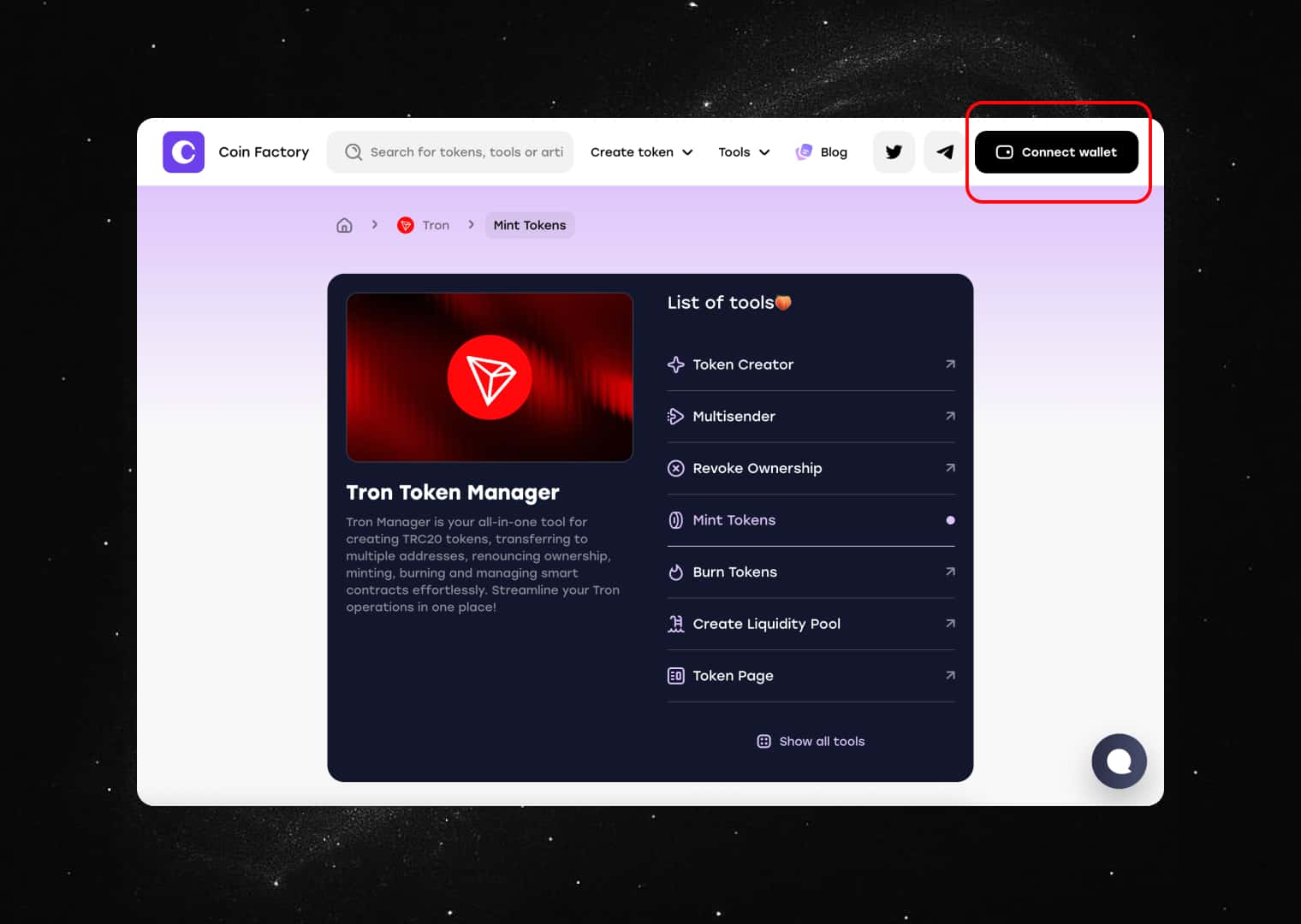
Step 1: Open the CoinFactory Token Minting Tool
Go to the CoinFactory Token Manager and select the Mint Tokens feature. This tool allows you to create additional tokens for an existing TRC-20 contract without deploying a new smart contract.
Step 2: Connect Your Tron Wallet
Make sure you have access to the wallet that owns the token contract and has minting permissions enabled.
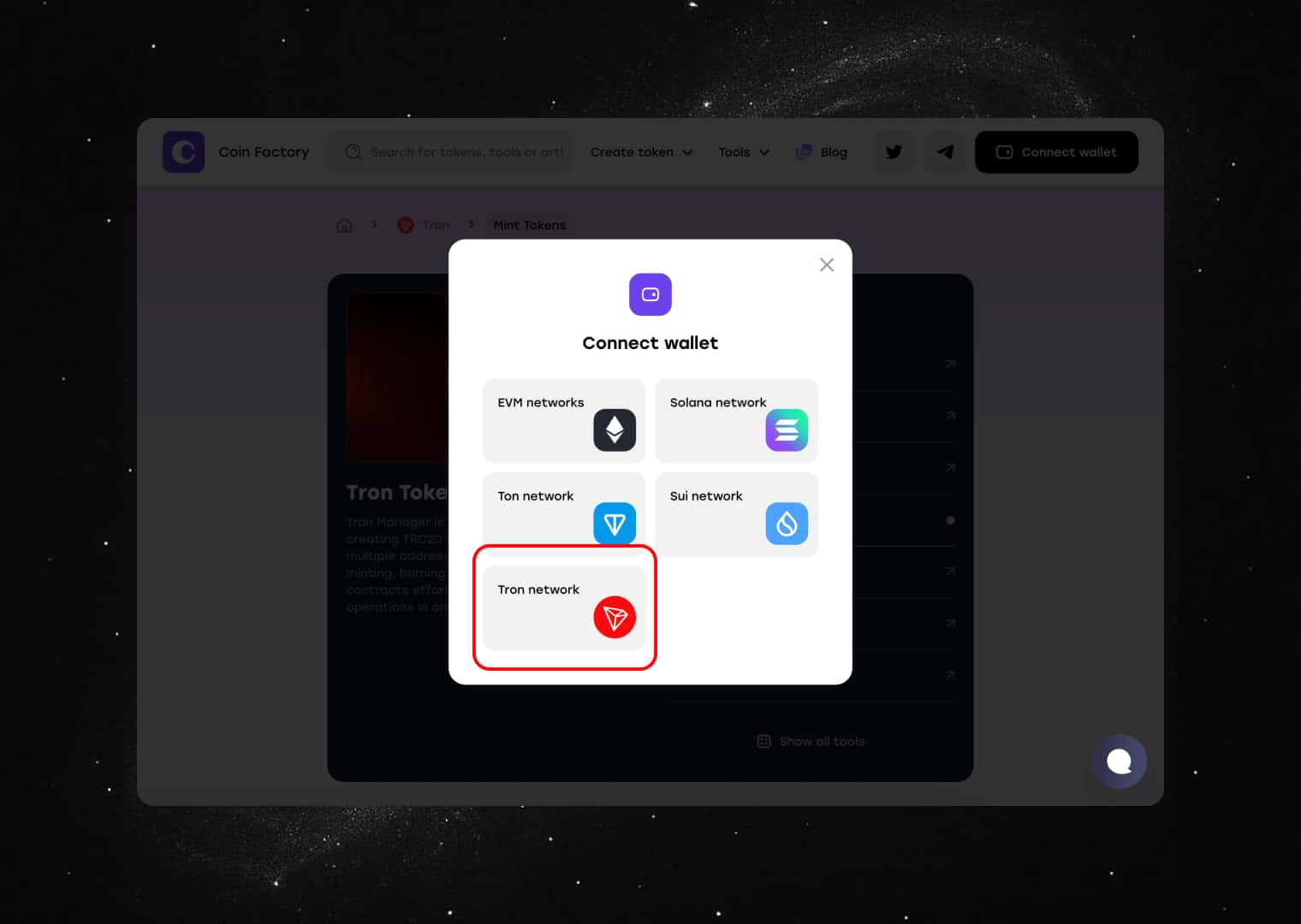
Click the Connect Wallet button and connect your TronLink wallet.
Once connected, verify that you are using the correct wallet address and that you have enough TRX available to cover the network transaction fee.
Step 3: Enter the Token Contract and Mint Amount
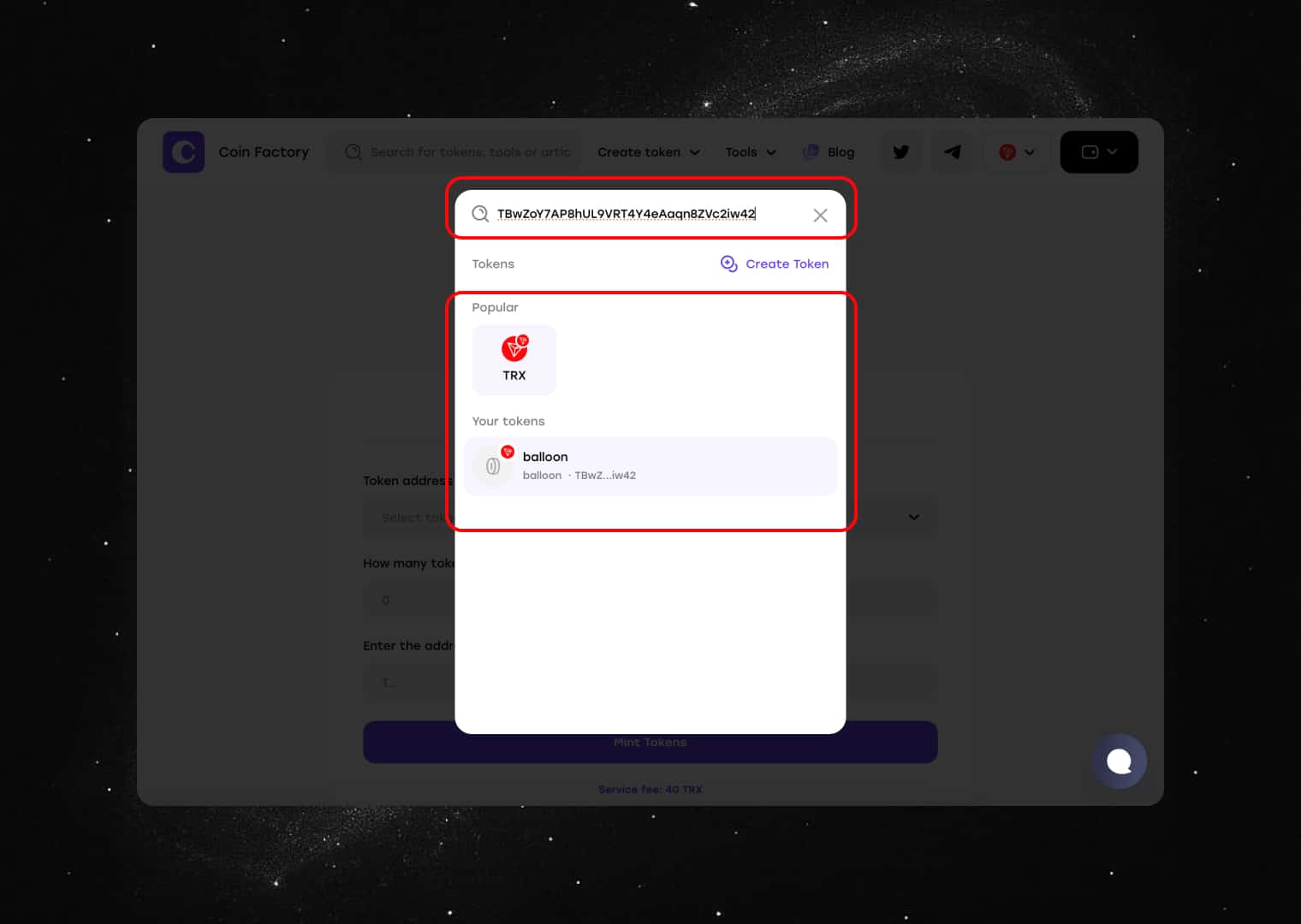
Paste the contract address of your TRC-20 token into the token field. CoinFactory will automatically load the token information.
Next, enter the number of new tokens you would like to mint. These newly created tokens will be added to your wallet balance and increase the total token supply.
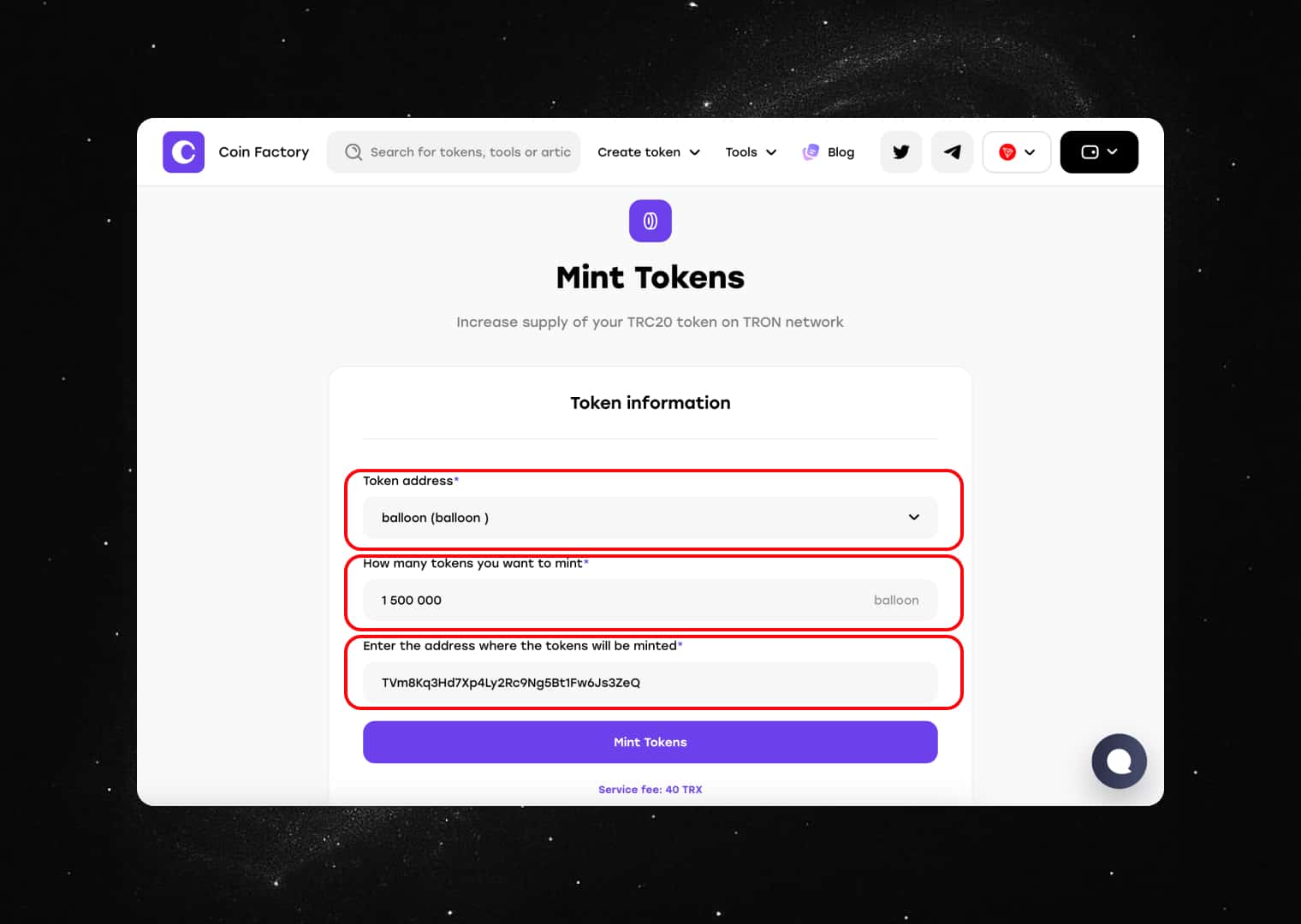
Review the information carefully before proceeding.
Step 4: Confirm the Mint Transaction
Click the Mint Tokens button to continue.
TronLink will open a confirmation window displaying the transaction details and network fee. Review the information and confirm the transaction in your wallet.
After the transaction is confirmed on the Tron blockchain, the newly minted tokens will immediately appear in your wallet.
Conclusion
Token minting allows TRC-20 project owners to increase their token supply without creating a new contract. Whether you need additional liquidity, staking rewards, treasury reserves, marketing allocations, or community incentives, minting provides a simple and flexible way to manage your token economy.
With CoinFactory, you can mint new Tron tokens in just a few clicks using TronLink, without any coding knowledge or smart contract development experience.
Tags

Guide
Tron
Trc-20
Token
Mint


