


Why Is My Token Not Showing on Dexscreener? How to Fix It (2026 Guide)
Learn why your token is not showing on Dexscreener and how to fix it. Create a liquidity pool, enable trading, and get your token indexed in 2026.
 CoinFactory
Your Token Needs a Liquidity Pool Before Dexscreener Can List It
Creating a token is only the first step. If your token is not appearing on Dexscreener, the most common reason is simple: the token does not have a liquidity pool yet.
Dexscreener tracks tokens that are actively tradable on decentralized exchanges. A token contract by itself is not enough. Until you create a liquidity pool and add liquidity, traders cannot buy or sell your token, and Dexscreener has nothing to index.
Think of a token as a product and a liquidity pool as the marketplace where that product is sold. Without a market, your token exists on the blockchain but remains invisible to most traders and tracking platforms.
In this guide, you’ll learn why liquidity is required for Dexscreener listings, how liquidity pools work, and what you need to do to make your token appear on Dexscreener and start trading.
How to Create a Liquidity Pool and Start Trading Your Token
Step 1: Go to the liquidity pool creation page on CoinFactory
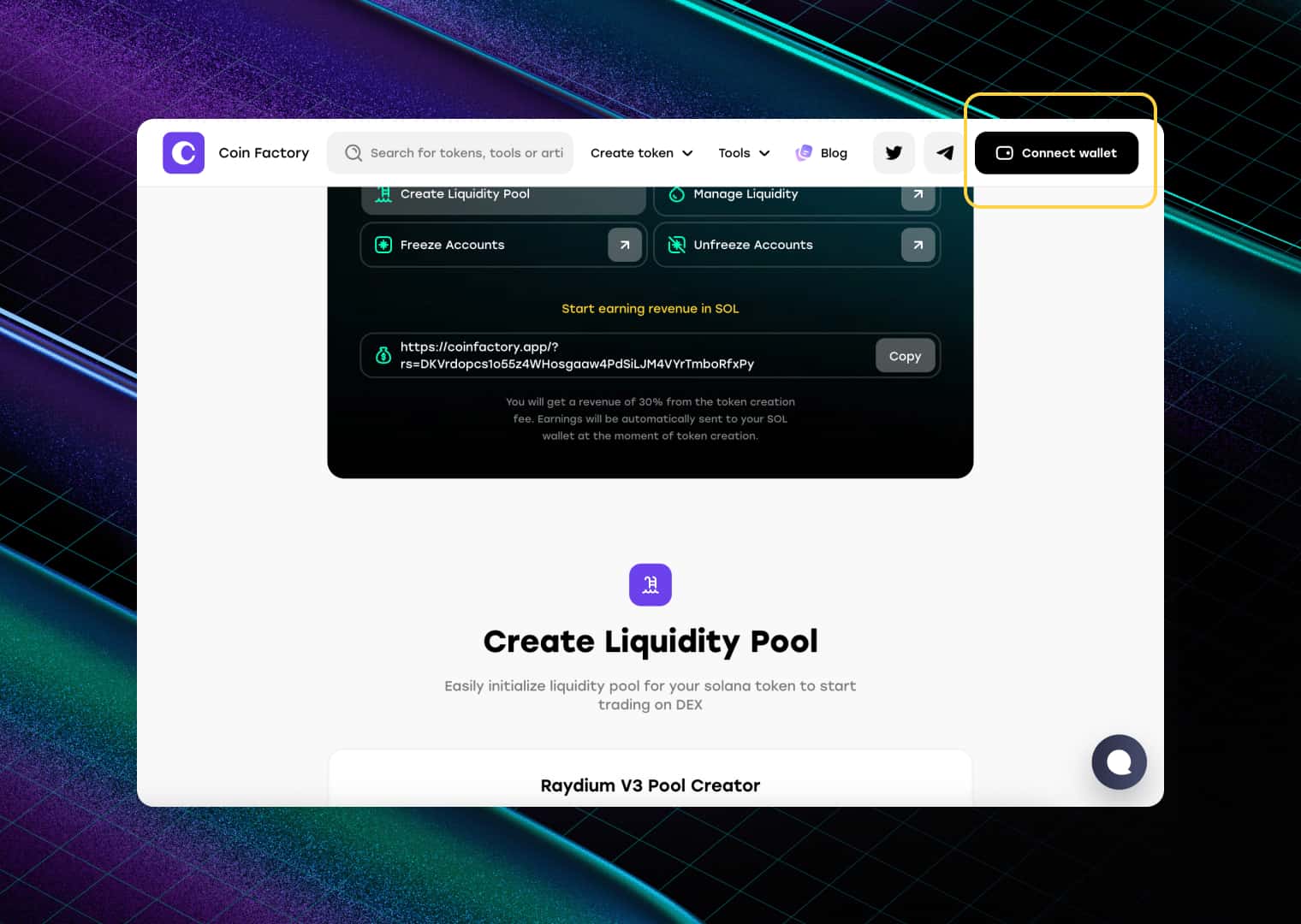
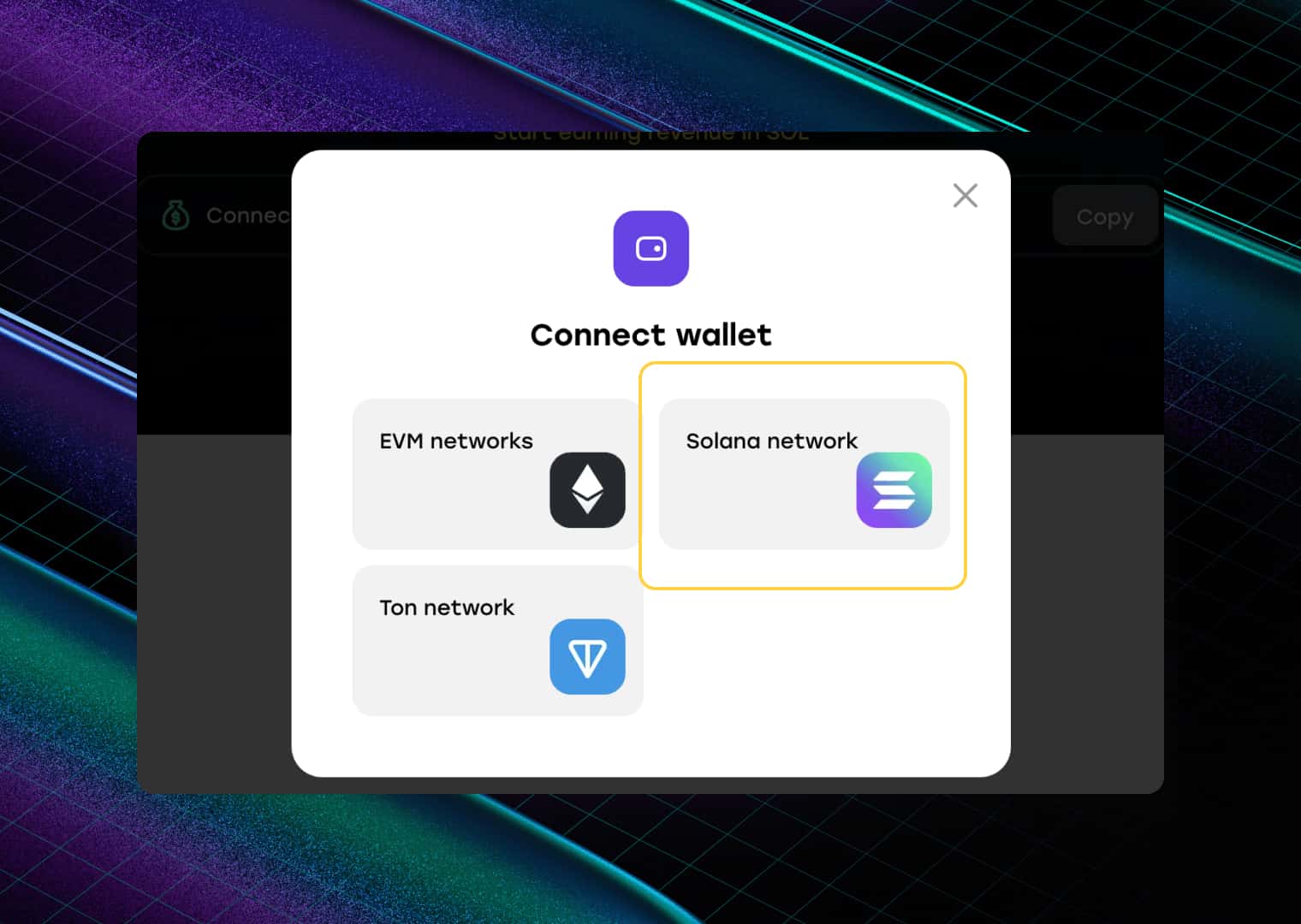
Step 2: Connect your wallet
Connect the wallet from which the token was created.
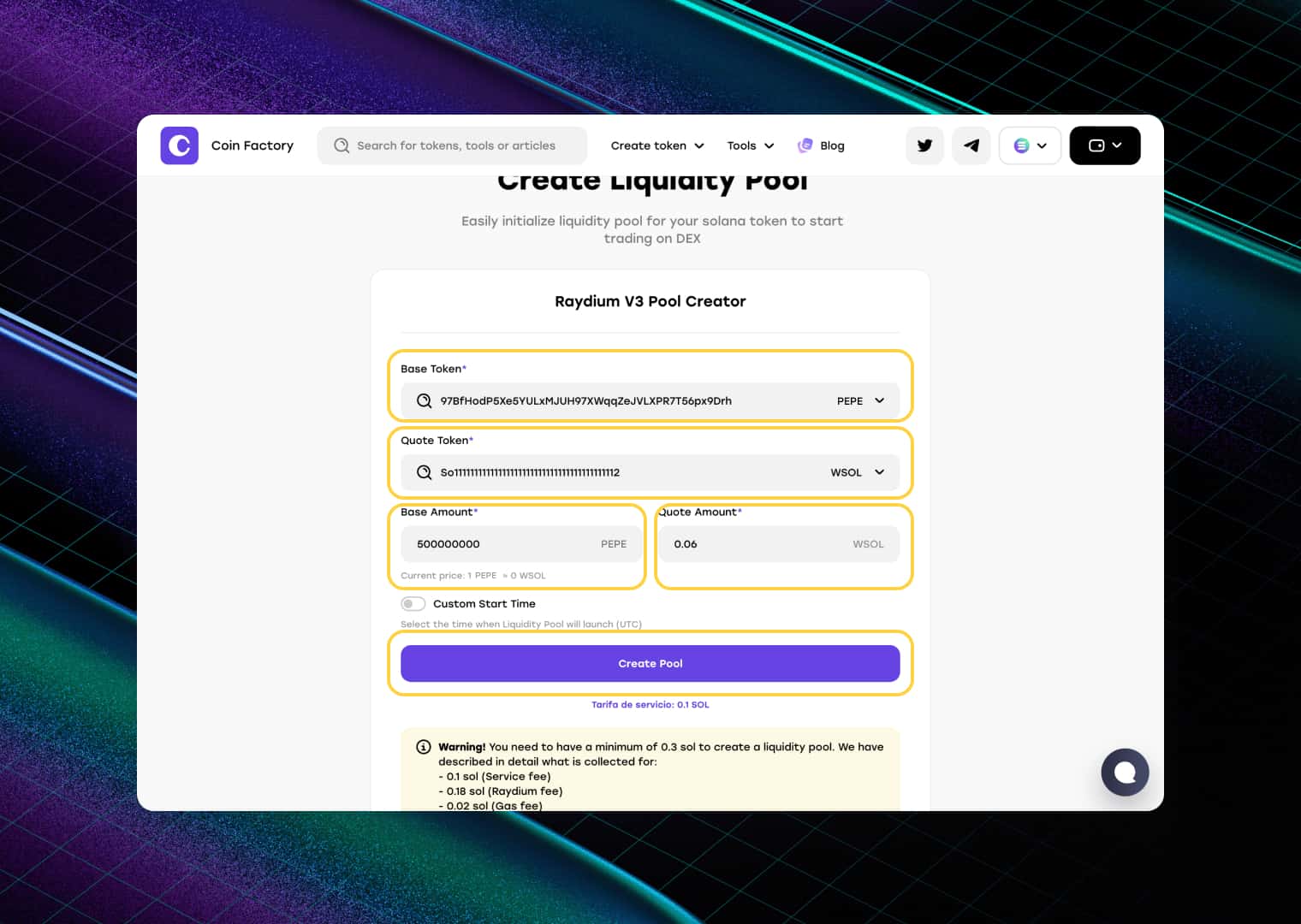
Step 3: Fill in the market data of your token
Fill in the following fields:
- 1️⃣ Base Token (Token Address): Paste the contract address of the token you created in the previous step.
- 2️⃣ Quote Token (Pair Token Address): Enter the Solana (SOL) address to create a trading pair between your token and SOL.
- 3️⃣ Base Amount: Specify how many tokens you want to add to the pool. These tokens will be available for traders to buy from the market.
- 4️⃣ Quote Amount: Enter how much SOL you want to add as liquidity. The amount of SOL you provide helps determine your token’s initial price and available liquidity. Generally, adding more SOL creates a deeper pool, allowing larger trades with less price impact.
- 5️⃣ Create Pool: Review the information and click “Create Pool”.
- 6️⃣ Confirm the Transaction: Approve the liquidity pool creation transaction in your wallet.
Once the transaction is confirmed, your liquidity pool will be live and your token will be ready for trading.
Step 4: Confirm the transaction in the wallet
After you confirm the creation of the liquidity pool, a transaction will appear in your wallet for signing, you need to sign it. Then the site will redirect you to your liquidity pool page.
Done!
Now your token is listed on the exchange, it can be bought, which means that it will now start appearing on Dexscreener.
How to find a token on Dexscreener
Method 1: Follow the link from CoinFactory
On the liquidity pool page, there is all the necessary data and links to DEX scanners, including Dexscreener, which allows you to quickly go to your token.
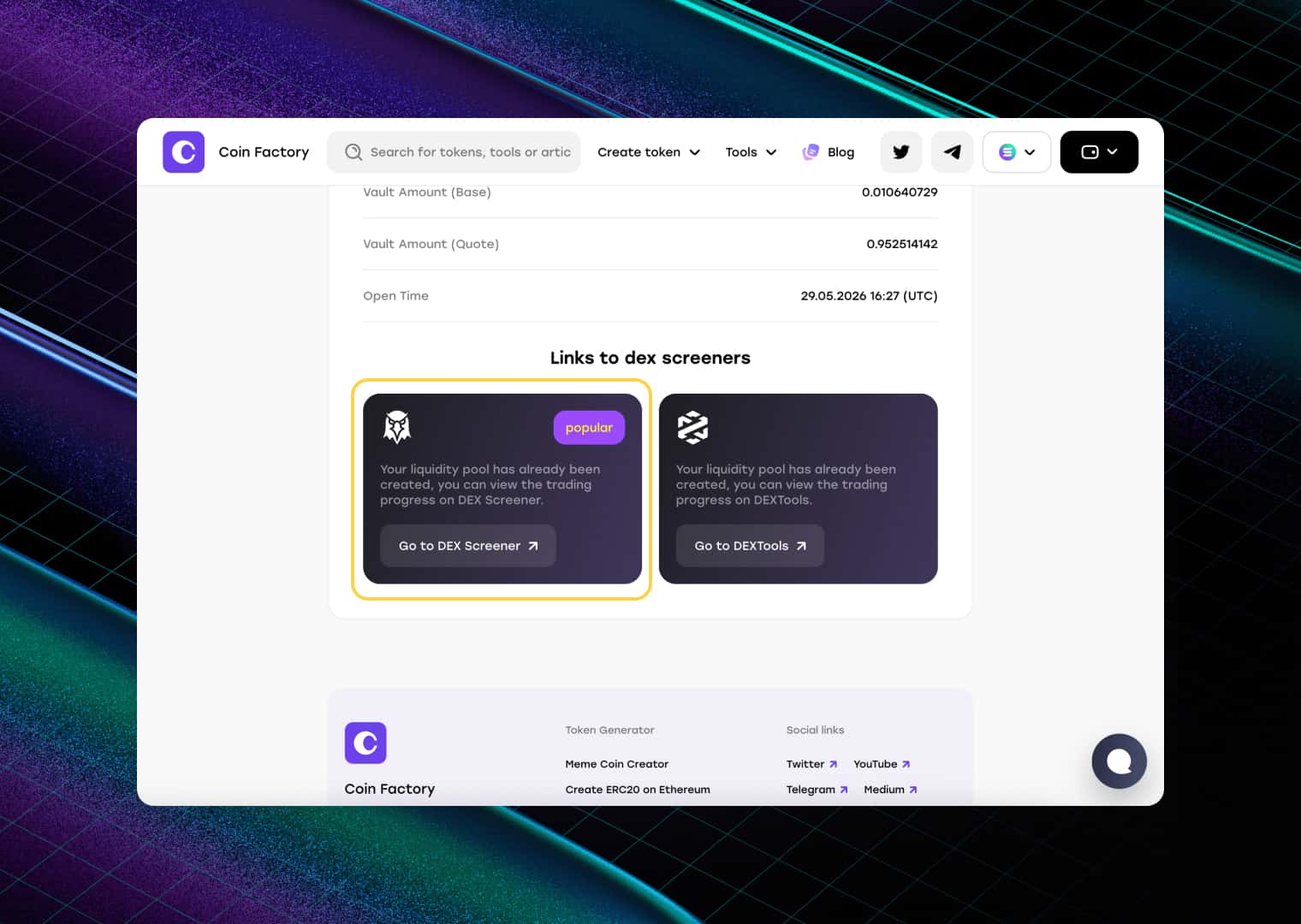
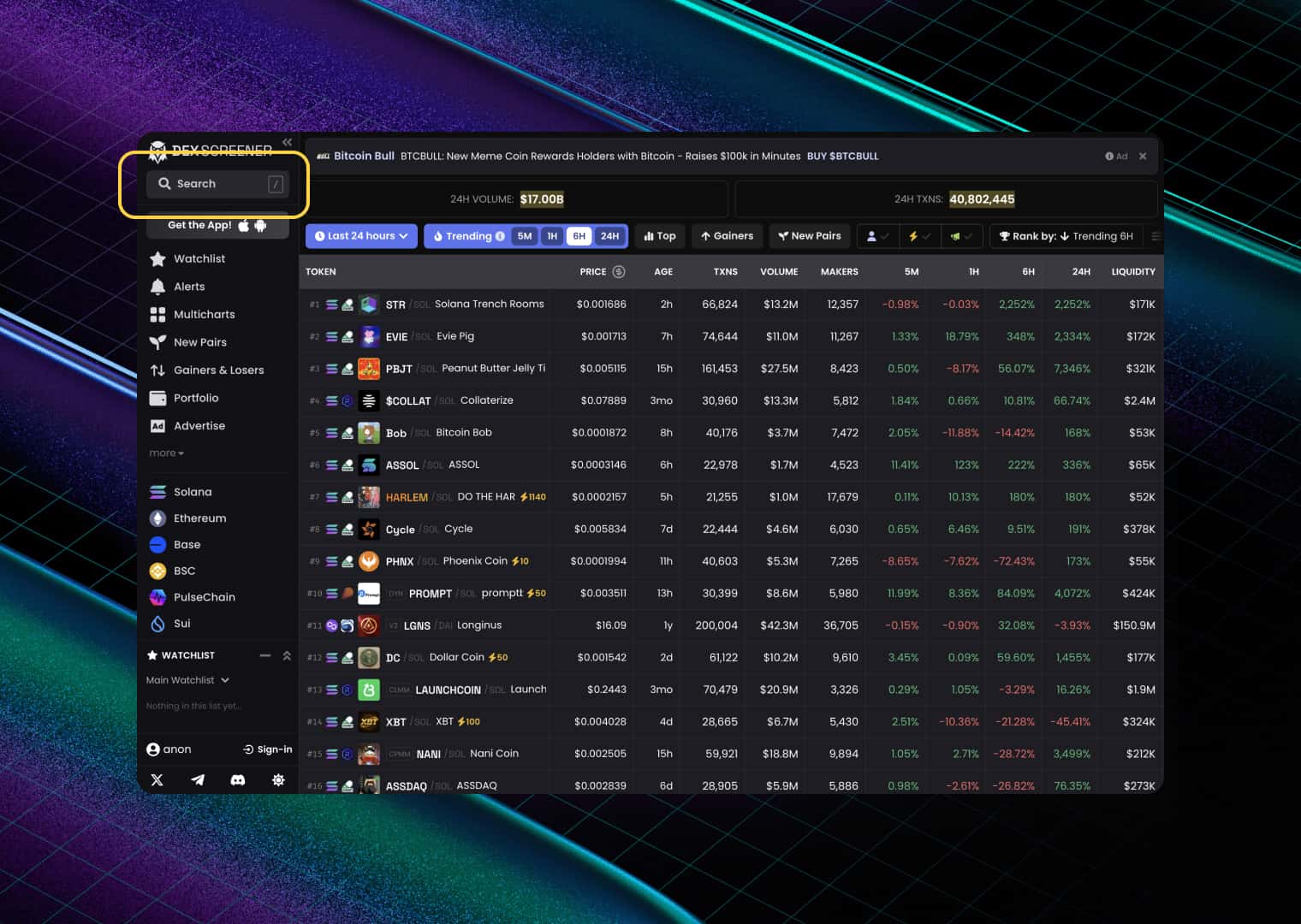
Method 2: Search by token address on Dexscreener
Click on the search box in the top left.
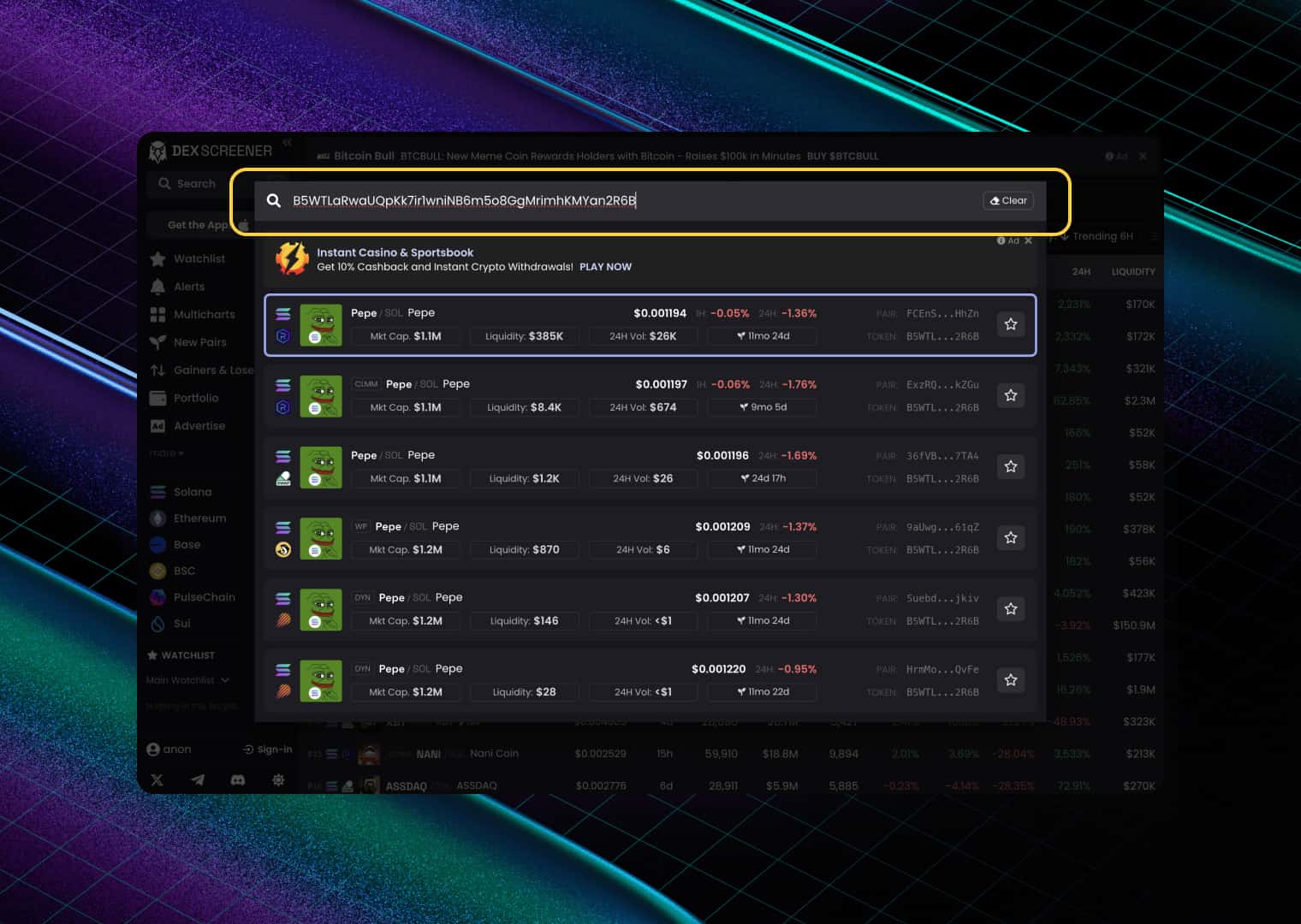
Insert your token address, this will be enough.
Conclusion
If your token is not showing on Dexscreener, the most likely reason is that it does not have a liquidity pool yet. Creating a token alone is not enough — traders need a market where they can buy and sell it.
Once you create a liquidity pool and add liquidity, your token becomes tradable on a decentralized exchange. Dexscreener can then detect the pool, index it, and display trading data such as price, volume, liquidity, and market activity.
In most cases, newly created pools appear on Dexscreener automatically after indexing. If your token is still not visible, double-check that the liquidity pool was created successfully and give Dexscreener some time to process the new trading pair.
Tags

Guide
Solana
Dexscreener
Liquidity pool
Meme
Token launch


