


How to Send Tokens to Multiple Wallets on Robinhood Chain: Step-by-Step Guide
Learn how to airdrop tokens on Robinhood Chain using the CoinFactory Token Multisender. Send tokens to multiple wallets in one transaction with this step-by-step 2026 guide.
 CoinFactory
Why Use a Token Multisender on Robinhood Chain?
A Token Multisender is one of the most useful tools after launching your token on Robinhood Chain. Instead of sending tokens to each wallet one by one, you can distribute them to hundreds or even thousands of addresses in a single transaction.
This is especially useful for community airdrops, presales, marketing campaigns, staking rewards, team allocations, and partner distributions. A multisender saves time, reduces manual work, and helps eliminate mistakes when transferring tokens to multiple recipients.
With the CoinFactory Robinhood Chain Token Multisender, you can upload a list of wallet addresses, specify the amount for each recipient, and send all transfers at once through an easy-to-use interface — no coding or technical knowledge required.
Benefits of Using a Token Multisender
- 🚀 Send tokens to hundreds or thousands of wallets in one operation.
- ⏱️ Save hours compared to sending tokens manually.
- 🎁 Perfect for airdrops, giveaways, rewards, and community distributions.
- 🔒 Reduce the risk of mistakes when transferring tokens.
- 💰 Distribute tokens efficiently while keeping full control of your wallet.
- ✅ No coding required — just upload your wallet list and confirm the transaction.
Step-by-Step Instructions
Step 1: Open the Robinhood Chain Token Multisender
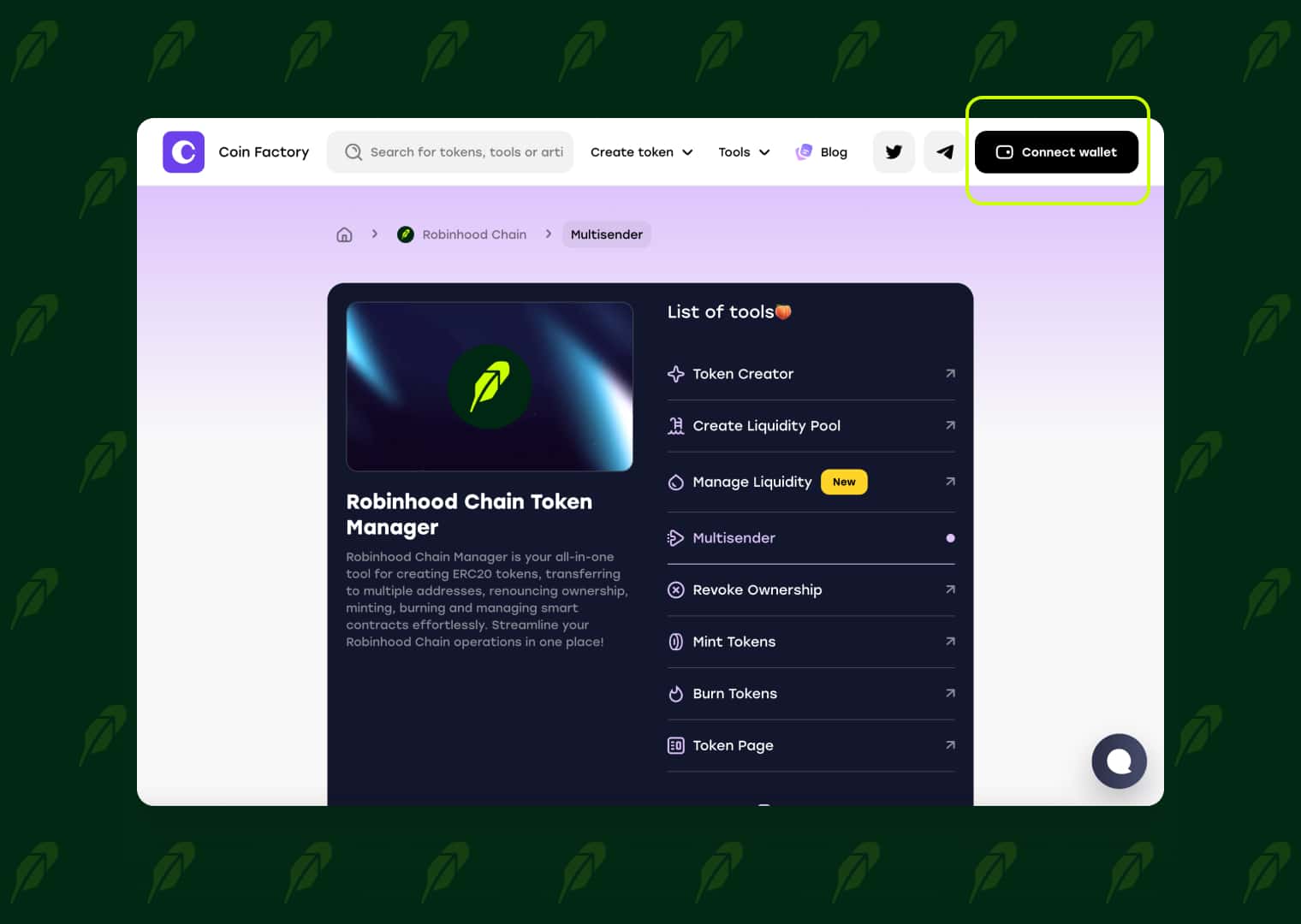
Go to the CoinFactory Robinhood Chain Token Multisender. The tool is designed to help you send tokens to multiple wallet addresses in a single transaction, making airdrops, community rewards, and large-scale token distributions simple and efficient.
Step 2: Connect Your Wallet
Click Connect Wallet and connect the wallet that holds the tokens you want to distribute.
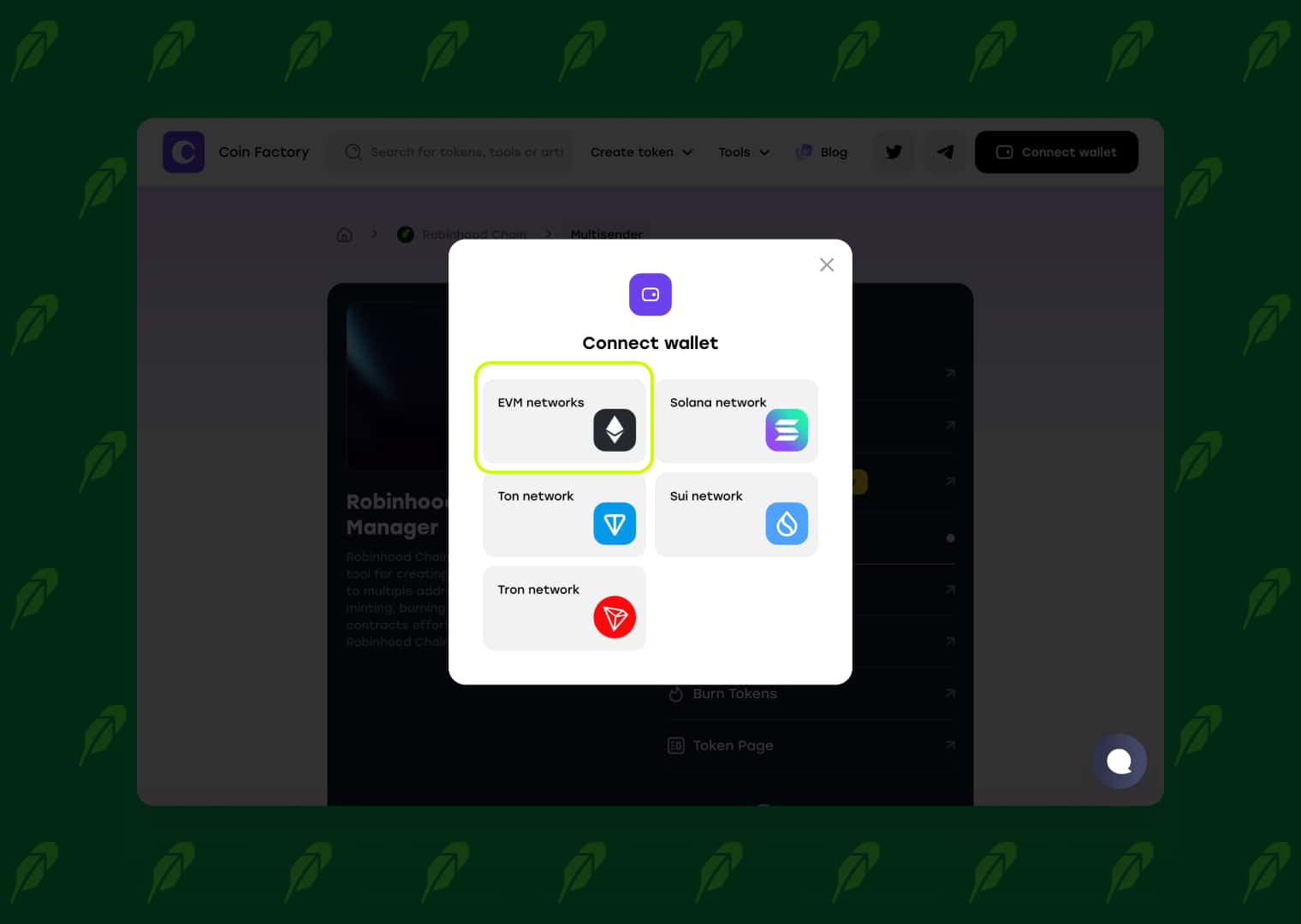
Before continuing, make sure you are connected to the Robinhood Chain network and have enough native coins in your wallet to pay the network transaction fees.
Step 3: Add Your Token and Recipient List
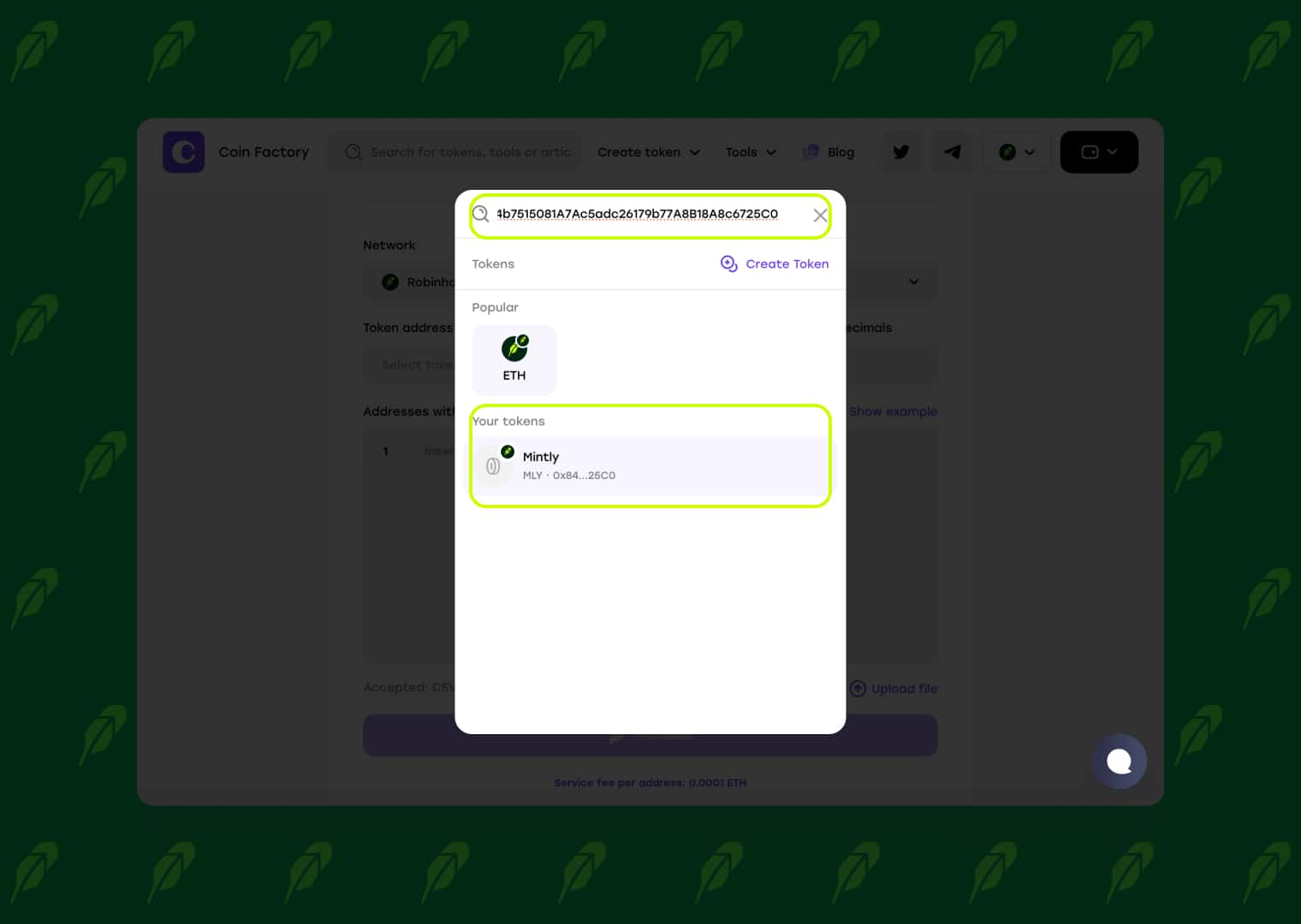
Click the Token Address field and select the token you want to distribute from the list, or paste the token contract address to find it instantly.
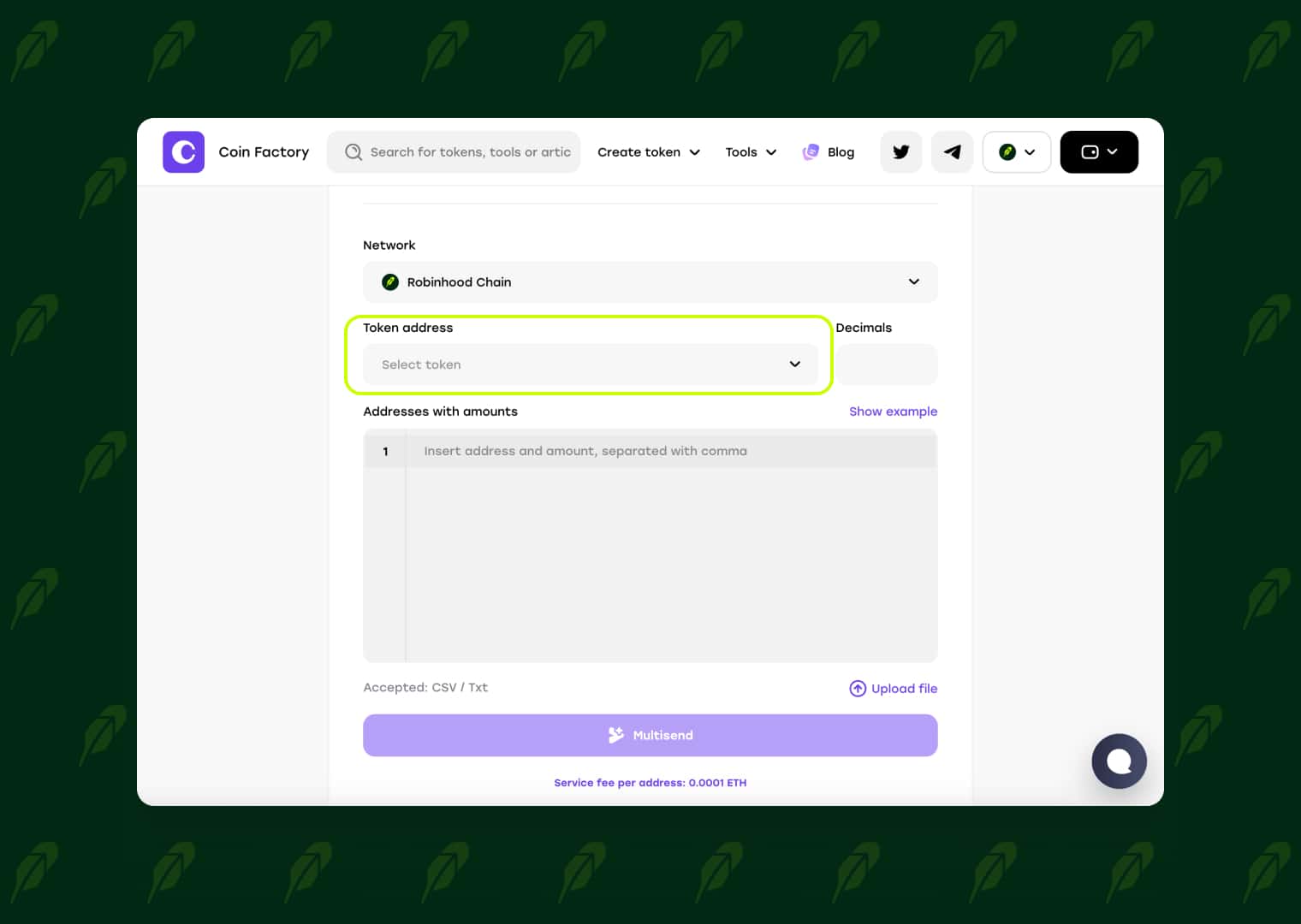
After entering the contract address, CoinFactory will automatically detect the token. You can also choose it directly from Your Tokens if it was created with the connected wallet.
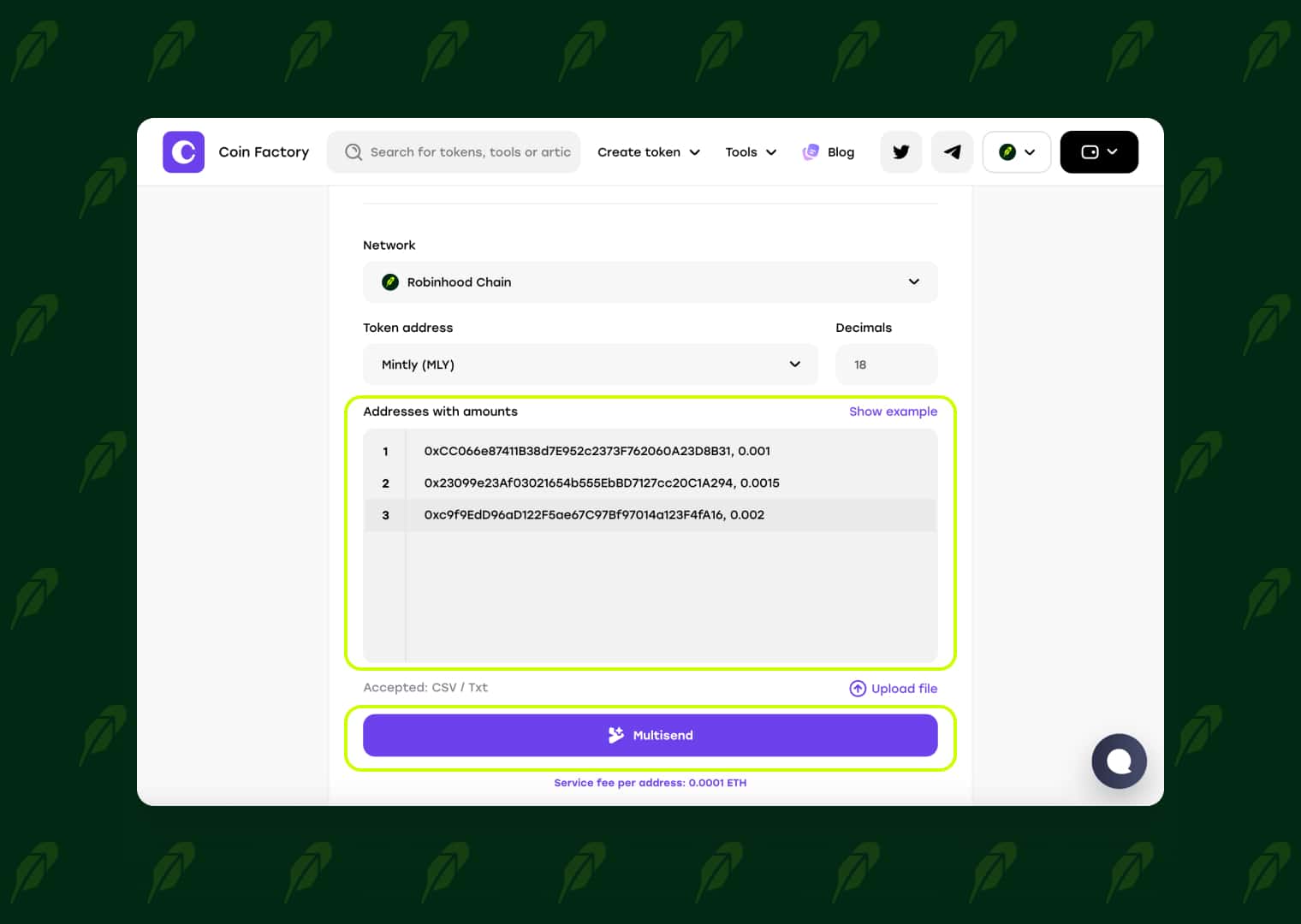
Next, add your distribution list in the Addresses with amounts field. Each line should contain a recipient wallet address followed by the amount of tokens to send. If you already have a prepared list, simply upload it as a CSV or TXT file.
Before clicking Multisend, carefully review every wallet address and token amount. Blockchain transactions are irreversible, so verifying your distribution list beforehand helps prevent mistakes.
Step 4: Confirm and Send Your Tokens
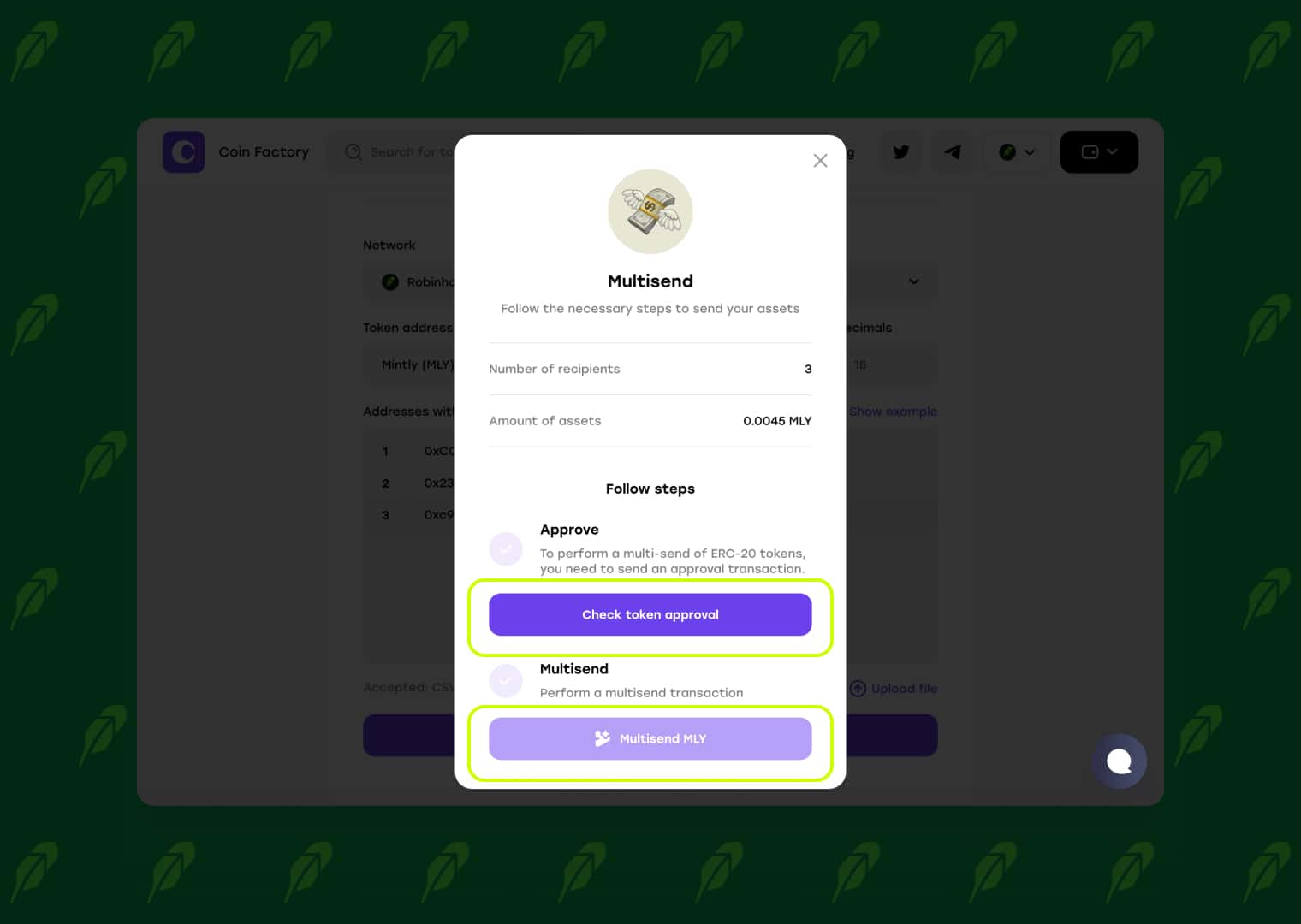
Review the distribution summary, including the number of recipients and the total amount of tokens being sent. Before the transfer can begin, you'll need to complete two wallet transactions.
The first transaction is Token Approval, which authorizes the multisender smart contract to use the selected amount of your tokens. After the approval is confirmed, click Multisend to sign the second transaction and start the token distribution.
Once both transactions are confirmed on Robinhood Chain, CoinFactory will automatically distribute your tokens to every wallet in your recipient list.
Conclusion
Distributing tokens to multiple wallets doesn’t have to be a slow or repetitive process. With the CoinFactory Robinhood Chain Token Multisender, you can complete airdrops, reward campaigns, presale distributions, and community payments in just a few clicks.
Whether you’re managing a growing token project or rewarding your community, the multisender helps you save time, reduce errors, and distribute tokens securely on Robinhood Chain. Simply upload your recipient list, confirm the transaction, and let CoinFactory handle the rest.
Tags

Guide
Robinhood
Robinhood multisender
Bulk transfer
Airdrop tokens


