



How to Renounce Ownership of a Token on Robinhood Chain in 4 Easy Steps
Learn how to renounce ownership of a token on Robinhood Chain in 4 simple steps. Permanently remove contract ownership, increase transparency, and build trust with your community using CoinFactory.
 CoinFactory
Why Renounce Ownership of a Token on Robinhood Chain?
When you create a token on Robinhood Chain, the deployer wallet may receive ownership rights over the smart contract. Renouncing ownership permanently transfers control to a zero address, disabling all owner-only functions.
This helps demonstrate decentralization, increases transparency, and can build trust with users and investors before launch, adding liquidity, or listing on a decentralized exchange.
Benefits of Renouncing Token Ownership
- 💚 Build community trust: Users can verify that the creator no longer controls the contract.
- 💚 Improve transparency: The renouncement transaction is permanently recorded on the Robinhood Chain explorer.
- 💚 Reduce administrative risks: Owner-only functions can no longer be used to modify the token contract.
- 💚 Support decentralization: Control is removed from a single wallet or project owner.
- 💚 Increase investor confidence: Renounced ownership may make the token appear more trustworthy to potential holders.
- 💚 Prepare for public launch: Projects often renounce ownership before marketing the token or adding liquidity on a DEX.
Important: Renouncing ownership is permanent and cannot be reversed. Before confirming the transaction, make sure you no longer need access to any owner-only functions.
Step-by-step Instructions
Step 1: Open the Robinhood Token Ownership Tool
Visit the CoinFactory Robinhood Token Ownership Tool and connect the wallet that currently owns your token contract. Only the wallet with ownership permissions can successfully renounce ownership.
If you haven’t created a token yet, you can do that first using the CoinFactory Robinhood Chain Token Creator.
Step 2: Connect the Owner Wallet
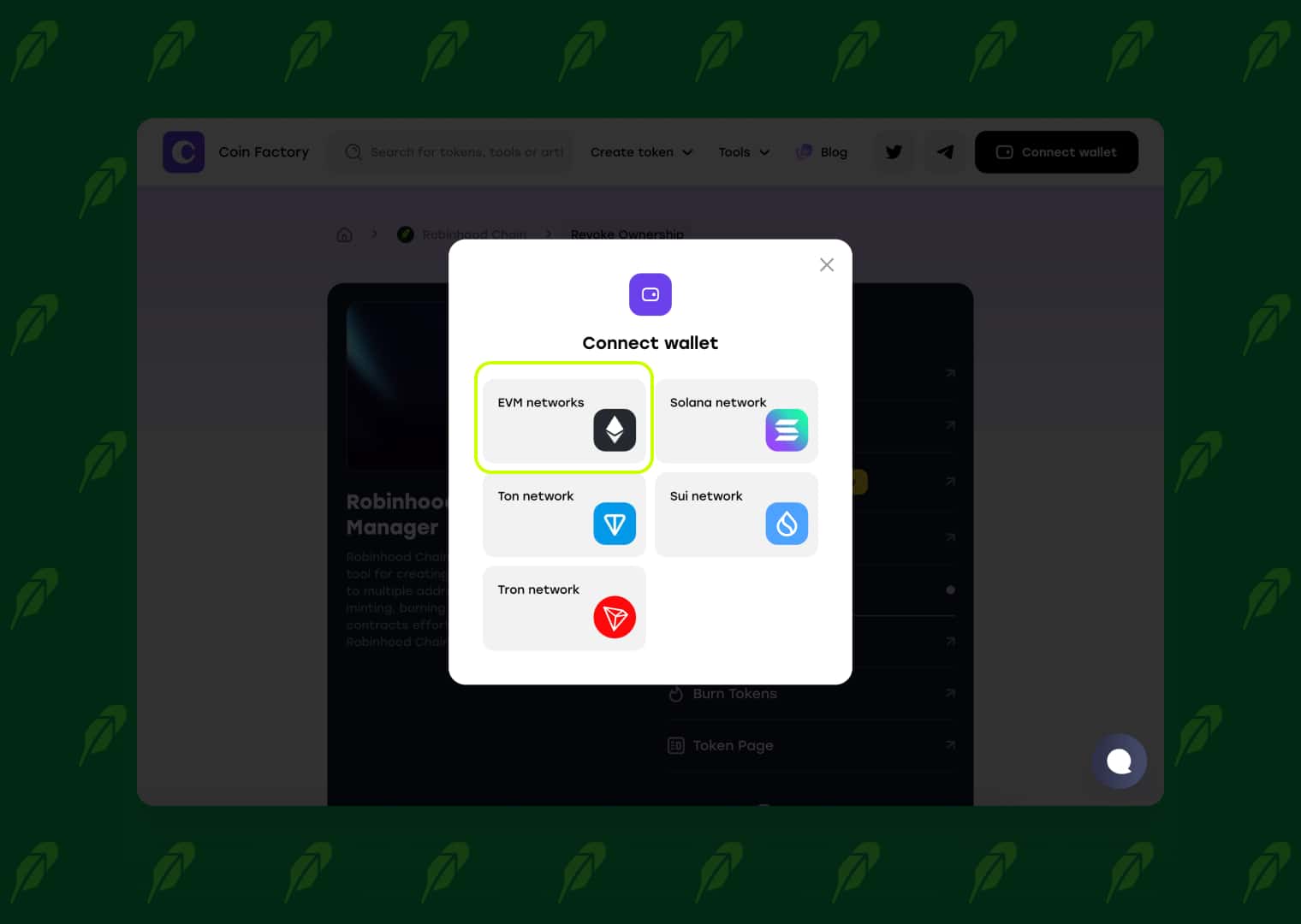
Click Connect Wallet and select the wallet that was used to deploy your token contract.
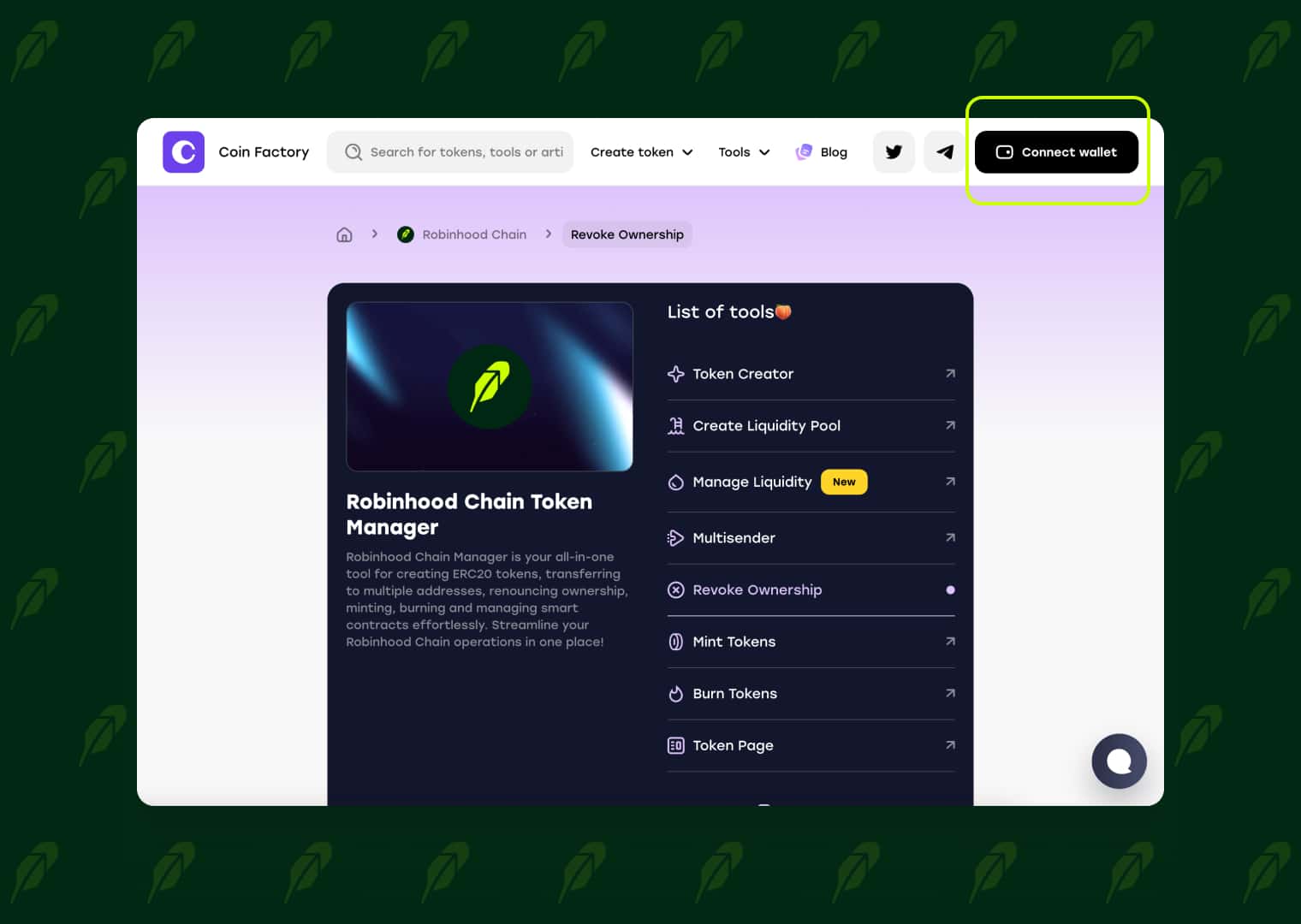
Make sure you are connected to the Robinhood Chain network. If you connect a different wallet, you won’t be able to execute the renounce ownership transaction because only the current owner has permission to perform this action.
Step 3: Enter Your Token Contract Address
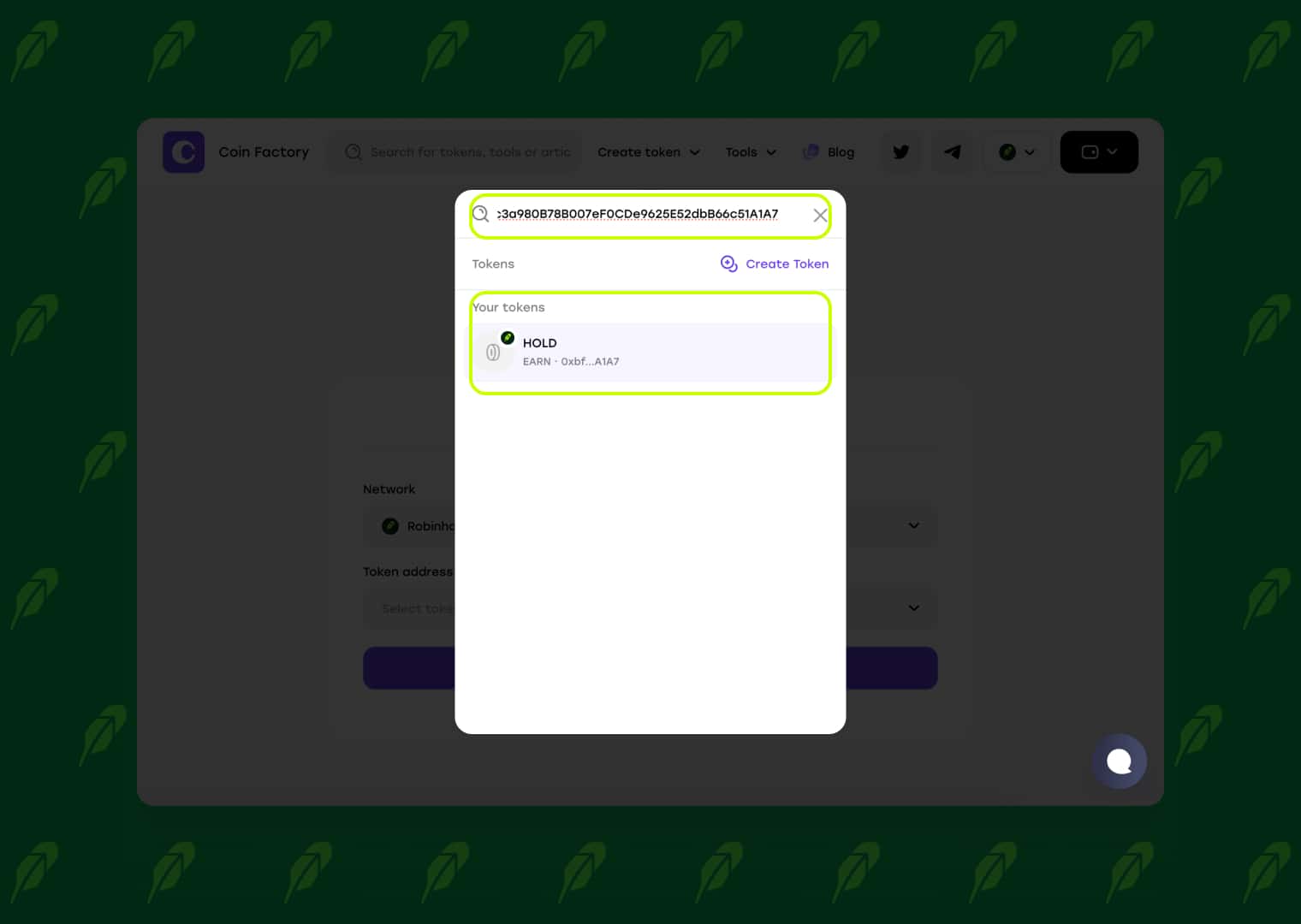
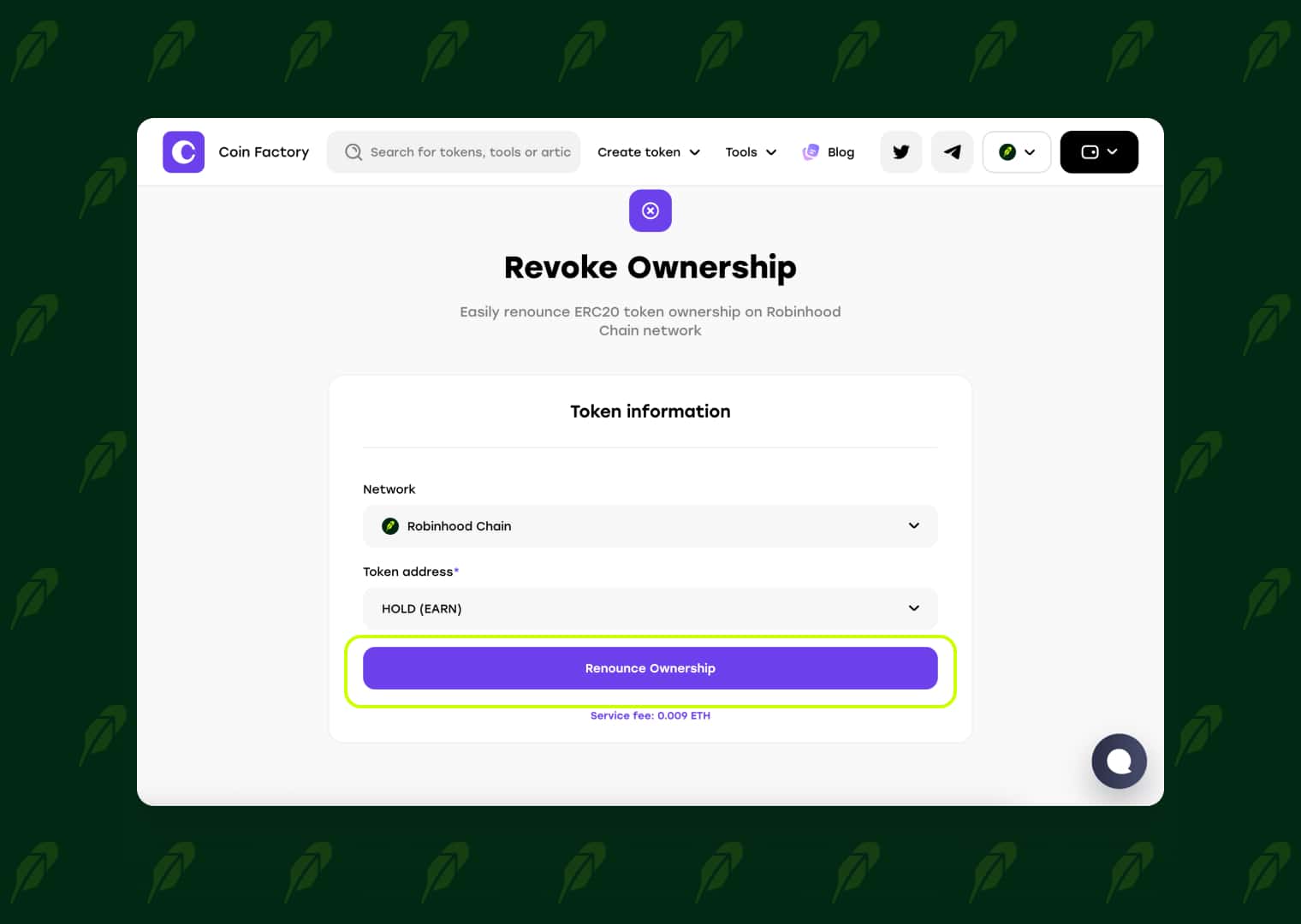
Click the Token Address field and select the token you want to renounce ownership for. You can either search by your token's contract address or choose it from the list of tokens owned by your connected wallet.
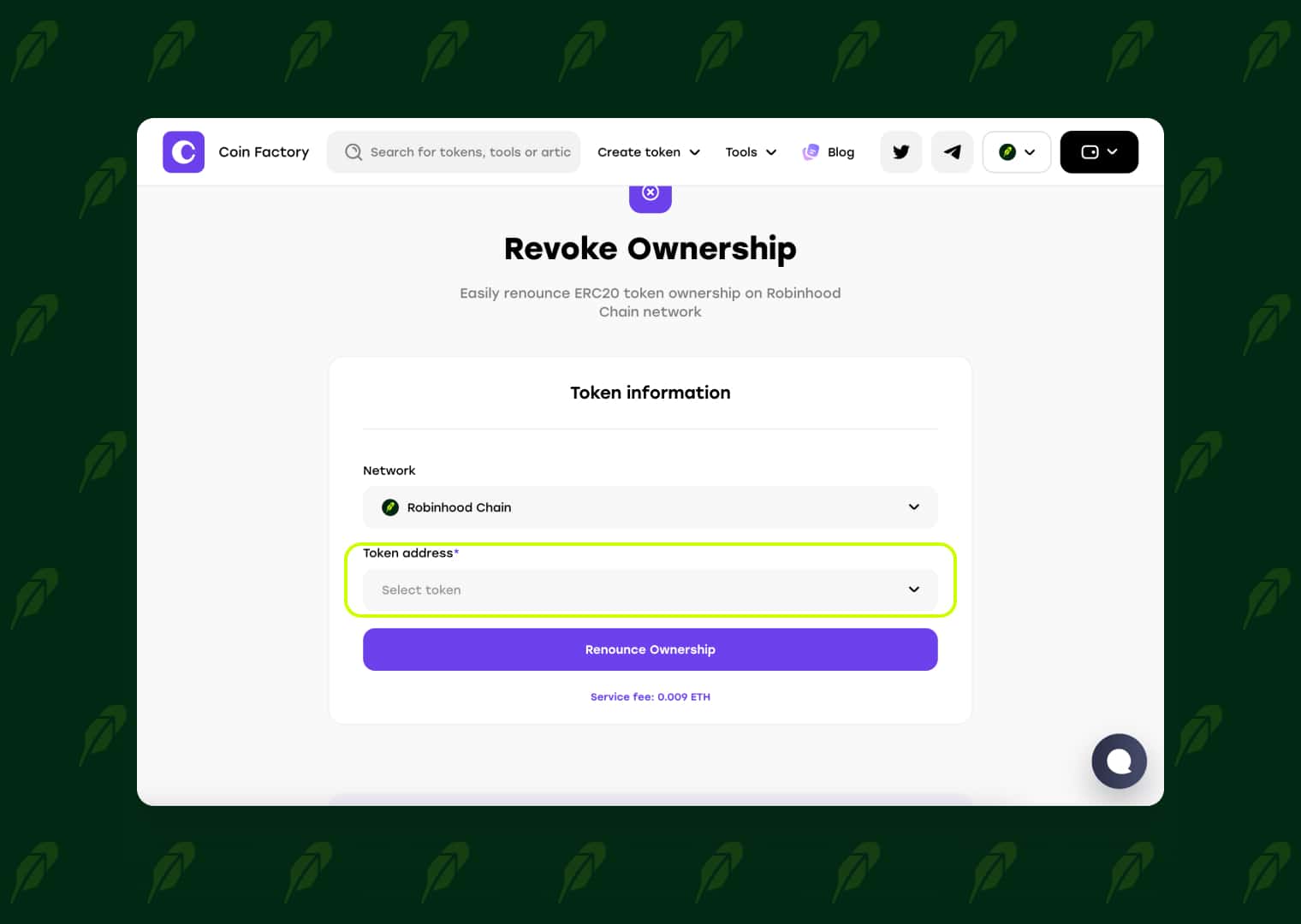
Once you select the correct token, the tool will automatically load its information. Double-check that you've chosen the correct token before proceeding, as renouncing ownership is a permanent action and cannot be undone.
Step 4: Confirm the Renounce Ownership Transaction
Click Renounce Ownership and confirm the transaction in your wallet.
Once the transaction is confirmed on Robinhood Chain, ownership of your token contract will be permanently transferred to the zero address. This action cannot be reversed, and all owner-only functions will be permanently disabled.
🥳 Congratulations! Your token is now fully decentralized from an ownership perspective. Anyone can verify the renouncement transaction on the blockchain explorer, giving your community additional confidence that the contract can no longer be modified by the original owner.
Tags

Guide
Robinhood
Token
Renounce ownership


