


How to Mint Tokens on Robinhood Chain in 4 Easy Steps
Learn how to mint additional tokens on Robinhood Chain in just 4 easy steps. Increase your token supply securely with CoinFactory—no coding required.
 CoinFactory
Why Mint Tokens on Robinhood Chain?
Minting tokens allows you to increase the circulating supply of your existing token after it has already been deployed. This can be useful for rewarding community members, funding marketing campaigns, providing liquidity, supporting ecosystem growth, or issuing tokens for future partnerships and investors.
With CoinFactory, minting additional tokens on Robinhood Chain takes just a few clicks and requires no coding. If your token was created using a contract with the Mint function enabled, you can securely issue new tokens directly from your wallet while keeping full control over the token supply.
In this guide, you’ll learn how to mint additional Robinhood Chain tokens in 4 easy steps.
Step-by-step instructions
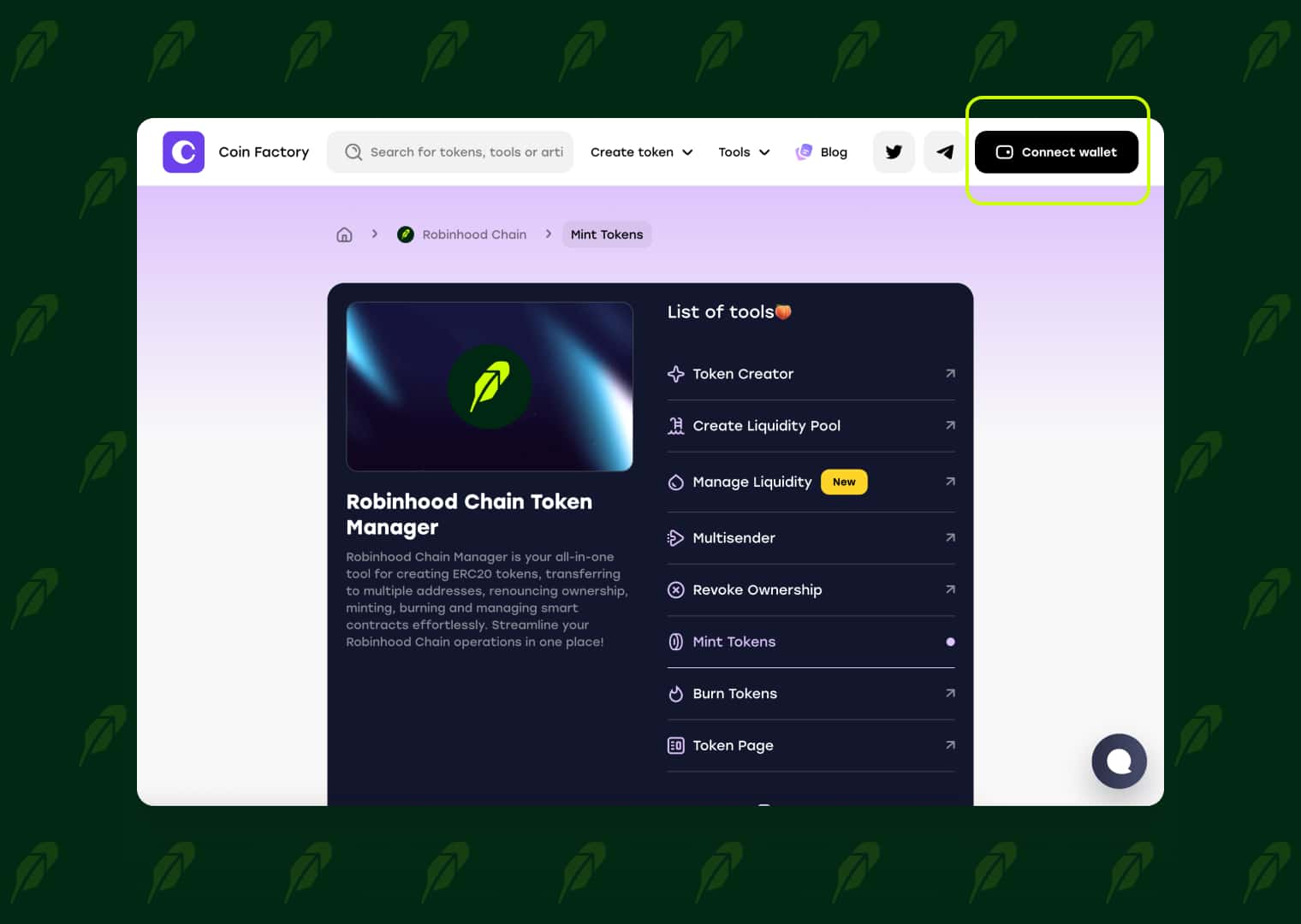
Step 1: Open the Robinhood Token Mint Tool
Visit the CoinFactory Robinhood Token Mint Tool and prepare to mint additional tokens for your existing Robinhood Chain token. The tool is designed to make token management simple, allowing you to increase your token supply in just a few clicks without writing any code.
Step 2: Connect the Wallet That Created the Token
Click Connect Wallet and connect the wallet that owns your token contract. This must be the same wallet that deployed the token or has permission to mint new tokens.
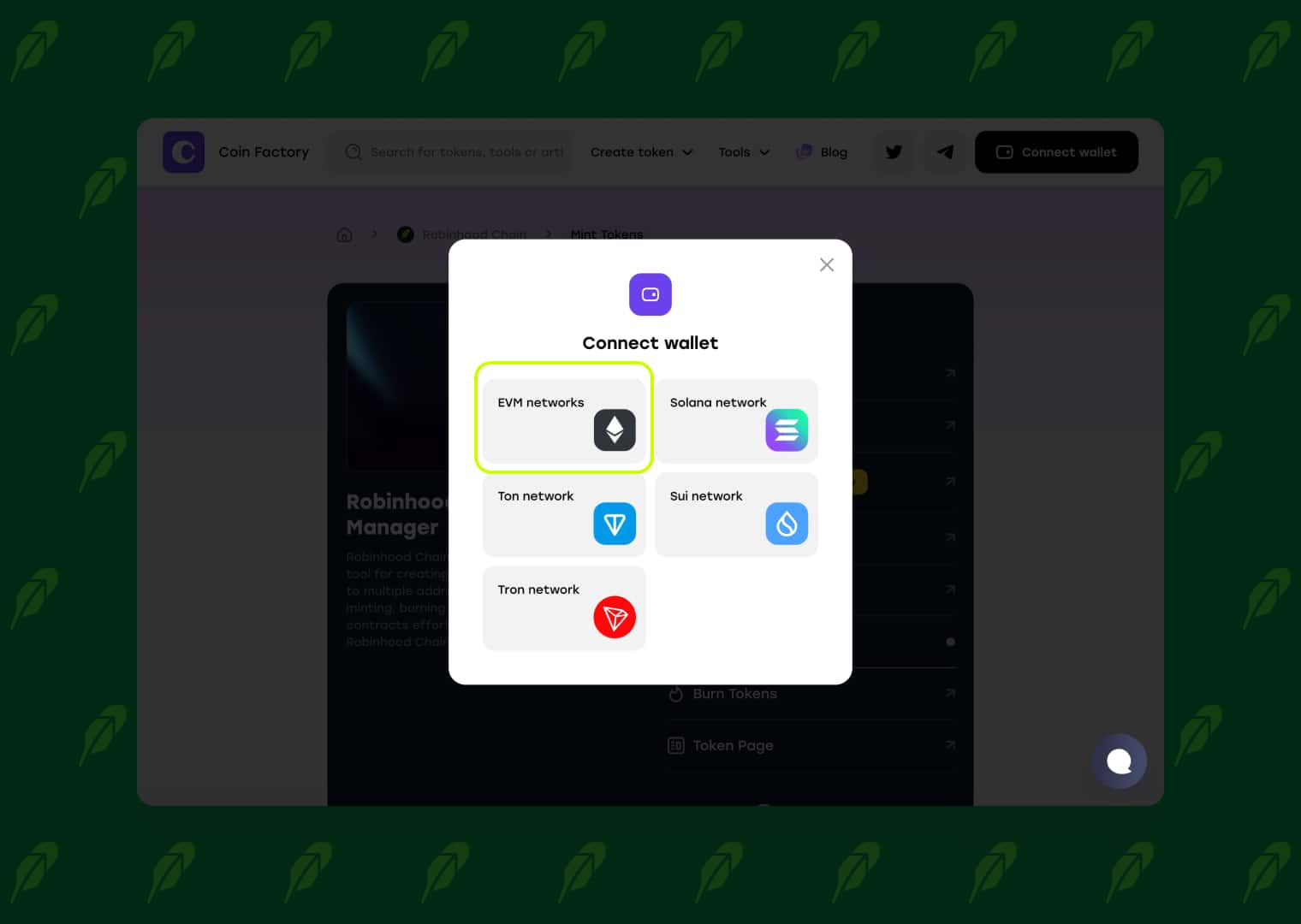
Make sure your wallet is connected to Robinhood Chain and has a small amount of ETH available to pay the network transaction fee.
Step 3: Enter the Token Details
Paste your Token Contract Address into the required field and enter the number of new tokens you want to mint.
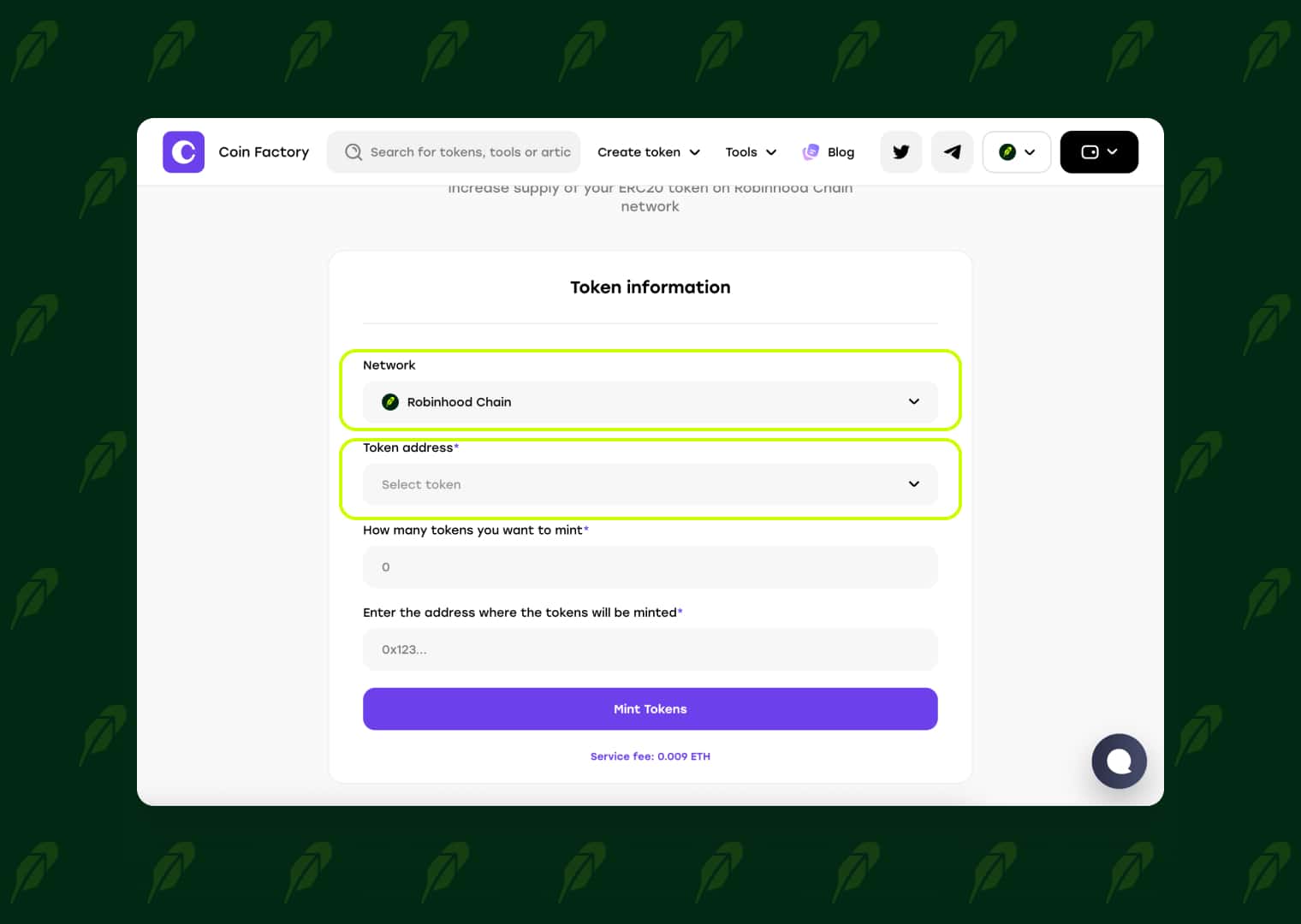
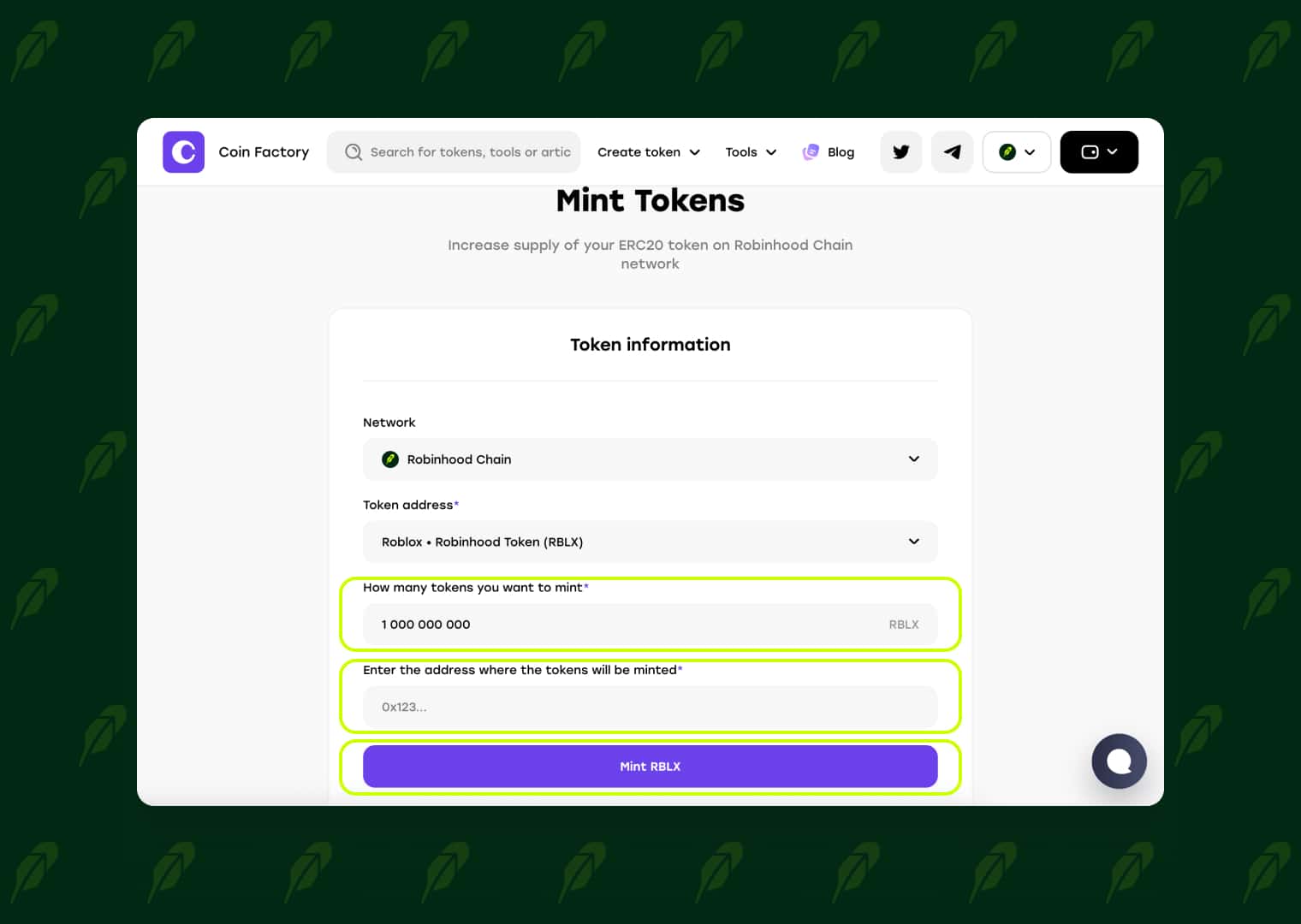
Before confirming, double-check that all information is correct. The newly minted tokens will be sent directly to the connected wallet and the total token supply will increase accordingly.
Step 4: Confirm the Transaction
Click Mint Tokens and approve the transaction in your wallet. Once the transaction is confirmed on Robinhood Chain, the new tokens will be minted and immediately appear in your wallet.
🥳 Congratulations! Your token supply has been successfully increased. You can verify the updated supply in the blockchain explorer, and your newly minted tokens are now ready to use for liquidity, rewards, airdrops, exchange listings, or any other purpose.
Conclusion
Minting additional tokens on Robinhood Chain is a fast and secure way to expand your project’s token supply whenever you need it. Whether you’re rewarding your community, funding development, adding liquidity, or preparing for future growth, CoinFactory makes the entire process simple and accessible without any coding.
If your token was created with the Mint function enabled, you can issue new tokens in just a few minutes using the CoinFactory Robinhood Token Mint Tool. Connect your wallet, enter the amount you want to mint, confirm the transaction, and your new tokens will be available immediately.
Tags

Guide
Robinhood
Mint
Tokens


