


How to List a Robinhood Token & Add Liquidity on Uniswap in 4 Steps
Learn how to list your Robinhood token on Uniswap. Create a liquidity pool on Robinhood Chain using CoinFactory and make your token available for decentralized trading in just a few easy steps.
 CoinFactory
Why List Your Robinhood Token on Uniswap?
After creating your token on Robinhood Chain, the next step is making it available for trading. By listing your token on Uniswap, you create a liquidity pool that allows anyone to buy, sell, and swap your token directly from their wallet without relying on centralized exchanges.
With CoinFactory, the entire process takes just a few minutes. You can create a Uniswap liquidity pool for your Robinhood token without coding or technical experience, making it easy to launch your project and start building a community.
Adding liquidity to Uniswap also improves your token’s visibility across the DeFi ecosystem. Once your liquidity pool is live, traders can access your token immediately, while wallets, portfolio trackers, and analytics platforms can begin displaying market data as trading activity grows.
In this guide, you’ll learn how to list a Robinhood token on Uniswap, create a liquidity pool with CoinFactory, and make your token ready for public trading in just a few simple steps.
Step-by-step instructions
Step 1: Open the CoinFactory Robinhood DEX Listing Tool
Go to the CoinFactory Robinhood DEX Listing page. The tool allows you to create a Uniswap liquidity pool and make your Robinhood token available for trading without writing any code.
Step 2: Connect Your Wallet
Click Connect Wallet and connect the same wallet that was used to create your Robinhood token. This wallet must hold the tokens you want to deposit into the liquidity pool.
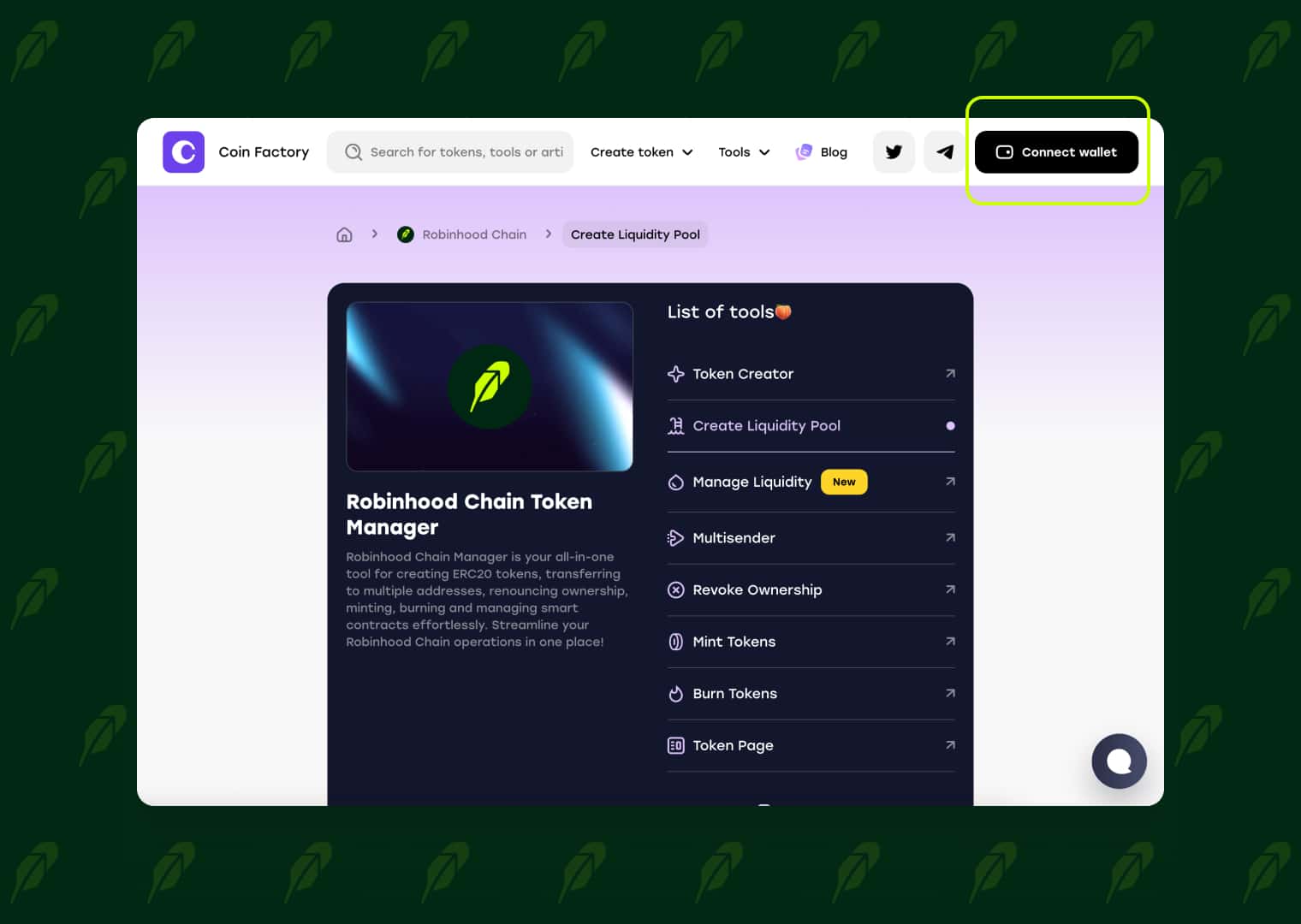
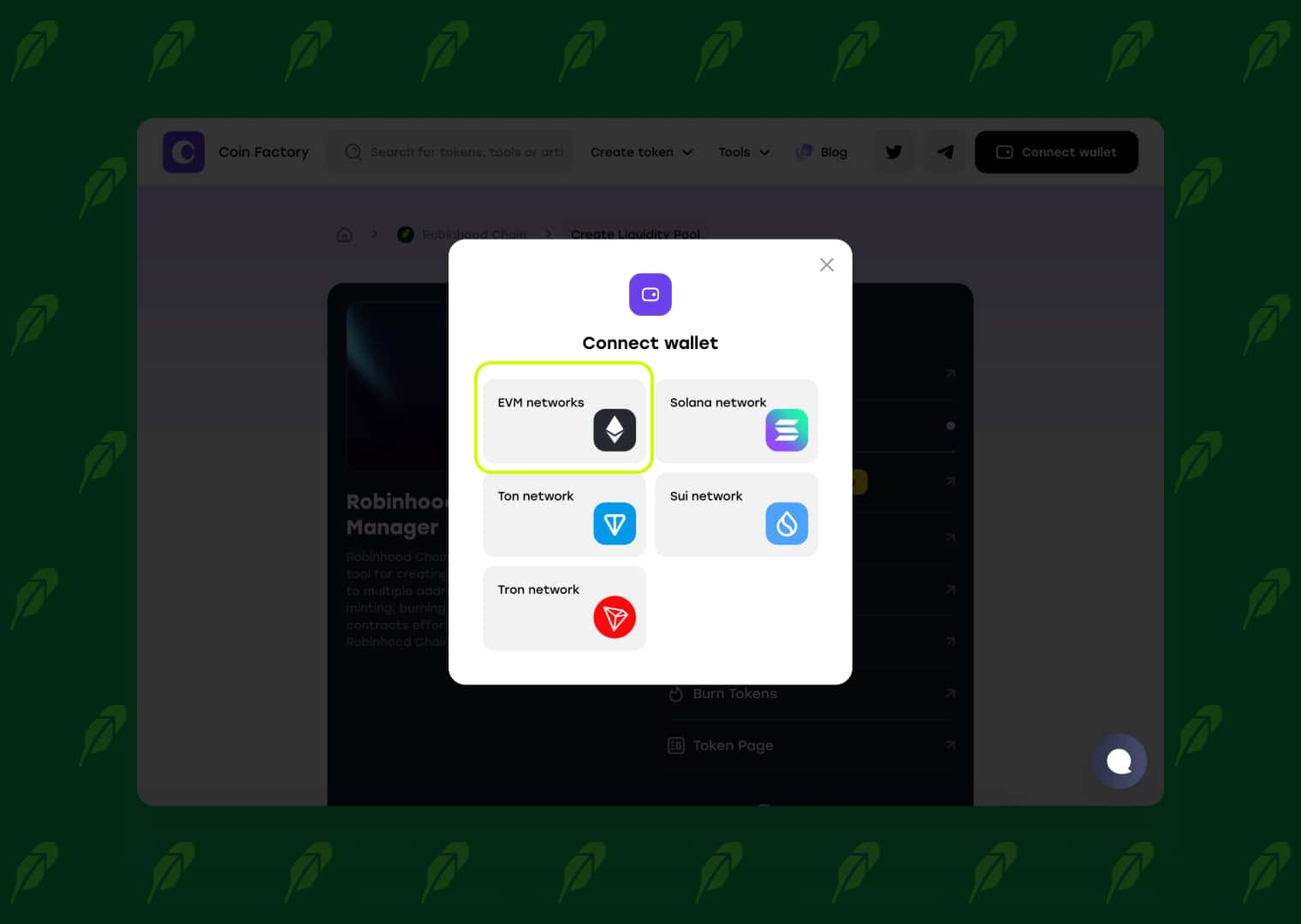
Make sure it also has enough ETH on Robinhood Chain to cover the CoinFactory service fee and network gas fees.
Step 3: Configure Your Uniswap Liquidity Pool
Complete the Pool Information section before creating your liquidity pool.
- Network — Select Robinhood Chain. This is the blockchain where your token was created and where the liquidity pool will be deployed.
- Pool Protocol — Choose the version of the liquidity pool you want to create. Protocol V2 offers the classic constant-product liquidity pool, while Protocol V3 introduces concentrated liquidity, allowing liquidity providers to allocate capital within a custom price range for improved capital efficiency.
- DEX Platform — Select Uniswap. Your liquidity pool will be deployed on the selected Uniswap protocol, making your Robinhood token available for decentralized trading.
- Select Pair — Choose the trading pair for your liquidity pool. Select your Robinhood token in the first field and choose the token you want to pair it with, such as ETH, in the second field.
- Initial Price — Enter the starting price for your token. This value defines the initial exchange rate between your Robinhood token and the paired asset when the liquidity pool is created.
- Deposit Tokens — Enter the amount of your Robinhood token and the amount of the paired asset that will be deposited into the liquidity pool. These assets become the initial liquidity used for trading.
- Fee Tier — The available fee options depend on the selected protocol. Protocol V2 uses a fixed 0.3% trading fee for every liquidity pool. Protocol V3 allows you to choose between 0.01%, 0.05%, 0.3%, and 1%, depending on your trading strategy. Lower fee tiers are generally better for low-volatility pairs, while 0.3% and 1% are commonly used for newly launched or more volatile tokens. Trading fees are paid by traders and distributed to liquidity providers.
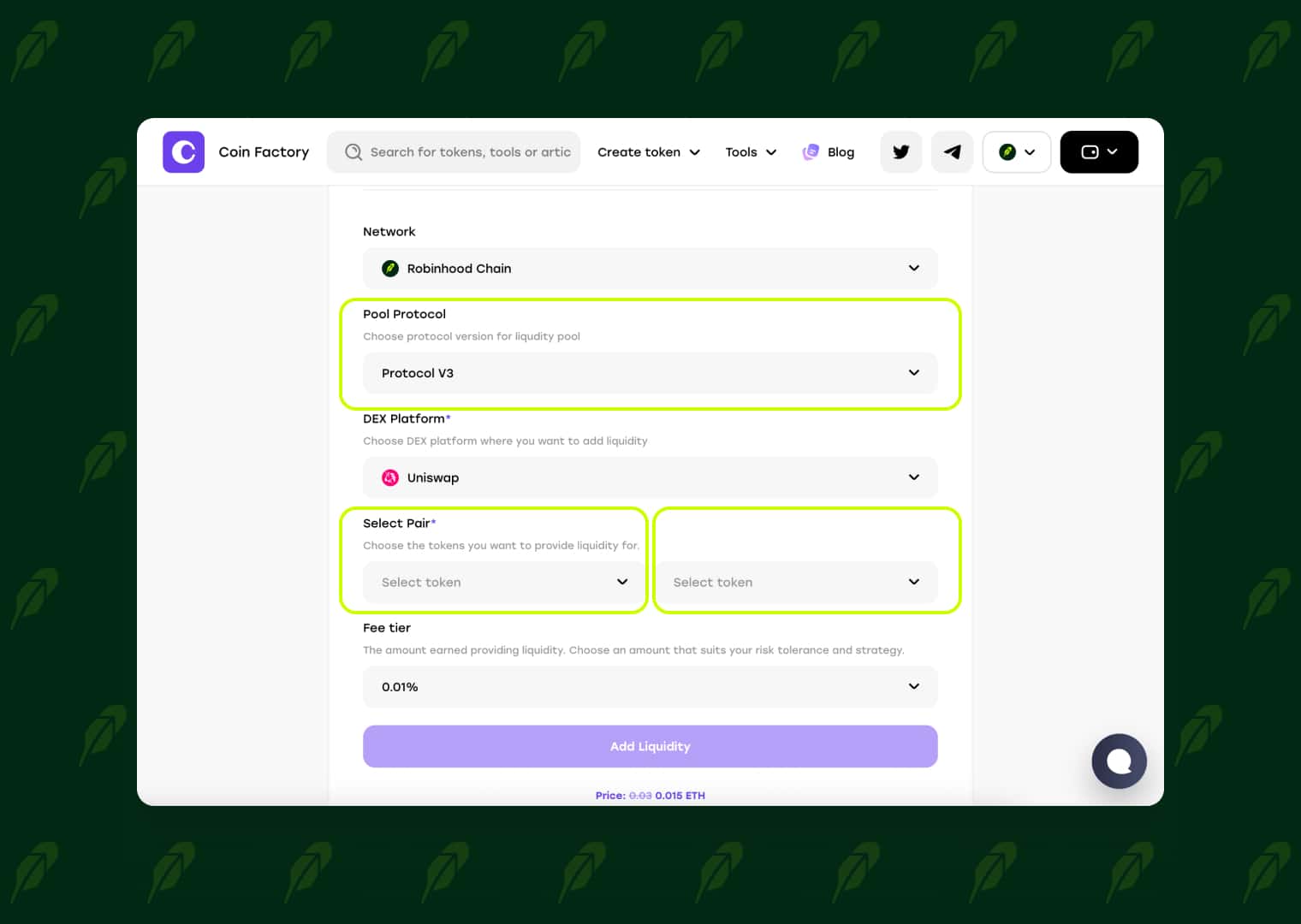
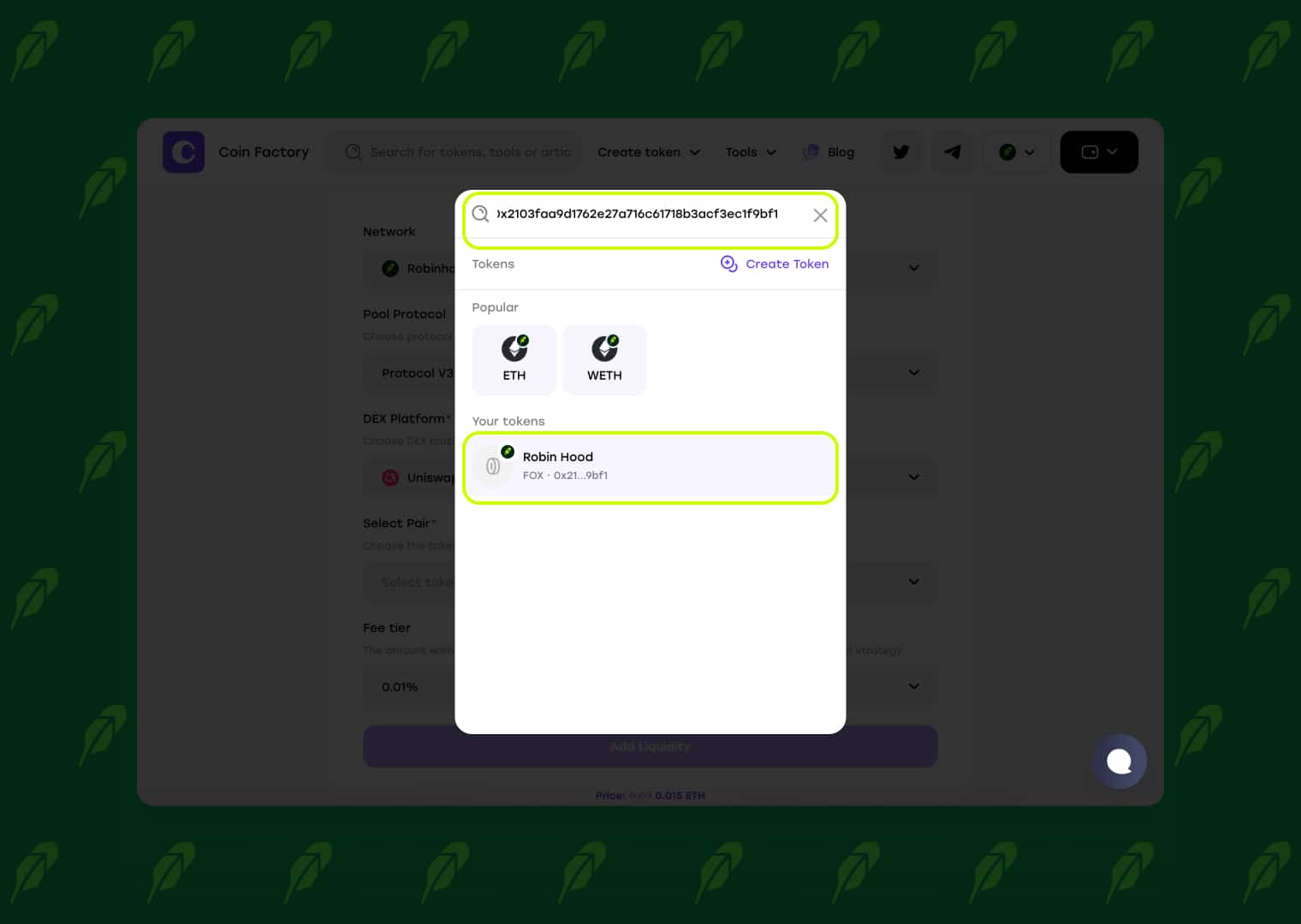
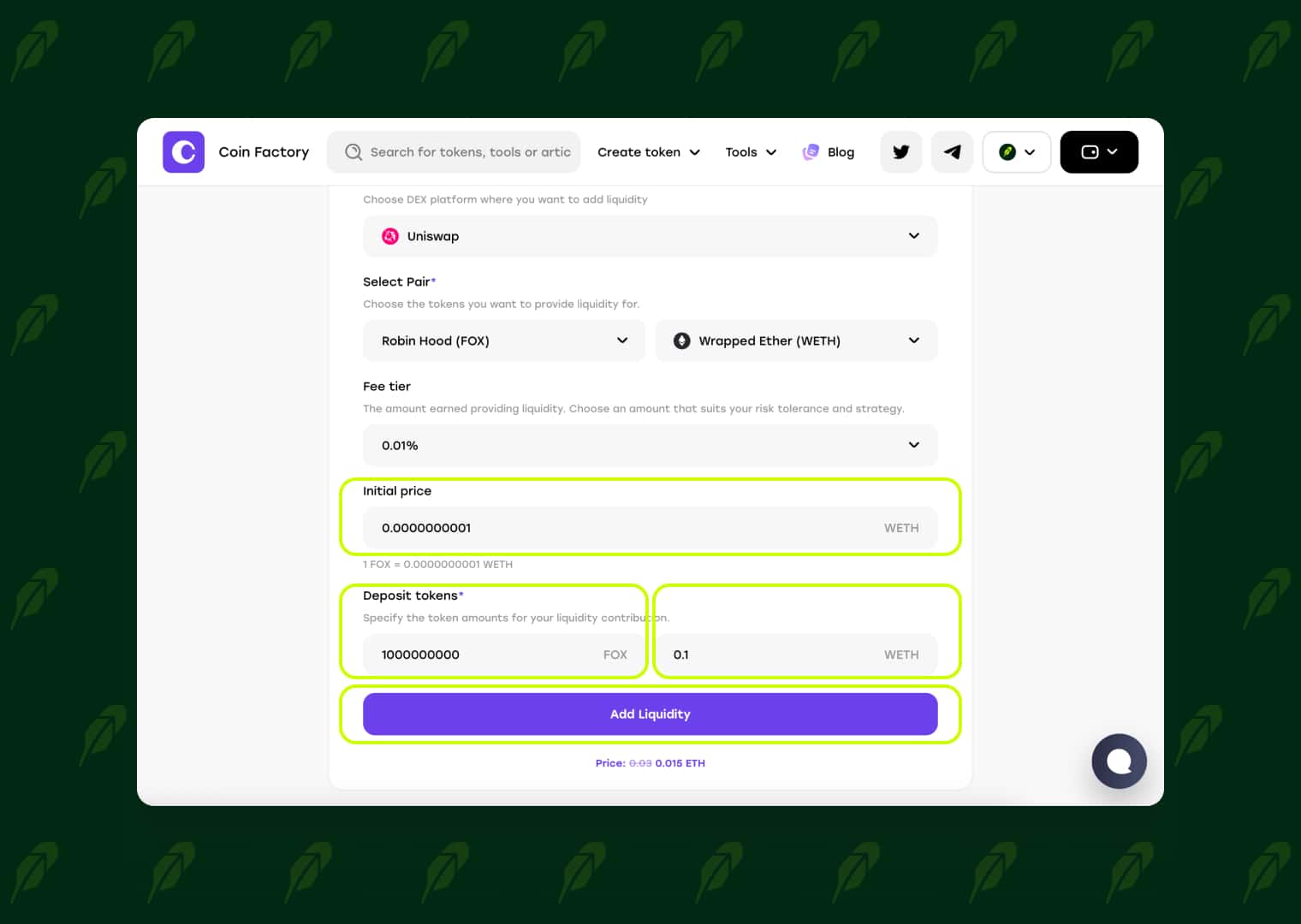
After reviewing all the information, click Add Liquidity to continue to the final confirmation step. Review all the entered information and click Add Liquidity.
Step 4: Confirm the Transaction in Your Wallet
After clicking Add Liquidity, your wallet will ask you to approve the required transactions. Depending on the selected tokens, you may first need to approve CoinFactory’s access to them and then confirm the liquidity pool creation.
Check the transaction details and network fees before confirming each request.
Once the transactions are confirmed on Robinhood Chain, your Uniswap V2/V3 liquidity pool will be created successfully.
🥳 Congratulations! Your Robinhood token is now listed on the DEX and available for public trading.
Your Token Is Ready for Trading
Your Robinhood token is now live on Uniswap and available for decentralized trading. From here, you can focus on growing your community, attracting liquidity providers, and promoting your project to increase trading activity and visibility across the Robinhood ecosystem.
Tags

Guide
Robinhood
Token
Listing
Pool liquidity
Uniswap


