


How to Launch a Token on Pools Launchpad in 30 seconds
Launch a token on Pools Launchpad in 30 seconds with CoinFactory. No coding needed. Get early visibility on Robinhood Chain and start growing your community today.
 CoinFactory
Why Launch a Token on Pools Launchpad?
Robinhood Chain is exploding with activity — and Pools is one of the hottest places to catch early traders right now. Launching here means your token goes live in a fast-growing ecosystem with real volume and hungry buyers from day one.
With the CoinFactory Pools Token Launcher, you skip the complexity completely. Go from idea to live, tradeable token in about 30 seconds — zero coding, zero technical headaches.
Why creators choose CoinFactory + Pools
- 💚 Lightning-fast launch — idea → live token in ~30 seconds
- 💚 No coding required — simple interface anyone can use
- 💚 Instant visibility boost — tokens launched through CoinFactory get promoted on our platform
- 💚 Early mover advantage on one of the fastest-growing chains right now
- 💚 Beginner-friendly — perfect even if you’ve never deployed a contract before
Ready to get your token in front of traders today?
Follow the simple steps below and launch on Pools in under a minute.
Step-by-Step Instructions
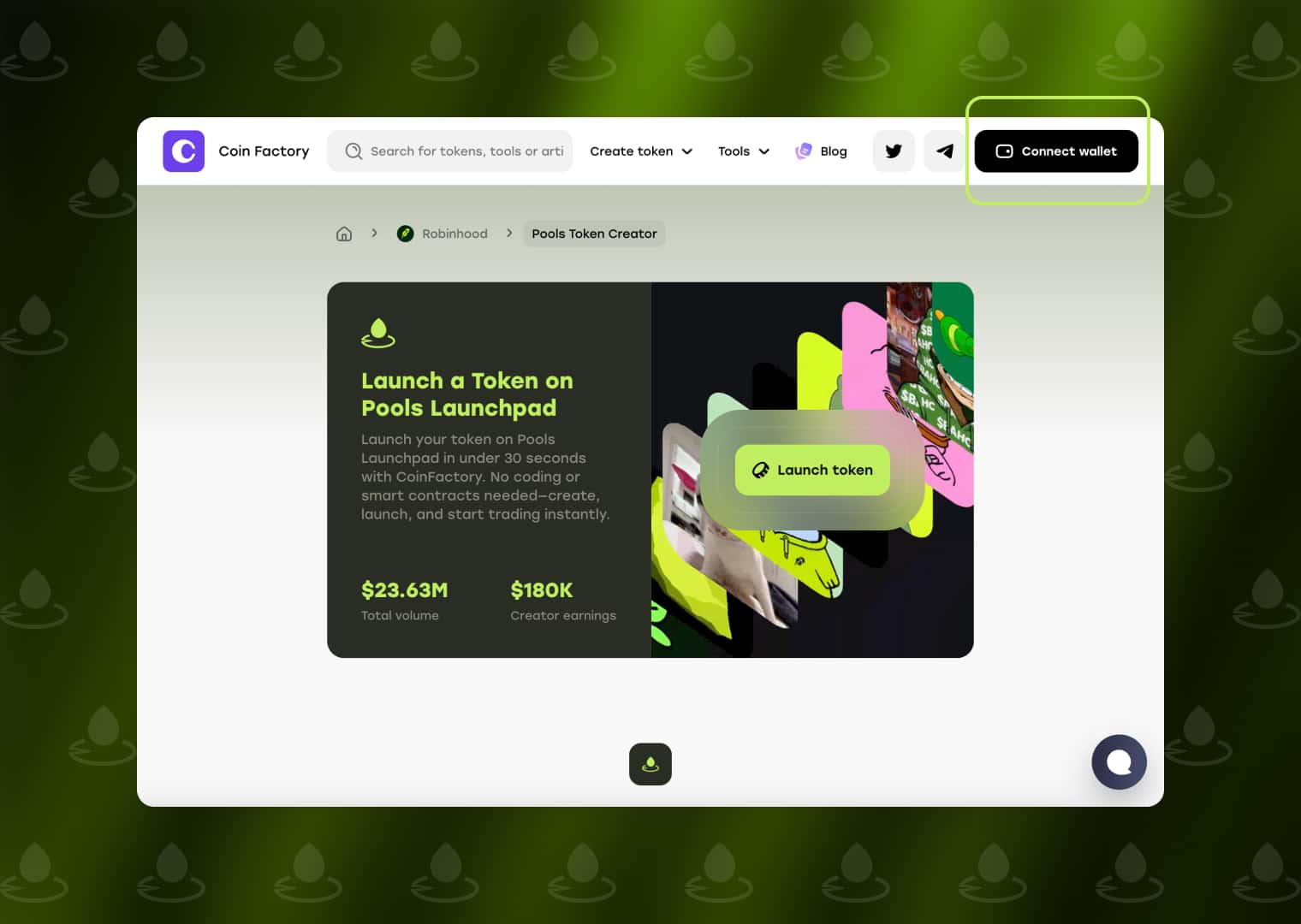
Step 1: Open the Pools Token Launcher
Go to the Pools Token Launcher by CoinFactory and click Connect wallet to get started. The launcher lets you create and launch a token directly on Pools without writing code or deploying contracts manually.
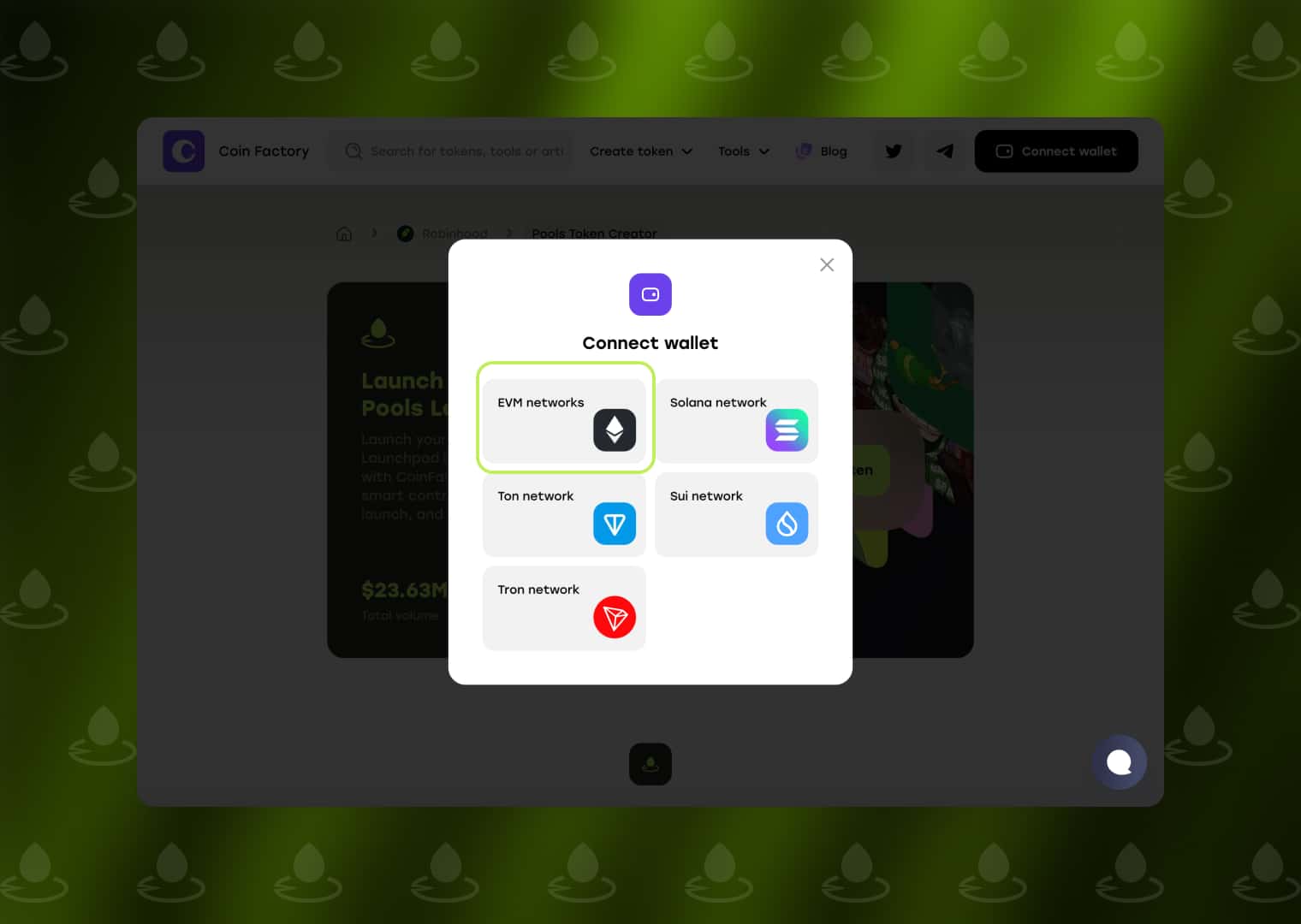
Step 2: Connect Your Wallet
In the wallet connection window, select EVM networks and connect a compatible wallet. Make sure your wallet is connected to the Robinhood Chain and has enough ETH to cover the token launch, developer buy, and network gas fees.
Once connected, you can proceed directly to the token creation form.
Step 3: Fill in your token details
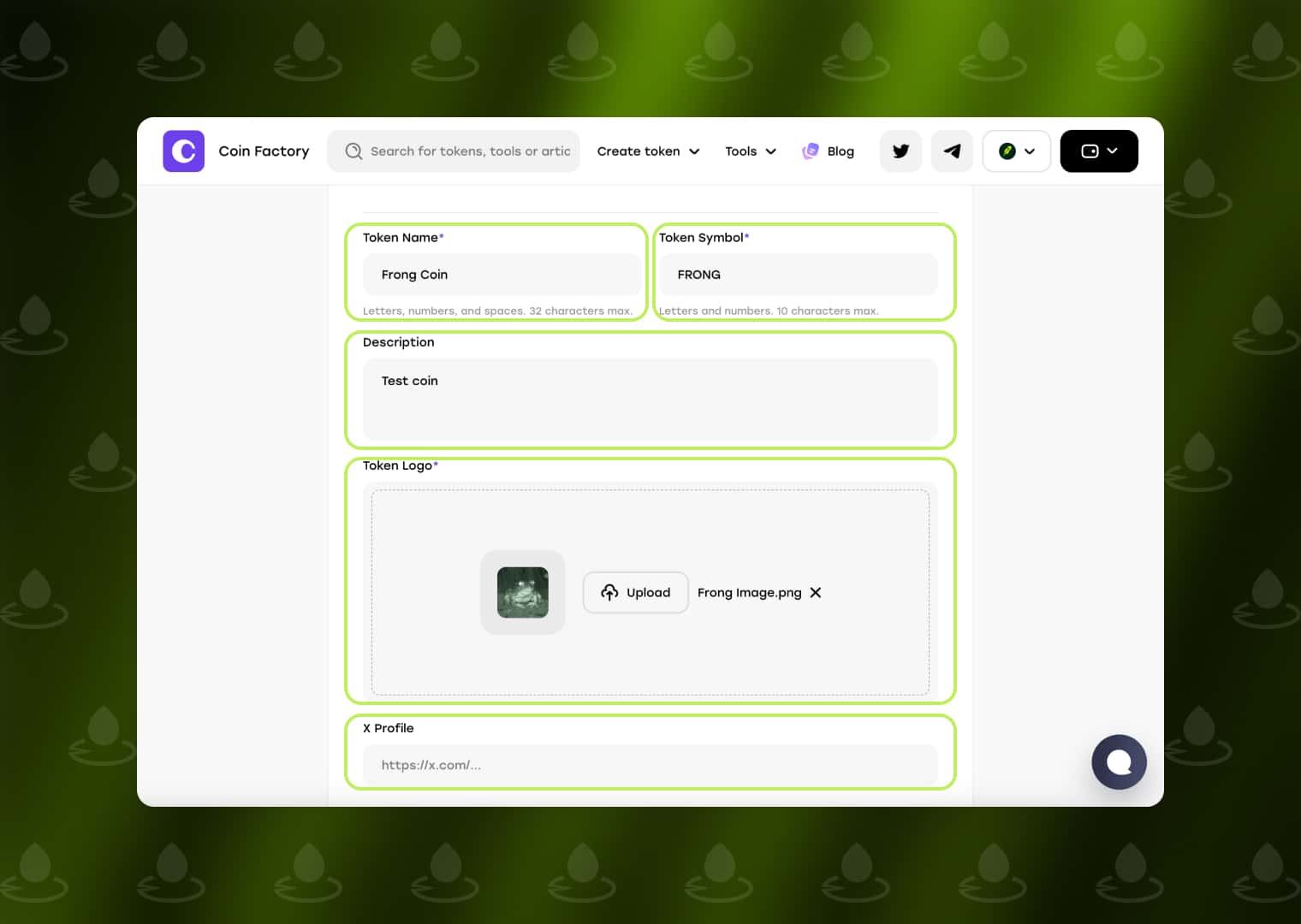
Enter the basic information that will represent your token on Pools:
- Token Name — the full name of your token.
- Token Symbol — a short ticker such as FRONG.
- Description — briefly describe your token or project.
- Token Logo — upload an image that will be displayed with your token.
- X Profile — optionally add a link to your token’s X account.
Double-check the information before continuing, as these details will be used when your token is launched.
Step 4: Set your creator buy and launch
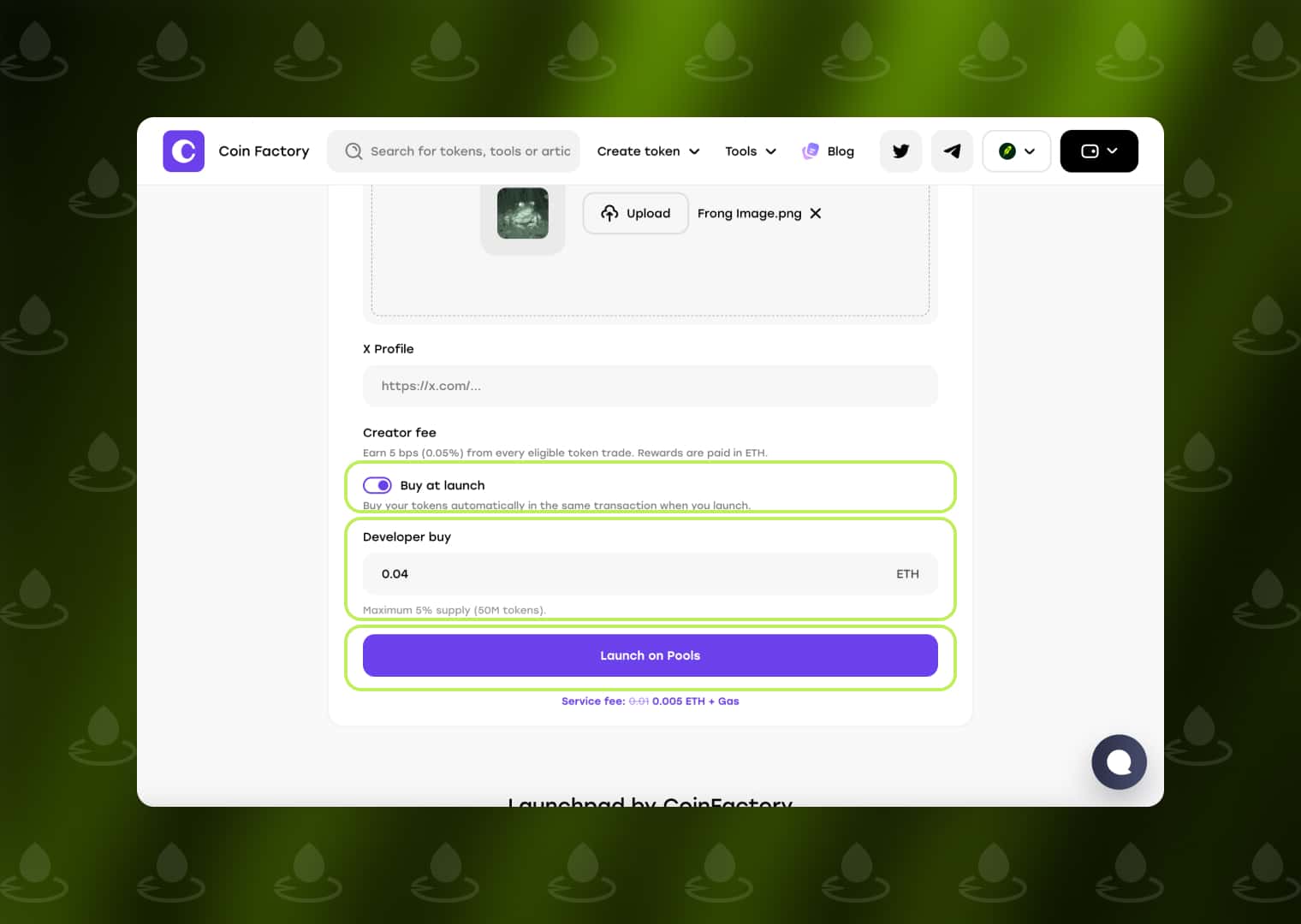
If you want to purchase part of the token supply immediately at launch, enable Buy at launch and enter the amount of ETH you want to spend in the Developer buy field.
The developer buy is executed automatically in the same transaction as the token launch. Pools limits the developer purchase to a maximum of 5% of the total token supply.
When everything is ready, click Launch on Pools and confirm the transaction in your wallet. After the transaction is completed, your token will be created and launched on Pools, where users can start trading it.
🚀 Your Token Is Live!
That’s it — your token is now live on Pools Launchpad and trading inside the Robinhood Chain ecosystem.
If you launched through CoinFactory, you’ve also unlocked an initial visibility boost on our platform. More eyes on your token from the very first minutes.
Now the real work begins:
- Share your token with your community
- Track performance and early volume
- Start building momentum while the ecosystem is still heating up
Conclusion
Launching on Pools no longer requires coding skills or complicated setup.
With the CoinFactory Pools Token Launcher you can go from idea to live token in about 30 seconds — simple, fast, and beginner-friendly.
Pools gives you early access to a rapidly growing chain.
CoinFactory makes the whole process effortless.
Ready to launch your token?
Create it on Pools through CoinFactory right now and start building your community today.
Tags

Pools launchpad
Robinhood
Launch token
Meme
Token creator


