


How to Launch a Meme Token on Arc Network and Earn from the First Trade
Launch a meme token on Arc Network with CoinFactory and earn from the first trade. Automatic trading setup, simple token creation, and no coding required.
 CoinFactory
Why Launch a Meme Token on Arc Network?
Launching a meme token usually involves more than deploying a smart contract. Creators also need to think about liquidity, trading access, and how the token reaches its first users.
CoinFactory simplifies this process for Arc Network by combining token creation and launch into a single workflow. Instead of deploying a token first and configuring its market separately, you can prepare the token, launch it, and make it available for trading through one interface.
Creator rewards are tied to trading activity, which means you can start earning from the first trade after your token goes live.
Why Use CoinFactory for an Arc Meme Token Launch?
- 🚀 Launch in a Few Steps — configure and deploy your meme token through a simple interface.
- 💰 Earn from the First Trade — creator rewards begin accumulating as trading starts.
- 🔄 Automatic Trading Setup — no separate DEX listing process is required after launch.
- 💧 No Manual Liquidity Setup — the launch process handles the trading setup for you.
- ⛓️ Built for Arc Network — launch your token directly on Arc without switching between multiple tools.
- 💻 No Coding Required — you do not need to write, deploy, or configure smart contracts manually.
Below, we'll walk through the complete process of launching a meme token on Arc Network.
What You Need Before You Start
Before opening the launcher, prepare a few things:
- An EVM-compatible wallet connected to Arc Network.
- Enough USDC in your wallet to cover the required network gas and launch transaction.
- A name and ticker for your meme token.
- A token logo in JPG, PNG, or GIF format.
- A short description of your project.
- Website and social links if you want to add them to your token profile.
The exact transaction cost can vary depending on network conditions and the selected launch configuration.
Step-by-Step Istructions
Step 1: Open the Arc Meme Token Launcher
The launcher is already configured for Arc, so you can start preparing your token immediately.
Step 2: Connect Your Wallet
Click Connect Wallet and select an EVM-compatible wallet.
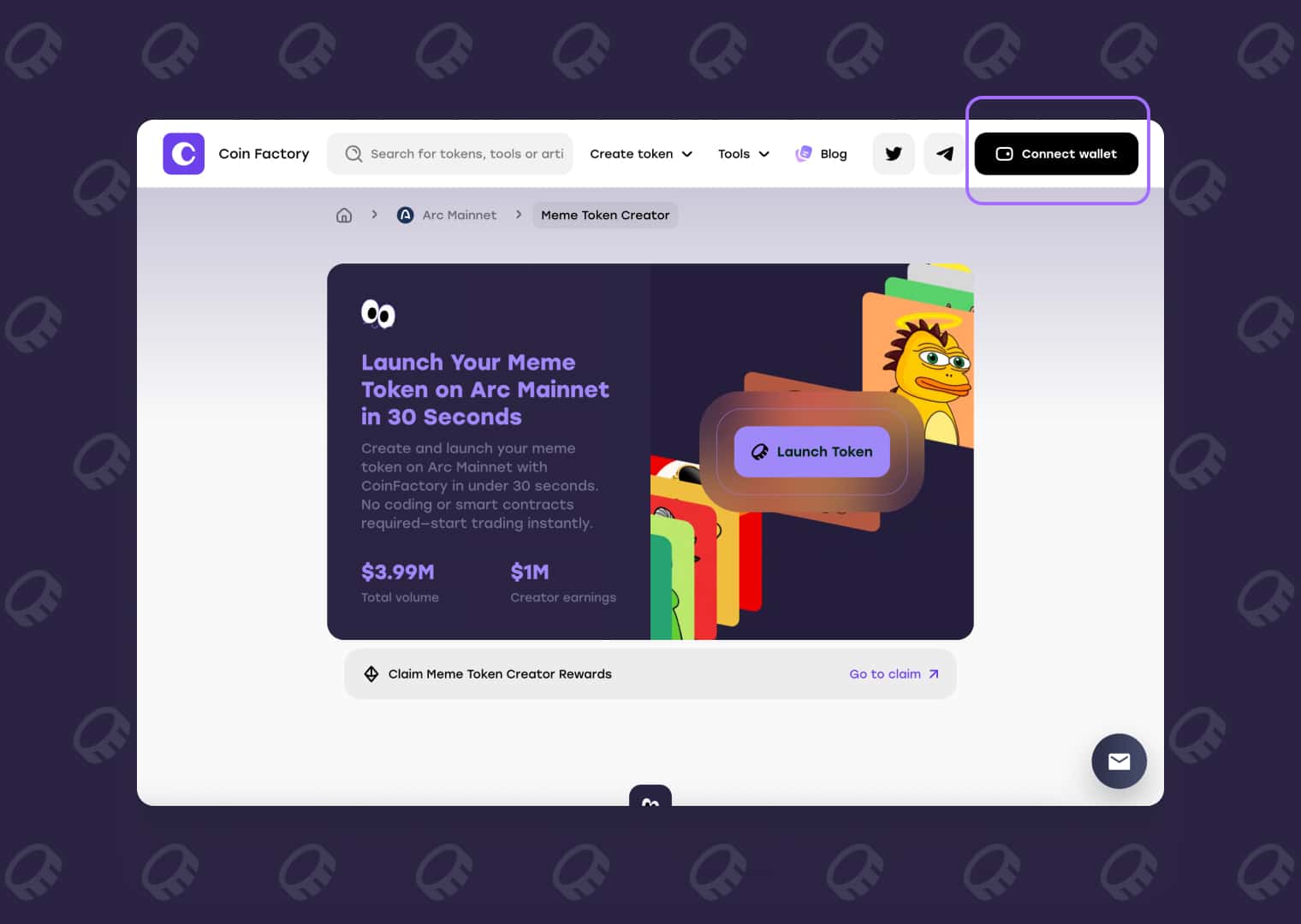
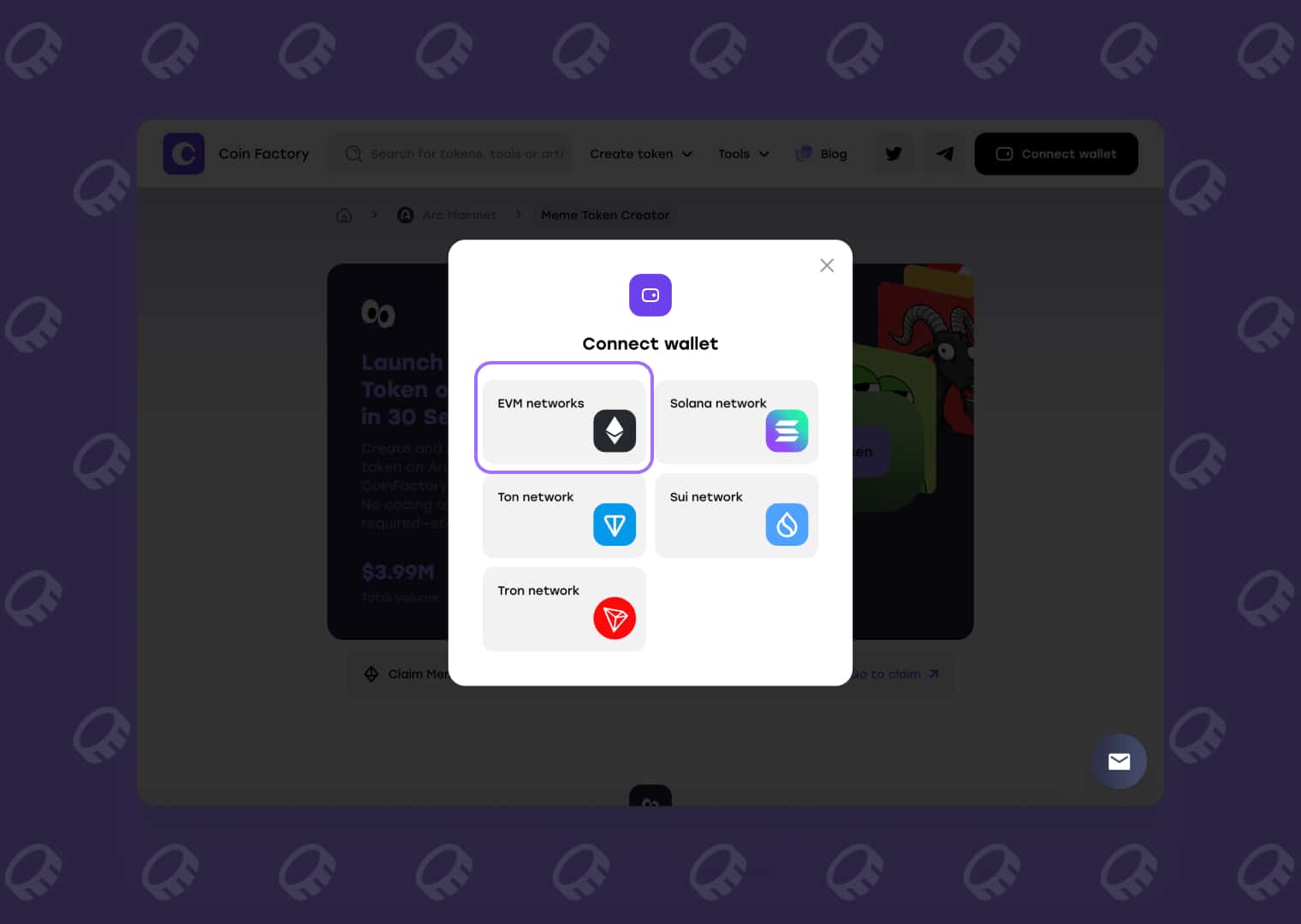
Approve the connection request and make sure your wallet is using Arc Network. You will also need enough USDC to cover the required transaction costs.
Your wallet remains responsible for approving and signing the on-chain transaction.
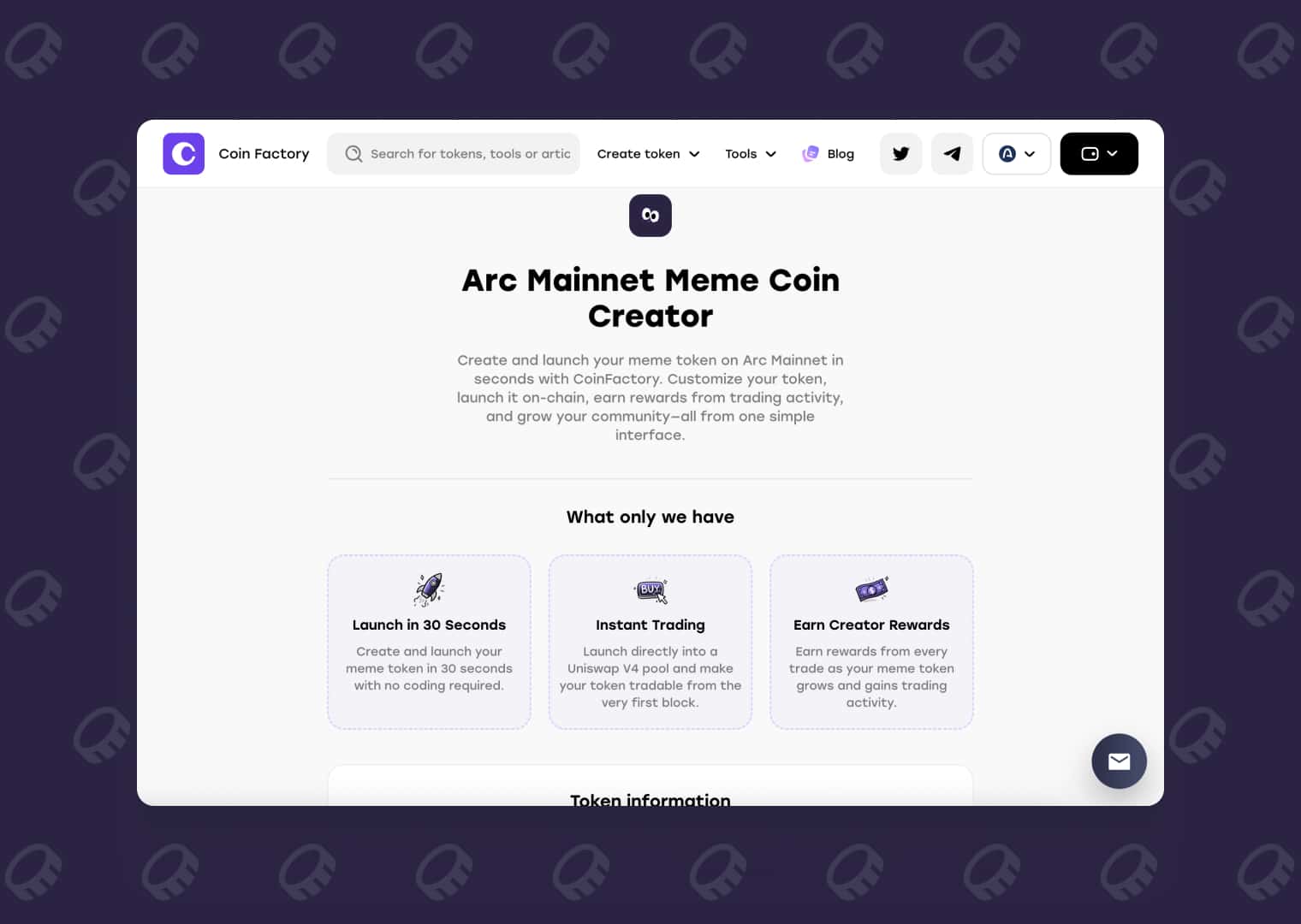
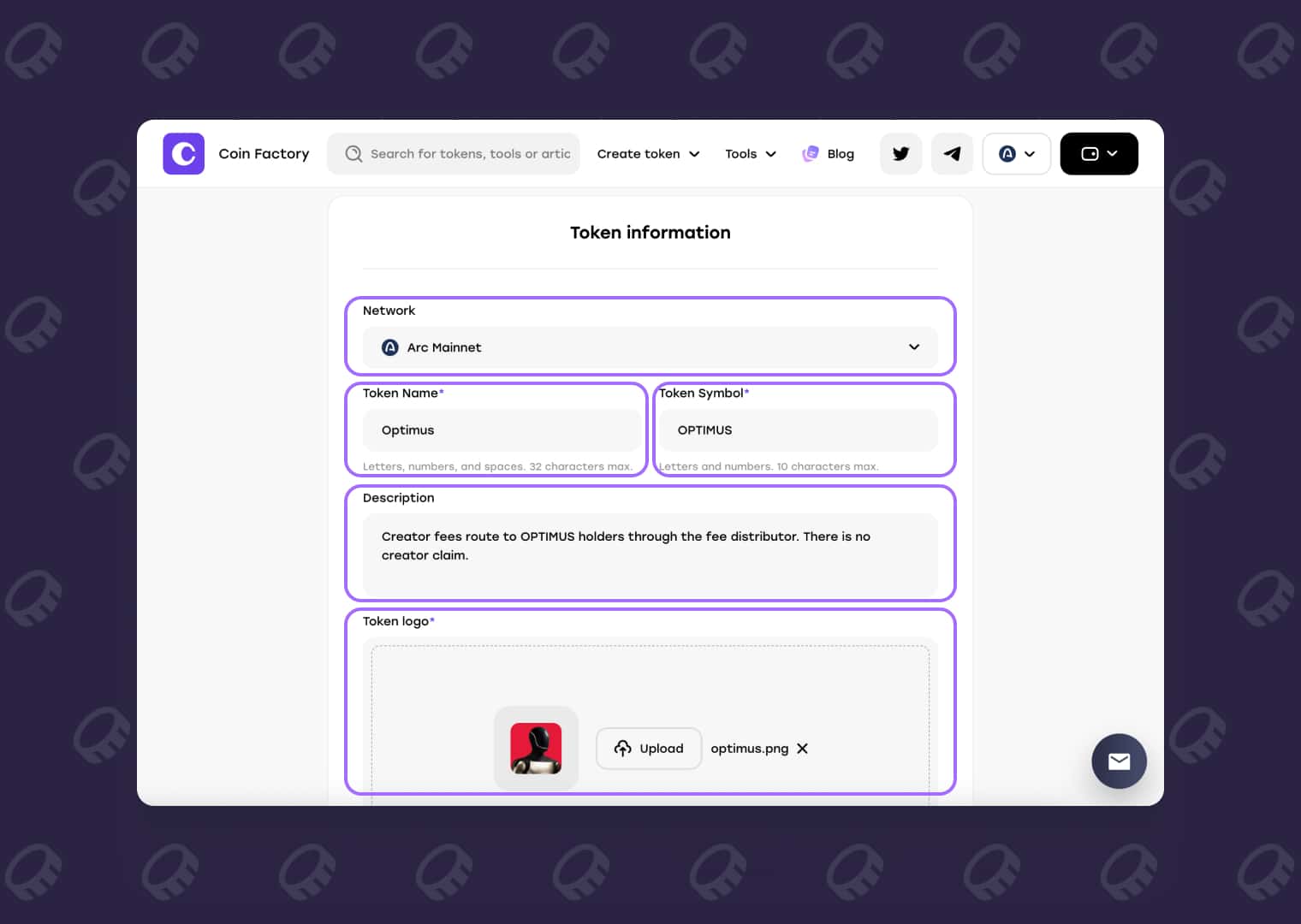
Step 3: Build Your Meme Token Profile
Now set up the information traders will see when your token launches.
Complete the available fields:
- Token Name — enter the full name of your meme token.
- Token Symbol — create a short ticker for the token.
- Description — briefly explain the idea, character, meme, or community behind it.
- Token Logo — upload a JPG, PNG, or GIF image.
- Social Links — add your website, X (Twitter), Telegram, or other available community links.
- Paired Token — select the asset that will form the trading pair.
- Initial Buy — if available, choose whether you want to purchase part of the supply during launch.
Review the token name, ticker, image, links, and launch settings before proceeding. Some token information may be difficult or impossible to change after the transaction has been confirmed.
Step 4: Launch Your Token on Arc Network
Once the token configuration is ready, click the launch button.
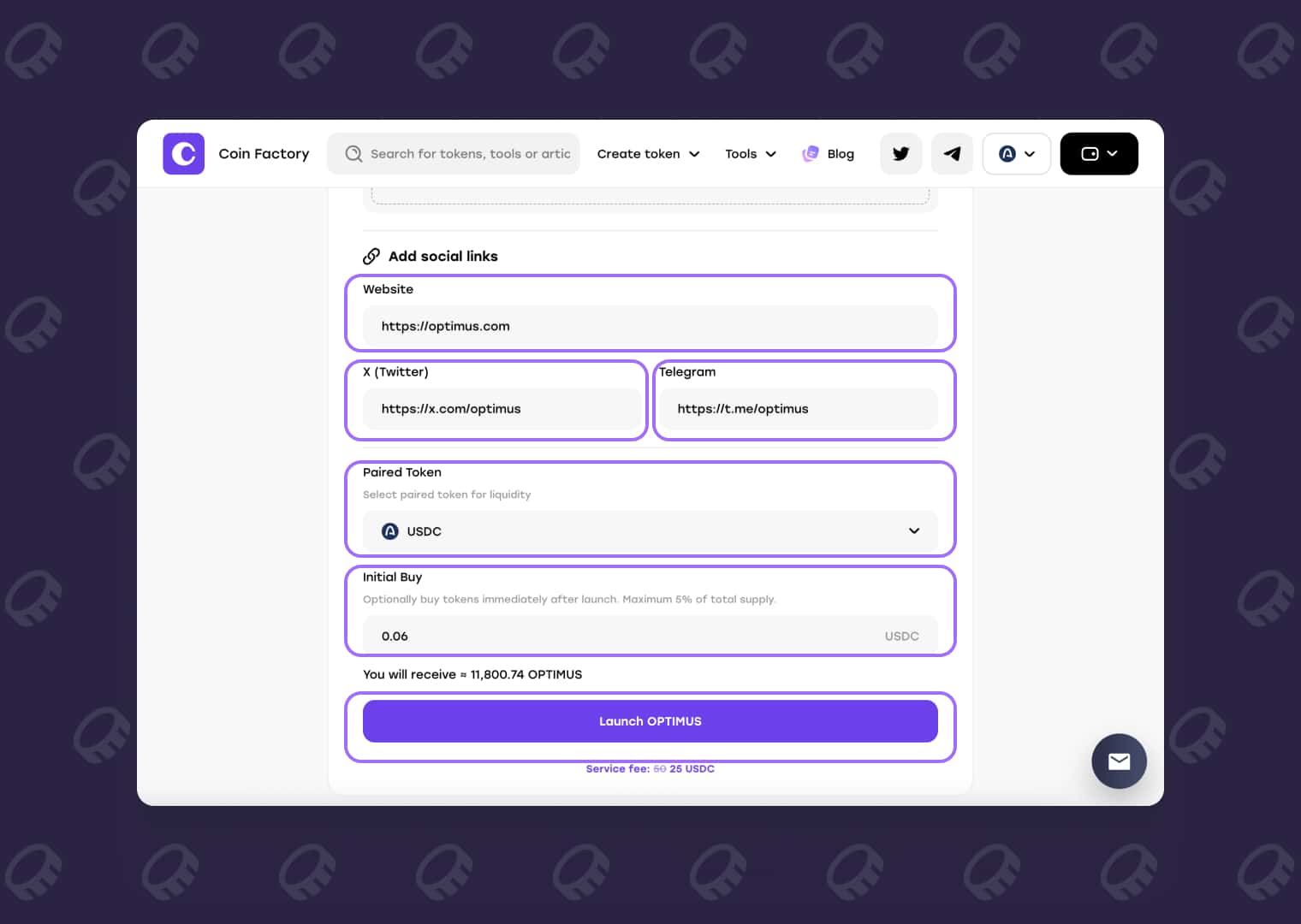
Your wallet will display a transaction request. Review it and confirm the transaction to submit your meme token launch to Arc Network.
Wait for the transaction to be processed. After confirmation, your token is live and can become available for trading through the launch mechanism.
You can use Arc Scan to view the confirmed on-chain transaction and token information.
Start Earning Creator Rewards from the First Trade
A successful launch creates more than a new token — it also activates the creator reward mechanism connected to its trading activity.
As traders buy and sell your meme token, creator rewards can begin accumulating from the first trade. This gives creators a way to benefit from ongoing market activity rather than relying only on an initial token purchase.
Available rewards can later be claimed through CoinFactory using the wallet associated with the token launch.
For detailed instructions, see the CoinFactory guide on claiming creator rewards on Arc Network.
Conclusion
Launching a meme token on Arc Network does not have to involve separate smart-contract deployment, manual liquidity configuration, and multiple tools.
With CoinFactory, the launch process is brought into one flow: connect your wallet, create the token profile, choose the launch settings, and approve the transaction.
Once the token goes live, trading can begin and creator rewards can start accumulating from the first trade.
If you already have your token name, ticker, logo, and community links ready, you can use the CoinFactory Arc Meme Token Launcher to move from an idea to an on-chain meme token in just a few steps.
FAQ
How do I launch a meme token on Arc Network?
Open the CoinFactory Meme Token Launcher for Arc Network, connect an EVM-compatible wallet, enter your token information, configure the available launch settings, and confirm the transaction in your wallet. No manual smart-contract coding is required.
Do I need coding skills to create a meme token on Arc Network?
No. CoinFactory provides a no-code interface for configuring and launching a meme token on Arc Network. You do not need to write or deploy the smart contract manually.
What token do I need to pay gas on Arc Network?
For this CoinFactory workflow on Arc Network, you should have USDC available in your connected wallet for the required network transaction costs.
How much does it cost to launch a meme token on Arc Network?
The total cost depends on the CoinFactory launch fee and the network transaction cost at the time of launch.
When do I start earning creator rewards?
Creator rewards can begin accumulating from the first trade after your meme token has been successfully launched and trading activity begins.
Tags

Guide
Arc
Meme
Meme launcher
Creator rewards


