


How to Launch a Token on Pons Launchpad in 30 seconds
Launch your token on Pons Launchpad in just 30 seconds. Create a Robinhood Chain token with no coding, reach an active community, and start your crypto project today.
 CoinFactory
Why Launch Your Token on Pons Launchpad?
Launching a token is only the first step — getting it noticed is what really matters. Pons Launchpad helps new projects reach an active Robinhood Chain community from day one, giving creators a better opportunity to attract early holders, generate trading activity, and build momentum.
With CoinFactory, you can create and launch your token on Pons in just a few minutes. No coding, no complicated smart contracts, and no technical setup. Simply fill in your token details, connect your wallet, and your project will be ready to launch on one of the fastest-growing launchpads in the Robinhood Chain ecosystem.
Benefits of Launching on Pons
- 🚀 Launch in Minutes — Create and launch your token without writing a single line of code.
- 👥 Active Community — Put your project in front of Robinhood Chain users actively looking for new token launches.
- 📈 Better Visibility — Give your token a stronger chance of being discovered from day one.
- 🔒 Secure Smart Contracts — Launch using professionally developed and audited token contracts.
- ⚡ Simple Process — Everything from token creation to launch is completed in just a few clicks.
- 💚 Built for Robinhood Chain — Optimized specifically for the Robinhood Chain ecosystem and the Pons Launchpad.
- 💼 Perfect for Any Project — Launch meme coins, community tokens, utility tokens, gaming tokens, or DeFi projects with the same simple workflow.
Whether you’re launching your first meme coin or building a long-term crypto project, Pons Launchpad gives your token a better starting point by combining fast deployment with exposure to an active trading community.
Step-by-step Instructions
Step 1: Open the Pons Token Launcher
Go to the CoinFactory Pons Token Launcher. This tool allows you to create and launch a Robinhood Chain token directly on Pons without writing any code.
Step 2: Connect Your Wallet
Click Connect Wallet and choose a wallet that supports Robinhood Chain.
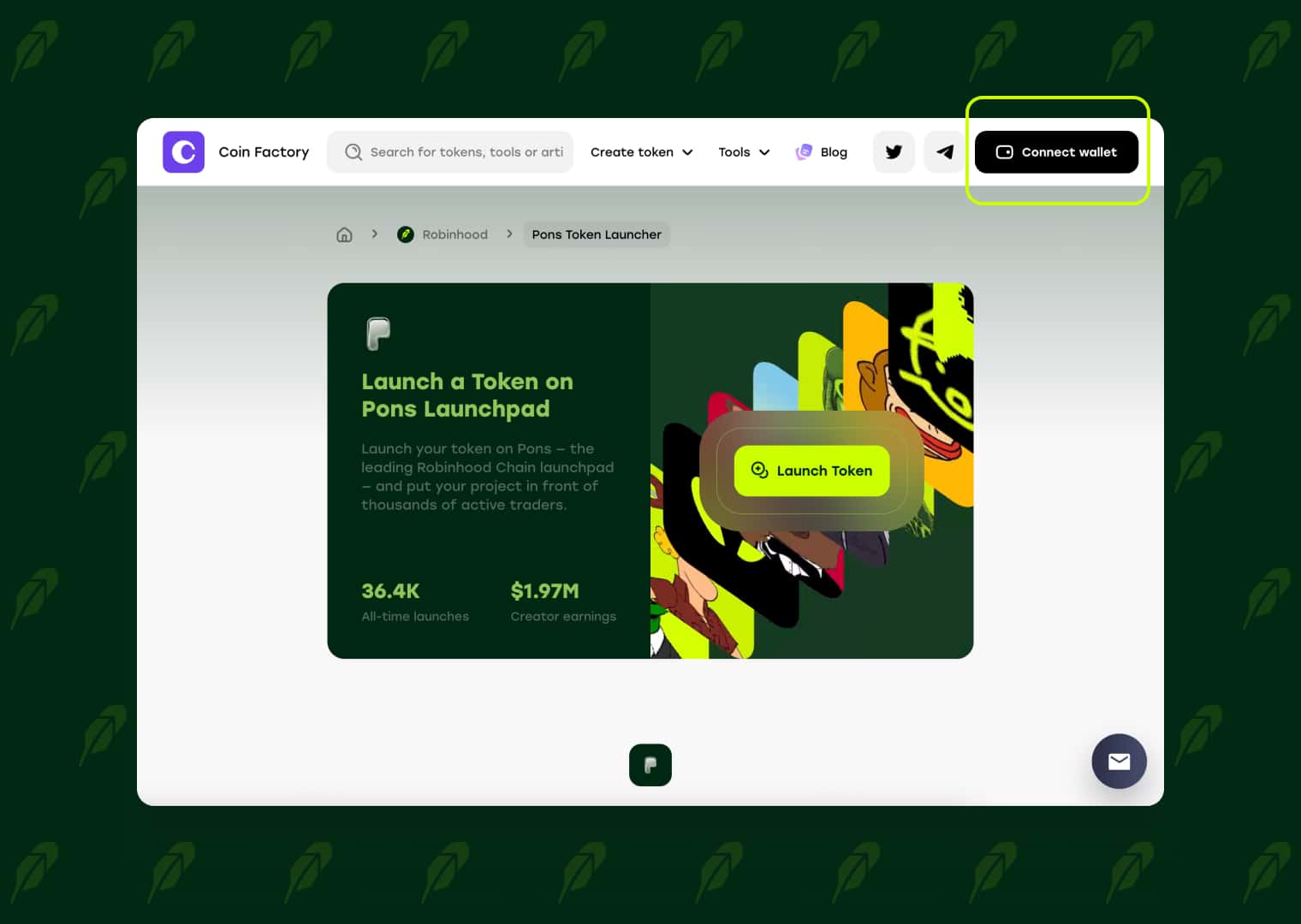
Make sure the connected wallet has enough funds to cover the token launch fee and network transaction costs.
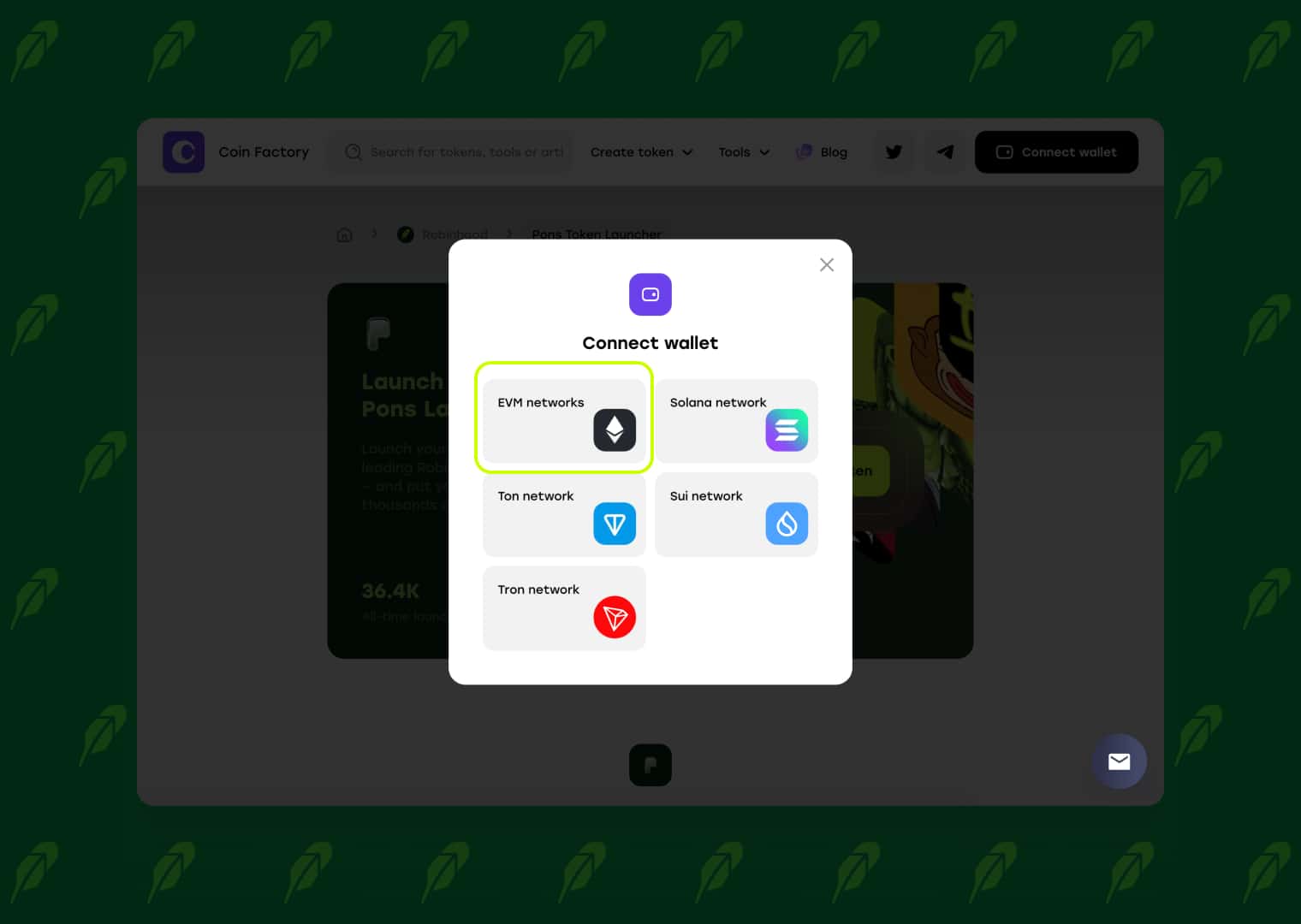
This wallet will be used to confirm the launch and will receive any creator-related permissions or allocations included in the selected setup.
Step 3: Enter Your Token Details
Complete the token creation form with the information that will appear on the Pons launch page:
- Token Name — the full name of your project.
- Token Symbol — a short ticker such as $PONS.
- Token Logo — a clear square image representing your token.
- Description — a short explanation of your project and its purpose.
- Website — your official project website, if available.
- Social Links — add X, Telegram, or other community channels.
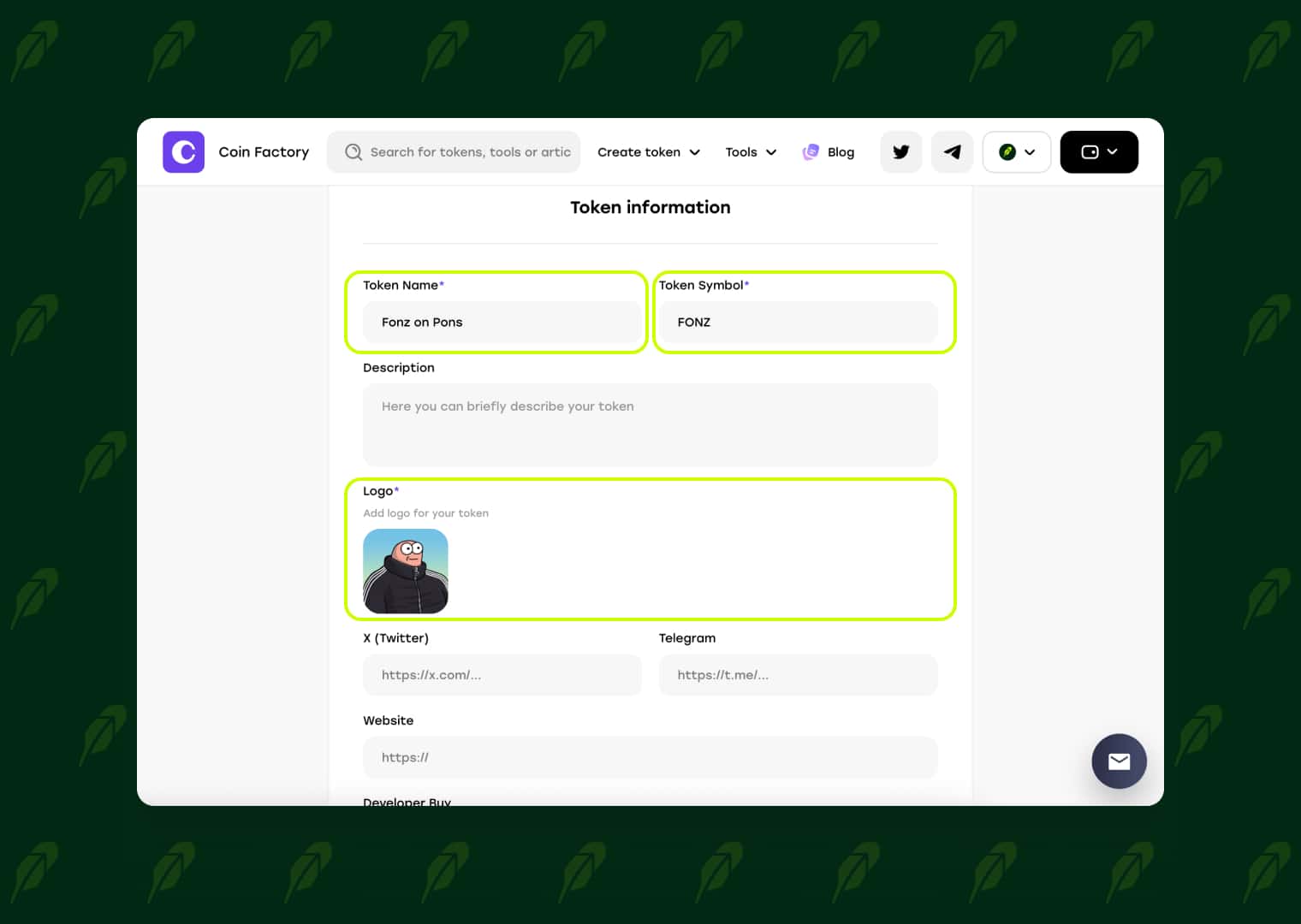
Check all the details carefully before continuing, as some token information may not be editable after launch.
Step 4: Launch Your Token on Pons
Click Launch on Pons and confirm the transaction in your wallet. CoinFactory will create the token and complete the launch process on Pons Launchpad.
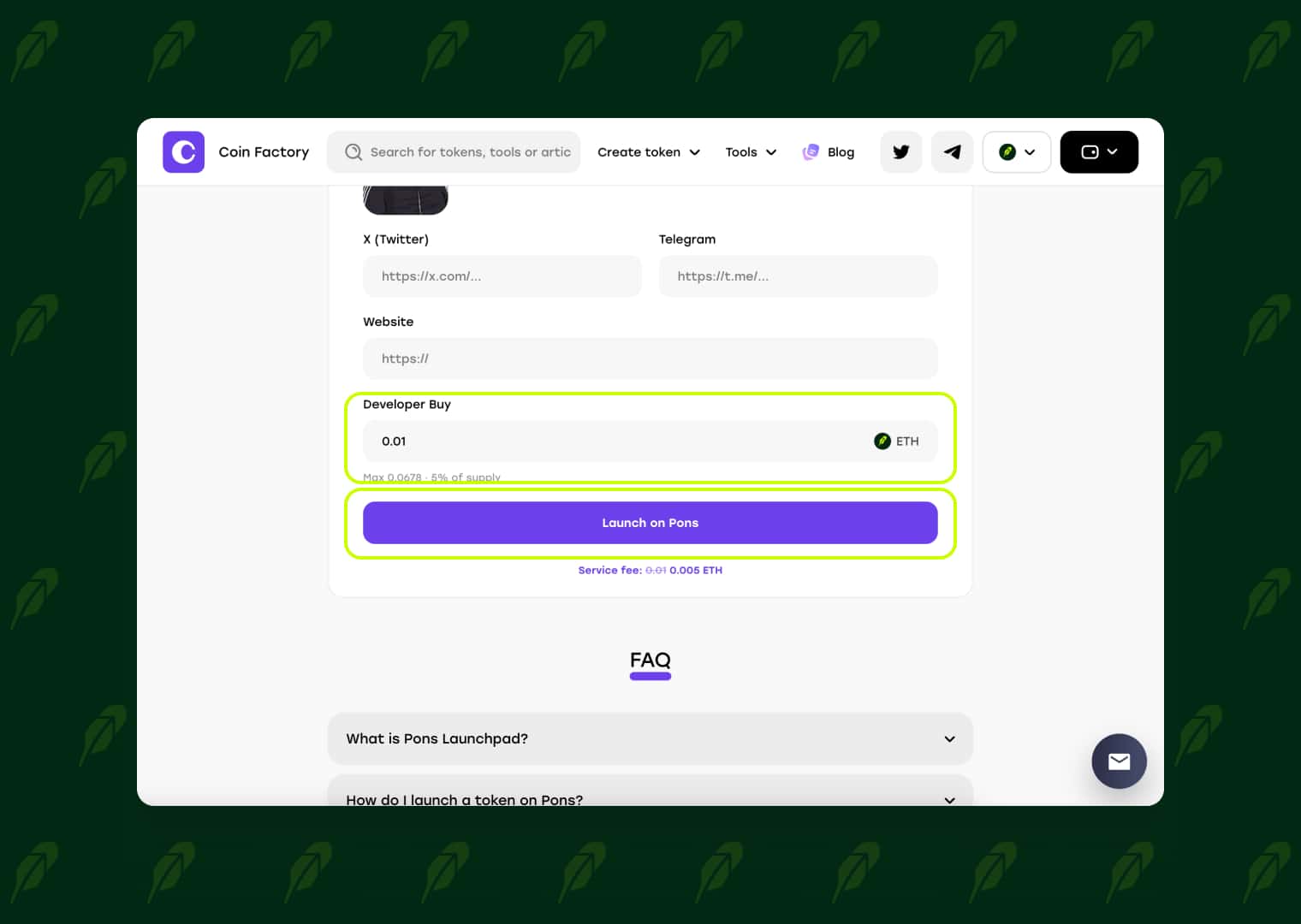
Wait until the transaction is confirmed on Robinhood Chain. Do not close or refresh the page while the launch is being processed.
Step 5: View and Share Your Token
💚Congratulations — your token is now live on Pons!
After the launch, CoinFactory will provide the main links for your project. You can open the token’s Pons page, monitor trading activity through DEX Screener, and share the launch with your community.
Your token is now ready to be discovered, traded, and supported by the Pons community.
Tags

Pons launchpad
Robinhood chain
Launch token
Meme
Token creator