


How to Increase Solana Token Price by Adding Liquidity (2026 Guide)
Want to increase your Solana token price? Learn how to add liquidity to an existing Raydium pool, reduce slippage, improve market stability, and strengthen your token's trading activity in 2026.
 CoinFactory
Why Adding Liquidity Can Help Your Token Grow
Many token creators focus on marketing, social media, and community building, but overlook one of the most important factors affecting token price: liquidity.
When a liquidity pool contains very little SOL, even small buy and sell orders can cause significant price swings. This often discourages traders and makes the token appear risky.
Adding more liquidity to an existing Raydium pool can help:
- ✅ Reduce price volatility
- ✅ Lower slippage for traders
- ✅ Support larger buy orders
- ✅ Improve trader confidence
- ✅ Create a healthier market for your token
While adding liquidity does not guarantee a higher token price, it can create stronger market conditions that make growth more sustainable over time.
In this guide, you’ll learn how to add liquidity to an existing Solana liquidity pool using CoinFactory in just a few minutes.
Step-by-step Instructions
Step 1: Open the CoinFactory Liquidity Adder
Go to the CoinFactory Liquidity Adder page. This tool allows you to add additional liquidity to an existing Raydium pool without creating a new market.
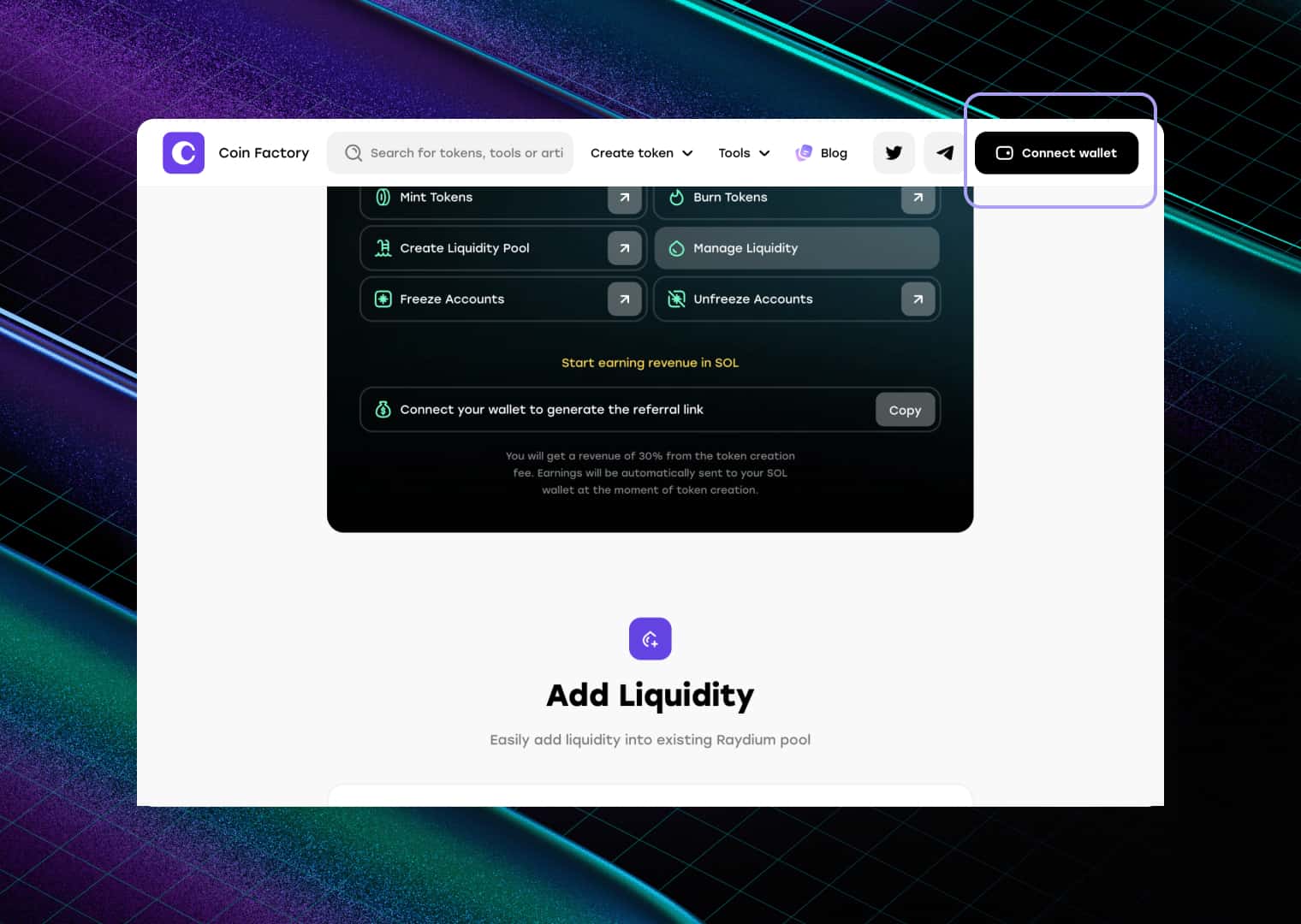
Step 2: Connect Your Solana Wallet
Click the Connect Wallet button in the top-right corner.
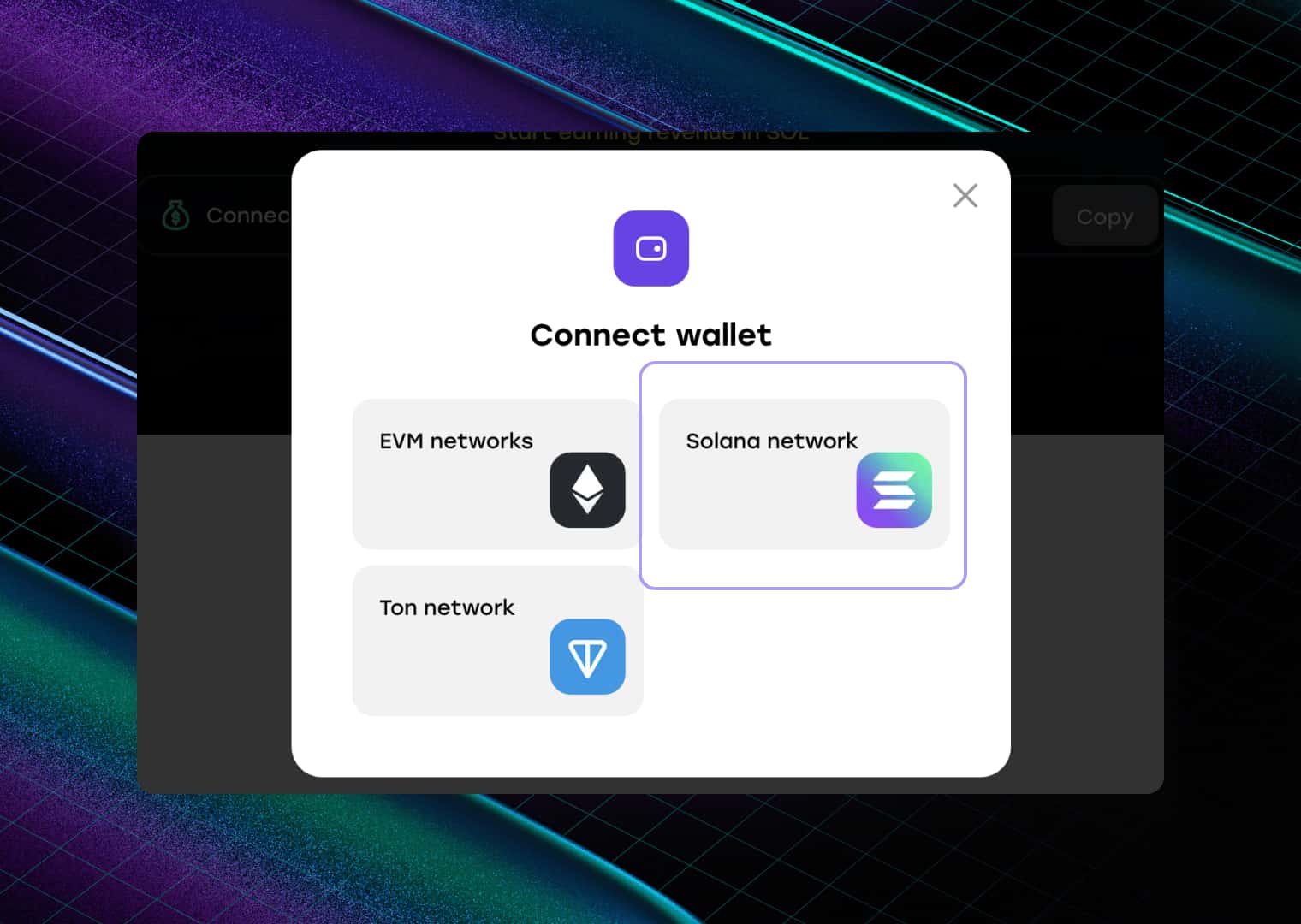
You can connect popular Solana wallets such as:
Make sure your wallet contains both SOL and the token you want to add to the liquidity pool.
After connecting, approve the connection request in your wallet.
Step 3: Enter the Pool Address and Add Liquidity
Paste your Liquidity Pool Address (AMM ID) into the form. This tells CoinFactory which existing Raydium pool you want to add liquidity to.

How to Find Liquidity Address (AMM ID) on Solana: A Step-by-Step Guide
Next, fill in the liquidity amounts:
- Base Amount — the amount of your token that you want to add to the pool.
- Quote Amount — the amount of SOL that will be paired with your tokens in the liquidity pool.
The values should follow the current ratio of the pool. This ensures that liquidity is added correctly without affecting the existing market price.
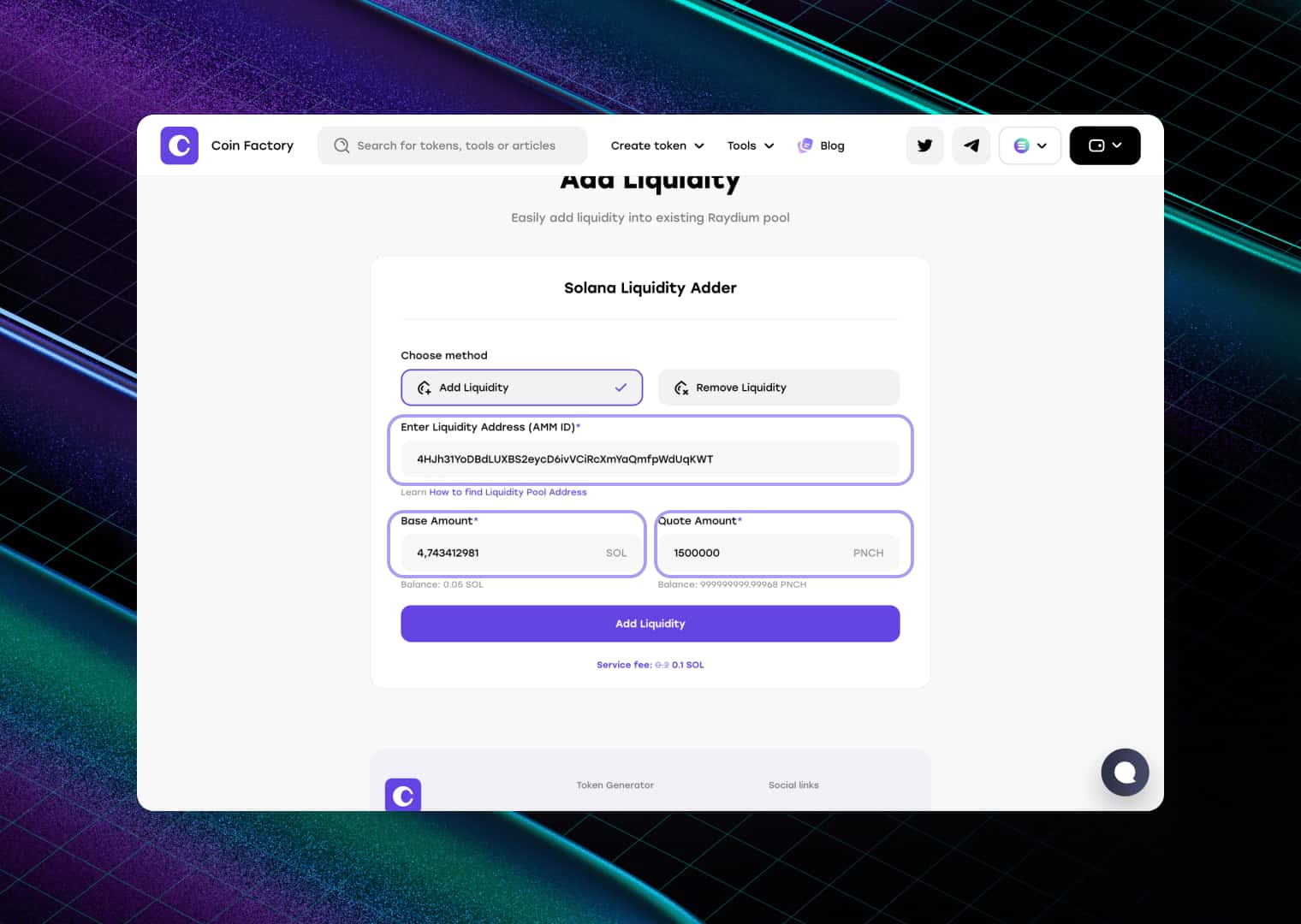
Adding more tokens and SOL to the pool can help reduce slippage, improve trading conditions, and support larger buy and sell orders.
Step 4: Confirm the Transaction
Review the transaction details and click Add Liquidity.
Approve the transaction in your wallet. Once confirmed on the Solana blockchain, the new liquidity will be added to your existing Raydium pool and become immediately available for trading.
Conclusion
If your goal is to strengthen your token’s market position, adding liquidity is one of the most effective actions you can take.
A larger liquidity pool can improve trading conditions, reduce slippage, and make your token more attractive to potential buyers. With CoinFactory, you can add liquidity to an existing Raydium pool in just a few clicks without creating a new pool from scratch.
Tags

Guide
Solana
Token
Price
Add liquidity


