


How to Find a Solana Token Address (SPL)
Learn how to find a Solana token address (SPL mint) using Phantom, Solflare, Solscan, Solana FM, CoinGecko, and CoinMarketCap. Step-by-step guide for beginners and advanced users.
 CoinFactory
If you’re working with the Solana blockchain, one of the most common tasks is finding a Solana token address (also called an SPL token address). You may need it to add a token to a wallet, verify a contract, trade on a DEX, or analyze a project.
In this SEO-optimized guide, you’ll learn all the reliable ways to find a Solana token address using popular wallets, blockchain explorers, and market data platforms.
What Is a Solana Token Address?
A Solana token address is the mint confirmed public key of an SPL token.
It uniquely identifies a token on the Solana blockchain and is required for:
- Adding tokens to wallets
- Verifying legitimacy (avoid scams)
- Trading on DEXs (Raydium, Jupiter, etc.)
- Analytics on explorers
- Integrations with apps & bots
⚠️ Important:
A token address ≠ wallet address.
Token address = Mint Address
How to Find a Solana Token Address in Wallet
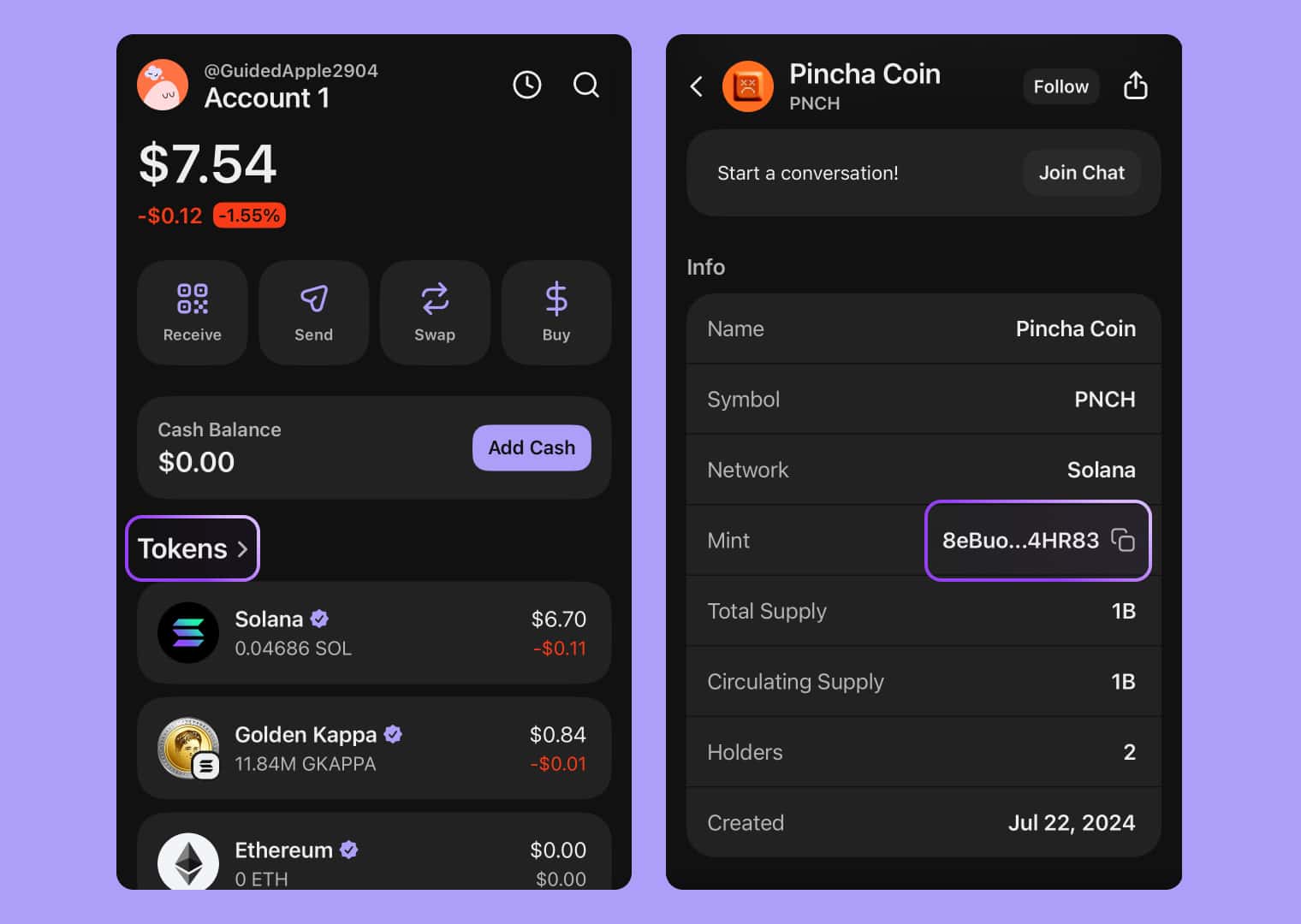
Phantom Wallet
Phantom Wallet is the most widely used Solana wallet.
Steps:
- Open Phantom Wallet
- Go to Tokens
- Select the token
- Click Token details
- Copy the Mint Address
Solflare Wallet
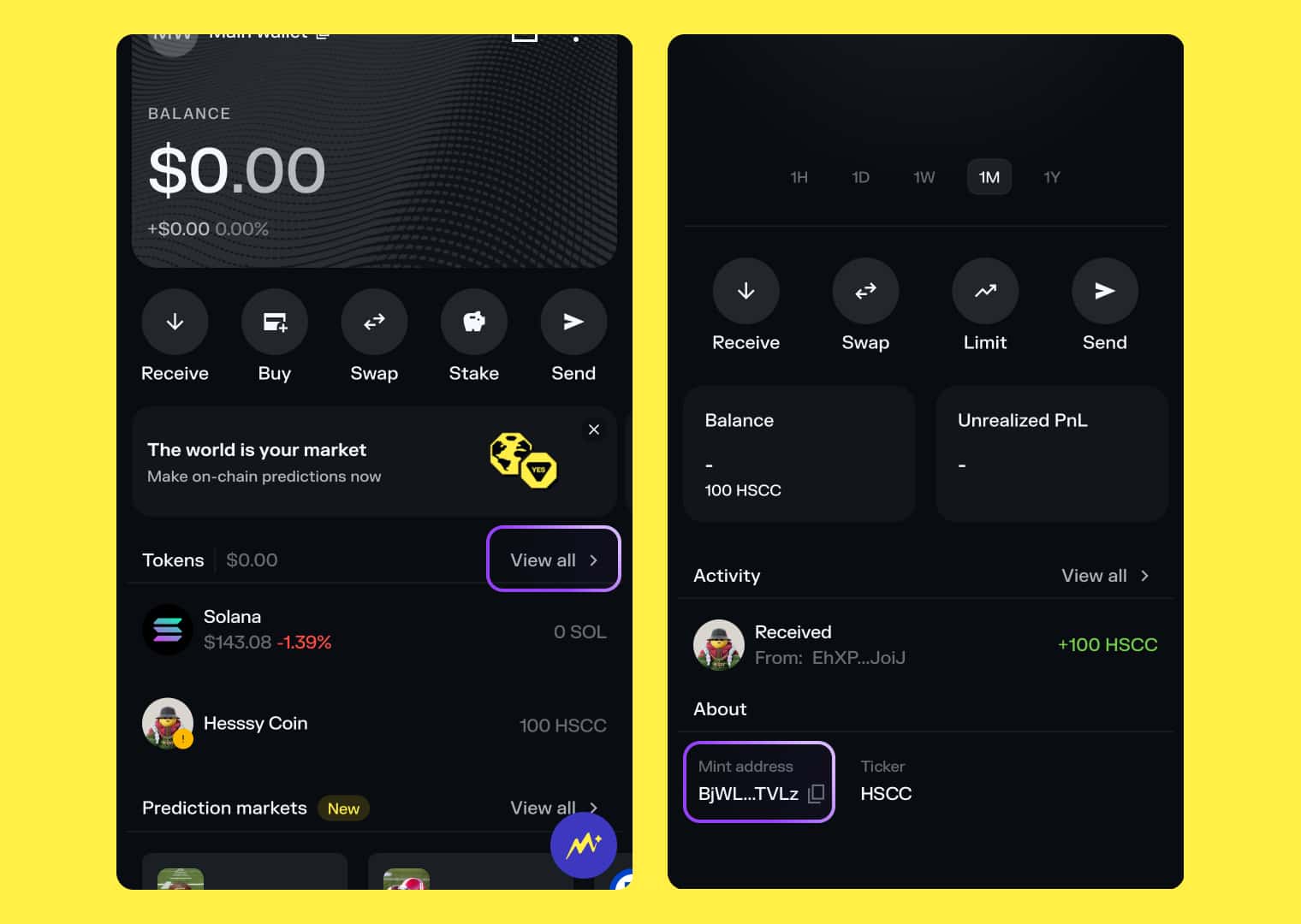
Solflare provides advanced token metadata.
Steps:
- Open Solflare
- Navigate to Assets
- Select the token
- Open Details
- Copy the Token Mint Address

🚀 Create Your Own Solana Token (No Code)
Want to create your own Solana token in minutes?
👉 CoinFactory allows you to:
- Create SPL tokens without coding
- Customize name, symbol & supply
- Enable mint / burn / freeze options
- Deploy instantly on Solana
- Prepare token for DEX listing
Perfect for:
- Startups
- Meme coins
- Communities
- Web3 builders
Launch your Solana token today with CoinFactory.app
How to Find a Solana Token Address Using Blockchain Explorers
Solscan
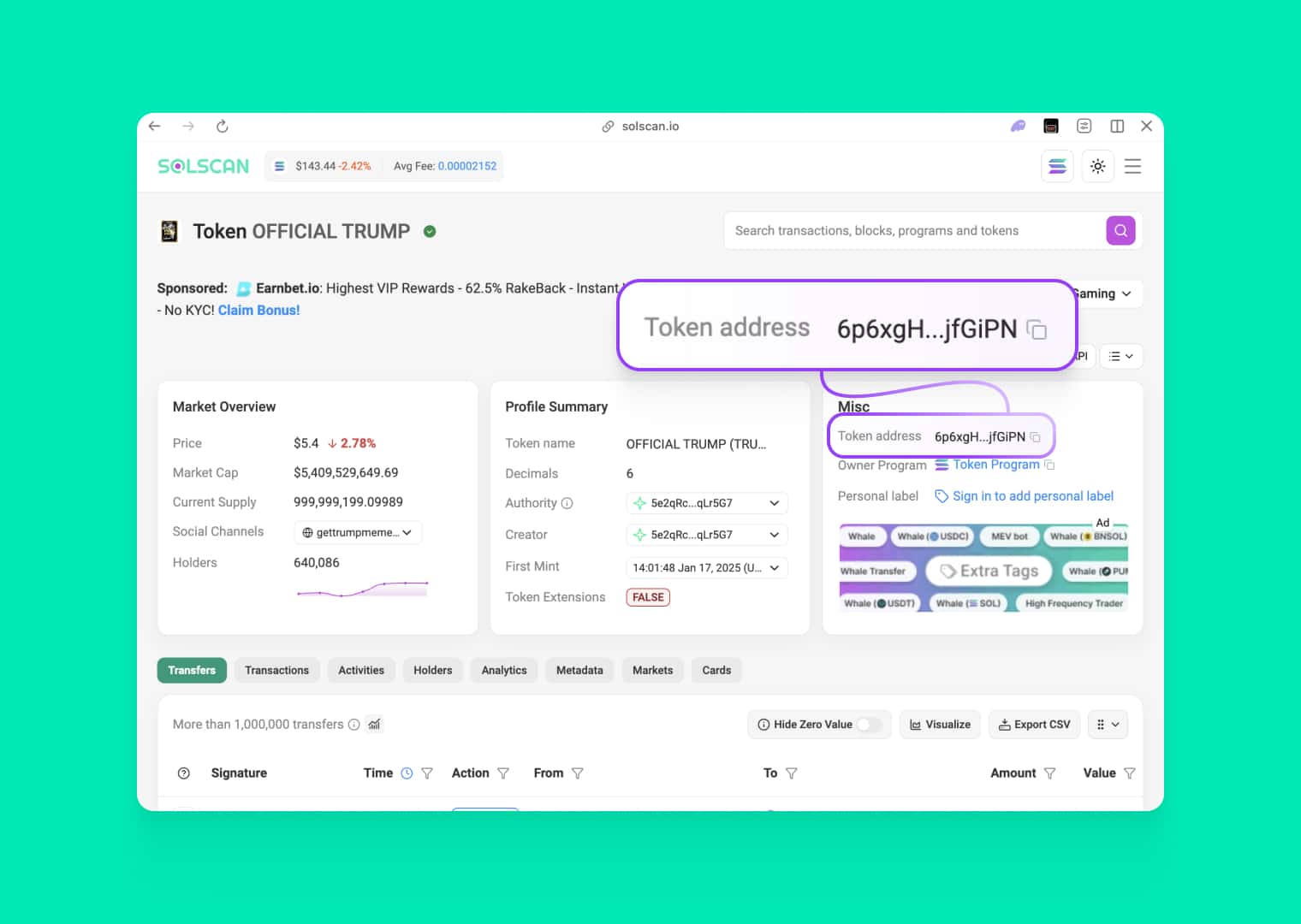
Solscan is the most popular Solana explorer.
How to use Solscan:
- Go to Solscan
- Paste your Solana wallet address into the search bar
- Open your wallet account page
- Navigate to the Portfolio / Tokens section
- Click on the desired token
- On the token page, copy the Token Mint Address
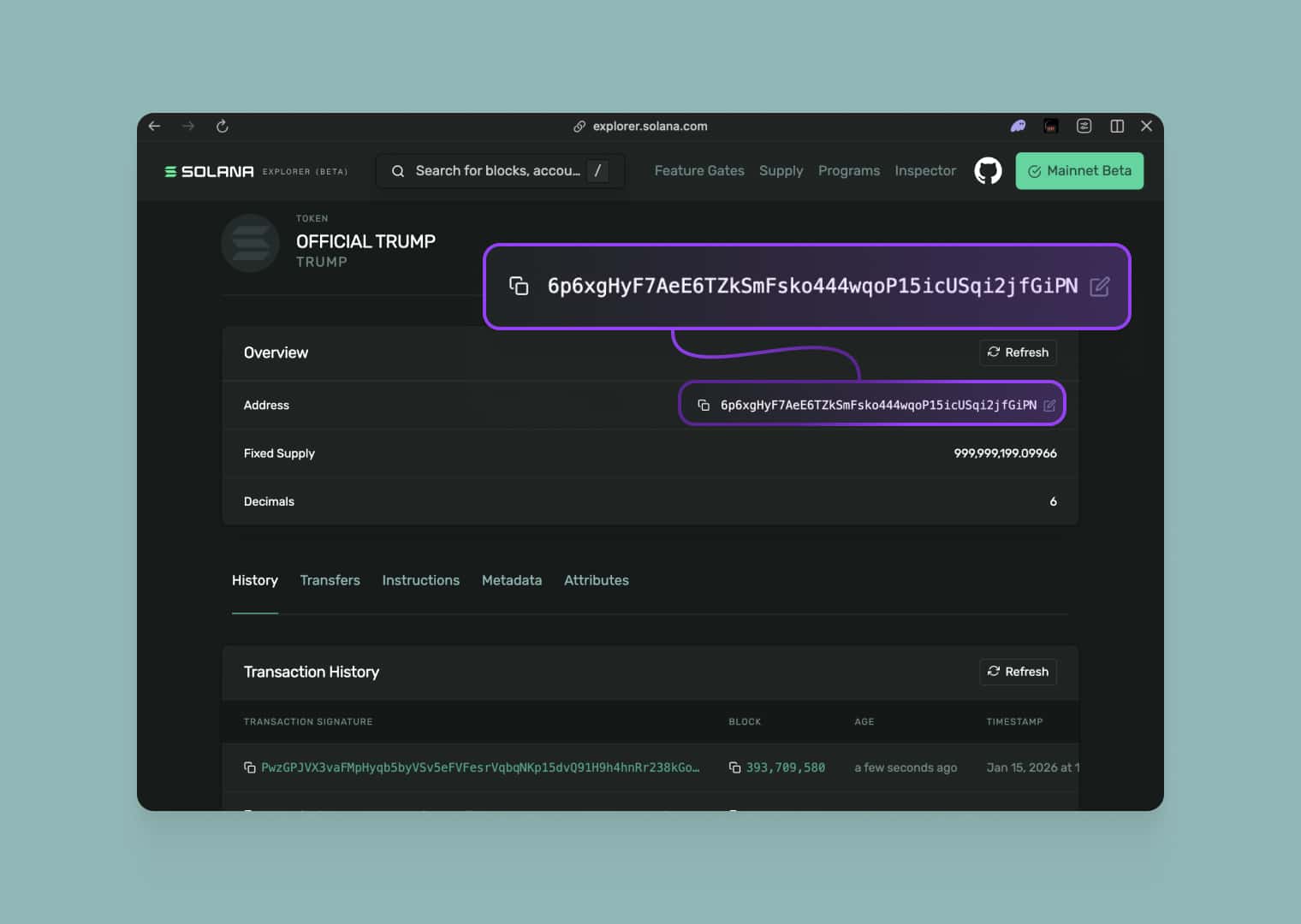
Solana Explorer
Solana Explorer focuses on readability and analytics.
Steps:
- Go to Solana Explorer
- Paste your Solana wallet address into the search bar
- Open your wallet account page
- Navigate to the Portfolio / Tokens section
- Click on the desired token
- On the token page, copy the Token Mint Address
How to Find a Solana Token Address on Coin Trackers
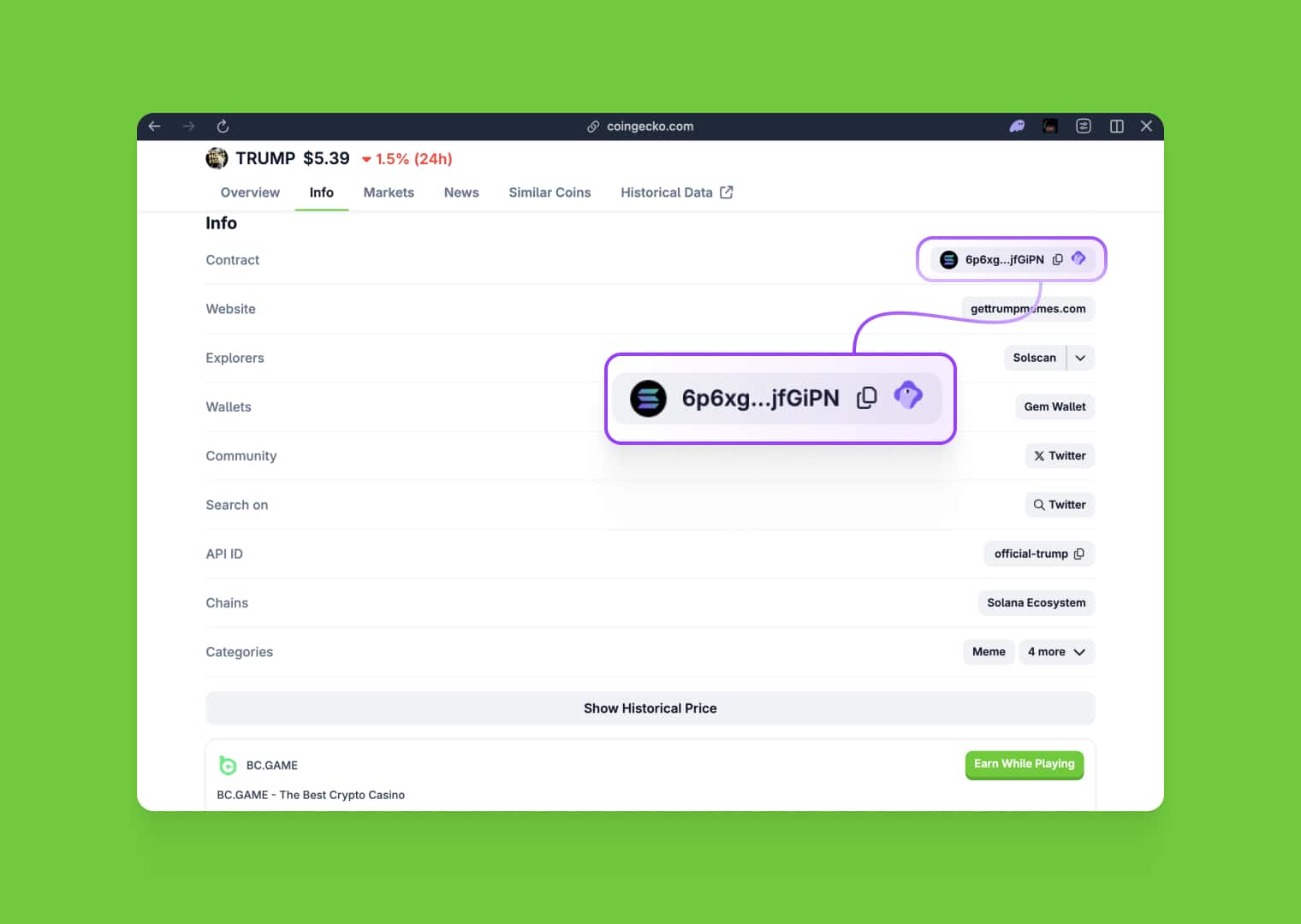
CoinGecko
CoinGecko lists verified Solana tokens.
Steps:
- Go to CoinGecko
- Search the token on CoinGecko
- Open the token page
- Scroll to Contracts
- Select Solana
- Copy the token address
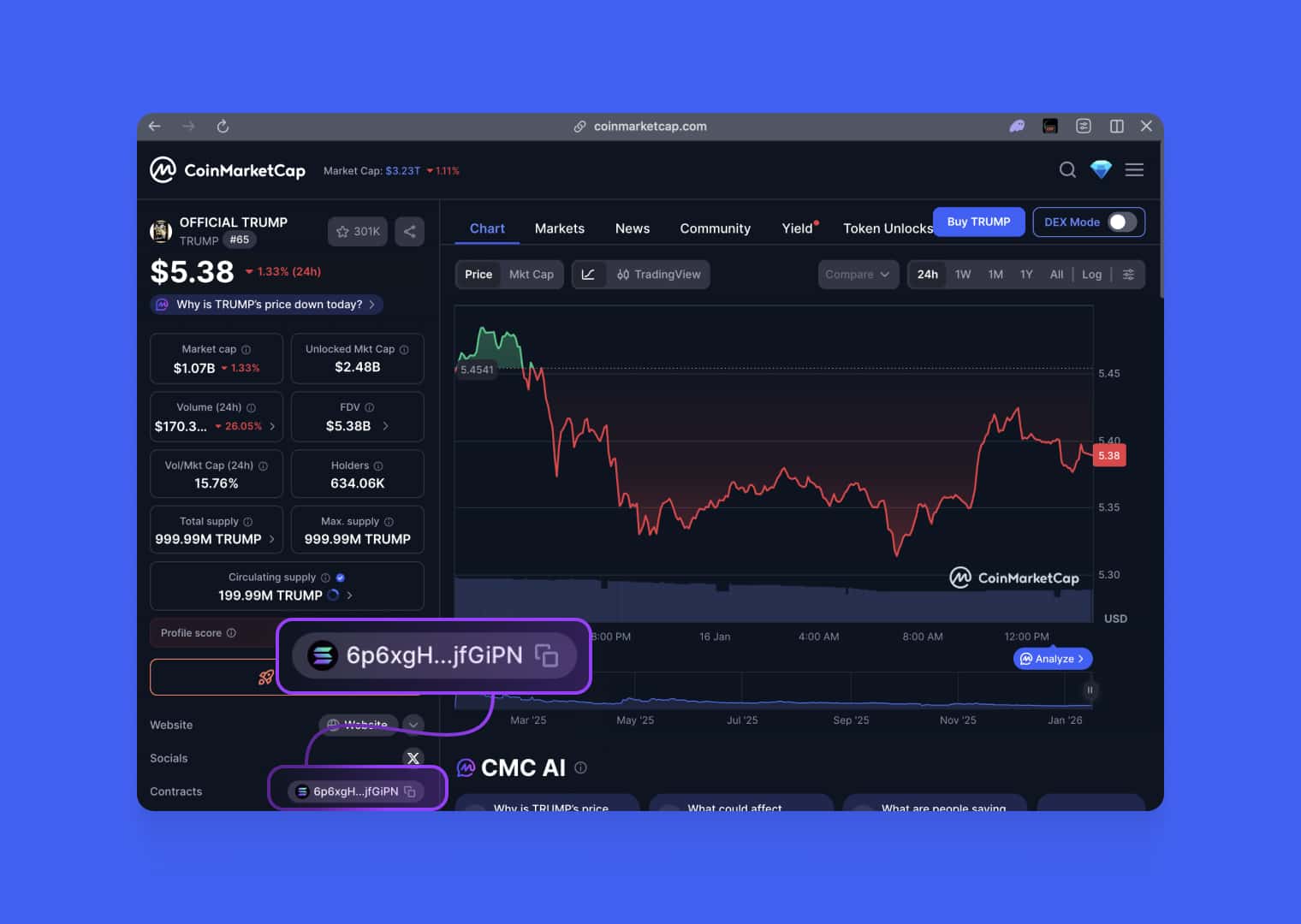
CoinMarketCap
CoinMarketCap also displays Solana contracts.
Steps:
- Go to CoinMarketCap
- Find the token
- Open Contracts section
- Choose Solana
- Copy the address
⚠️ Always double-check with an explorer.
Final Thoughts
Finding a Solana token address is easy if you use trusted wallets, explorers, and market platforms. Always verify the address across multiple sources to stay safe.
If you plan to launch your own SPL token — CoinFactory.app gives you the fastest and safest way to do it.
Tags

Guide
Solana
Spl
Token


