


How to Create a Tron (TRC-20) Token in 4 Steps (WITHOUT CODING)
Learn how to easily create and deploy a TRC-20 token on the Tron network using CoinFactory. No programming skills required. Get started with TronLink today!
 CoinFactory
The Tron network has established itself as one of the most popular blockchains in the world, renowned for its blazing-fast transaction speeds and incredibly low fees. Whether you are launching a community meme coin, a utility token for your dApp, or a loyalty reward asset, creating a TRC-20 token on Tron is a highly strategic move.
Historically, deploying a smart contract required deep knowledge of Solidity or Solidity-compatible languages. Today, CoinFactory removes that barrier completely.
In this guide, we will walk you through how to create your own TRC-20 token on the Tron network in just a few minutes, with zero coding required.
Why Choose the Tron Network for Your Token?
Tron is a major player in the crypto ecosystem. Here is why launching a token on Tron makes sense:
- ⚡ Massive User Base: Tron processes millions of transactions daily and is the leading network for stablecoin transfers (like USDT).
- ⚡ Ultra-Low Fees: Network fees on Tron are fractions of a cent compared to Ethereum.
- ⚡ High Throughput: Tron handles up to 2,000 transactions per second (TPS), ensuring your users never face network congestion.
- ⚡ TRC-20 Standard: The TRC-20 token standard is universally supported by Centralized Exchanges (CEXs), Decentralized Exchanges (DEXs), and top crypto wallets.
Prerequisites: What You Need Before Starting
Before you jump into CoinFactory, you only need two things to get started:
- 👛 A Crypto Wallet (TronLink Recommended): To interact with the Tron blockchain, you need a compatible Web3 wallet. We highly recommend TronLink, the official and most widely used wallet for the Tron ecosystem. You can install it as a browser extension for Chrome or Brave.
- ⛽️ TRX for Gas Fees: To deploy your smart contract to the blockchain, you must pay a one-time network fee. Make sure you have a sufficient amount of TRX (Tron's native coin) in your TronLink wallet to cover the deployment cost.
Step-by-step instructions
Step 1: Connect Your Wallet to CoinFactory
First, navigate to the CoinFactory Token Generator.
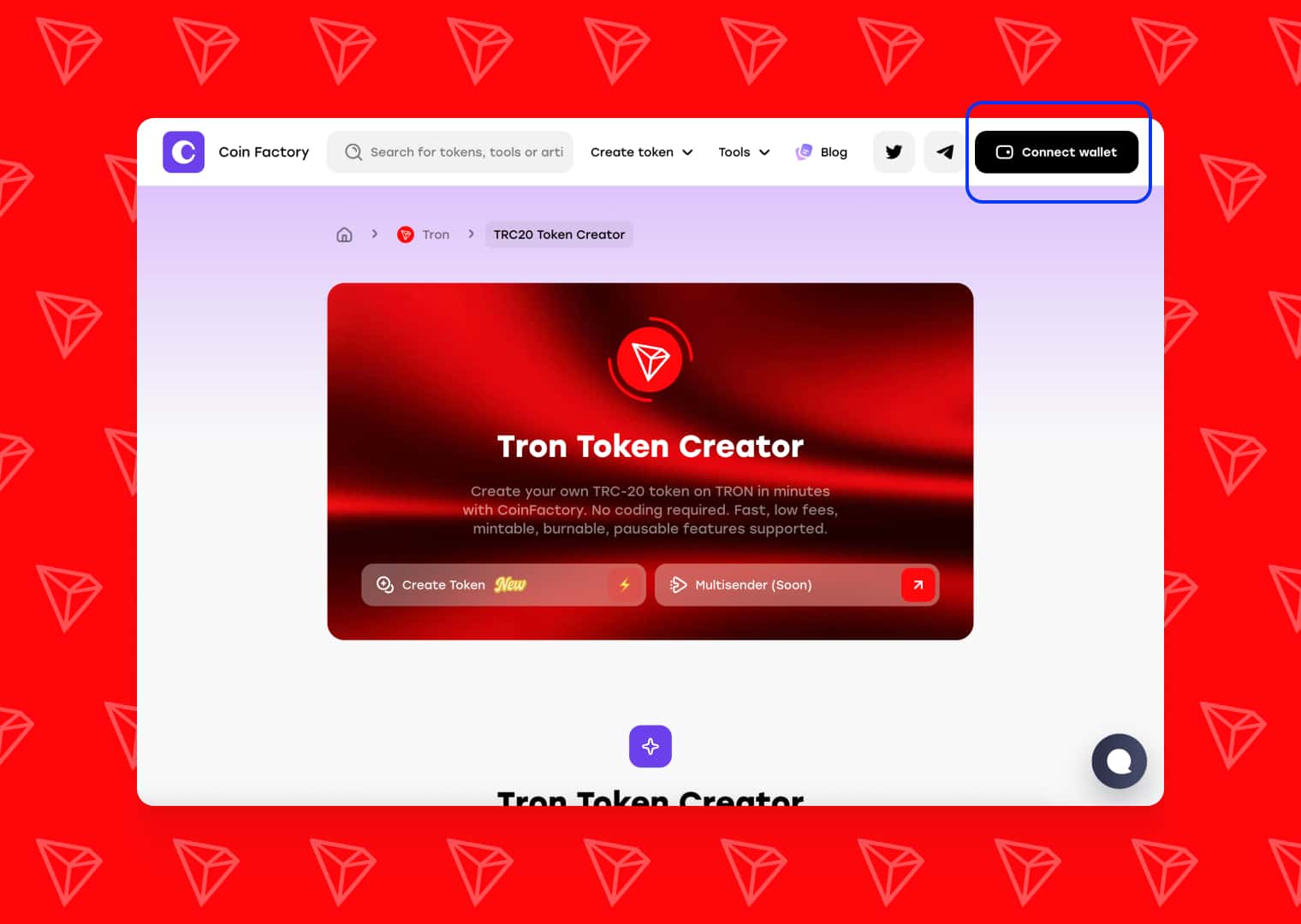
Look for the “Connect Wallet” button in the top right corner of the screen. Select TronLink from the list of wallet options. Your TronLink extension will pop up asking for permission to connect to the site. Click approve.
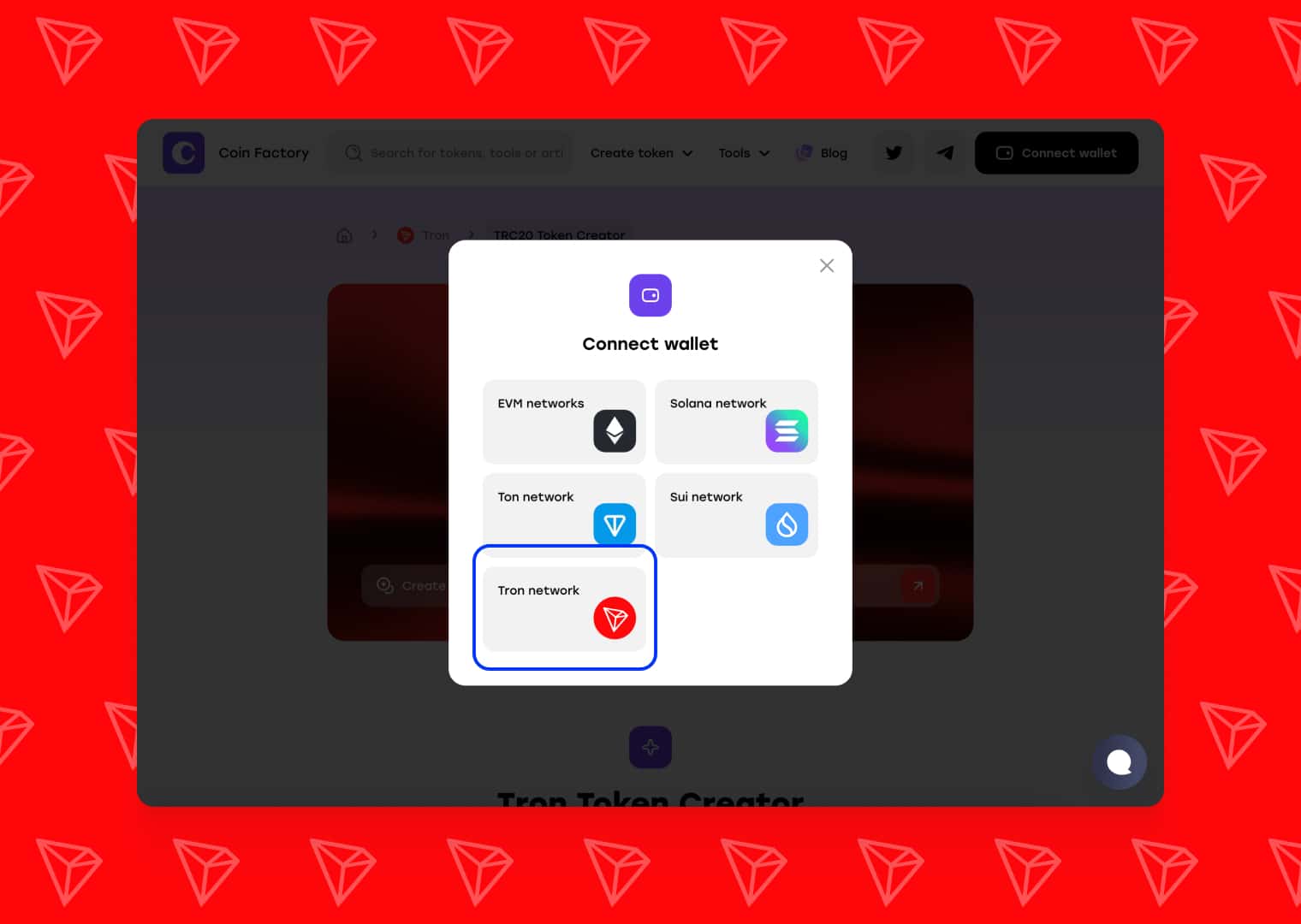
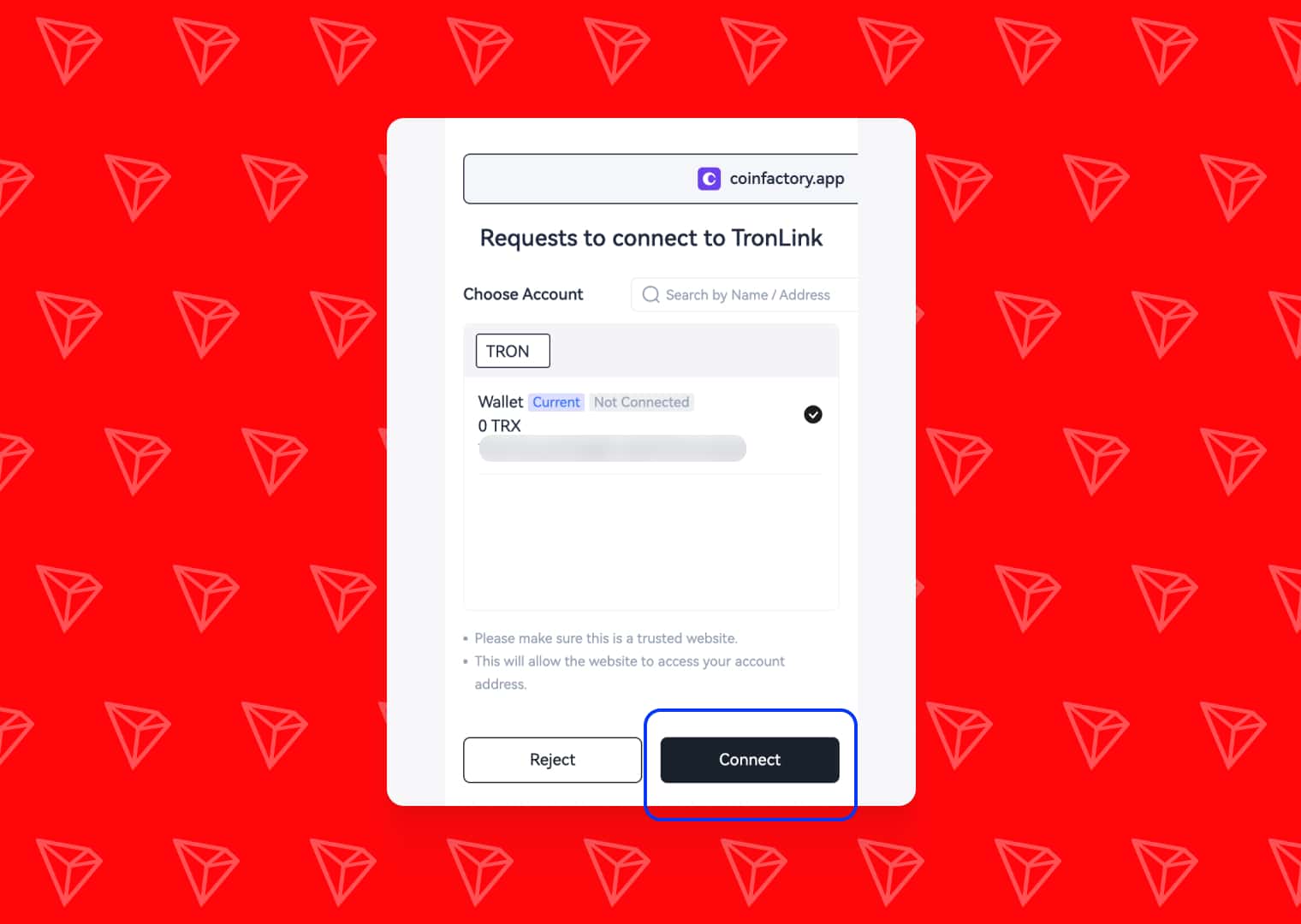
Note: Ensure your wallet is switched to the Tron Mainnet before proceeding.
Step 2: Enter Your Token Details
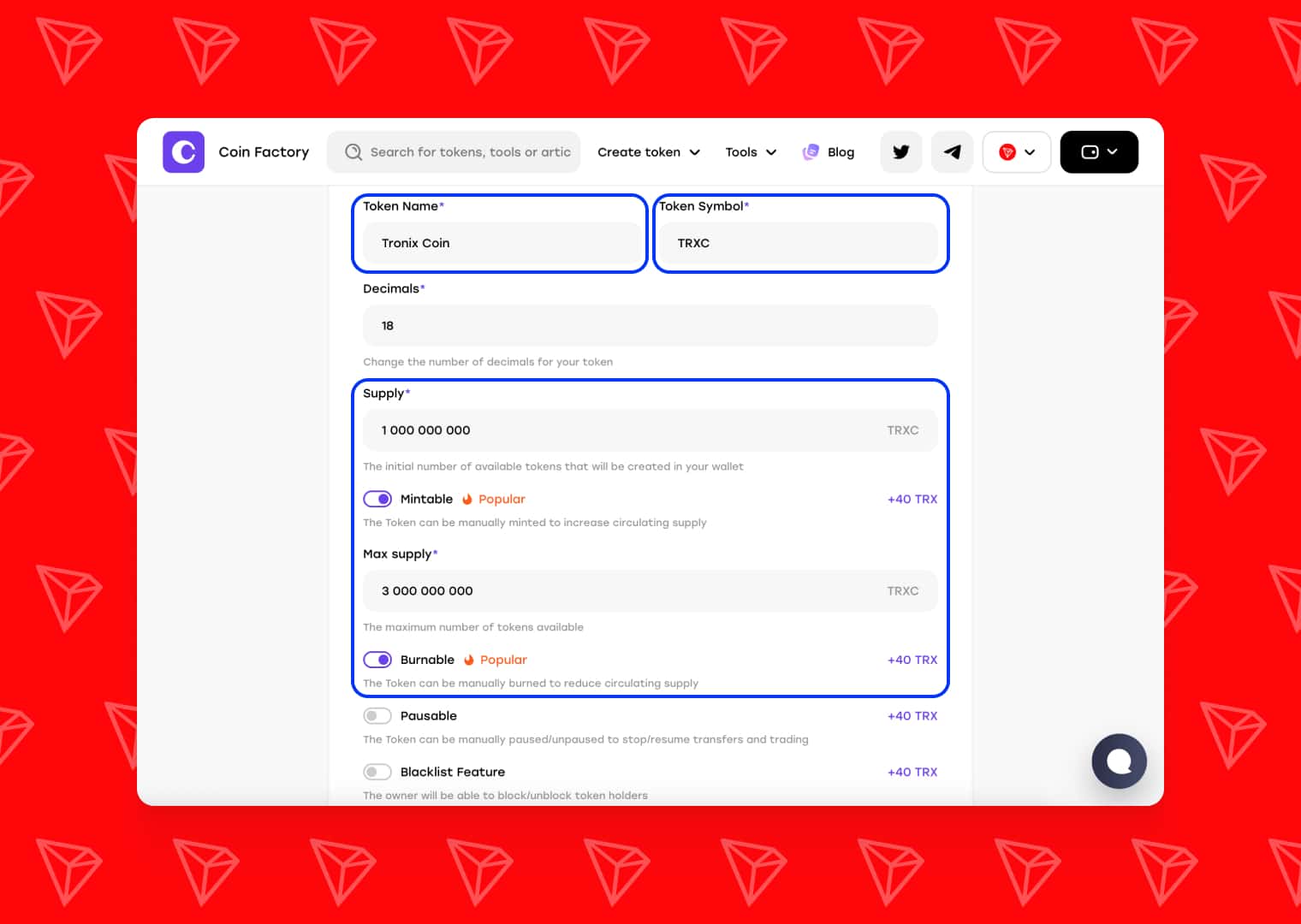
CoinFactory uses a highly secure, battle-tested standard TRC-20 smart contract template. You don’t need to sift through complex contract types; simply fill in the foundational details of your new cryptocurrency:
- Token Name: The full name of your project (e.g., Tronix Coin).
- Token Symbol: The short ticker sequence for exchanges (e.g., TRXC). Typically 3-5 uppercase letters.
- Decimals: This dictates how your token can be divided. The industry standard is 18 (similar to Ethereum and Tron's native structures), meaning your token can be divided down to 10−18.
- Initial Supply: The total number of tokens that will exist when the contract is deployed. (e.g., 1000000000).
- Mintable: The Token can be manually minted to increase circulating supply. (Recommend)
- Burnable: The Token can be manually burned to reduce circulating supply. (Recommend)
- Pausable: The Token can be manually paused/unpaused to stop/resume transfers and trading.
- Blacklist: The owner will be able to block/unblock token holders.
Step 3: Review and Deploy
Because CoinFactory uses a streamlined, single-template approach for Tron, you don’t have to worry about configuring complex backend routing or coding standard functions. The contract is already optimized for TRC-20 compliance, ensuring instant compatibility with wallets and exchanges.
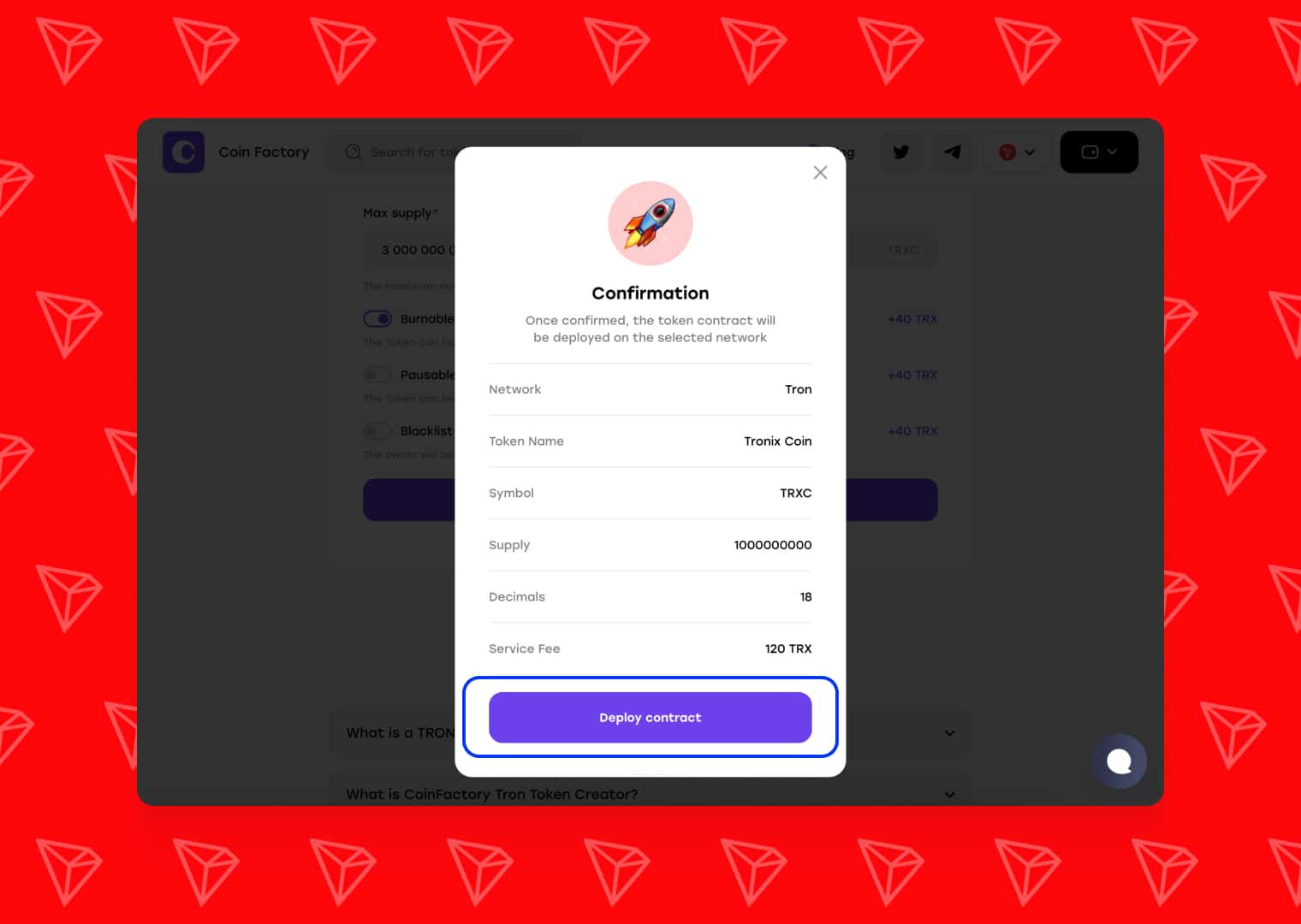
Take a moment to carefully review your token details. Once a smart contract is deployed to the blockchain, the native parameters (like Name and Symbol) cannot be changed.
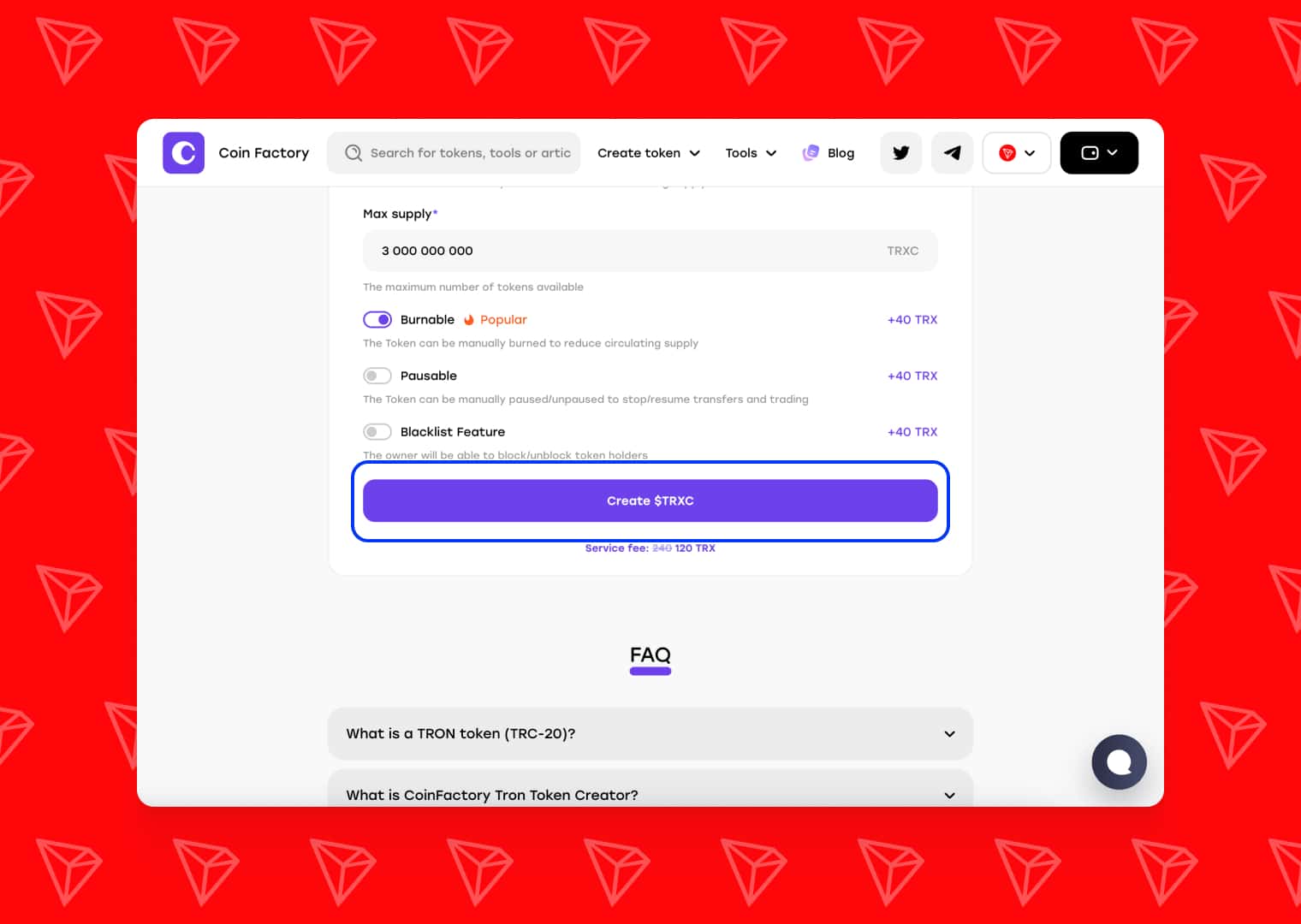
When you are ready:
- Click the “Deploy” or “Create Token” button.
- Your TronLink wallet will pop up with a transaction request.
- Review the network fee (TRX) required to deploy the contract.
- Click Confirm in your wallet.
Step 4: Verify and Add to Your Wallet
Congratulations! Your token is now live on the Tron blockchain. The deployment process usually takes only a few seconds.
Once confirmed, CoinFactory will display your Token Contract Address. This string of characters is the unique identifier for your asset.
How to see your tokens in TronLink:
- Open your TronLink extension.
- Click on the + (Add Asset) icon on the main screen.
- Paste your Token Contract Address into the search bar.
- Click the + next to your token to add it to your asset list. You will instantly see your full initial supply sitting in your wallet!
What to do next with your token?
Now that you hold 100% of your token supply, you can start building your project’s ecosystem:
- Provide Liquidity: Go to a Tron Decentralized Exchange (DEX) like SunPump or SunSwap, and create a liquidity pool pairing your new token with TRX or USDT. This allows others to buy and sell your token.
- Update Token Info on TronScan: Go to TronScan.org, search for your contract address, and verify your token. You can then submit a request to update its logo and social media links.
- Airdrops: Start sending tokens to your early community members directly from your TronLink wallet.
Conclusion
Launching a token no longer requires weeks of studying Solidity or paying thousands of dollars to high-priced developers. By using CoinFactory and a TronLink wallet, anyone can bring their Web3 idea to life on one of the fastest and cheapest blockchains available today.
Ready to make your mark on the Tron network? Head over to CoinFactory and deploy your TRC-20 token today!
Tags

Guide
Token