


How to Create a Token on Base in 4 Easy Steps (2026 Guide)
Create and deploy your own token on Base in minutes. Learn how to launch a Base token, add liquidity, and start trading with this 2026 step-by-step guide.
 CoinFactory
Why Create a Token on Base in 2026?
Base remains one of the most popular blockchains for launching new tokens in 2026. As an Ethereum Layer 2 network backed by Coinbase, it offers low transaction costs, fast confirmations, and access to a rapidly growing ecosystem of traders and developers.
Key benefits of creating a token on Base:
- 💙 Low gas fees compared to Ethereum mainnet.
- 💙 Fast and reliable transactions.
- 💙 Full compatibility with Ethereum wallets and tools.
- 💙 Easy access to decentralized exchanges and liquidity pools.
- 💙 Growing ecosystem with millions of users.
- 💙 Ideal for meme coins, utility tokens, gaming assets, and community projects.
- 💙 No coding required when using token creation platforms like CoinFactory.
In this guide, you’ll learn how to create and deploy your own Base token in just 3 simple steps.
Step-by-step instructions
Step 1: Open the CoinFactory Base Token Generator
Visit the CoinFactory Base Token Generator and get ready to launch your own token on one of the fastest-growing Ethereum Layer 2 networks. The entire process takes just a few minutes and requires no coding knowledge.
Step 2: Connect Your Wallet
Click the Connect Wallet button and connect the wallet that will own the token contract. This wallet will receive the initial token supply and will have administrative permissions if your selected contract includes them.
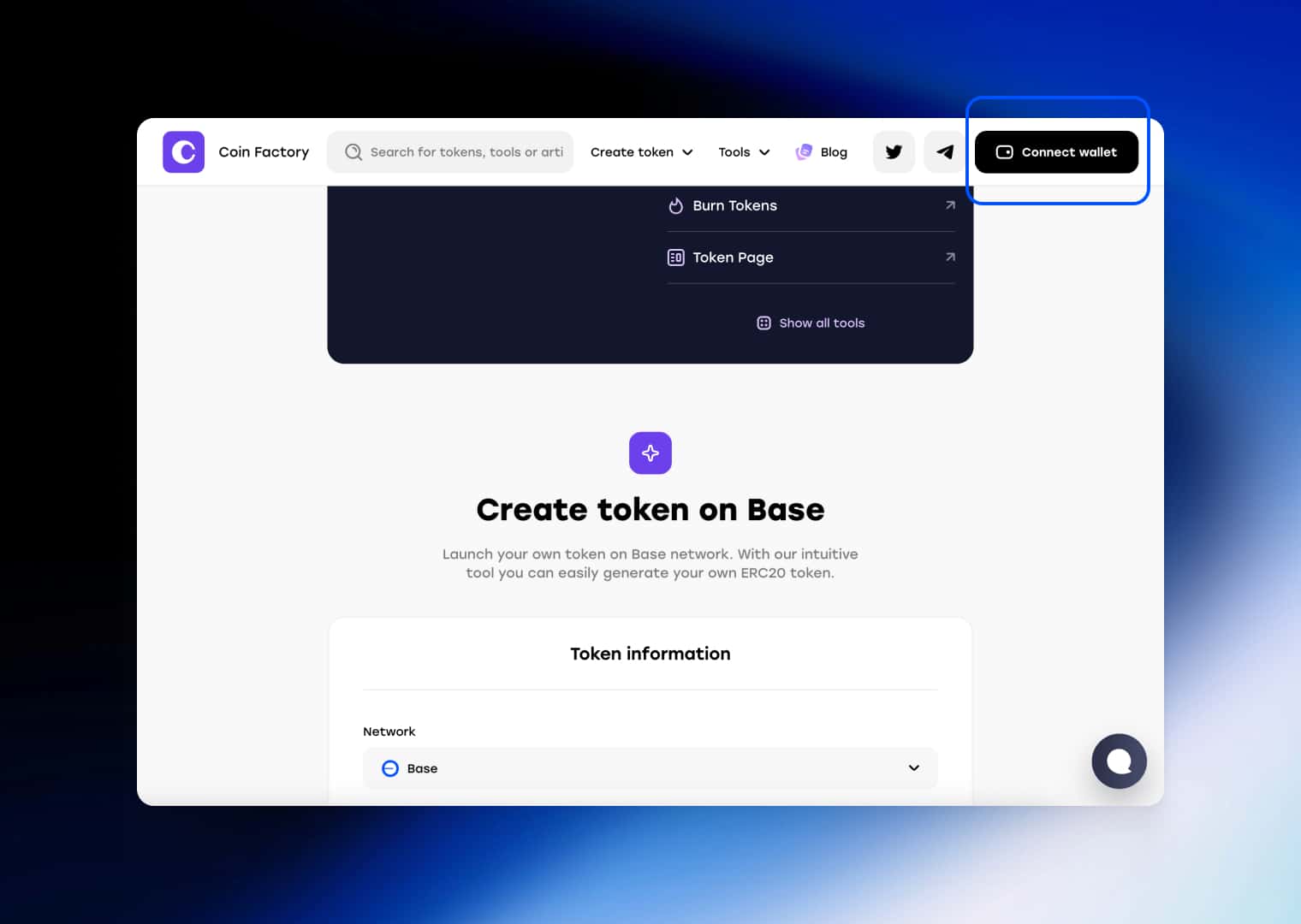
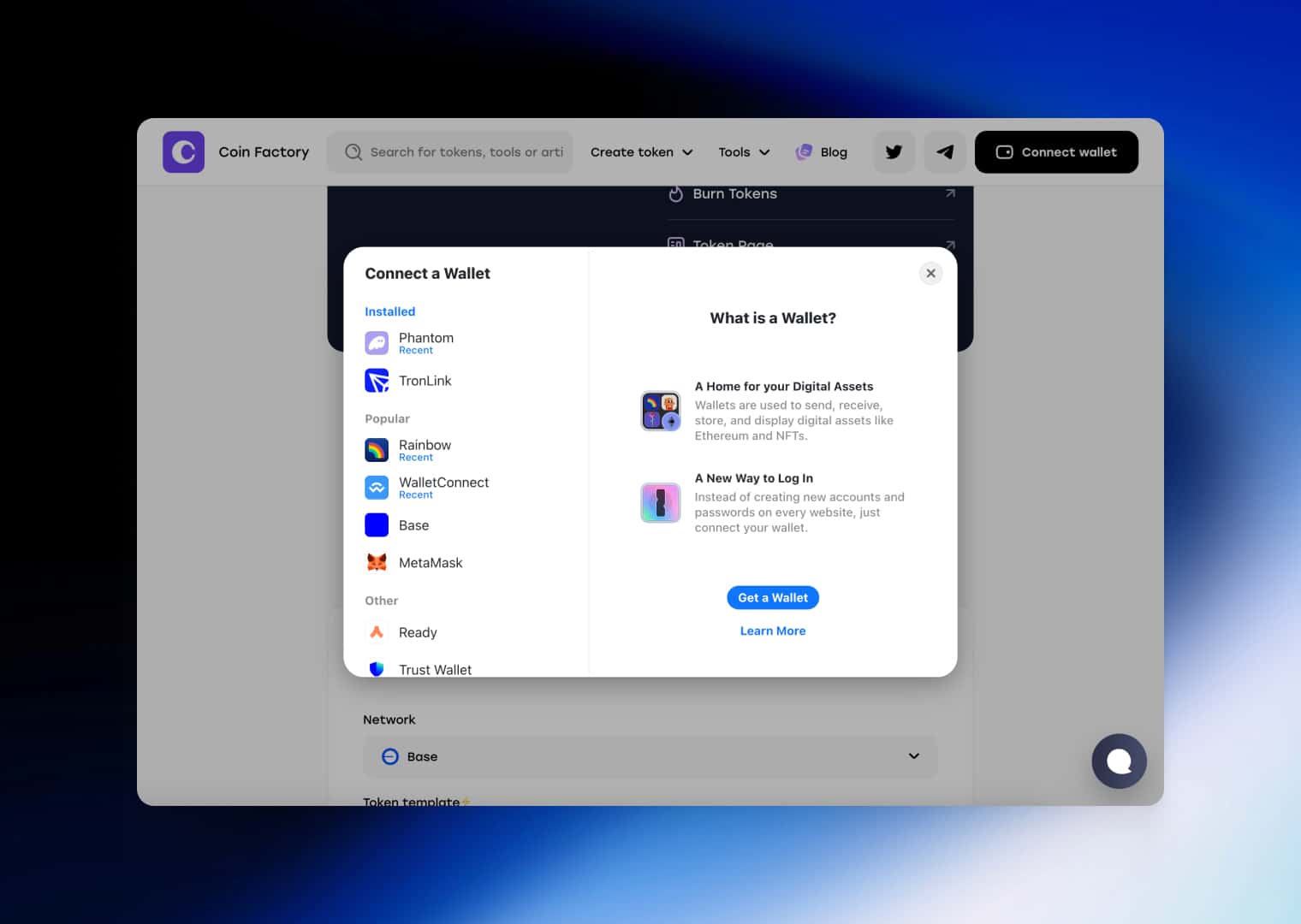
If you don’t already have a wallet, popular options include MetaMask and Trust Wallet. Make sure you have enough ETH on Base to cover the deployment fee.
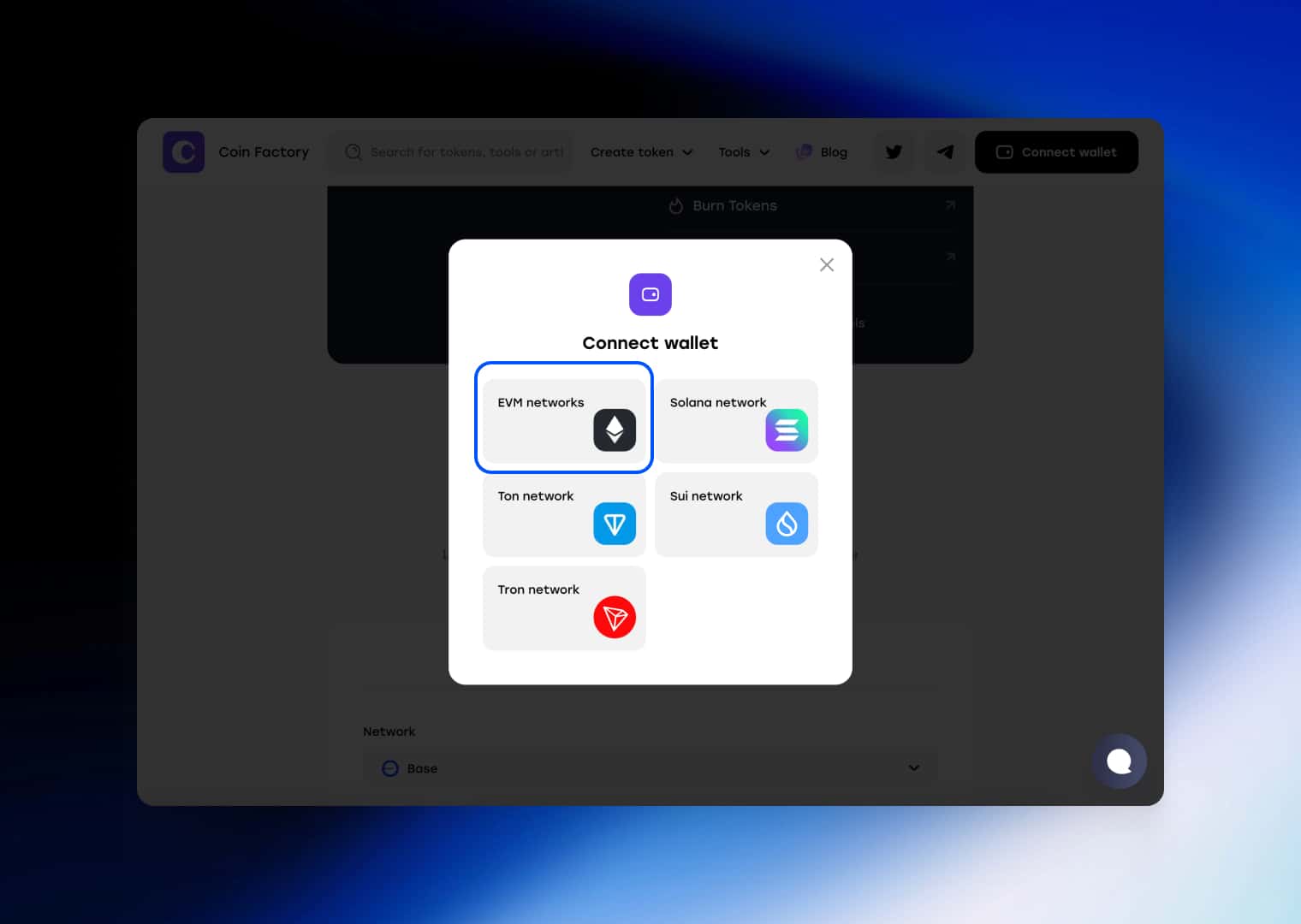
Select EVM Networks and the wallet that you use for the Base network.
Step 3: Choose Your Token Contract
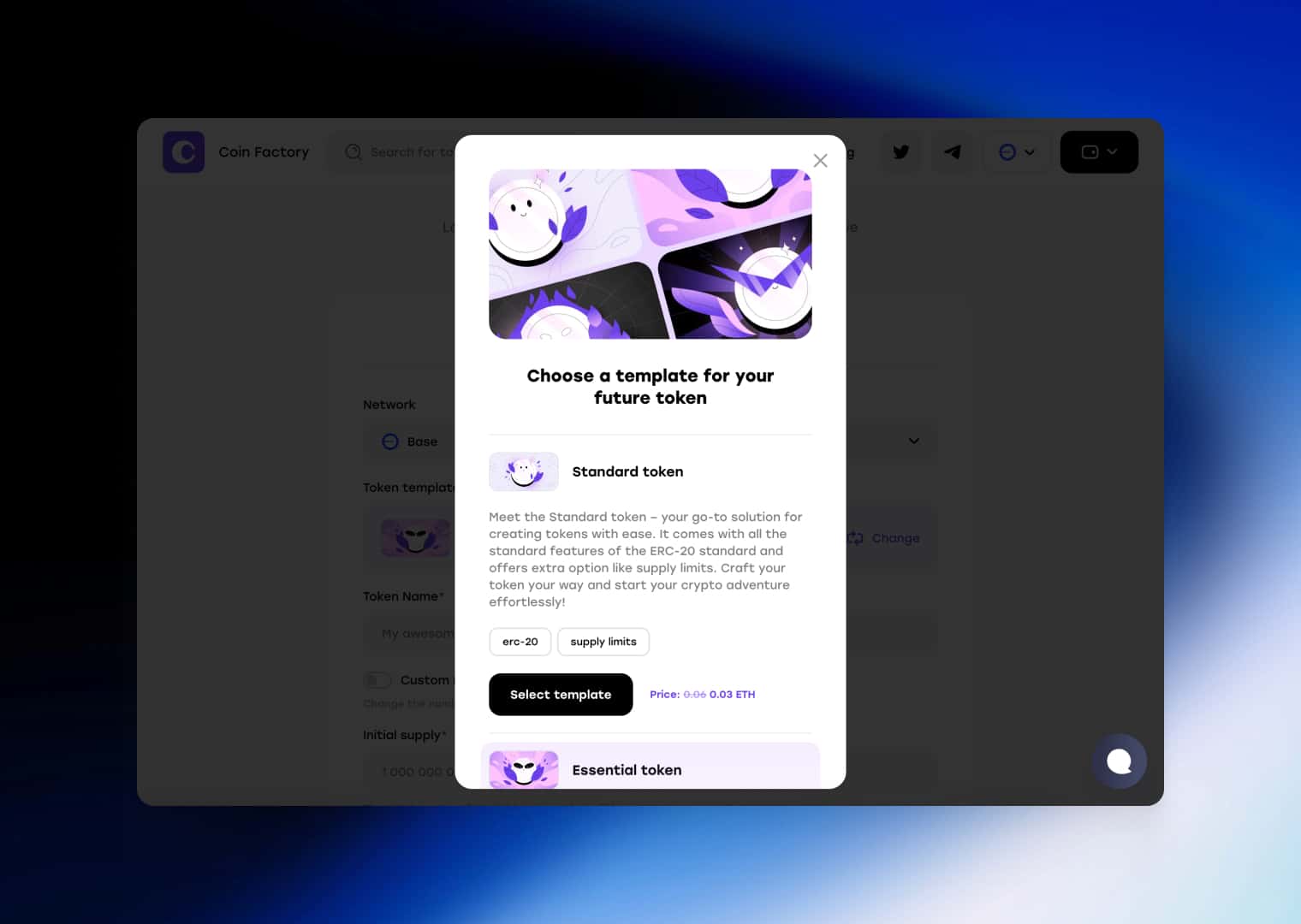
Select the contract template that best fits your project goals. CoinFactory offers several options ranging from simple community tokens to advanced tokens with custom mechanics.
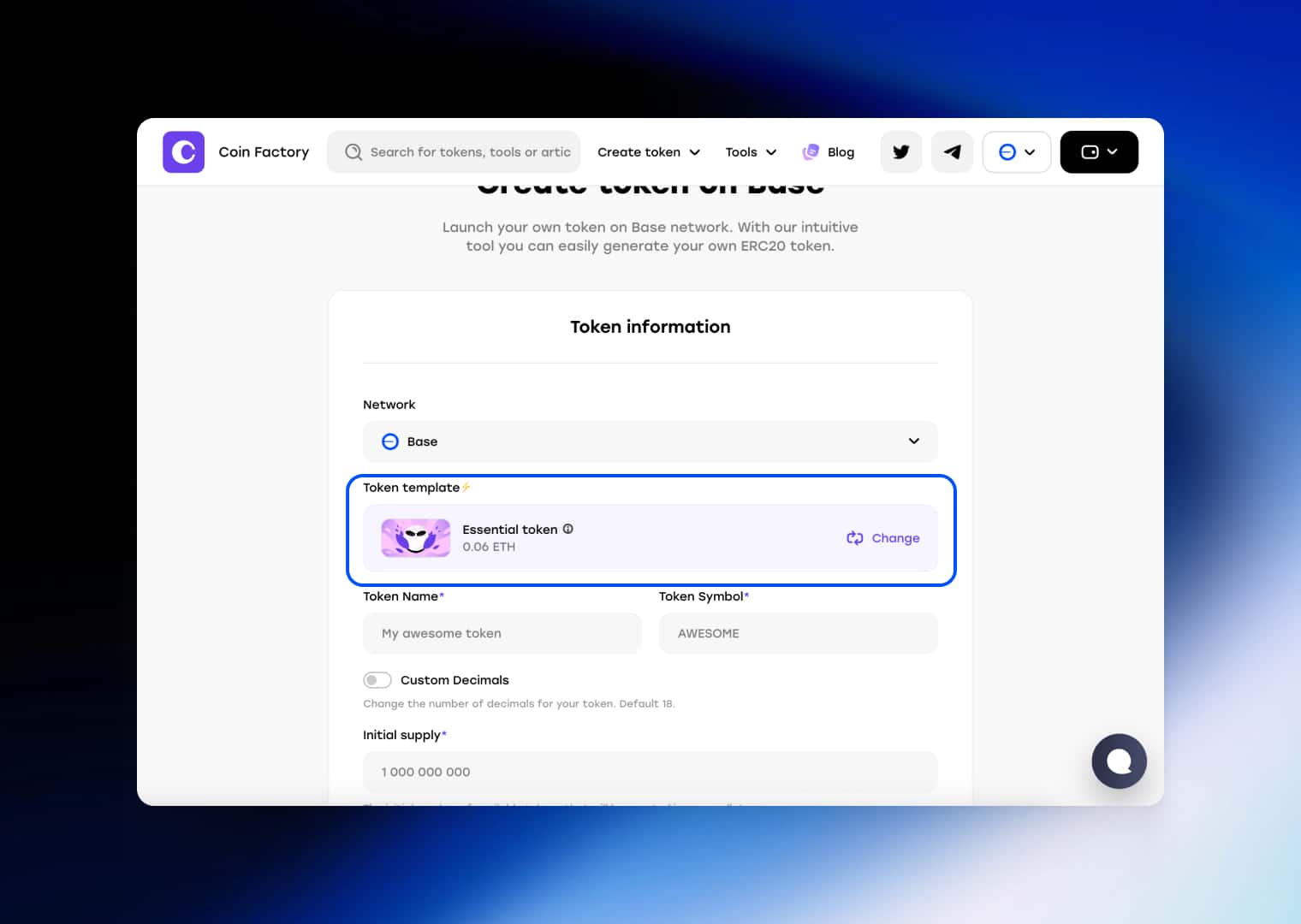
The most popular templates include:
- 🪙 Standard Token: A classic ERC-20 token with all standard functionality. Perfect for meme coins, community projects, and simple utility tokens.
- ⚙️ Essential Token: Includes advanced features such as minting, burning, pausing transfers, ownership controls, and wallet blacklisting. Ideal for projects that require additional flexibility.
- 💸 Taxable Token: Automatically applies transaction fees or taxes on transfers. Commonly used for marketing wallets, reward systems, liquidity funding, and ecosystem development.
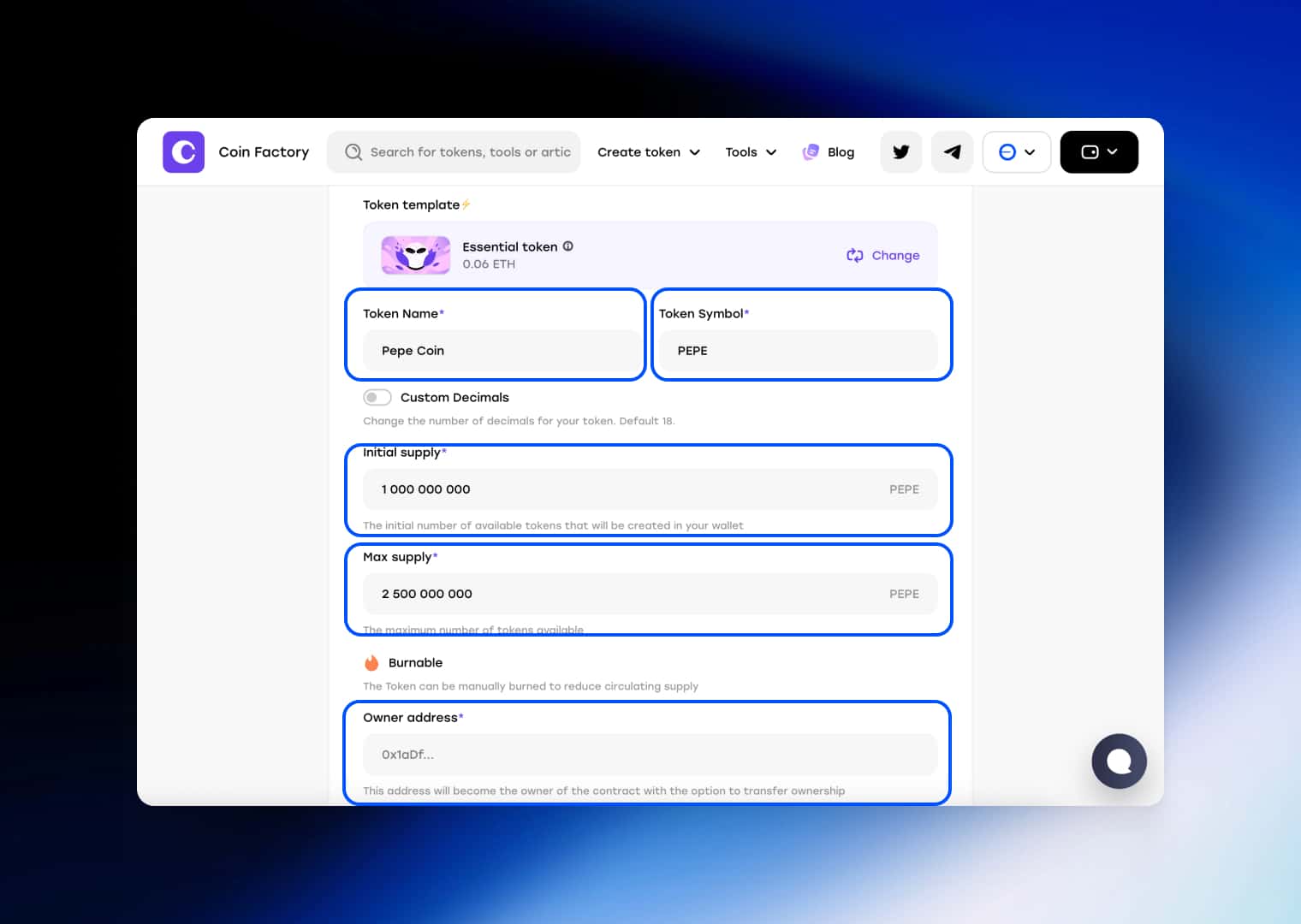
After selecting a template, complete the required fields in the token creation form.
Step 4: Configure Your Token and Deploy
Enter your token details, including:
- 📝 Token Name: The full name of your token that will be displayed in wallets, block explorers, and decentralized exchanges. For example: Base Doge, Pepe Coin, or My Project Token.
- 🏷️ Token Symbol: A short ticker used to identify your token in trading interfaces and wallets. Most symbols are between 3 and 6 characters, such as DOGE, PEPE, or MPT.
- 🔢 Decimals: Determines how divisible your token is. The most common value is 18 decimals, which is the standard for most ERC-20 tokens. Higher decimals allow smaller fractions of a token to be transferred.
- 💰 Initial Supply: The number of tokens that will be minted and distributed when the token is created. This supply is typically sent to the owner’s wallet immediately after deployment.
- 📈 Max Supply: The maximum number of tokens that can ever exist. Once this limit is reached, no additional tokens can be minted. Leave this field unlimited if you want the ability to expand the supply in the future.
- 👤 Owner Address: The wallet address that will own and manage the token contract. This address receives administrative permissions such as minting tokens, pausing transfers, blocking accounts, or renouncing ownership, depending on the selected contract template.
Our website also has additional functions for creating a token page to improve the appearance of your token to make it more trustworthy; you can choose its design, as well as add additional sections if you have tokenomics or a team.
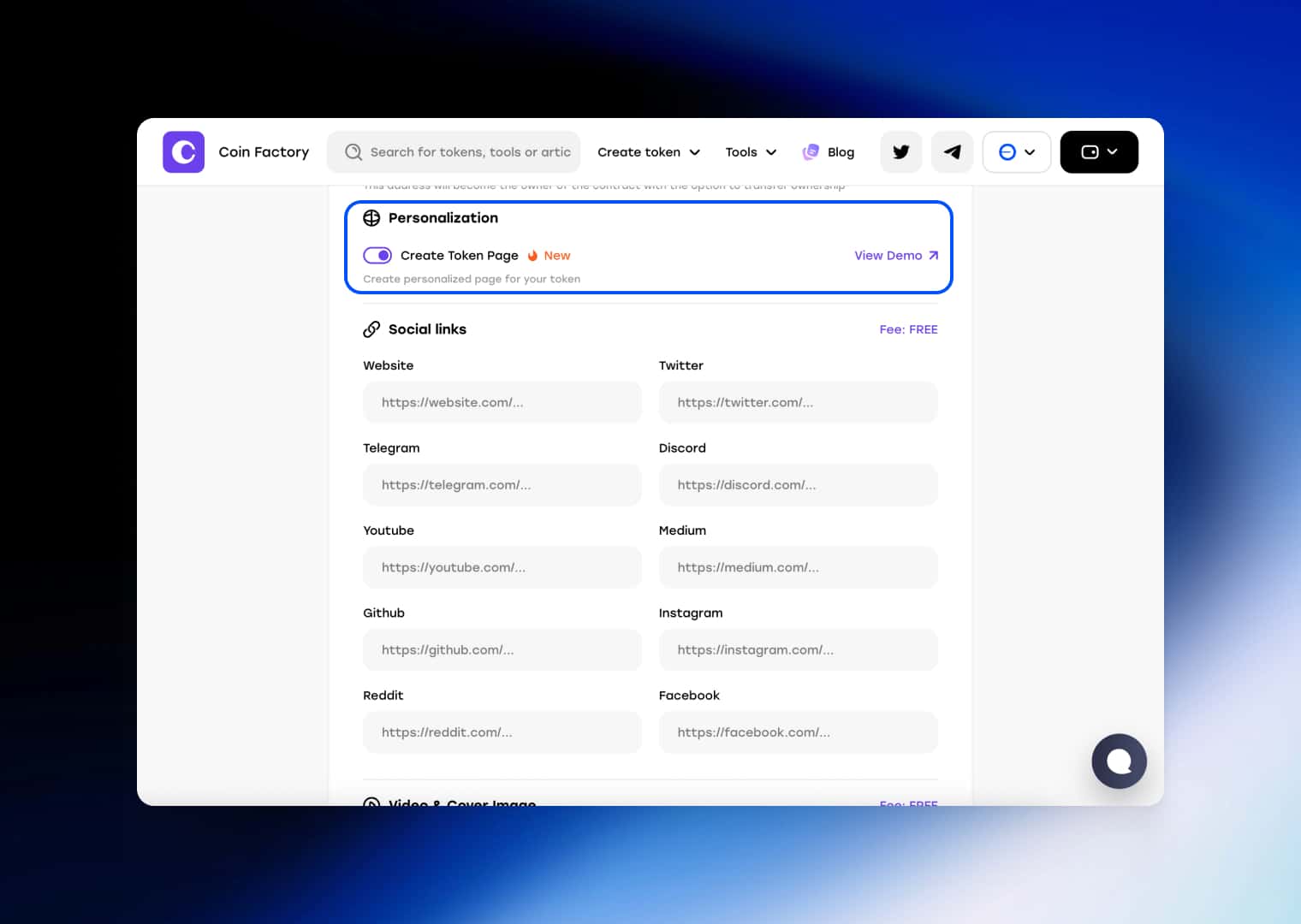
- Team Section: Add information about your team members, founders, advisors, or contributors. A visible team can increase credibility and help visitors understand who is building the project.
- Tokenomics Section: Explain how your token supply is allocated across different categories such as Presale, Liquidity, Marketing, Ecosystem, Staking Rewards, Development Fund, or Team Allocation.
- Roadmap Section: Present your project’s development plan and future milestones. A roadmap helps visitors understand where the project is heading and what goals the team plans to achieve.
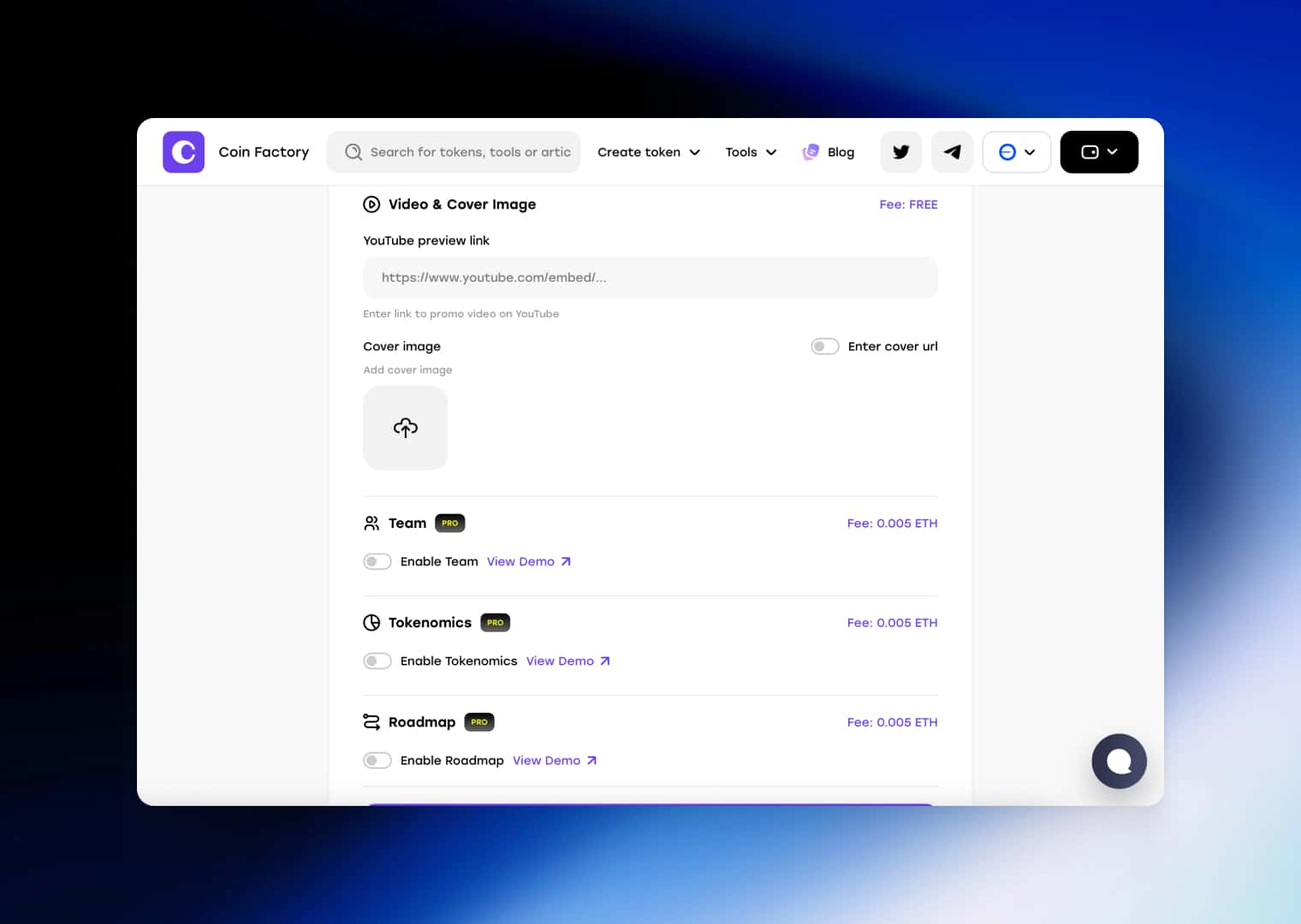
Before deployment, carefully review all information. Blockchain transactions are permanent, and most token parameters cannot be changed after the contract is created.
Once everything looks correct:
- Click Create Token
- Review the confirmation window
- Click Deploy Contract
- Confirm the transaction in your wallet
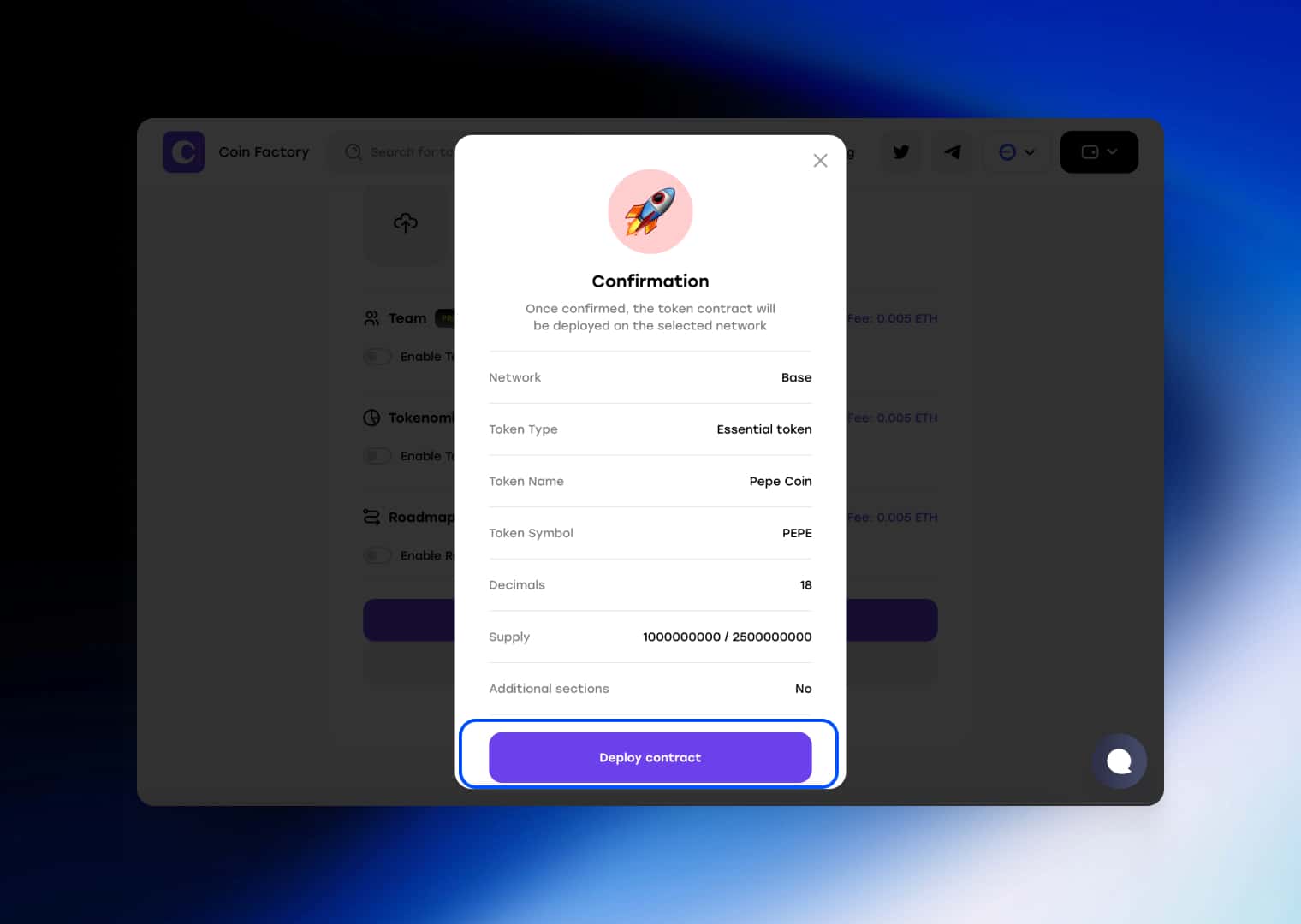
After the transaction is confirmed, your token will be live on the Base network.
🚀 Your Base Token Is Now Live
Congratulations! Your token has been successfully deployed on Base.
You can now view the contract on BaseScan, distribute tokens to your community, create a liquidity pool, and start building your project. Whether you’re launching a meme coin, utility token, gaming asset, or startup ecosystem, your token is now ready for the next stage of growth.
Conclusion
Creating a token on Base has never been easier. Thanks to low transaction fees, fast confirmations, and a rapidly growing ecosystem, Base remains one of the best blockchains for launching new crypto projects in 2026.
With CoinFactory, you can create and deploy a fully functional token in just a few minutes without writing any code. Once your token is live, you can expand your project by creating a liquidity pool, adding liquidity, distributing tokens through airdrops, renouncing ownership, and building a dedicated website for your community.
Whether you’re launching a meme coin, utility token, gaming asset, or startup project, Base provides the infrastructure and audience needed to help your token grow.
Tags

Guide
Base
Token
Token creator
2026


