


How to Create a Token and Get Listed on DexScreener in 4 Steps (2026 Guide)
Learn how to create a Solana token, add liquidity, and get listed on DexScreener in 4 easy steps. Launch your crypto project without coding using CoinFactory.
 CoinFactory
What You Need Before Your Token Appears on DexScreener
Launching a token involves more than simply deploying a smart contract. To appear on DexScreener, your project needs both a token and a liquidity pool that allows users to trade it on a decentralized exchange.
The good news is that you can complete the entire process without coding. Using CoinFactory, you can create your token, deploy it to the blockchain, and create a liquidity pool in just a few minutes.
In this guide, we’ll walk through every step required to launch a token and make it visible on DexScreener, from token creation to adding liquidity and enabling trading.
Step-by-step instructions
Step 1: Visit CoinFactory to create your own meme coin
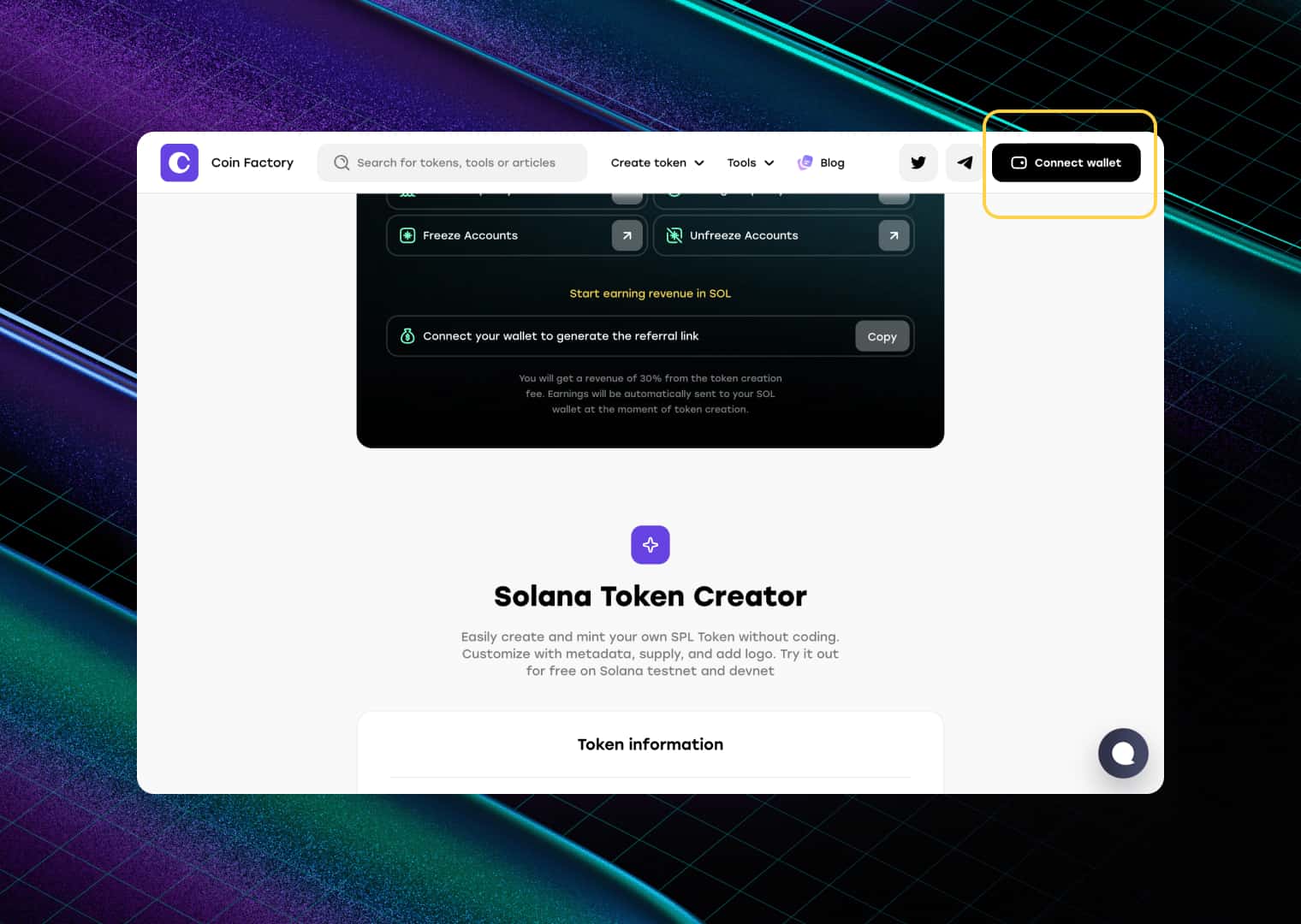
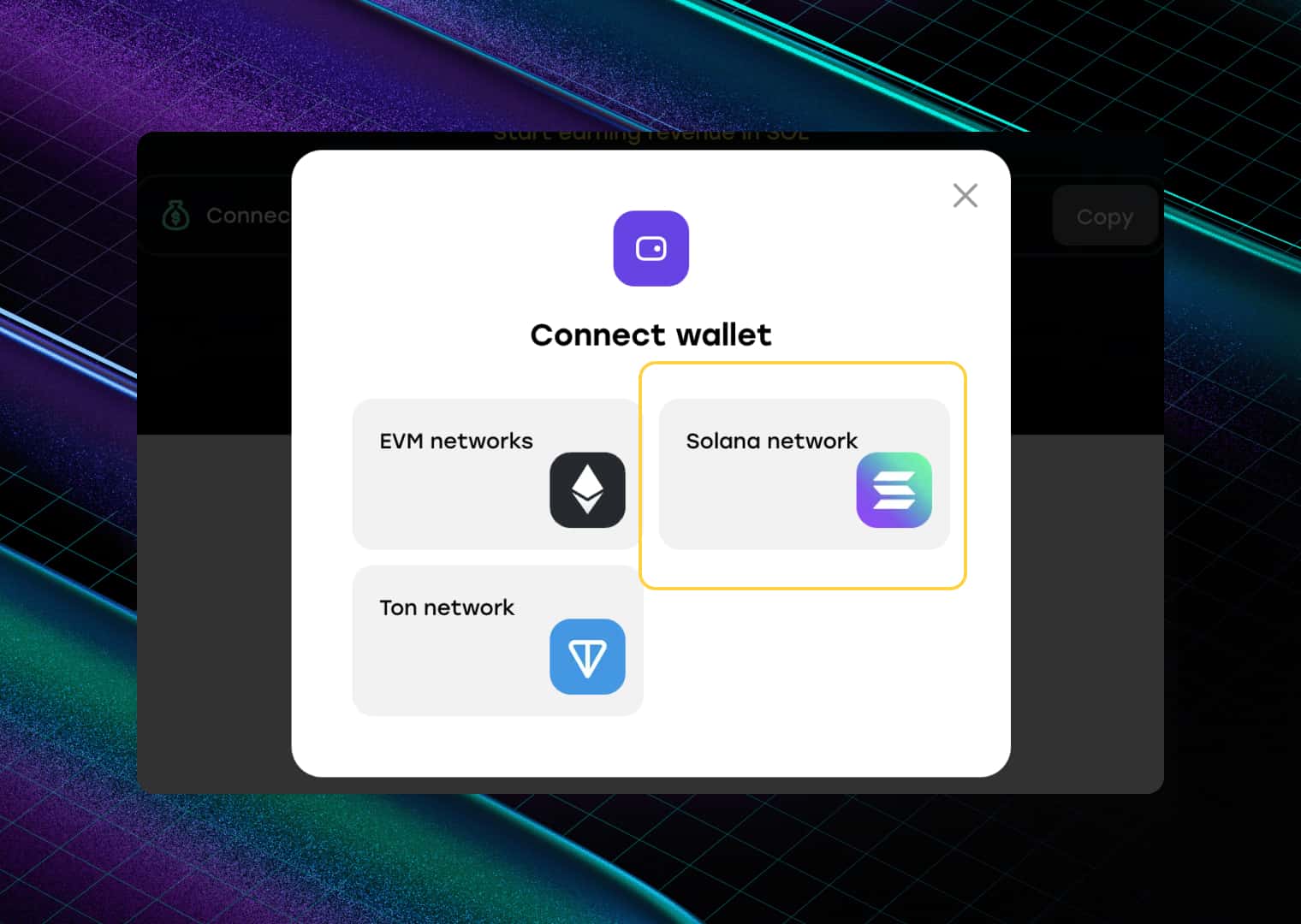
Step 2: Connect your wallet
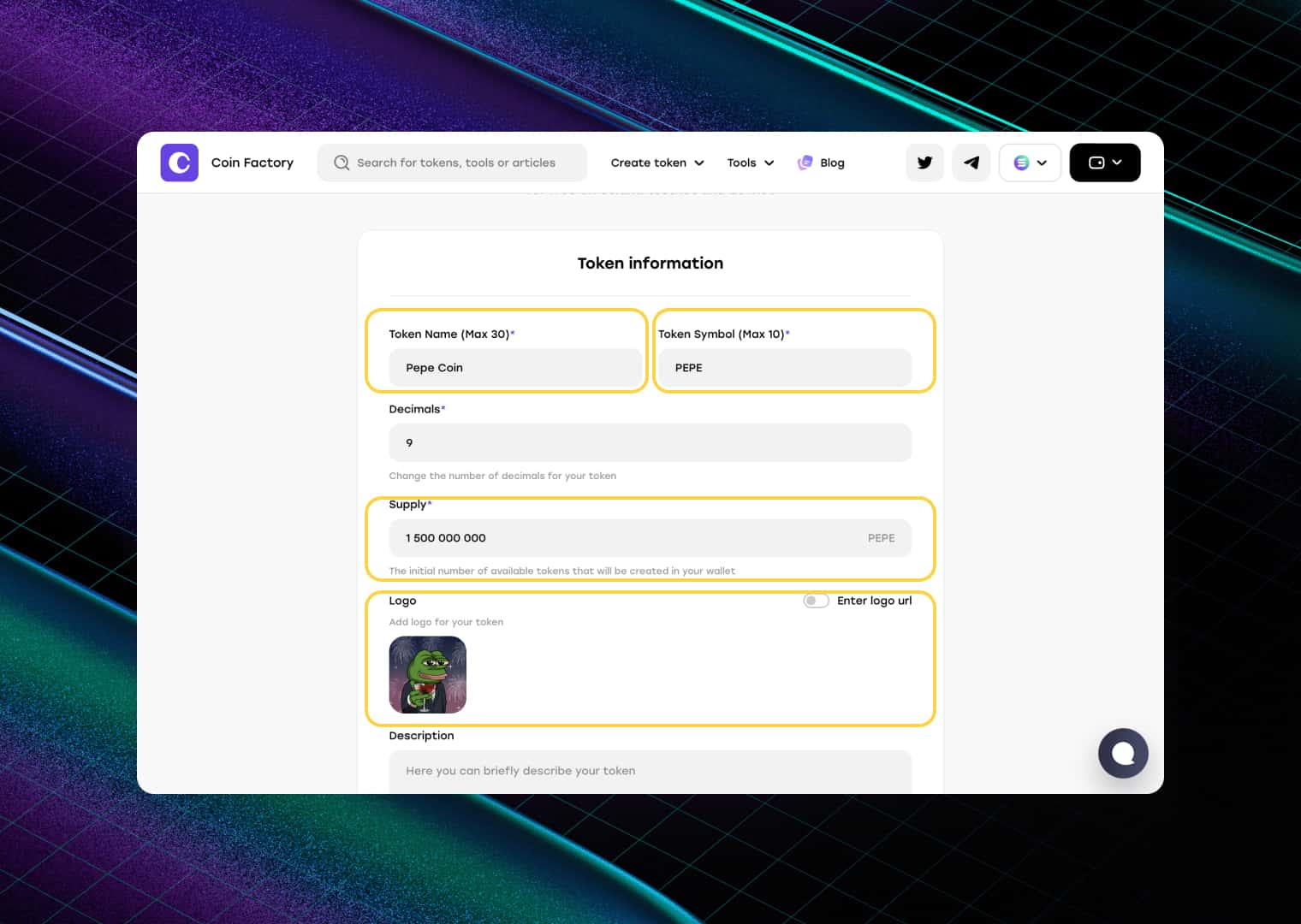
Step 3: Enter coin details and confirm the transaction in your wallet
Enter the basic information for your token:
- Token Name
- Token Symbol
- Total Supply
- Logo
Recommended: Revoke the minting and freezing authorities during creation. This helps build trust with potential buyers by proving that no additional tokens can be minted and that token holders cannot be frozen in the future. If these authorities remain enabled, DexScreener may flag your token with risk warnings, which can make it appear less trustworthy to potential traders and investors.
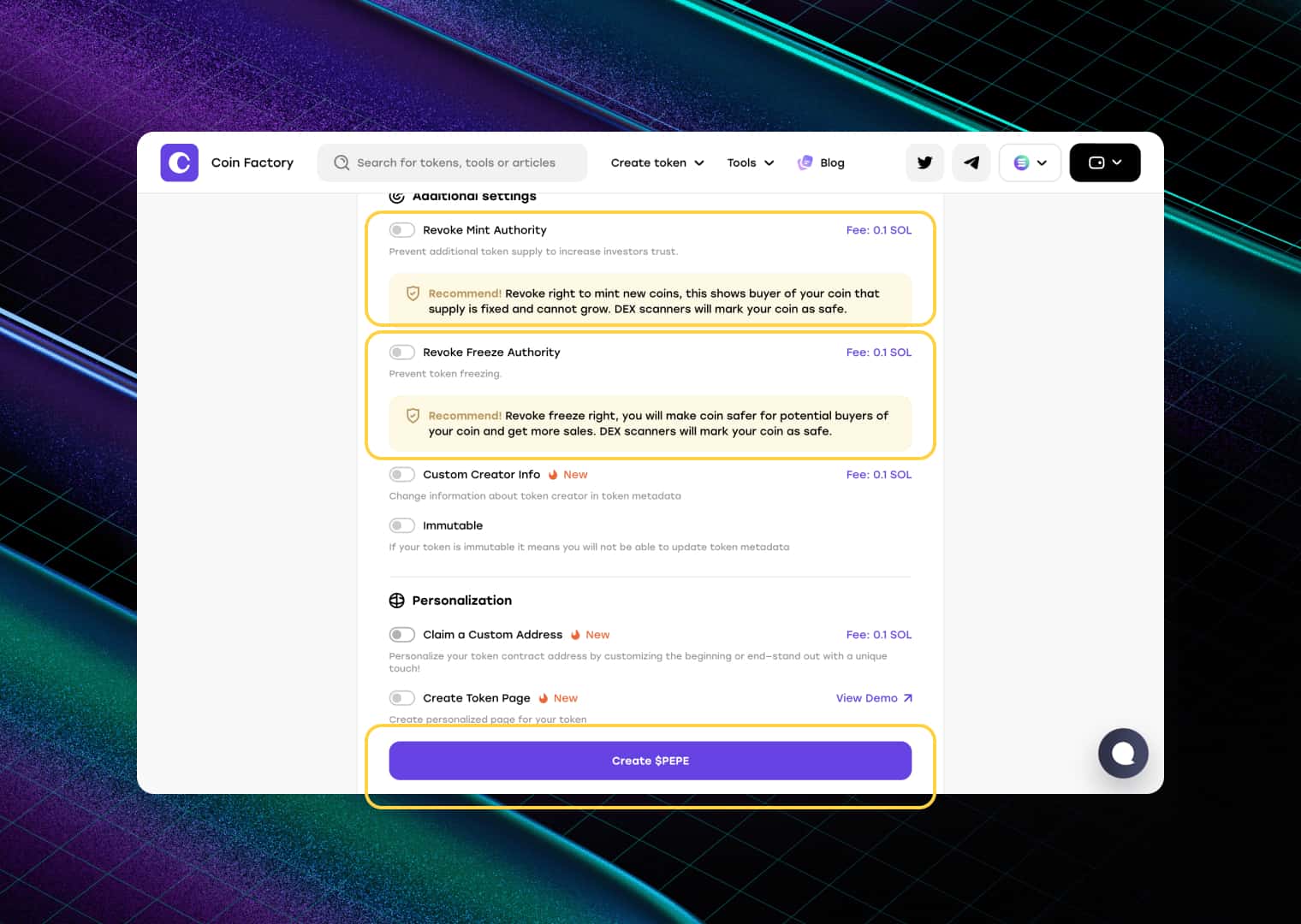
Once everything is configured, confirm the deployment transaction in your wallet.
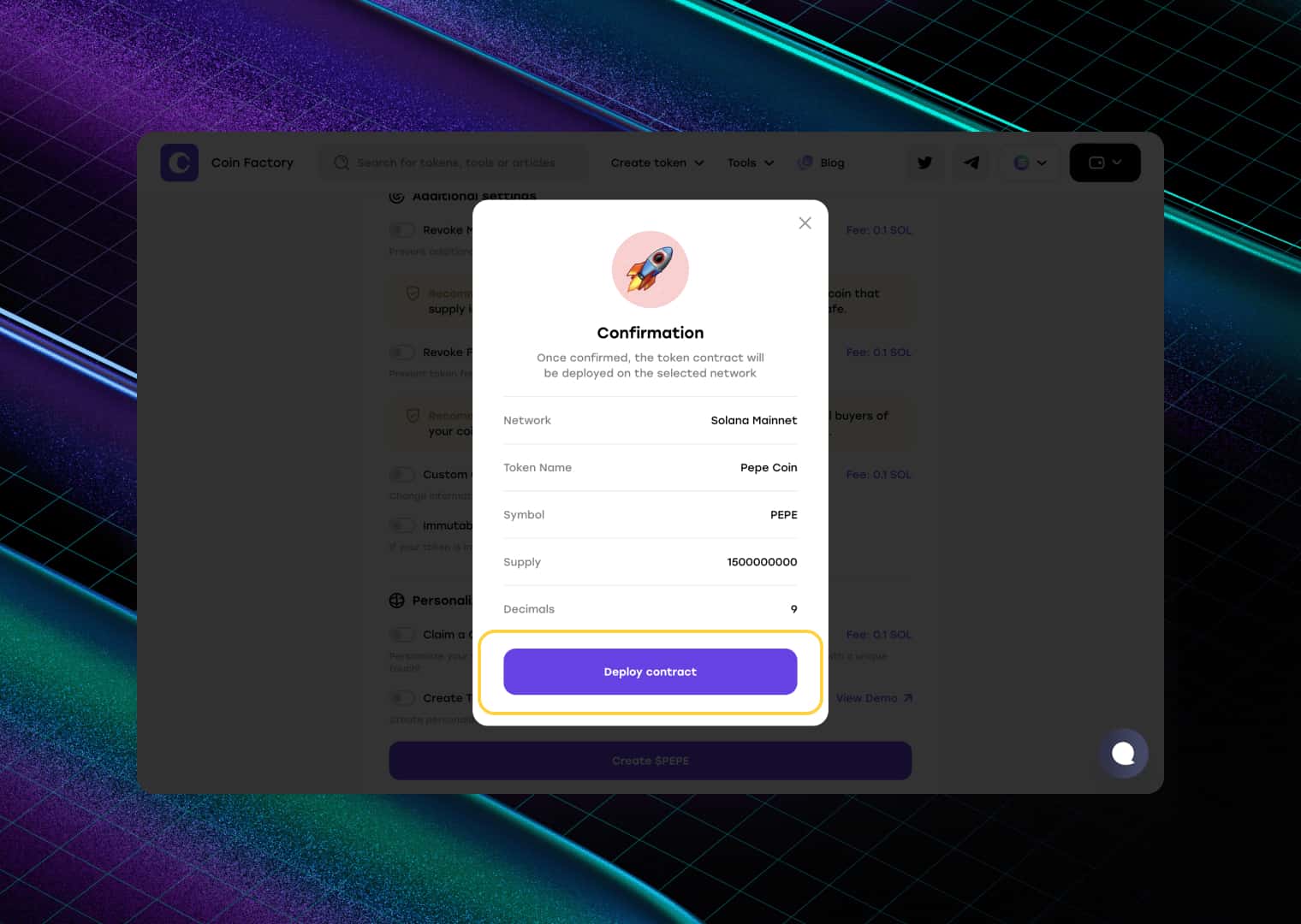
Congratulations! Your token is now live on the Solana blockchain 🥳. You can view it on blockchain explorers such as Solscan, SolanaFM, and the official Solana Explorer.
The next step is to create a liquidity pool. A liquidity pool allows your token to be traded on decentralized exchanges and is required for your token to appear on platforms like DexScreener. Once liquidity is added, traders will be able to discover, buy, and sell your token through the Solana ecosystem.
Step 4: Create a Liquidity Pool
Before your token can appear on DexScreener, it needs an active liquidity pool. A liquidity pool pairs your token with SOL and allows users to buy and sell it on decentralized exchanges. Without a liquidity pool, there is no market for your token, meaning it cannot be traded or tracked by platforms such as DexScreener.
Go to the CoinFactory Liquidity Pool Creator and enter the required information for your token. Once the pool is created and liquidity is added, trading can begin and your token will become eligible to appear on DexScreener.
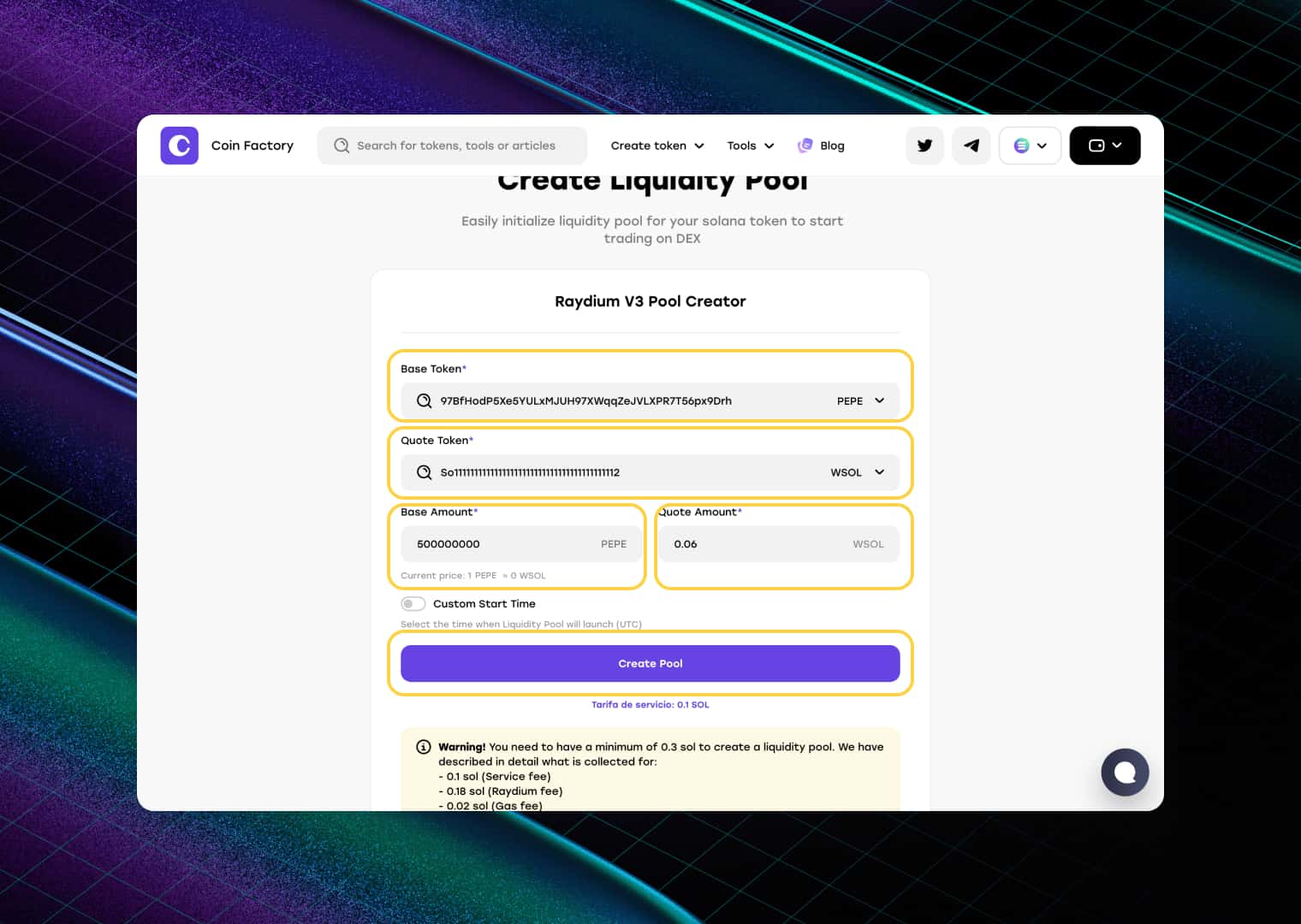
Fill in the following fields:
- 1️⃣ Base Token (Token Address): Paste the contract address of the token you created in the previous step.
- 2️⃣ Quote Token (Pair Token Address): Enter the Solana (SOL) address to create a trading pair between your token and SOL.
- 3️⃣ Base Amount: Specify how many tokens you want to add to the pool. These tokens will be available for traders to buy from the market.
- 4️⃣ Quote Amount: Enter how much SOL you want to add as liquidity. The amount of SOL you provide helps determine your token’s initial price and available liquidity. Generally, adding more SOL creates a deeper pool, allowing larger trades with less price impact.
- 5️⃣ Create Pool: Review the information and click “Create Pool”.
- 6️⃣ Confirm the Transaction: Approve the liquidity pool creation transaction in your wallet.
Once the transaction is confirmed, your liquidity pool will be live and your token will be ready for trading.
Done 🥳
Your token is now live on Solana with an active liquidity pool. Traders can discover it on DexScreener, track its market performance, and trade it through decentralized exchanges.
Congratulations on launching your project! In just a few steps, you’ve created a token, enabled trading, and made it accessible to the global crypto community.
How to find my token on DexScreener?
Method 1: Follow the link from CoinFactory
On the liquidity pool page, there is all the necessary data and links to DEX scanners, including Dexscreener, which allows you to quickly go to your token.
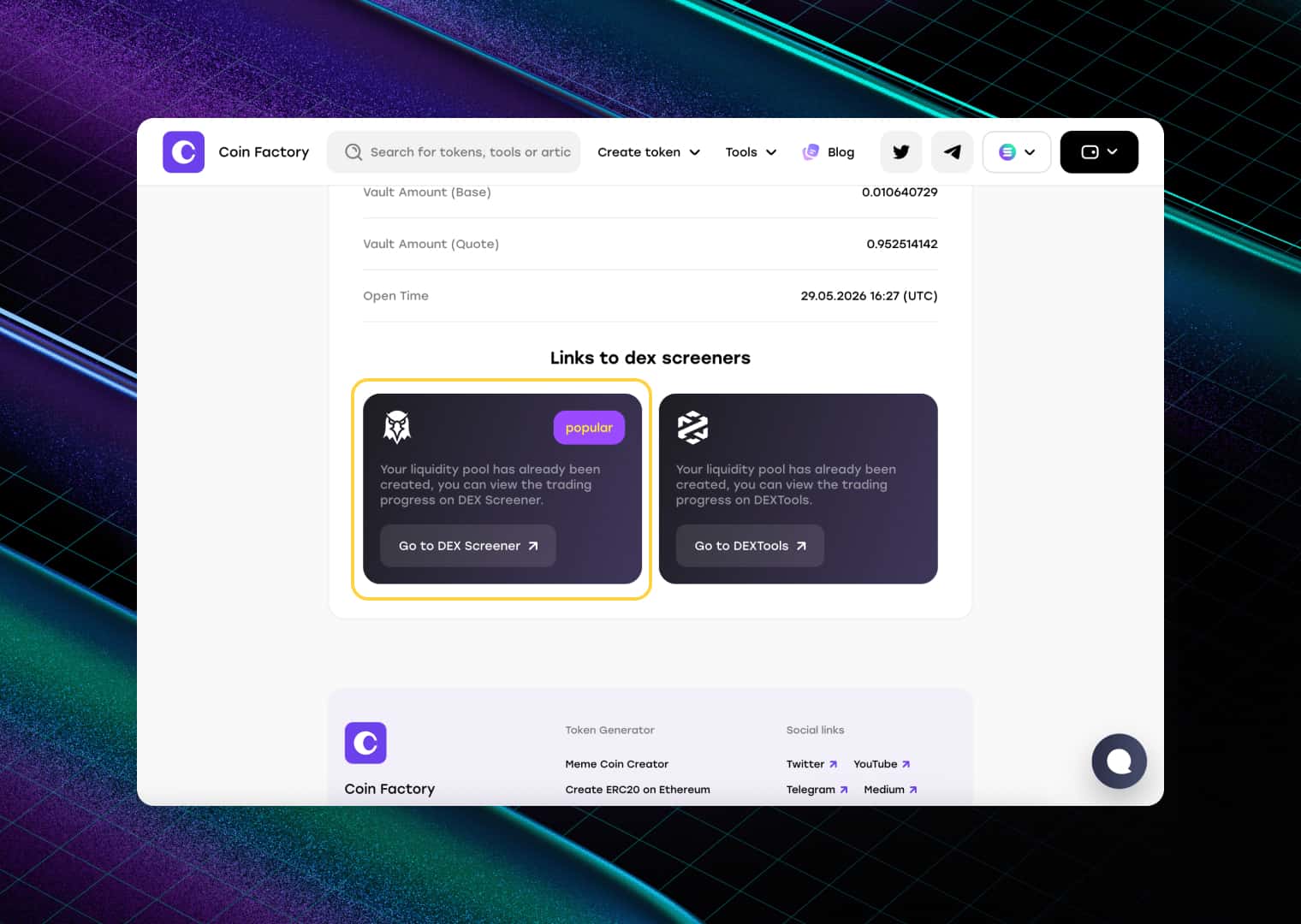
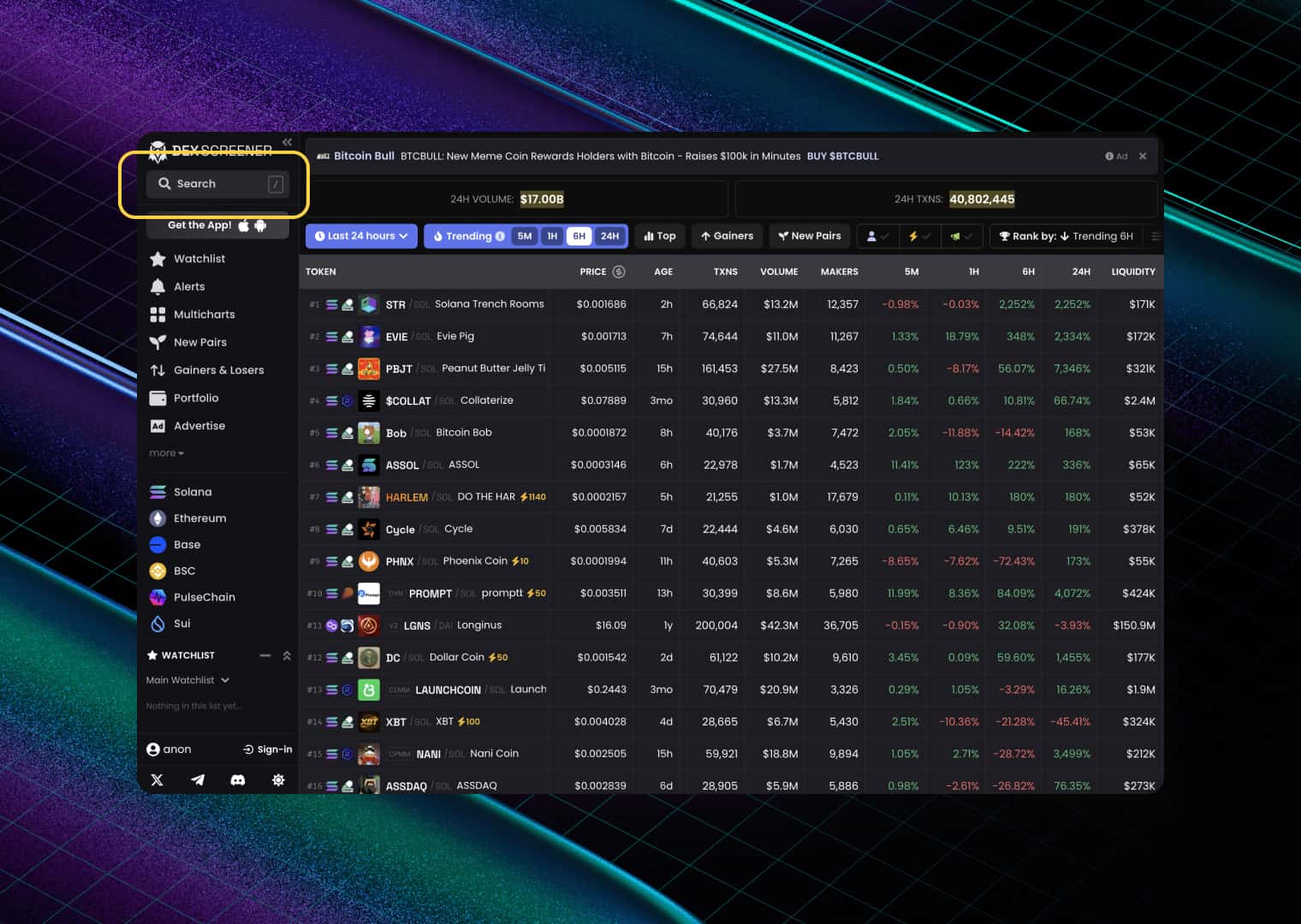
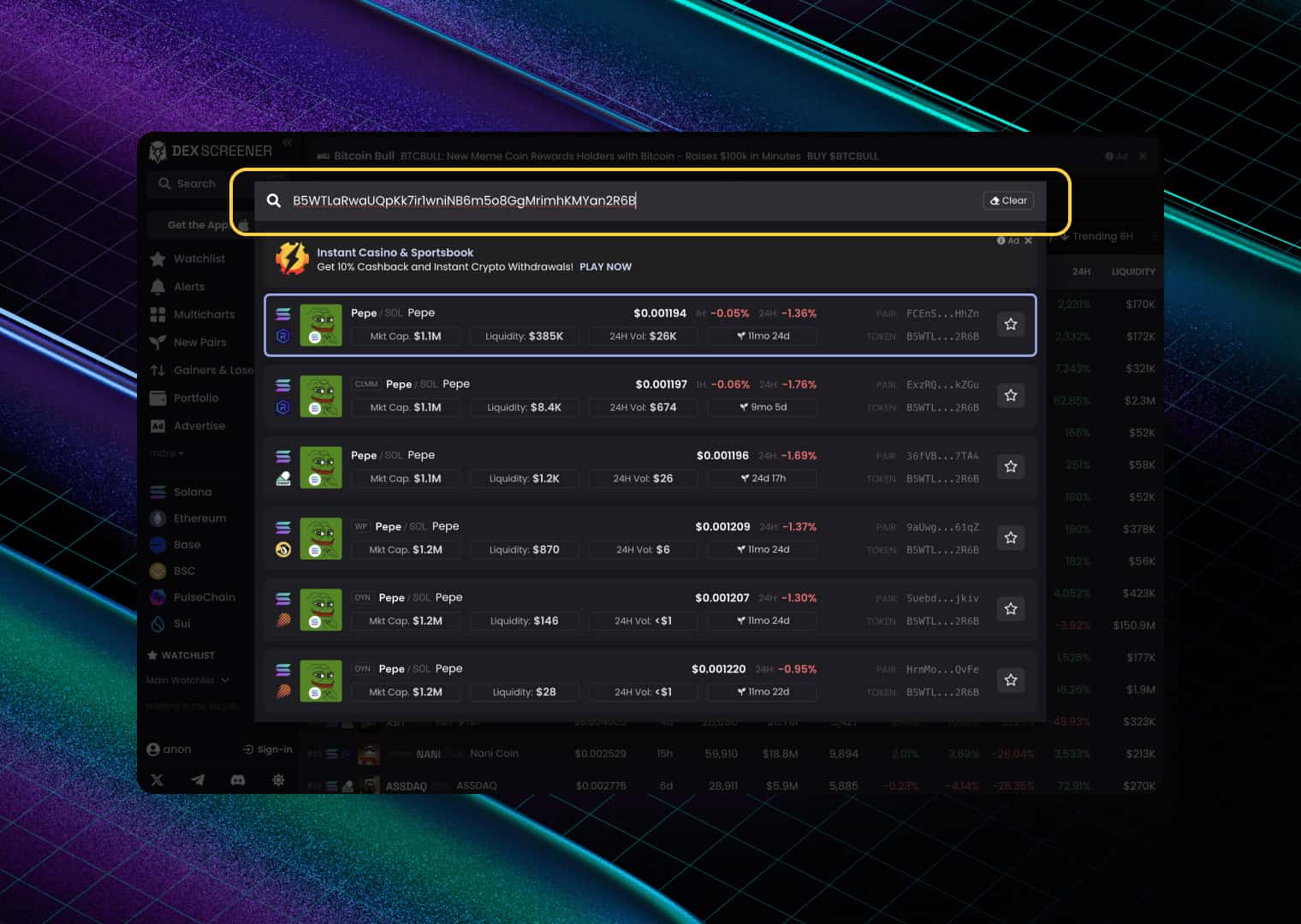
Method 2: Search by token address on Dexscreener
Click on the search box in the top left.
Insert your token address, this will be enough.
Conclusion
Getting your token listed on DexScreener is easier than many people think. The key requirement is not just creating a token, but also creating a liquidity pool that enables trading on a decentralized exchange.
With CoinFactory, you can complete the entire process without writing a single line of code. Create your token, add liquidity, launch trading, and make your project visible on DexScreener in just a few minutes.
Whether you’re launching a meme coin, community token, utility token, or experimental project, CoinFactory provides all the tools you need to go from idea to a tradeable token that can be tracked by traders and investors across the crypto ecosystem.
Tags

Guide
Solana
Token
Dexscreener
Token launch


