


How to Create a Meme Coin on Robinhood Chain in 30 seconds
Create your own meme coin on Robinhood Chain in minutes with the CoinFactory Meme Coin Generator. No coding required. Customize, deploy, and launch your viral meme token today.
 CoinFactory
Why Create a Meme Coin on Robinhood Chain in 2026?
Robinhood Chain is quickly becoming one of the most exciting EVM-compatible networks for launching new crypto projects. As the ecosystem grows, early meme coins have the best opportunity to attract communities, gain visibility, and become part of the next wave of viral tokens.
Whether you're launching a community meme, experimenting with a fun idea, or building the next internet sensation, Robinhood Chain offers fast transactions, low fees, and full EVM compatibility—making it an ideal blockchain for meme coin creators.
Some of the key benefits of launching a meme coin on Robinhood Chain include:
- ⚡ Fast Transactions – Launch and interact with your meme coin without long confirmation times.
- 💰 Low Network Fees – Keep deployment and transaction costs affordable.
- 🔗 EVM Compatible – Works seamlessly with popular wallets and developer tools.
- 🌱 Growing Ecosystem – Be among the early meme coin projects on an expanding blockchain.
- 🚀 No Coding Required – Create your meme coin in minutes with CoinFactory's easy-to-use generator.
With the CoinFactory Meme Coin Generator, you can customize your meme coin's name, ticker, supply, logo, and advanced contract features before deploying it directly from your wallet.
Step-by-step instructions
Step 1: Open the CoinFactory Robinhood Meme Coin Generator
Visit the CoinFactory Robinhood Meme Coin Generator and start creating your own meme coin in just a few minutes. Whether you're launching the next viral meme, a community token, or simply experimenting with a fun idea, CoinFactory lets you deploy a professional smart contract with no coding required.
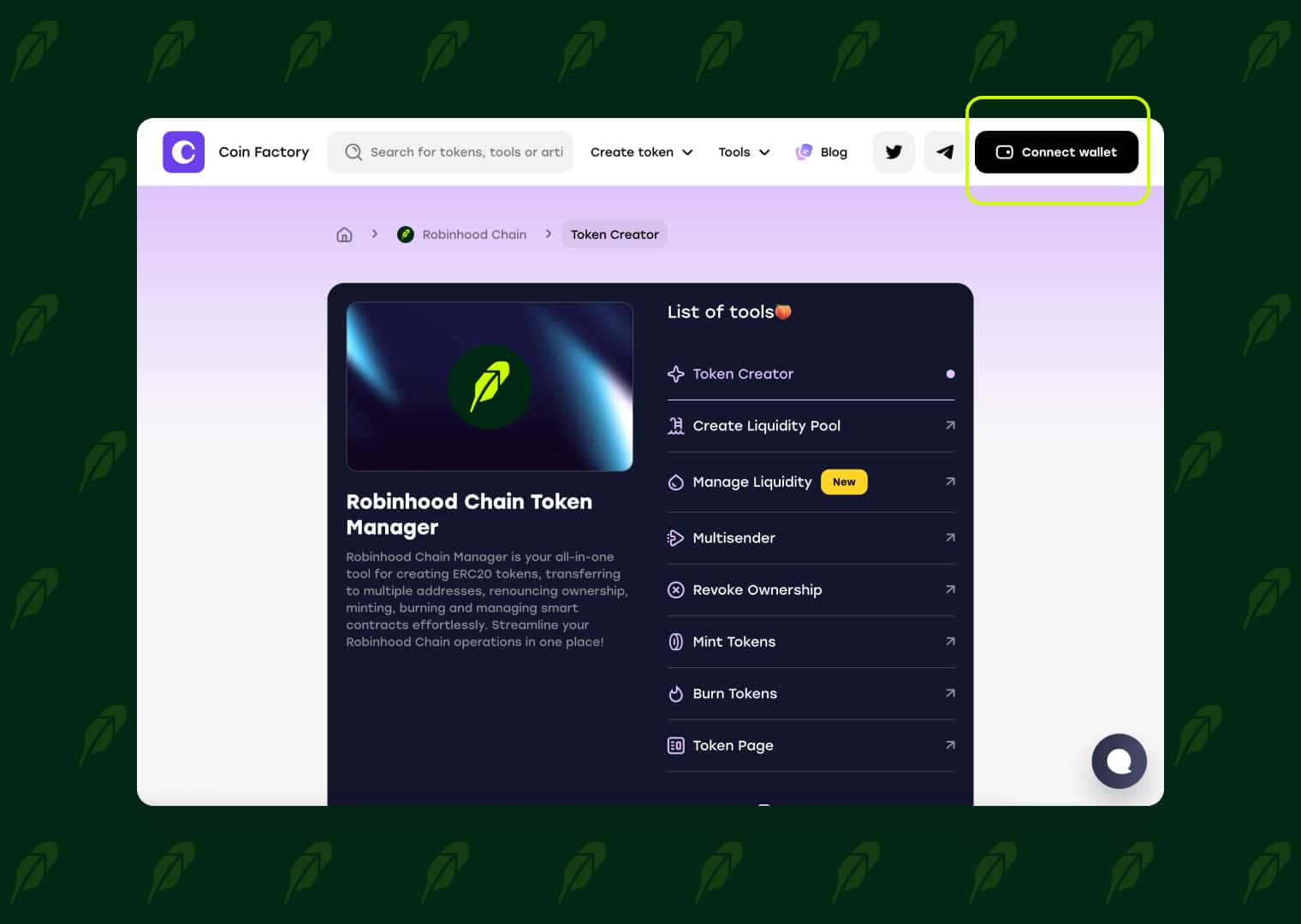
Step 2: Connect Your Wallet
Click the Connect Wallet button and connect the wallet that will own your meme coin contract. This wallet will receive the initial token supply and any administrative permissions included with your selected contract.
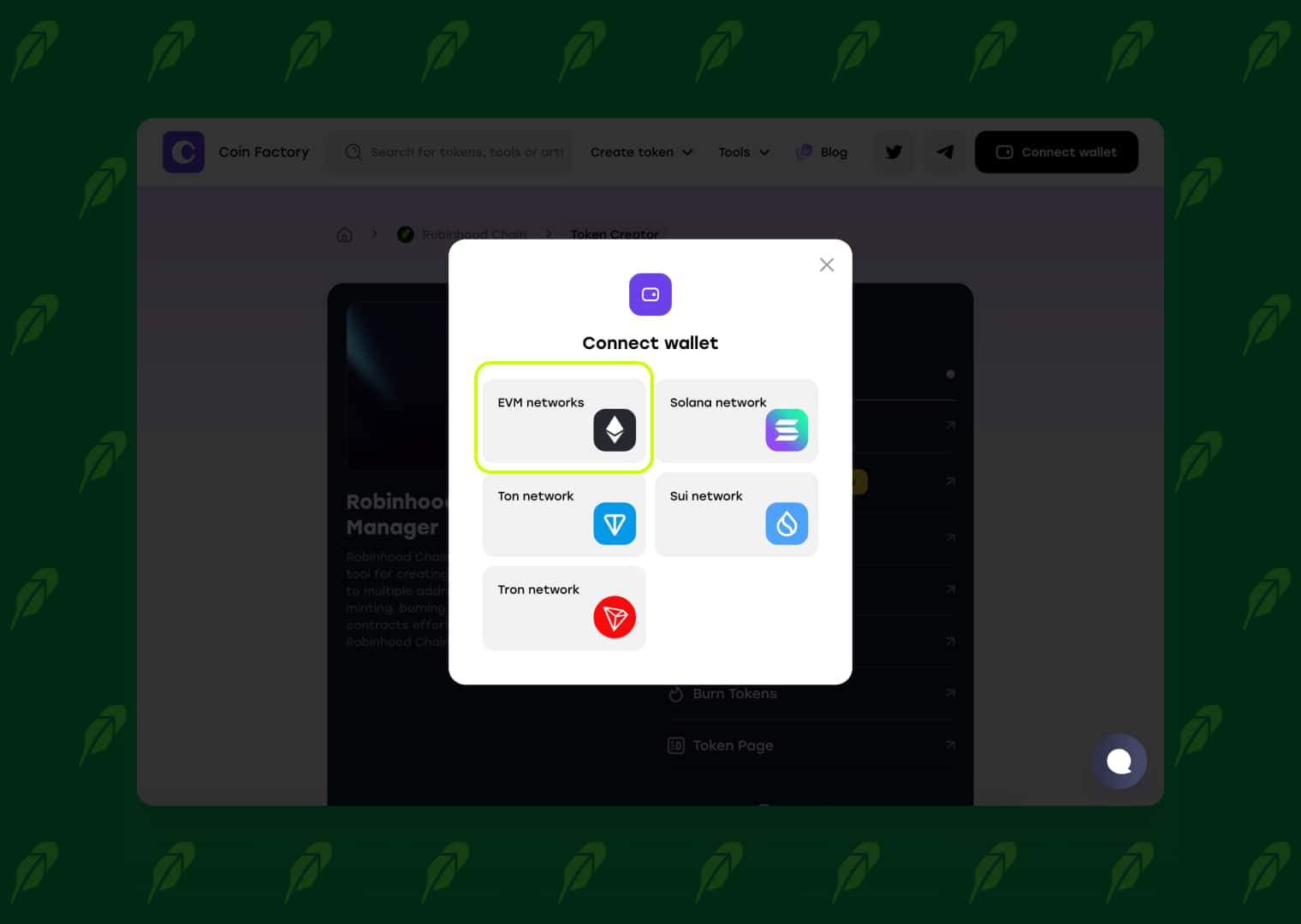
CoinFactory supports MetaMask, Trust Wallet for Robinhood Chain.
Note: If you're using MetaMask, you'll need to add the Robinhood Chain network before deploying your meme coin. You can do this manually or in one click using our ChainList page.
Before deploying your meme coin, make sure your wallet is connected to Robinhood Chain and has enough ETH to cover the network deployment fee.
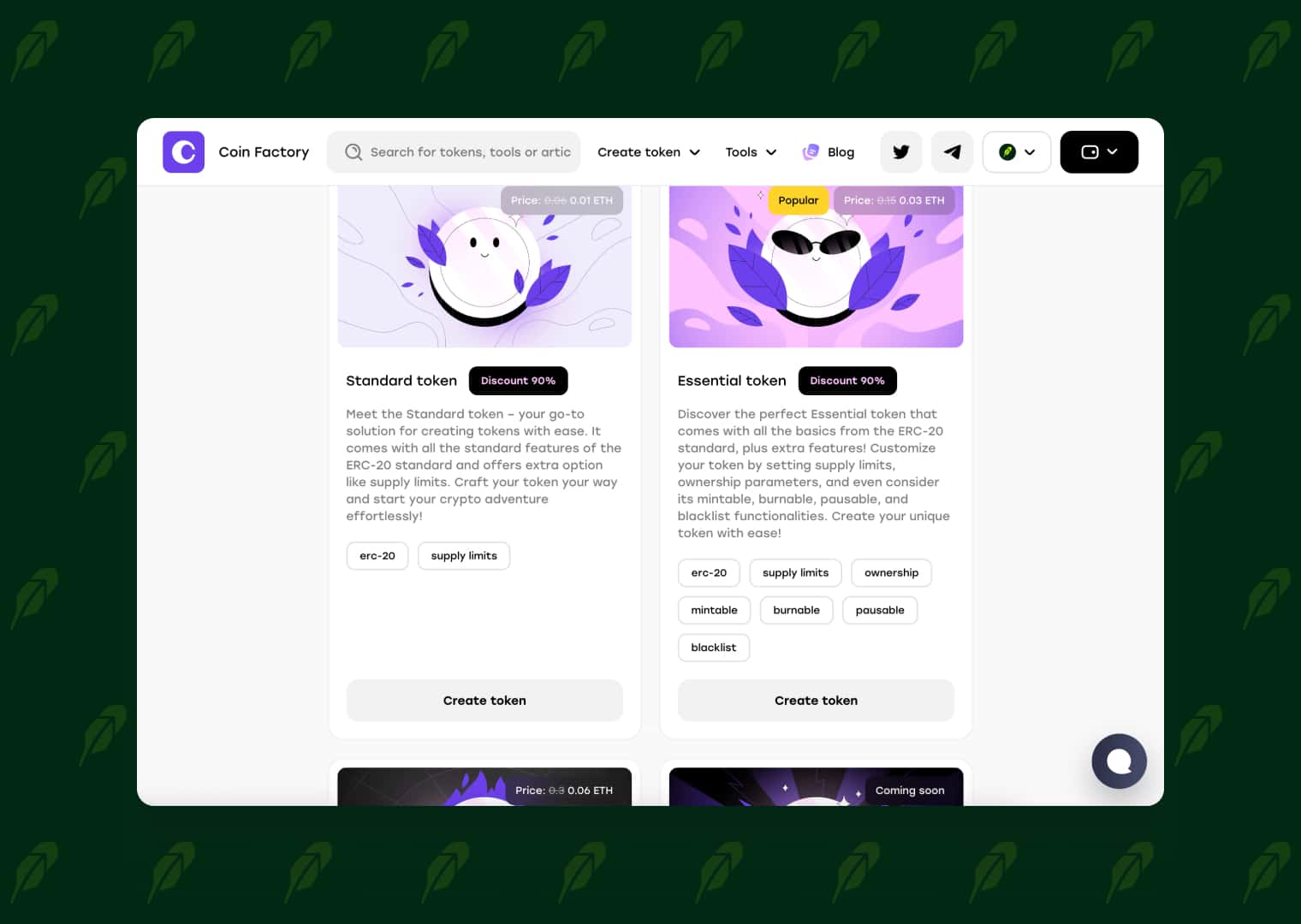
Step 3: Choose Your Meme Coin Contract
Select the contract that best fits your meme coin project.
- Standard — A simple fixed-supply meme coin with no owner permissions after deployment.
- Essential — Includes advanced features such as minting, burning, pausing transfers, wallet management, ownership controls, and other administrative functions.
- Taxable — Ideal for meme coin projects that require configurable buy and sell taxes along with advanced token management features.
Step 4: Configure Your Meme Coin and Deploy
Enter your meme coin details, including the name, ticker, total supply, decimals, and any optional contract settings. Review everything carefully, then click Create Meme Coin and confirm the transaction in your wallet.
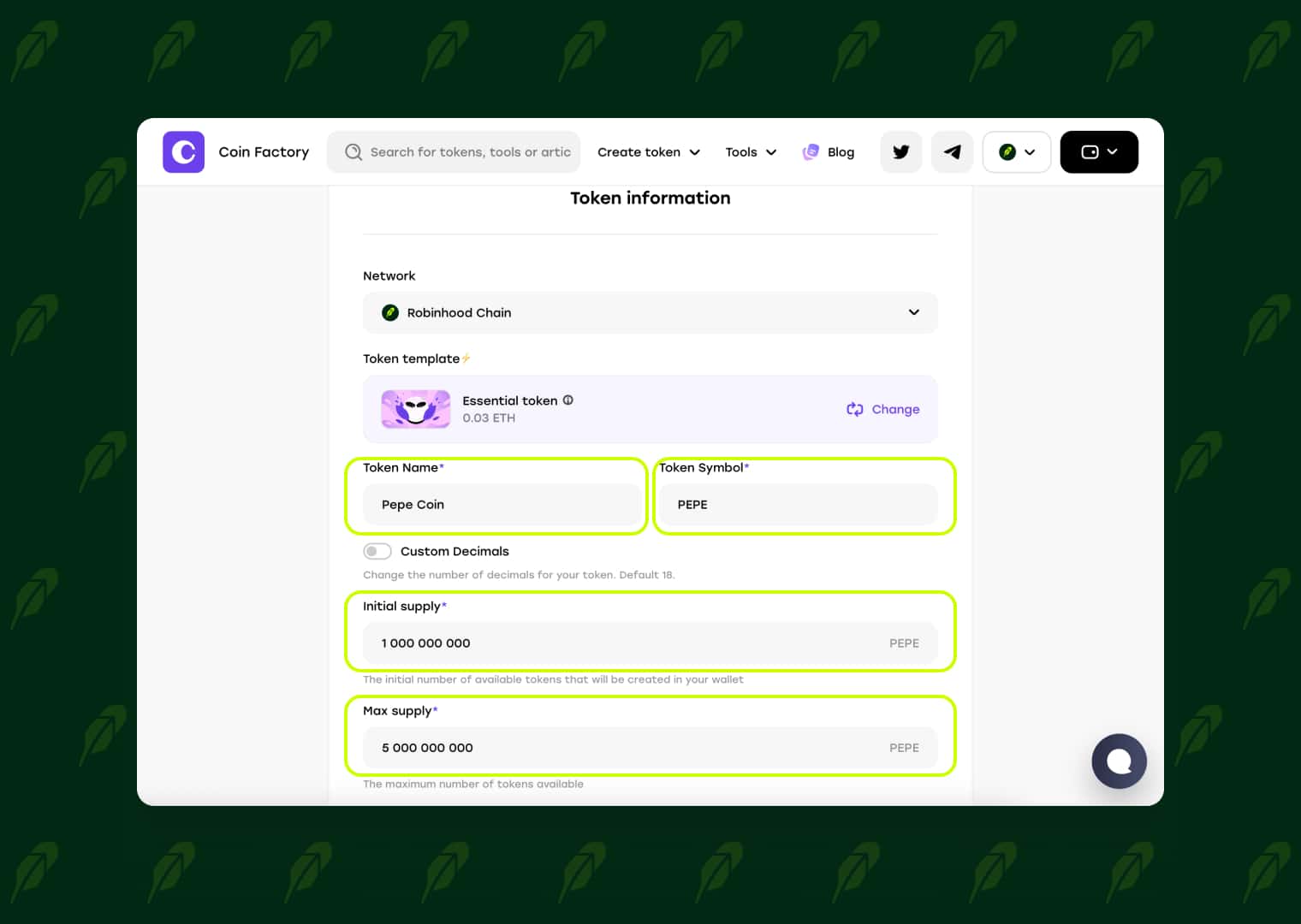
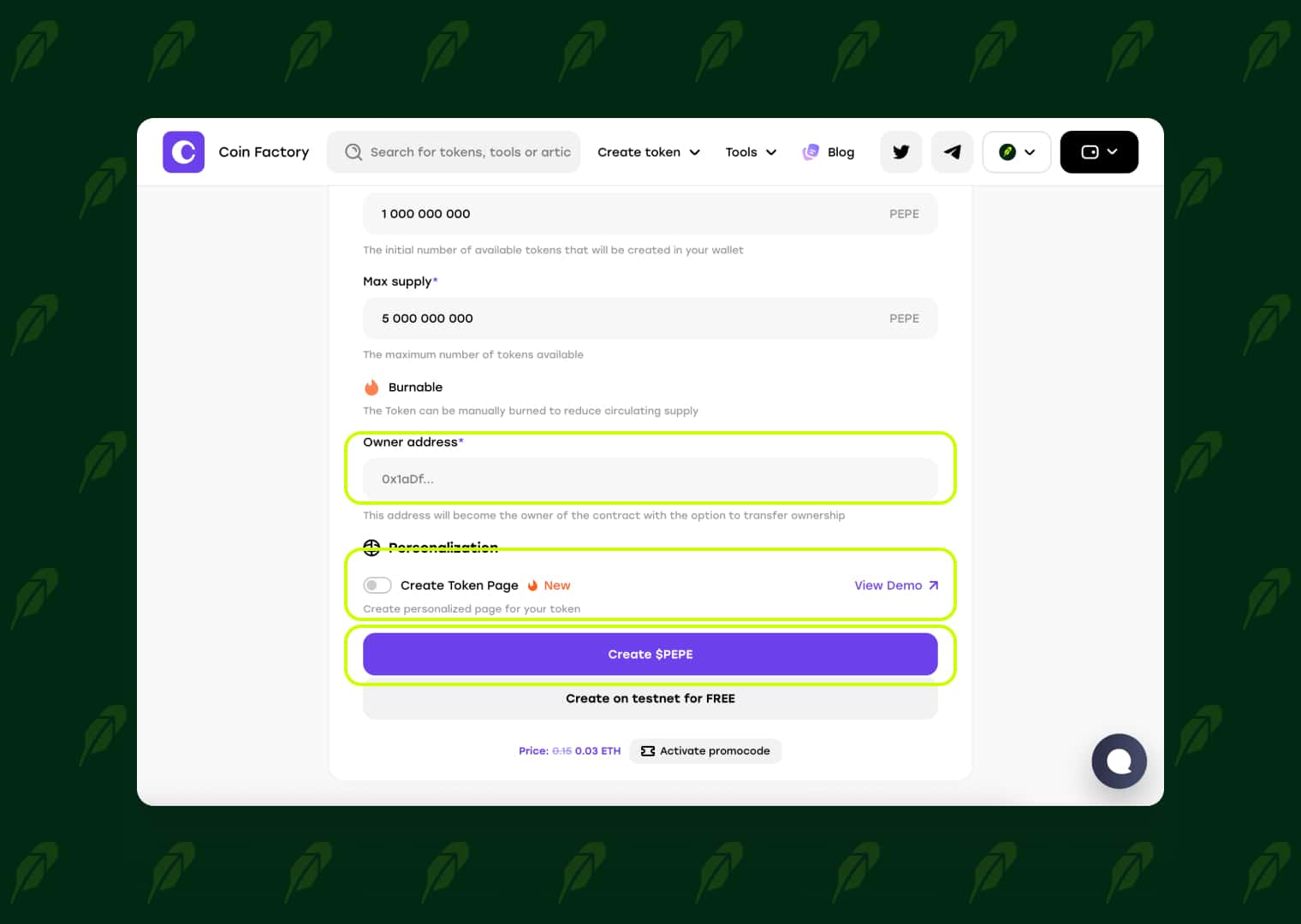
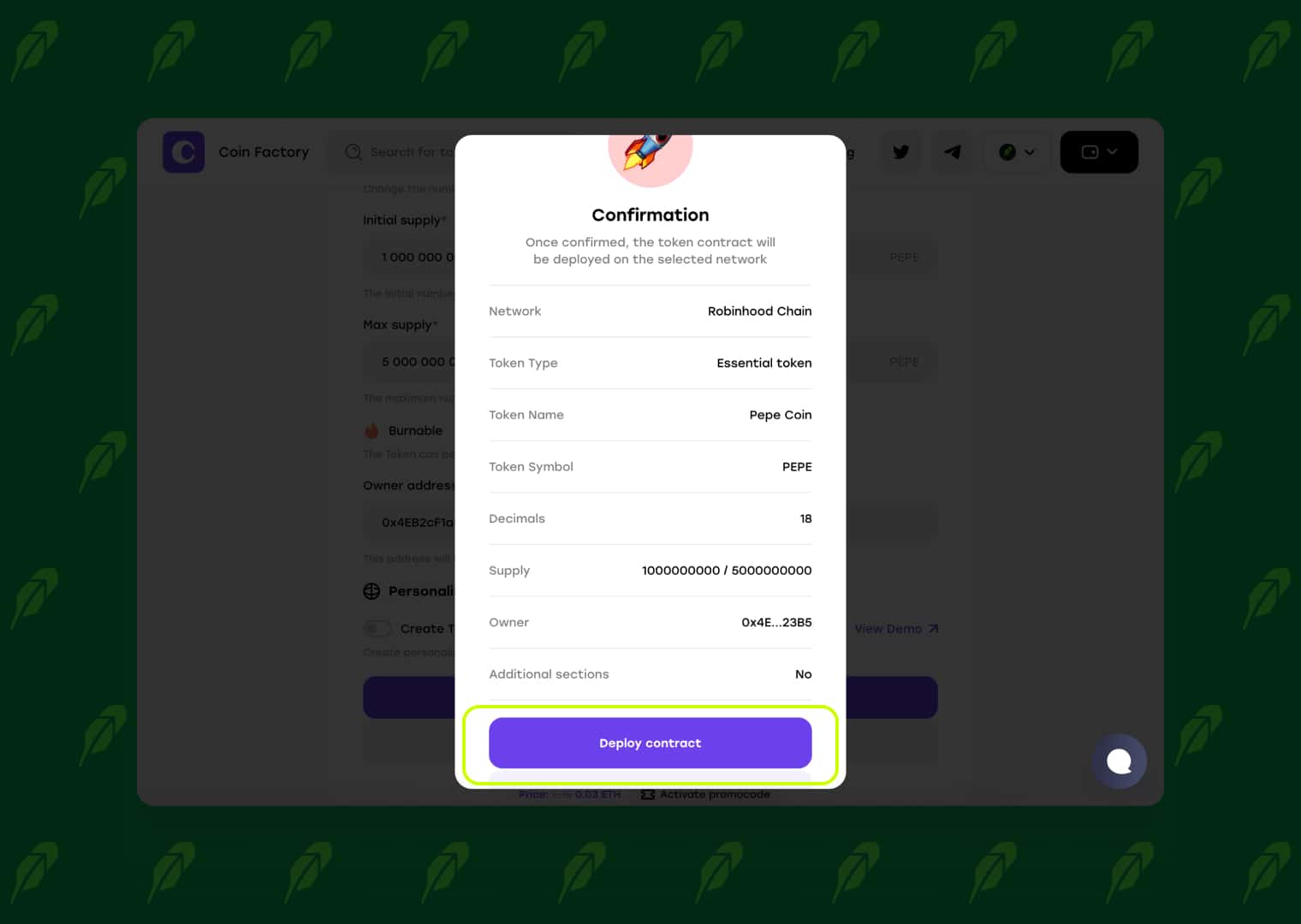
Once the transaction is confirmed, your meme coin will be deployed on Robinhood Chain and ready for your community.
🎉 Congratulations! Your meme coin has been successfully created on Robinhood Chain.
Your transaction has been confirmed, and your token is now live on the blockchain. You can view your token contract, transaction details, and on-chain information in the Robinhood Chain Explorer.
Why Isn't My Meme Coin Showing in MetaMask or Trust Wallet?
Congratulations—your meme coin has already been deployed on Robinhood Chain. If you don't see it in MetaMask or Trust Wallet, don't worry. In some wallet versions, newly created tokens are not displayed automatically and must be added manually using the token contract address.
This doesn't mean there's a problem with your token. As long as your deployment transaction was successful and your token appears in the Robinhood Chain Explorer, your meme coin is live on the blockchain.
Below you'll find step-by-step instructions for manually adding your meme coin to both MetaMask and Trust Wallet.
Guide for MetaMask:
https://coinfactory.app/blog/how-to-import-a-token-in-metamask
Guide for Trust Wallet:
https://coinfactory.app/blog/how-to-import-a-token-in-trust-wallet
Conclusion
Launching a meme coin on Robinhood Chain has never been easier. With the CoinFactory Meme Coin Generator, you can create and deploy your own meme coin in just a few minutes—no coding or blockchain development experience required.
Customize your token, launch your project, grow your community, and become one of the early builders on Robinhood Chain. Your next viral meme coin could start today.
Tags

Guide
Robinhood
Meme
Token
Launch


