


How to Create a Meme Coin on Monad in 30 seconds
Learn how to create and launch a meme coin on Monad in 30 seconds. Launch fast with low fees, instant finality, and full EVM compatibility.
 CoinFactory
Why Launch a Meme Coin on Monad?
Monad is a next-generation EVM-compatible blockchain built for extreme speed, low fees, and massive scalability — making it an ideal network for launching meme coins. With thousands of transactions per second, near-instant finality, and ultra-low gas costs, Monad allows creators to deploy and experiment with tokens without worrying about congestion or high fees. Its full EVM compatibility means you can use familiar tools, wallets, and smart contracts, while benefiting from a fast-growing ecosystem and early-mover attention. For meme coins, where speed, virality, and low friction matter most, Monad offers the perfect environment to launch, trade, and scale in seconds.
In this tutorial, you’ll learn how to create and launch a meme coin on the Monad network using our platform — no coding required.
🚀Let’s get started!
Step-by-step instruction
Step 1: Visit CoinFactory Monad Meme Coin Creator

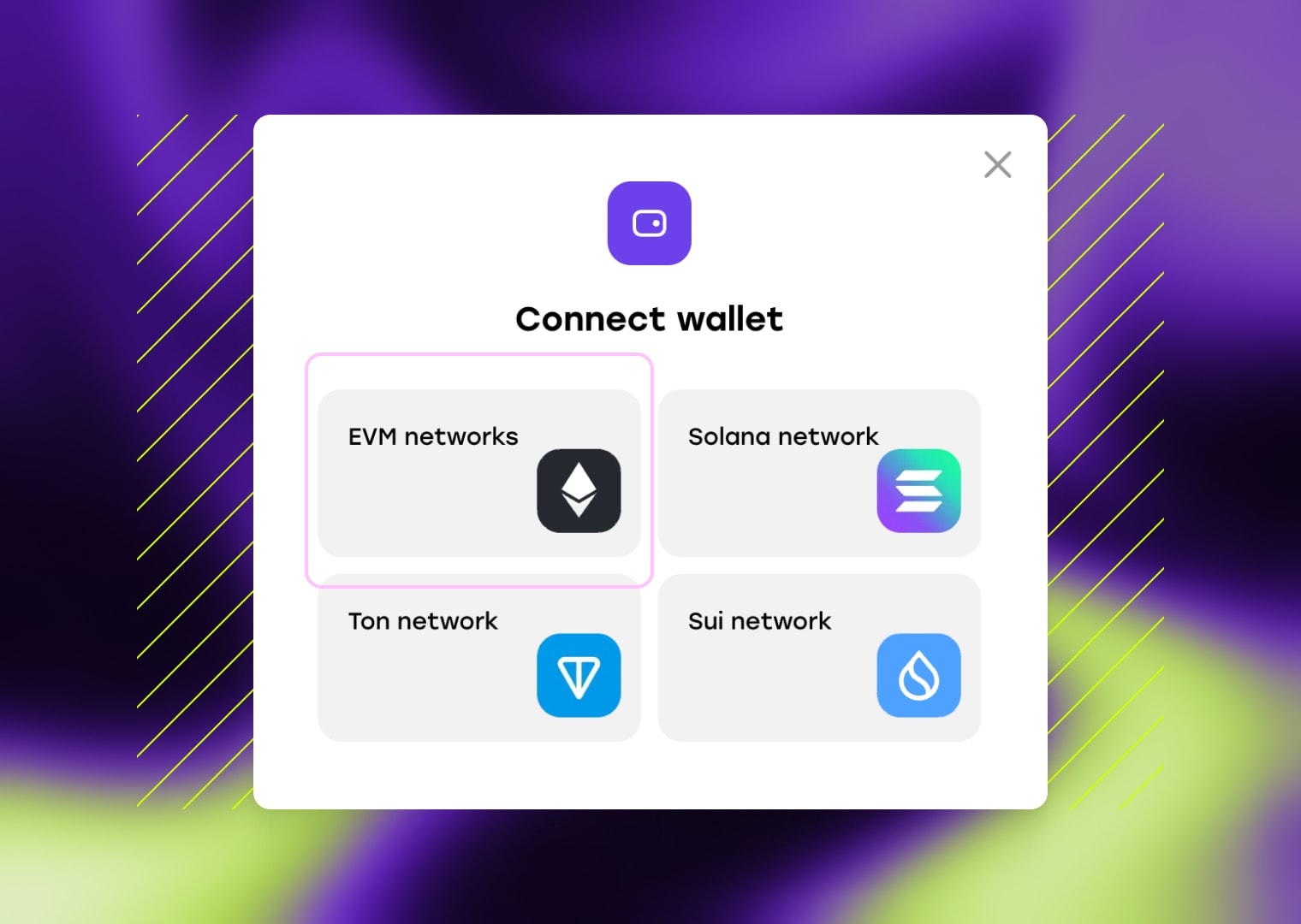
Step 2: Connect your wallet
Start by connecting your wallet to the CoinFactory Generator and make sure the Monad network is selected. Since Monad is fully EVM-compatible, a wide range of popular wallets already support it — including MetaMask, Rabby, Phantom, and Coinbase Wallet.
Some of the top wallets you can use with Monad:
- MetaMask — one of the most widely used non-custodial wallets for EVM chains, now with native Monad support.
- Phantom (Recommended) — originally known for Solana, also supports Monad and can activate it in your networks list.
- Rabby Wallet — lightweight browser wallet with multi-chain support, including Monad.
- Coinbase Wallet — user-friendly mobile and extension wallet that integrates with many EVM chains including Monad.
Connect the wallet that will be the owner of your token smart contract and will receive the initial token supply. Once connected and switched to the Monad network, you’re ready to deploy your meme coin in seconds.
Step 3: Customize your future token
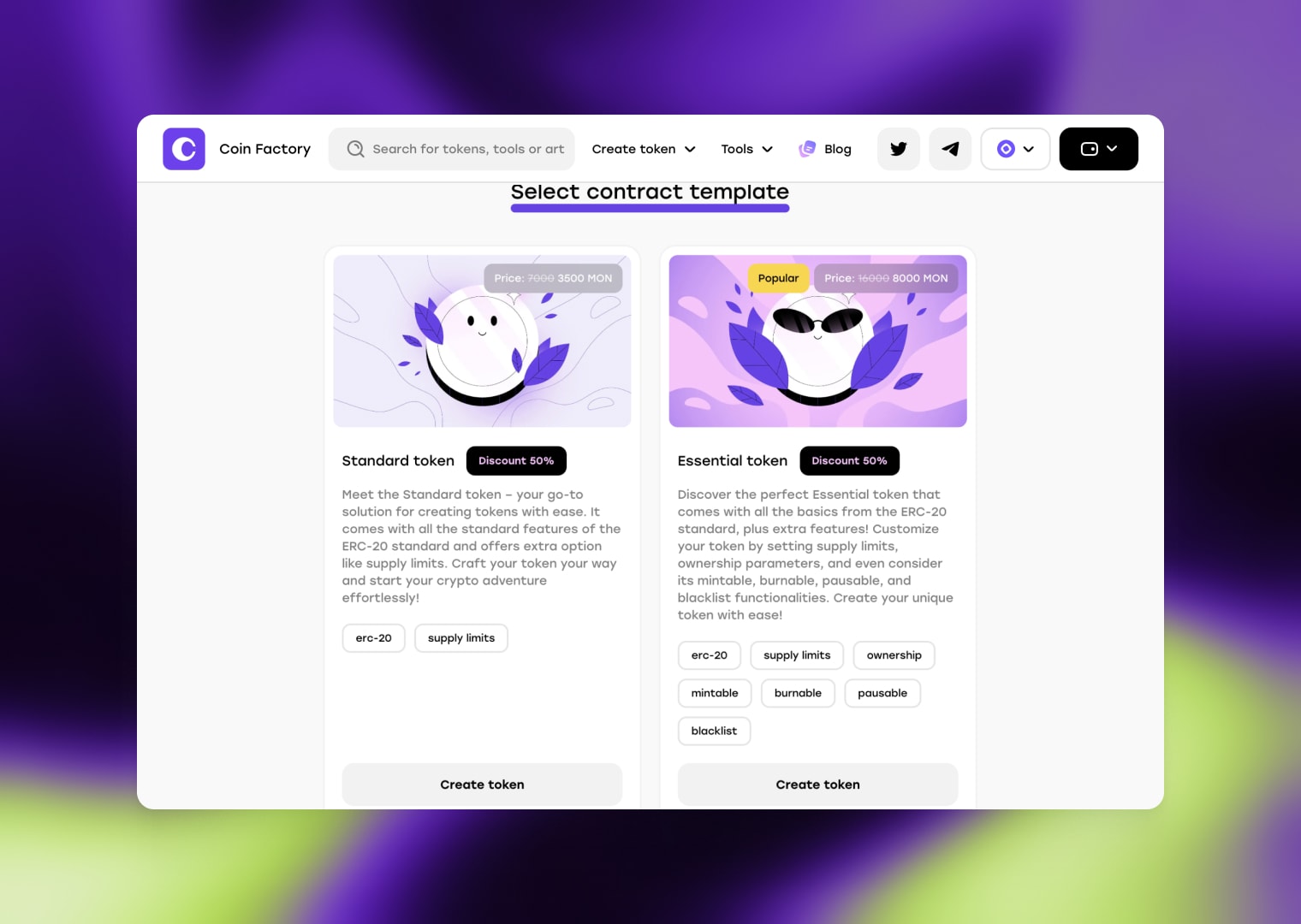
Next, choose a contract template based on the functional requirements of your project and fill in the mandatory fields in the token creation form.
There are three most popular templates:
- Standard Token: This type of contract comes with all the standard features of the ERC-20 standard.
- Essential Token (Recommended): Includes the basics from the ERC-20 standard, plus extra features! Customize your token by setting supply limits, ownership parameters, and even consider its mintable, burnable, pausable, and blacklist functionalities.
- Taxable Token: This versatile token, built on the ERC-20 standard, blends essential features with added flexibility. Tailor your token by enabling automatic tax or fee deductions from transactions.
Step 4: Create and Mint
Next, you’ll be prompted to define the details of your ERC-20 token. This includes information such as the token name, symbol, total supply, and decimals. Take your time to carefully consider these details as they will define the characteristics of your token.
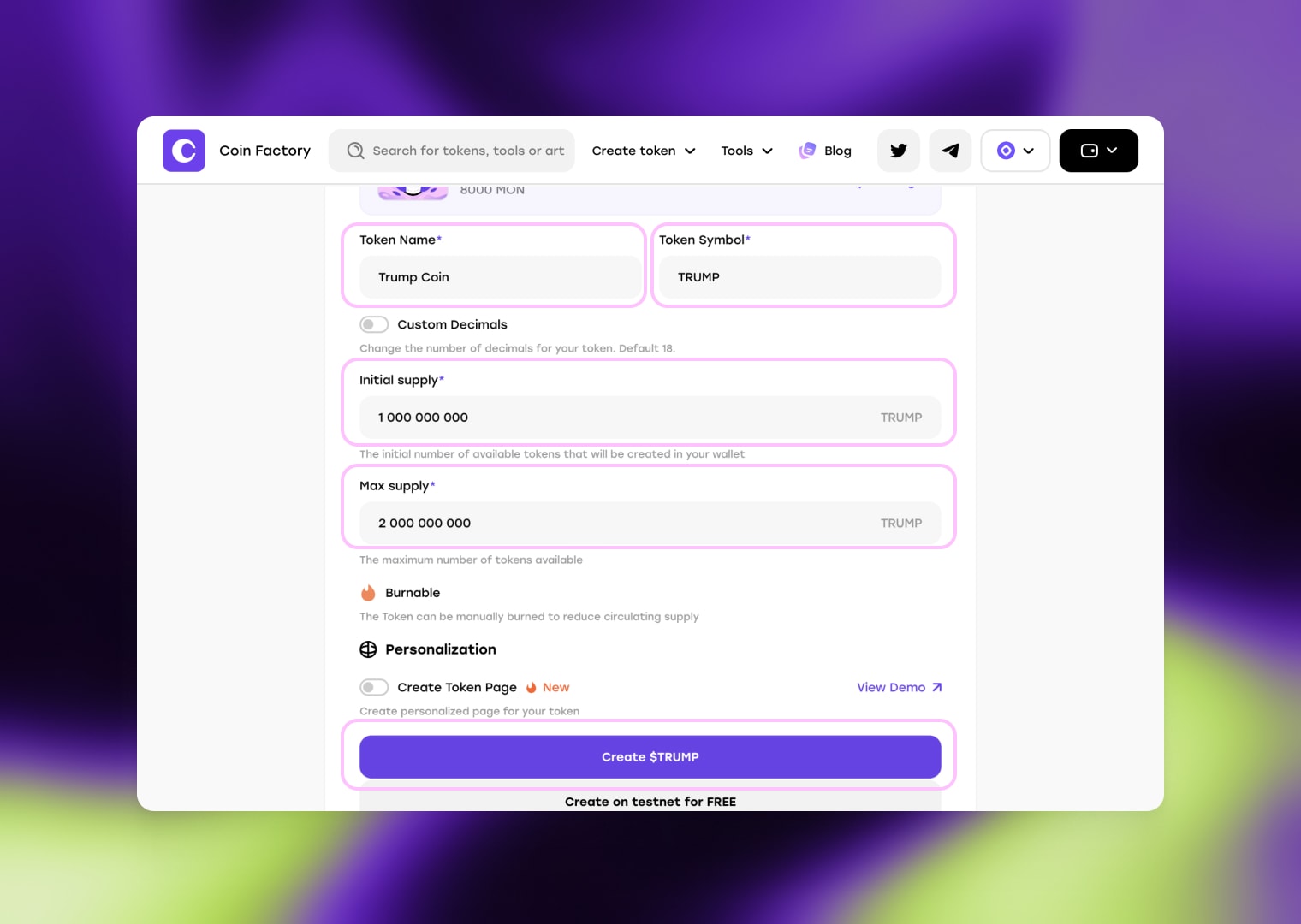
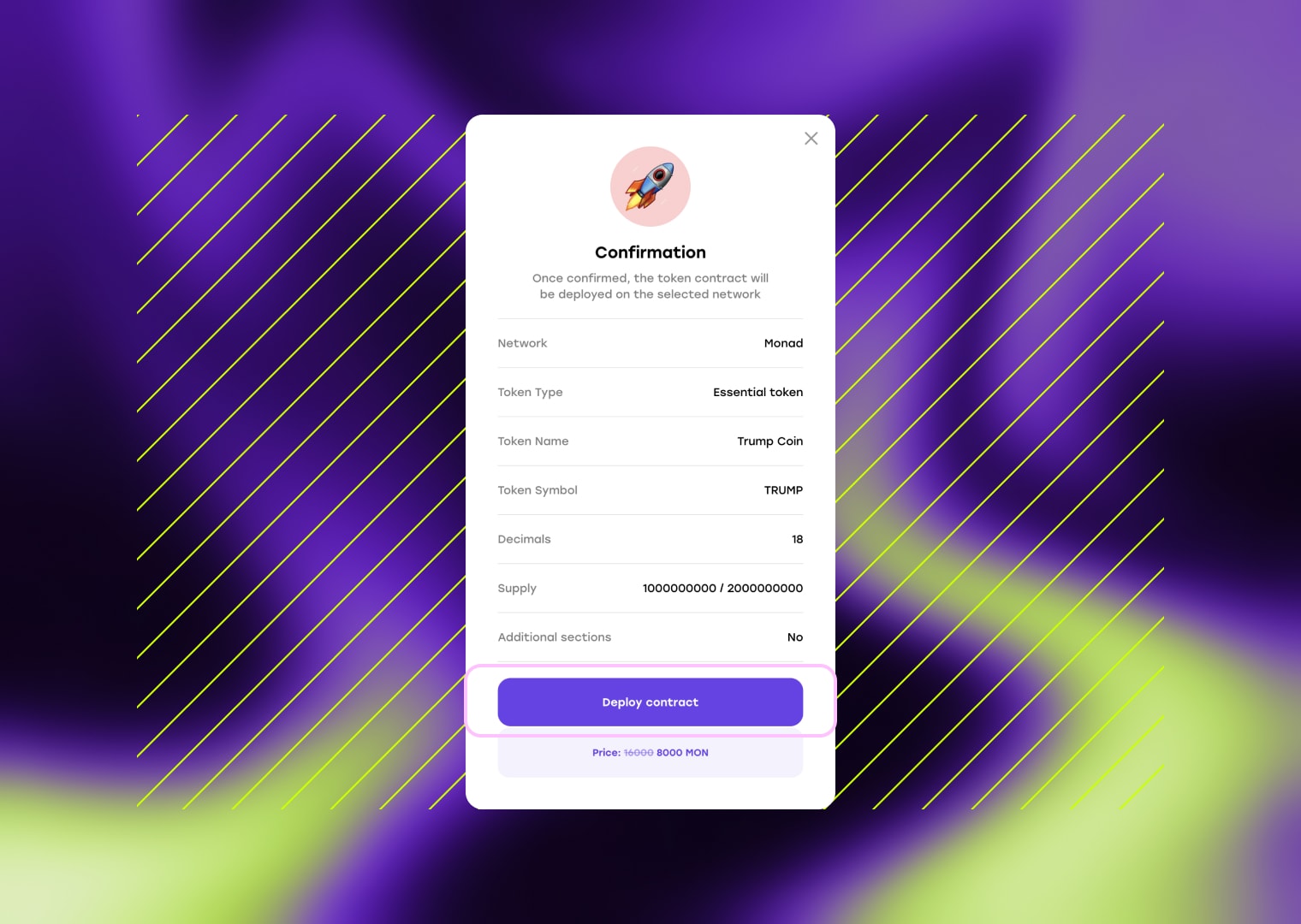
After filling out the form, click “Create token” button, and you will see a confirmation form. Please double-check the data before confirming because once the contract is deployed on the blockchain, changes become impossible. If everything is filled out correctly, click “Deploy contract” and confirm the transaction in your wallet.
🎉 Congratulations! Your token on the Monad network has been successfully created. You can visit the MonadVision to verify that the token minting to the contract owner’s address was completed successfully. On the explorer, you’ll be able to view your token contract, transaction details, and confirm that the initial supply has been minted to your wallet.
Сonclusion
Creating a meme coin on Monad is fast, simple, and accessible even for beginners. Thanks to Monad’s high performance, low fees, and full EVM compatibility, you can launch a token in seconds and focus on what really matters — community, creativity, and growth. Whether you’re testing an idea or aiming for the next viral meme coin, Monad provides the speed and scalability needed to move from concept to launch in under 30 seconds.
Tags

Guide
Monad
Meme
Token


