


How to Create a BEP-20 Token on BNB Smart Chain (BSC) in 4 Easy Steps (2026 Guide)
Learn how to create a BEP-20 token on BNB Smart Chain (BSC) in just 4 easy steps. Launch your own cryptocurrency without coding, customize your token, and deploy it in minutes with CoinFactory.
 CoinFactory
Why Create a Token on BNB Smart Chain in 2026?
BNB Smart Chain (BSC) remains one of the best blockchains for launching new cryptocurrencies in 2026. It combines low transaction fees, fast confirmations, and one of the largest ecosystems in crypto, making it an excellent choice for meme coins, utility tokens, gaming assets, and community projects.
Whether you’re launching a new project, creating a community token, or experimenting with a meme coin, BNB Smart Chain provides everything you need to get started quickly and at a low cost.
Why choose BNB Smart Chain?
- 🟡 Low gas fees for token creation and transactions.
- ⚡ Fast block confirmations and smooth user experience.
- 🥞 Native integration with PancakeSwap for decentralized trading.
- 👛 Wide wallet support including MetaMask, Trust Wallet, Binance Wallet, and other EVM-compatible wallets.
- 🌍 Millions of active users across the BNB Chain ecosystem.
- 🚀 Perfect for meme coins, DeFi projects, gaming tokens, and utility assets.
- 💻 No coding required with the CoinFactory BNB Token Creator.
In this guide, you’ll learn how to create and deploy your own BEP-20 token on BNB Smart Chain in just a few simple steps.
Step-by-Step Instruction
Step 1: Open the CoinFactory BNB Token Generator
Go to the CoinFactory BNB Token Generator to begin creating your own BEP-20 token on BNB Smart Chain. The generator lets you deploy a fully functional smart contract in just a few minutes without writing a single line of code.
Step 2: Connect Your BNB Wallet
Click Connect Wallet in the top-right corner and connect the wallet that will become the owner of your token contract.
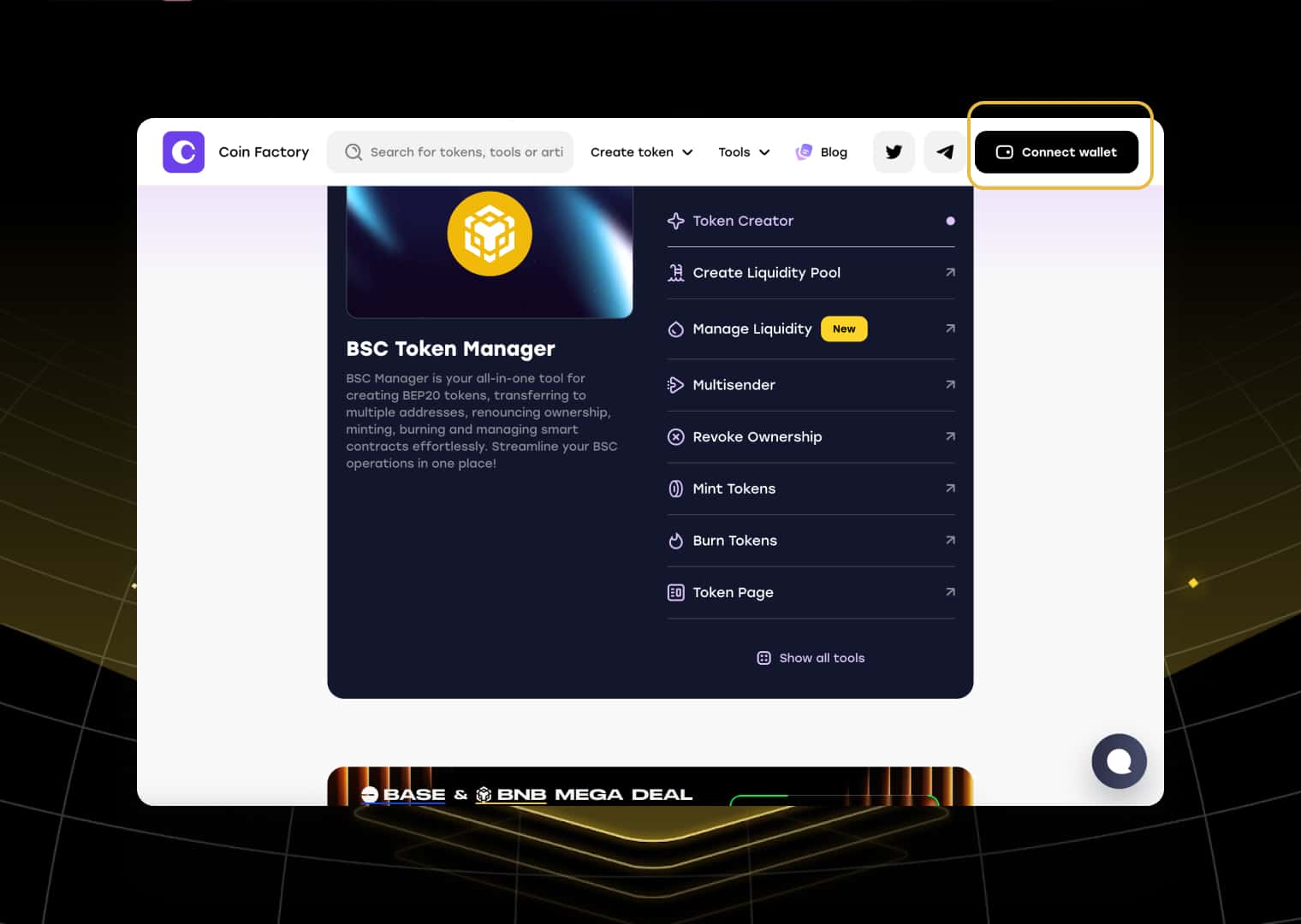
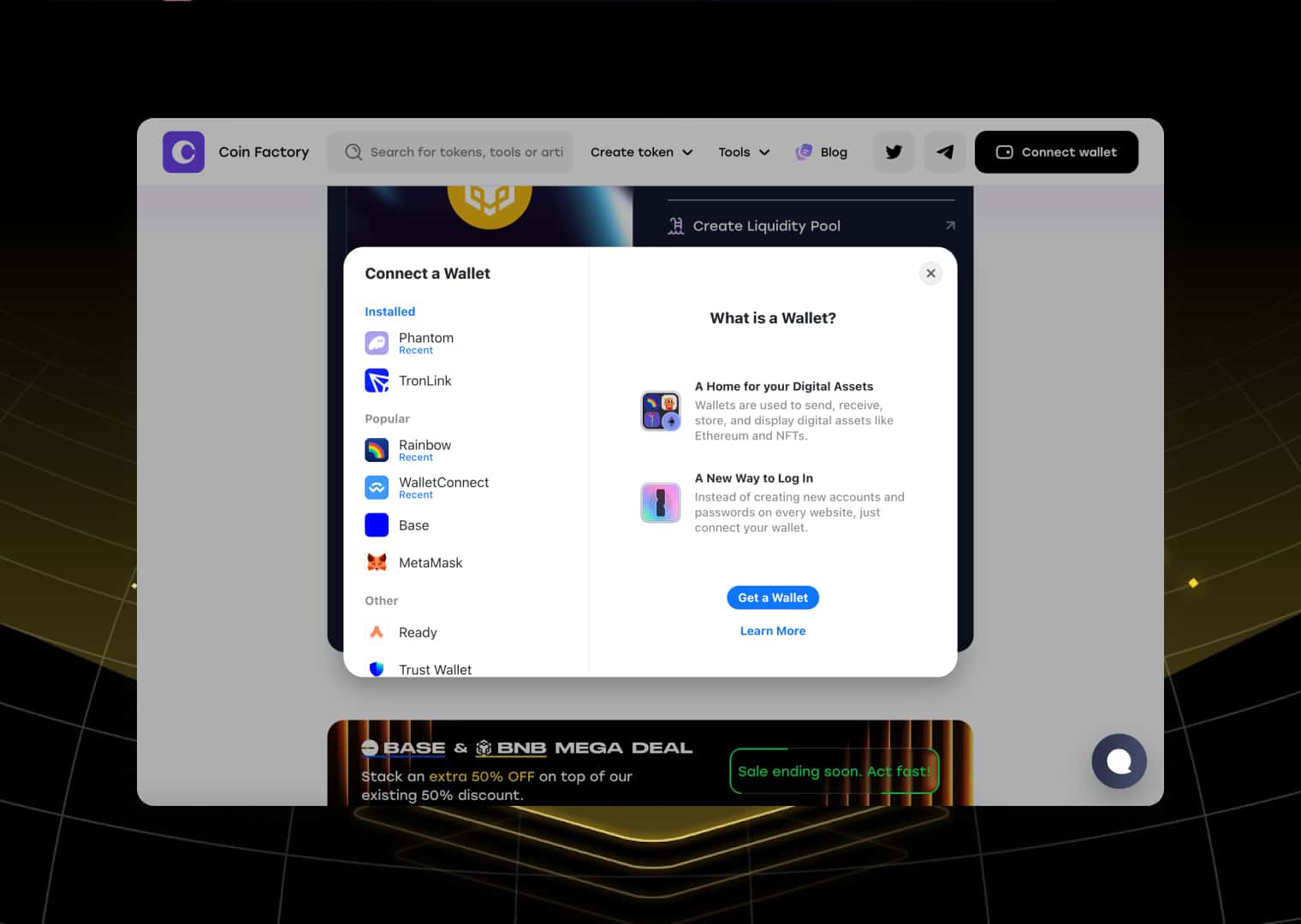
If you don’t already have an EVM-compatible wallet, MetaMask, Trust Wallet, or Binance Wallet are all excellent choices. Before deploying your token, make sure your wallet contains enough BNB to pay the network gas fee.
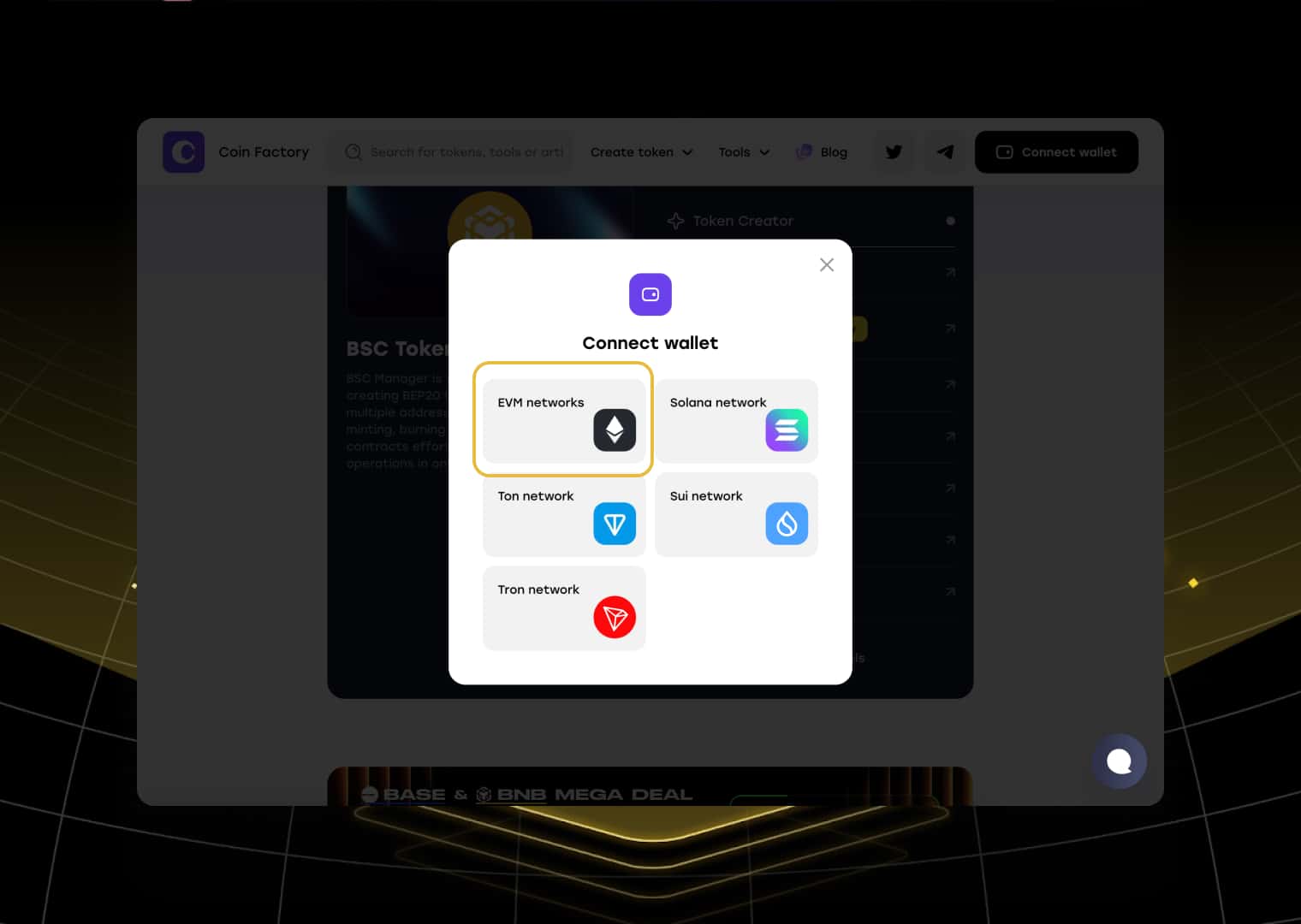
When the wallet opens, select EVM Networks and choose BNB Smart Chain (BSC).
Step 3: Select the Right Smart Contract
CoinFactory offers several BEP-20 contract templates depending on the functionality your project requires. Choose the version that best matches your token before moving on to the configuration screen.
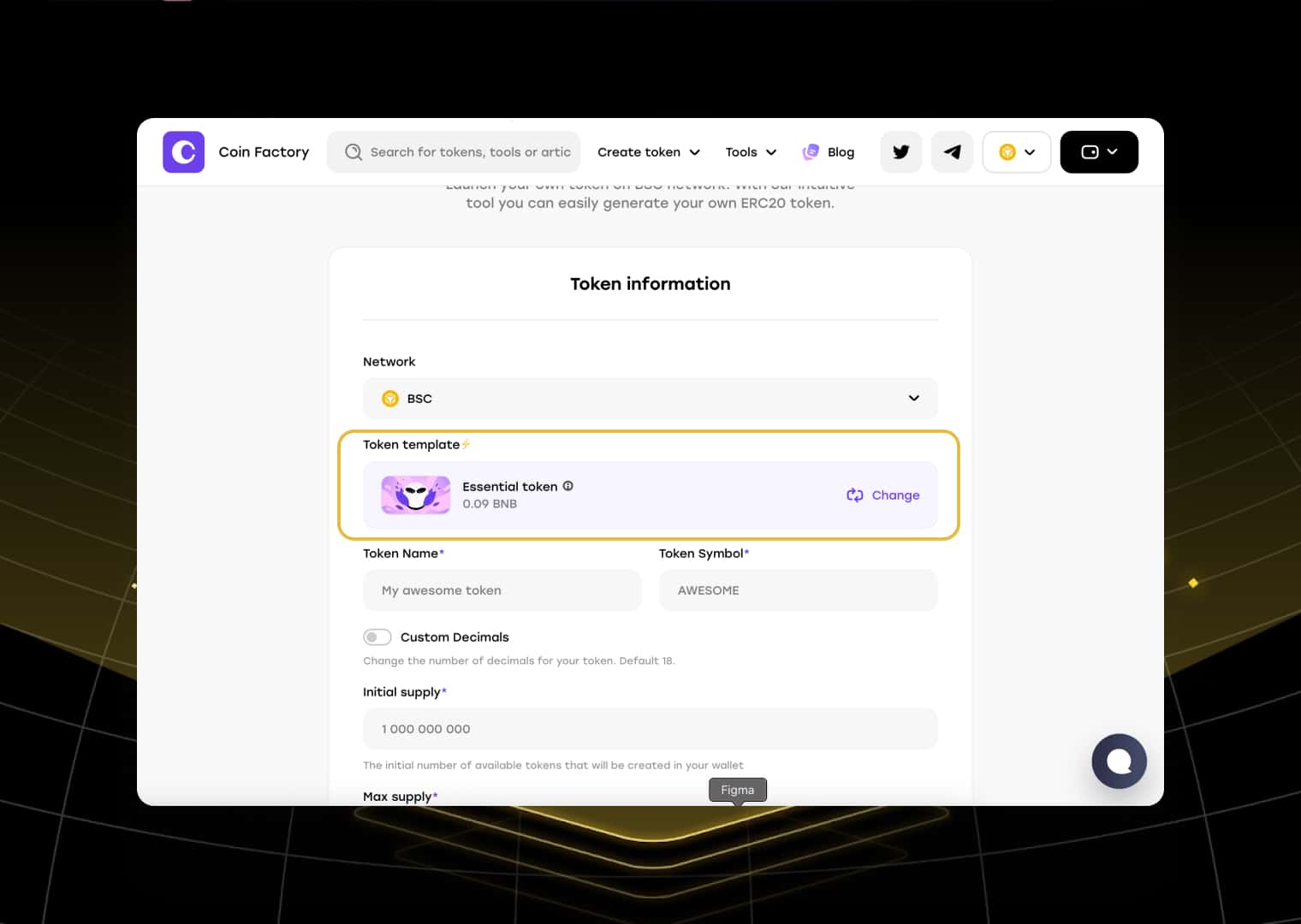
Available templates include:
- 🪙 Standard Token — A classic BEP-20 token with standard functionality. Perfect for meme coins, community tokens, and simple crypto projects.
- ⚙️ Essential Token — Adds advanced management features such as minting, burning, transfer pausing, wallet blacklisting, and ownership controls.
- 💸 Taxable Token — Supports automatic transfer taxes that can be used for marketing, liquidity, rewards, treasury funding, or ecosystem development.
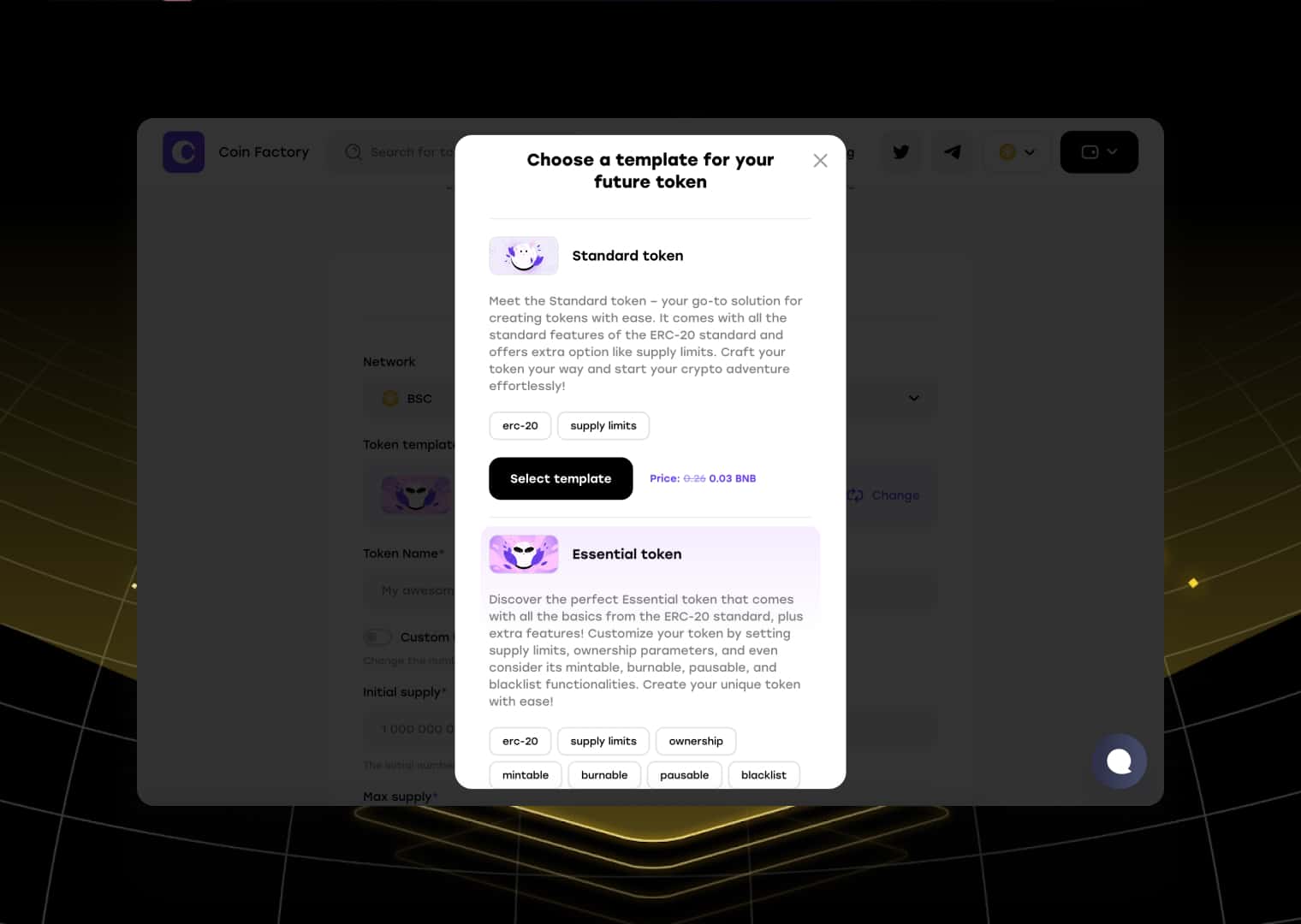
After selecting your preferred template, continue to the token configuration page.
Step 4: Configure Your Token and Launch
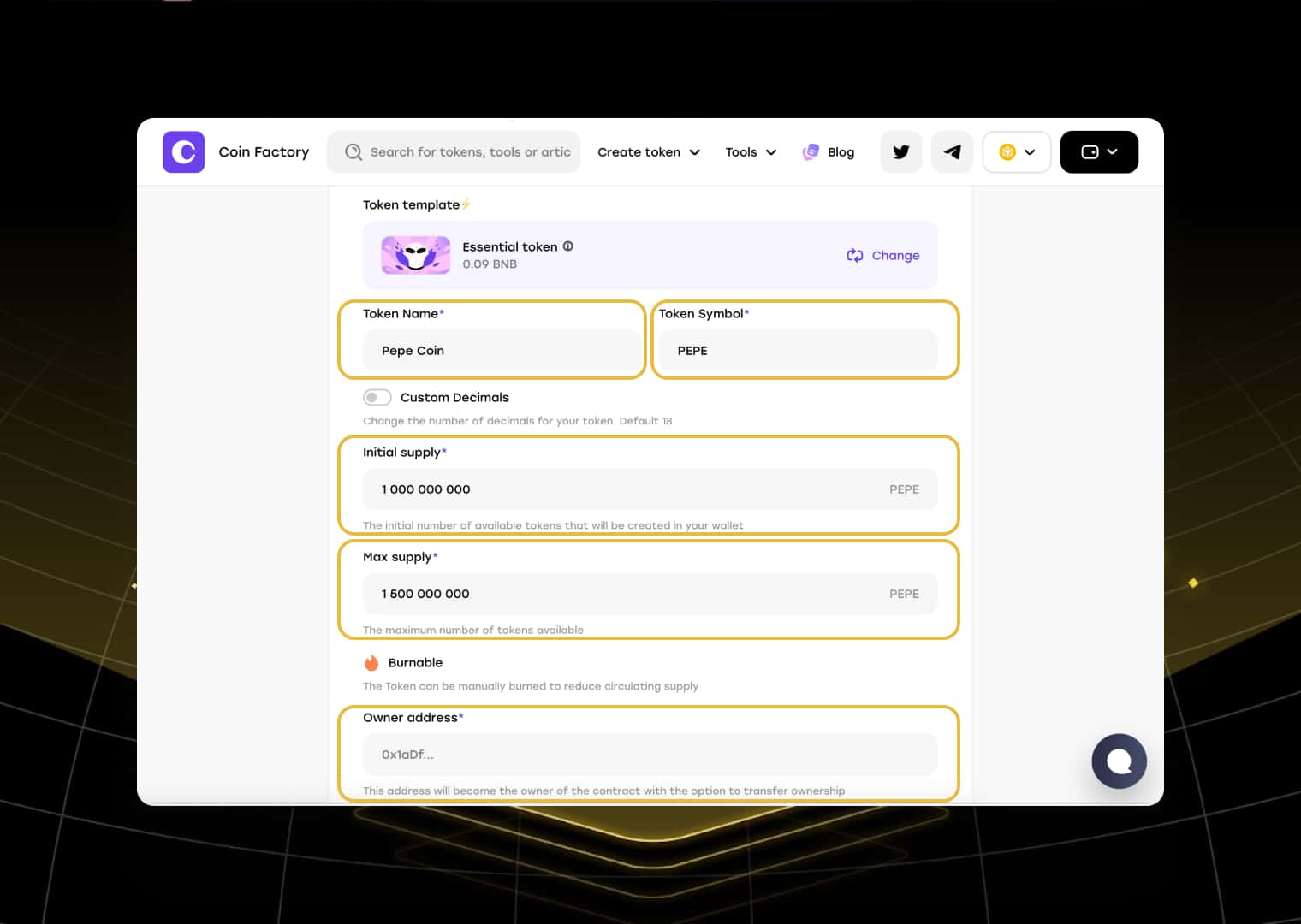
Fill in the information that defines your new token.
- 📝 Token Name — The full project name displayed in wallets, explorers, and decentralized exchanges.
- 🏷️ Token Symbol — Your trading ticker, usually between 3 and 6 characters.
- 🔢 Decimals — Defines how divisible your token is. Most BEP-20 tokens use 18 decimals.
- 💰 Initial Supply — The number of tokens created immediately after deployment.
- 📈 Max Supply — The maximum number of tokens that can ever exist. Leave unlimited if you want future minting capability.
- 👤 Owner Address — The wallet that will control administrative features such as minting, pausing transfers, blacklisting wallets, or renouncing ownership, depending on the selected contract.
You can also generate a free website for your token directly from CoinFactory. A professional project page helps improve credibility and gives investors more information about your project.
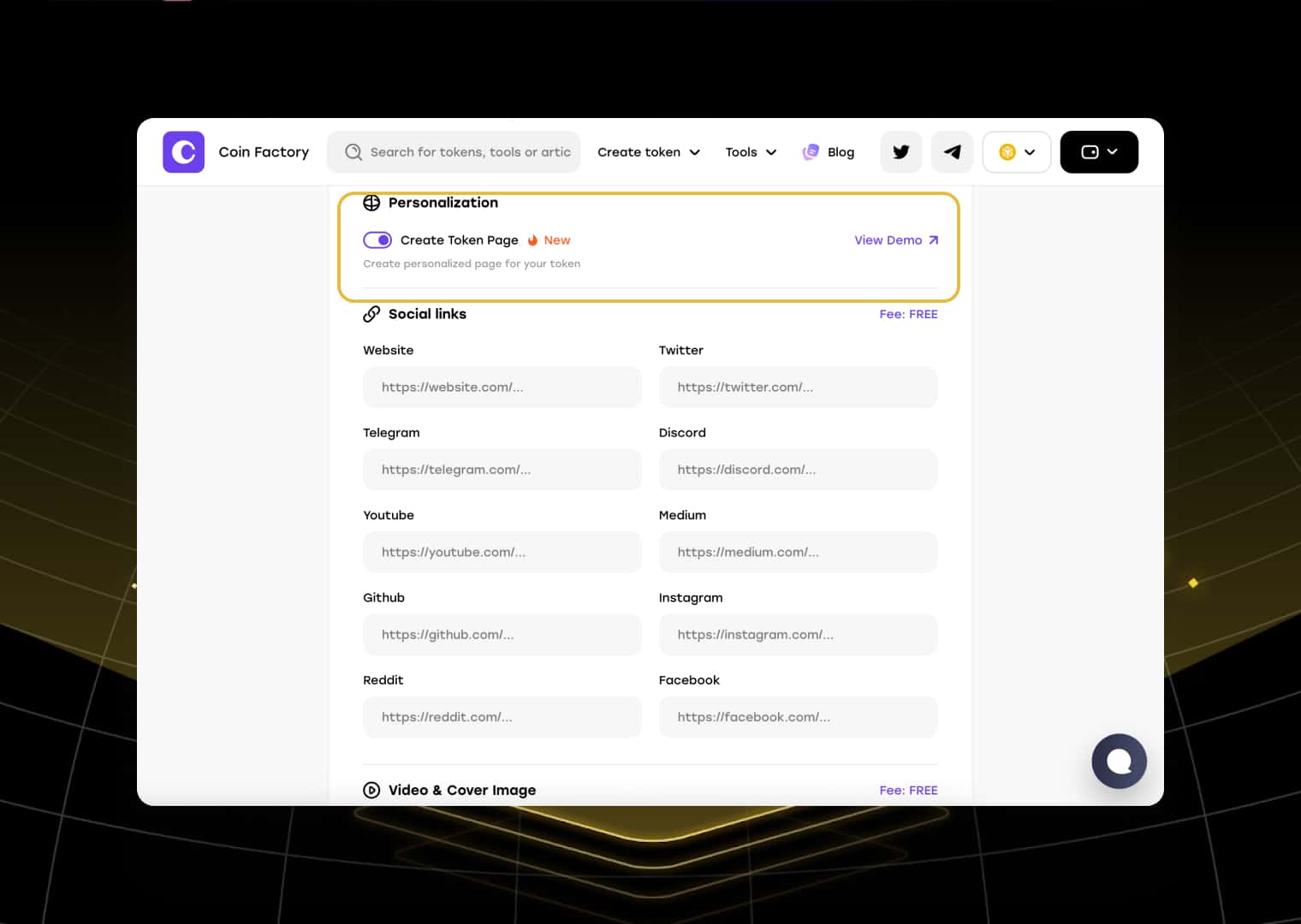
Optional website sections include:
- 👥 Team — Introduce your founders, developers, advisors, or contributors.
- 📊 Tokenomics — Explain how the token supply is distributed between liquidity, marketing, development, staking, community rewards, and other allocations.
- 🗺️ Roadmap — Share your upcoming milestones and long-term vision.
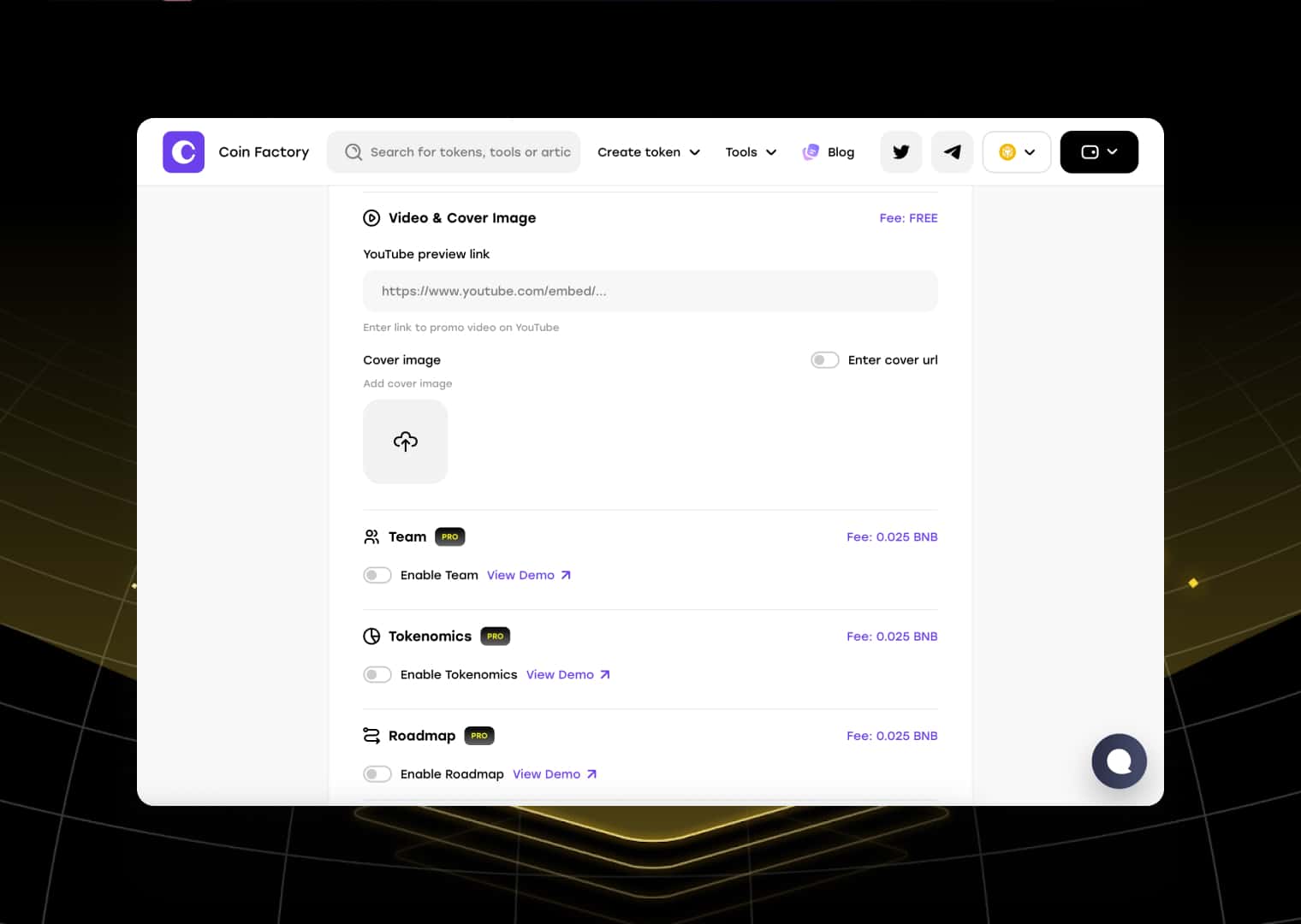
Before deploying the contract, carefully verify every parameter. Smart contract deployment is permanent, and many settings cannot be modified afterward.
When everything is ready:
- Click Create Token
- Review all deployment settings
- Click Deploy Contract
- Confirm the transaction in your wallet
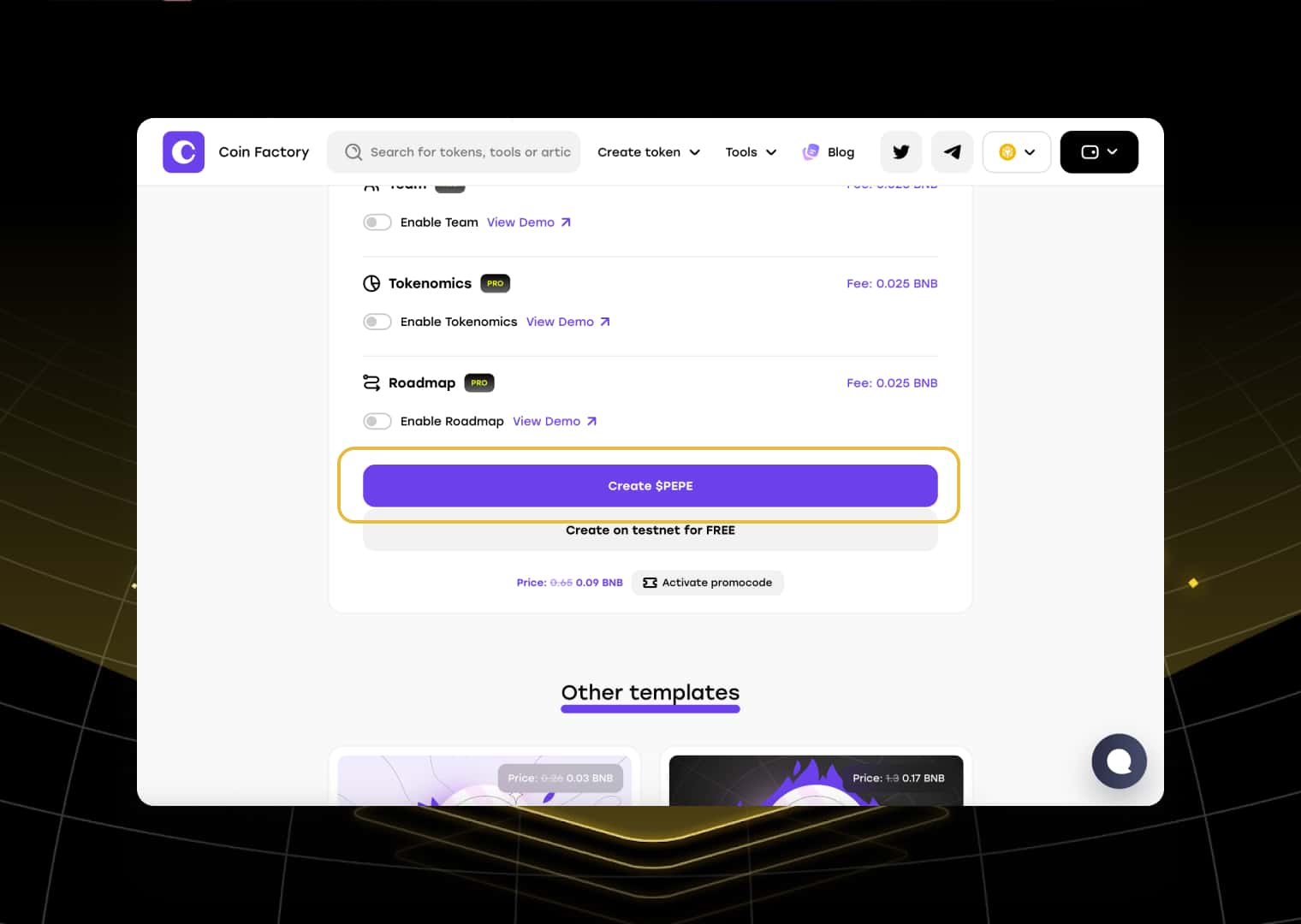
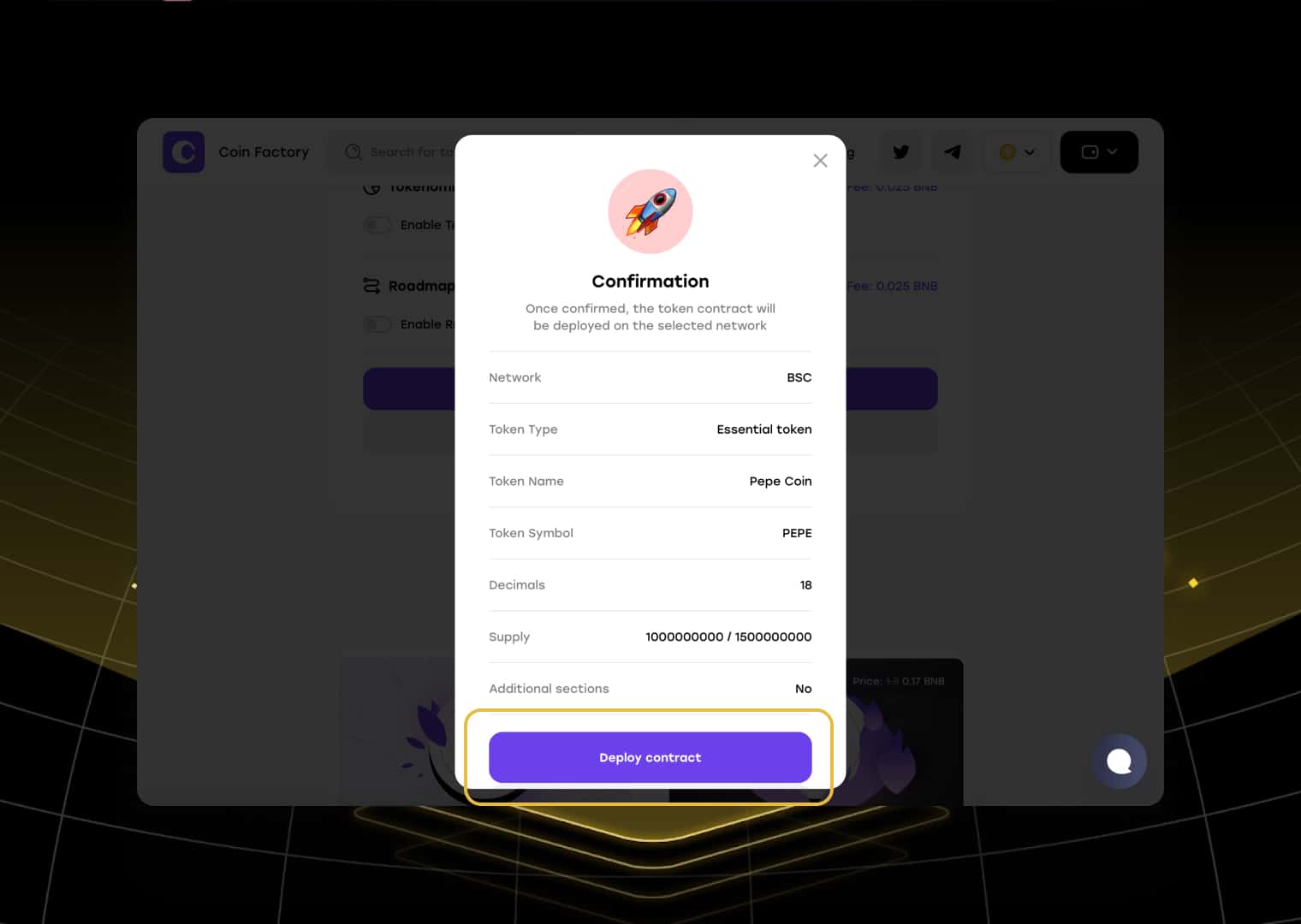
Within a few seconds, your BEP-20 token will be deployed on BNB Smart Chain.
🚀 Your BNB Token Is Ready
Congratulations! Your BEP-20 token is now live on BNB Smart Chain.
You can now verify the contract on BscScan, distribute tokens to your community, create a PancakeSwap liquidity pool, add liquidity, and begin building your ecosystem. Whether you’re launching a meme coin, utility token, GameFi asset, or DeFi project, your token is ready for its first users.
Conclusion
Launching a BEP-20 token on BNB Smart Chain is one of the fastest and most affordable ways to enter the crypto market in 2026. Thanks to low transaction costs, high network activity, and seamless integration with PancakeSwap, BSC continues to be one of the leading ecosystems for new token launches.
With CoinFactory, you can deploy your token without coding and manage every stage of your project from one platform. After deployment, you can create a liquidity pool, increase liquidity over time, distribute tokens through a multisender, renounce ownership, and even generate a professional website for your community.
Whether you’re building the next viral meme coin or launching a serious blockchain startup, BNB Smart Chain provides the infrastructure needed to grow your project.
Tags

Guide
Bnb
Binance
Token creator
Create token