


How to Burn TRC-20 Tokens on Tron in 3 Easy Steps
Learn how to burn TRC-20 tokens on the Tron blockchain in 3 easy steps. Permanently reduce token supply using CoinFactory without coding.
 CoinFactory
Why Burn Tokens on Tron?
Burning tokens is the process of permanently removing tokens from circulation by sending them to an unrecoverable burn address. This reduces the total supply of a token and can help increase scarcity, improve tokenomics, and build trust within the community.
Projects on the Tron blockchain often burn TRC-20 tokens for several reasons:
- 🔥 Reduce the circulating supply after an airdrop or token sale
- 🔥 Remove unsold tokens from the market
- 🔥 Support long-term token value through scarcity
- 🔥 Fulfill tokenomics commitments outlined in a project’s roadmap
- 🔥 Increase transparency and investor confidence
The Tron network makes token burning simple and verifiable on-chain. Once tokens are burned, the transaction can be publicly viewed and confirmed through the blockchain, ensuring that the removed tokens can never be spent again.
In this guide, you’ll learn how to burn TRC-20 tokens safely and permanently using CoinFactory without any coding knowledge.
Step-by-step instructions
Step 1: Go to Token Burning page on CoinFactory
Go to the CoinFactory Tron Token Burner page in your browser. This tool allows you to permanently remove TRC-20 tokens from circulation without interacting directly with smart contracts or writing any code.
Burned tokens are sent to an unrecoverable address and can never be accessed again, making token burns transparent and verifiable on the Tron blockchain.
Step 2: Connect the wallet from which you created the token
Click the Connect Wallet button and connect your TronLink wallet.
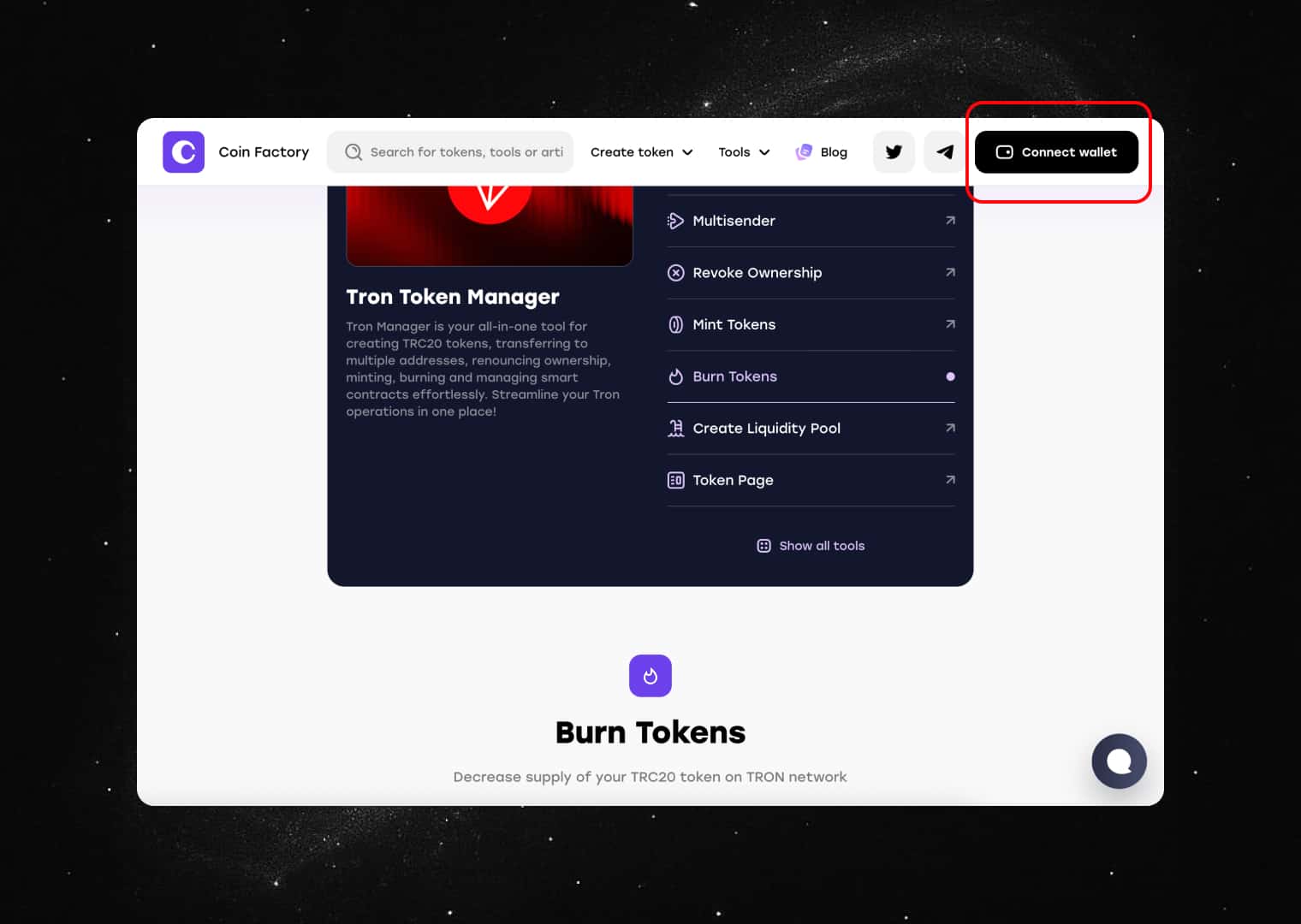
Make sure you are connected to the Tron network and have enough TRX in your wallet to cover the network fee required for the burn transaction.
Once connected, CoinFactory will automatically detect the wallet address you will use to perform the token burn.
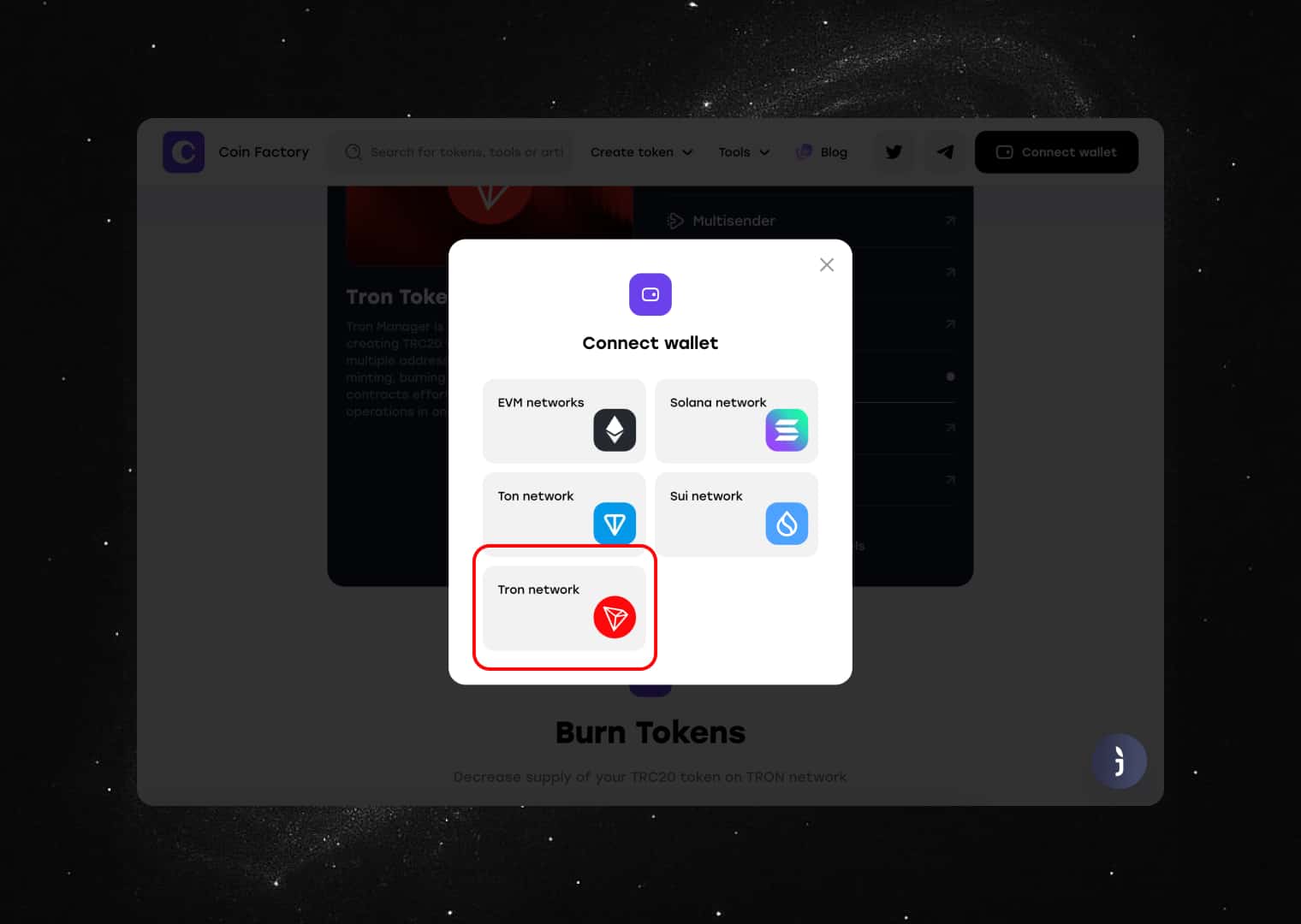
Click on Tron network.
Step 3: Enter burn information
Find your token by address or select from the list.
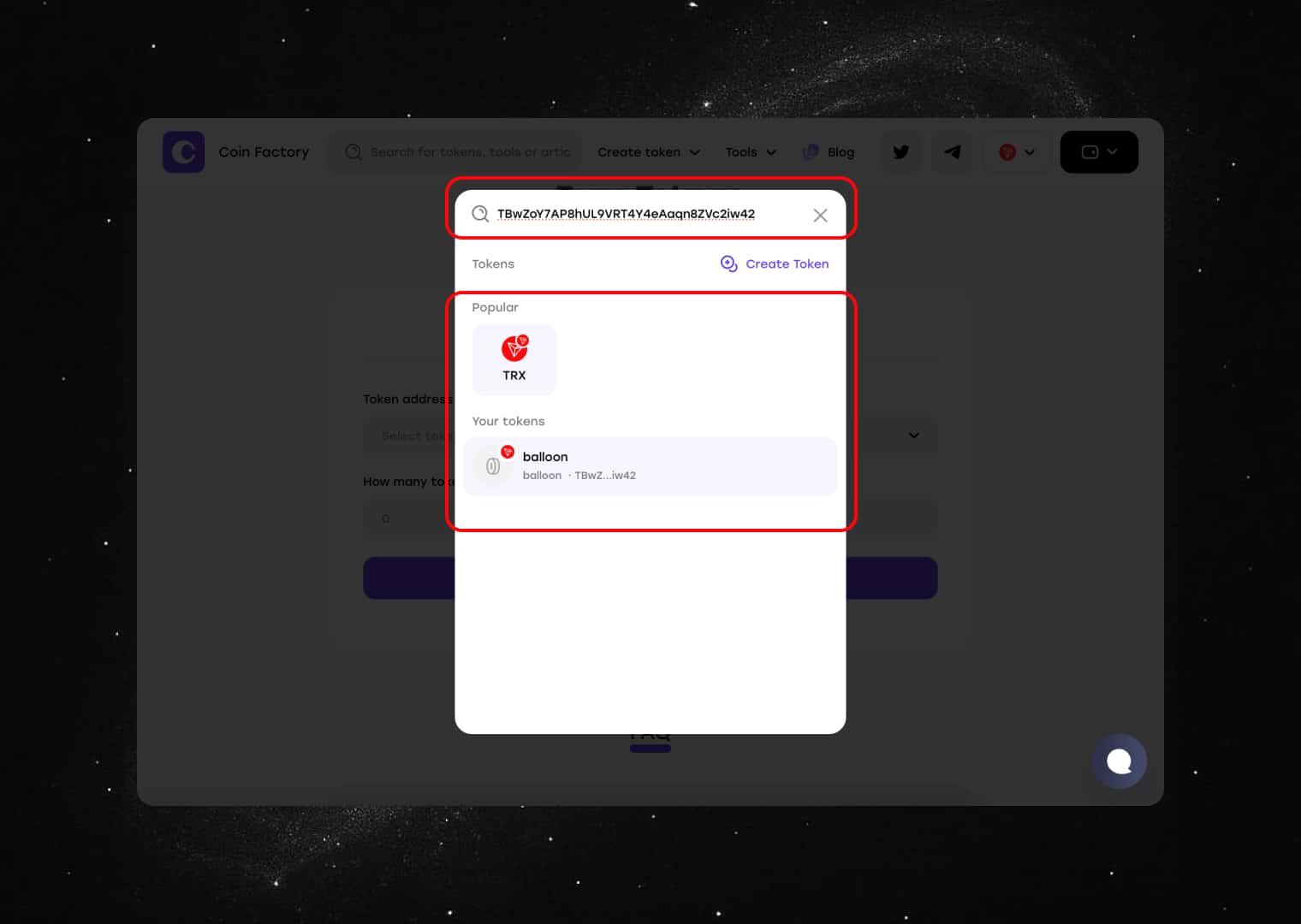
- Enter the amount of tokens you want to burn.
- Confirm the burn by signing the transaction.
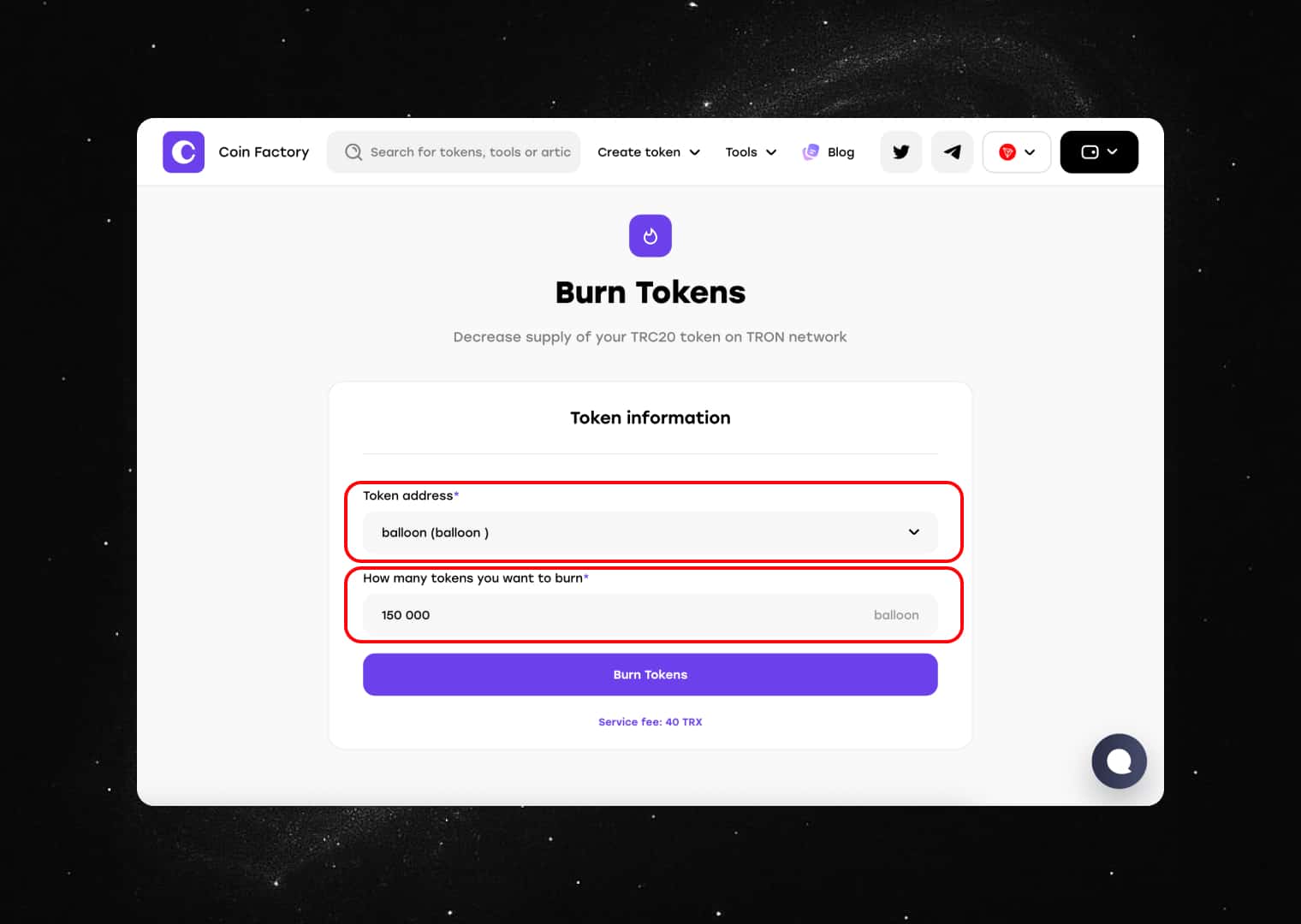
If you have successfully filled in the information to burn tokens, click the “Burn Tokens” button and confirm the transaction in your wallet to complete the burn.
A TronLink confirmation window will appear showing the transaction details and network fee.
Review the information carefully and click Confirm in your wallet.
After the transaction is confirmed on the Tron blockchain, the specified amount of tokens will be permanently removed from circulation. You can verify the burn transaction using the transaction hash on TronScan.
Tags

Guide
Tron
Burn
Token


