


How to Burn Tokens on Robinhood Chain in 4 Easy Steps
Learn how to burn tokens on Robinhood Chain in 4 easy steps using CoinFactory. Permanently reduce your token supply, increase scarcity, and confirm the burn securely in just a few minutes.
 CoinFactory
Why Burn Tokens on Robinhood Chain?
Burning tokens permanently removes them from circulation, making your tokenomics more attractive and transparent. It is one of the most common strategies used by meme coin and utility token projects on Robinhood Chain.
Benefits of burning tokens:
- 🔥 Reduces the circulating token supply.
- 📈 Increases token scarcity.
- 🤝 Builds trust with holders and investors.
- 🚀 Supports long-term token value and project sustainability.
- 📢 Creates positive community and marketing events around scheduled burns.
With CoinFactory, you can permanently burn any amount of your Robinhood Chain tokens in just a few clicks — no coding or technical experience required.
Step-by-step instructions
Step 1: Open the CoinFactory Robinhood Token Burner
Go to the CoinFactory Robinhood Token Burner to permanently remove unwanted tokens from circulation. The entire process takes only a few minutes and requires no coding or smart contract knowledge.
Step 2: Connect Your Wallet
Click Connect Wallet and select the wallet that holds the tokens you want to burn.
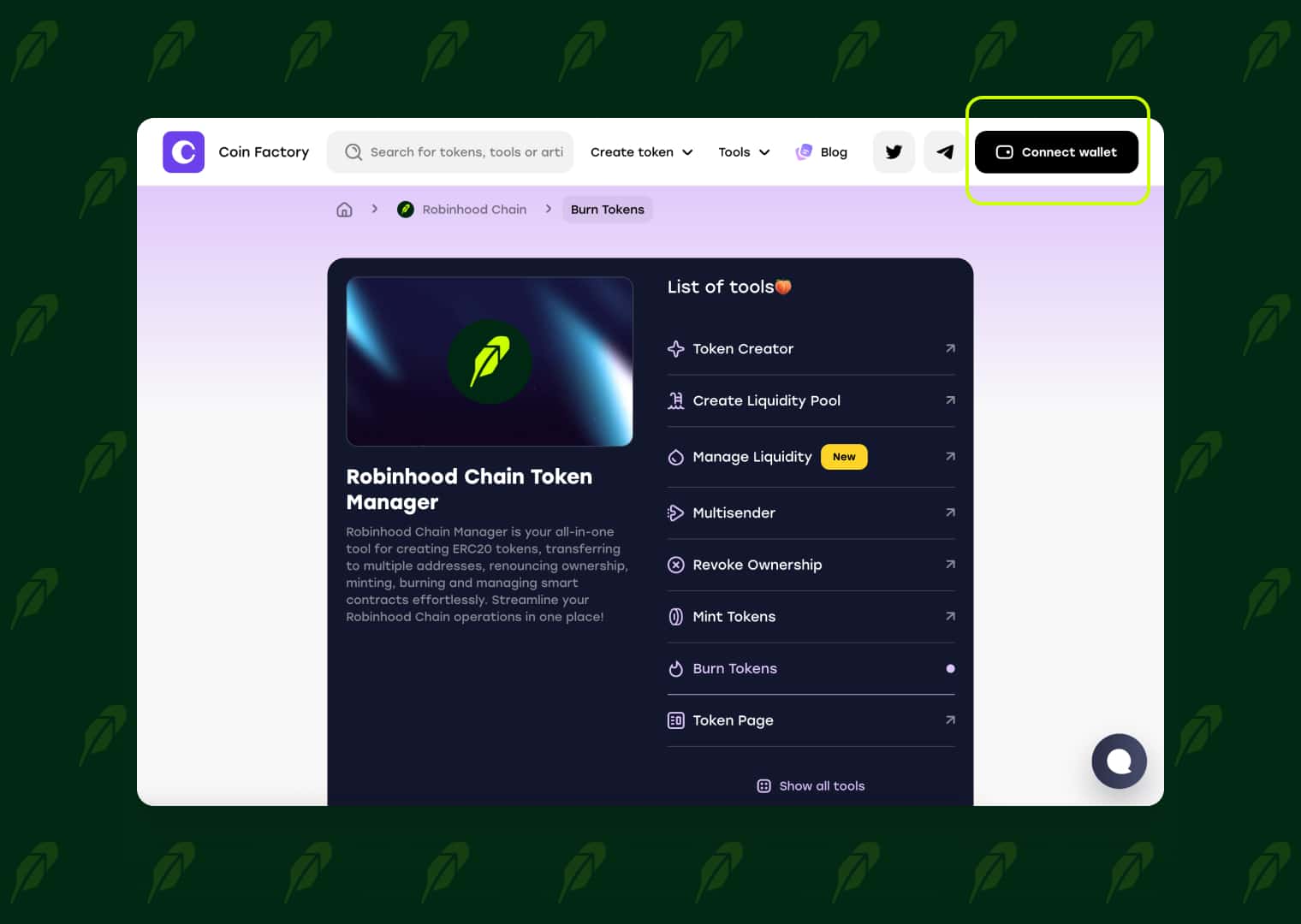
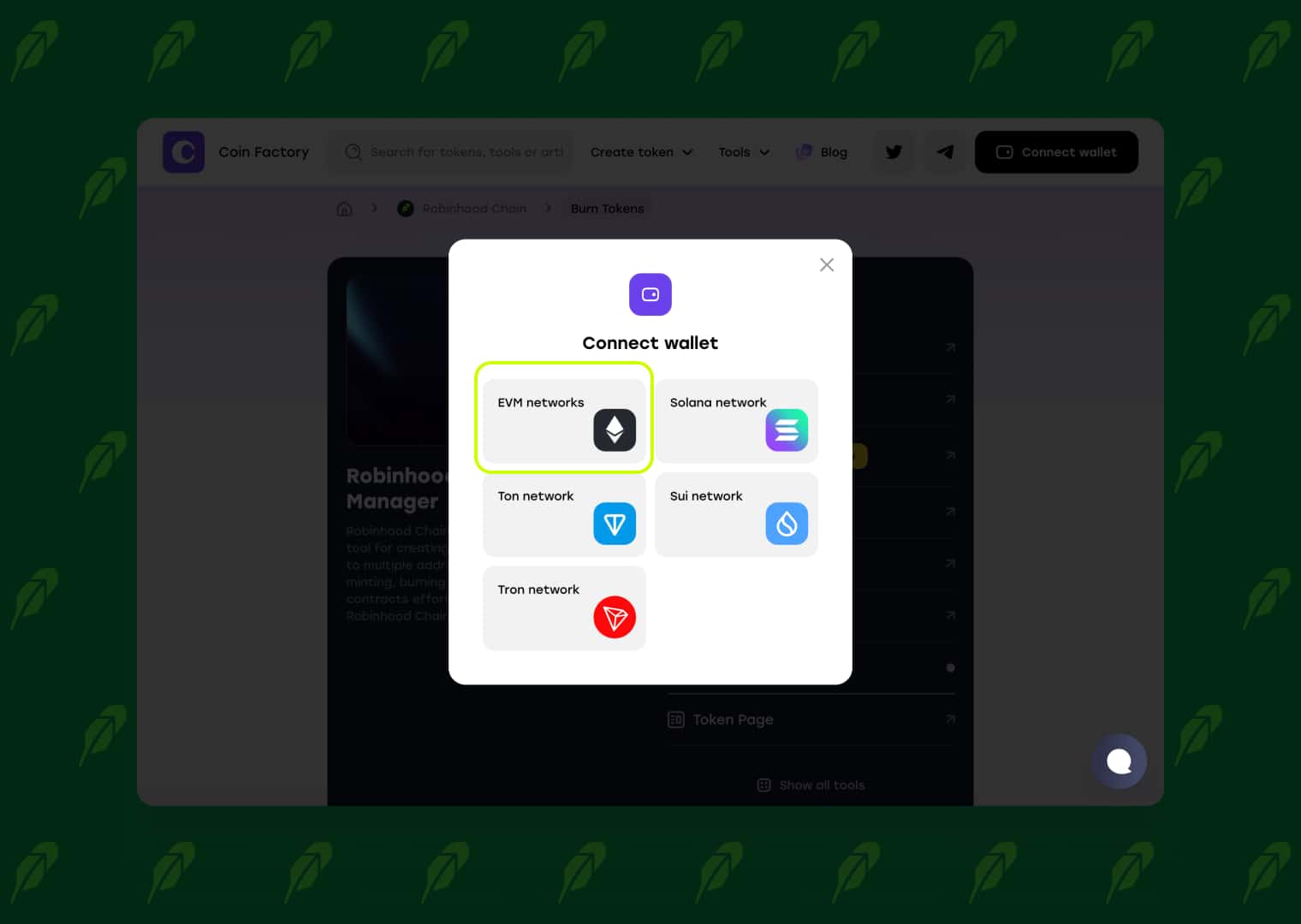
Make sure you connect the correct address and have enough native tokens on Robinhood Chain to cover the network fee.
Step 3: Select the Token and Enter the Burn Amount
Start by clicking the Token address field. A list of your Robinhood Chain tokens will appear. If you have many tokens, simply paste the token contract address or search by token name to find the correct one faster.
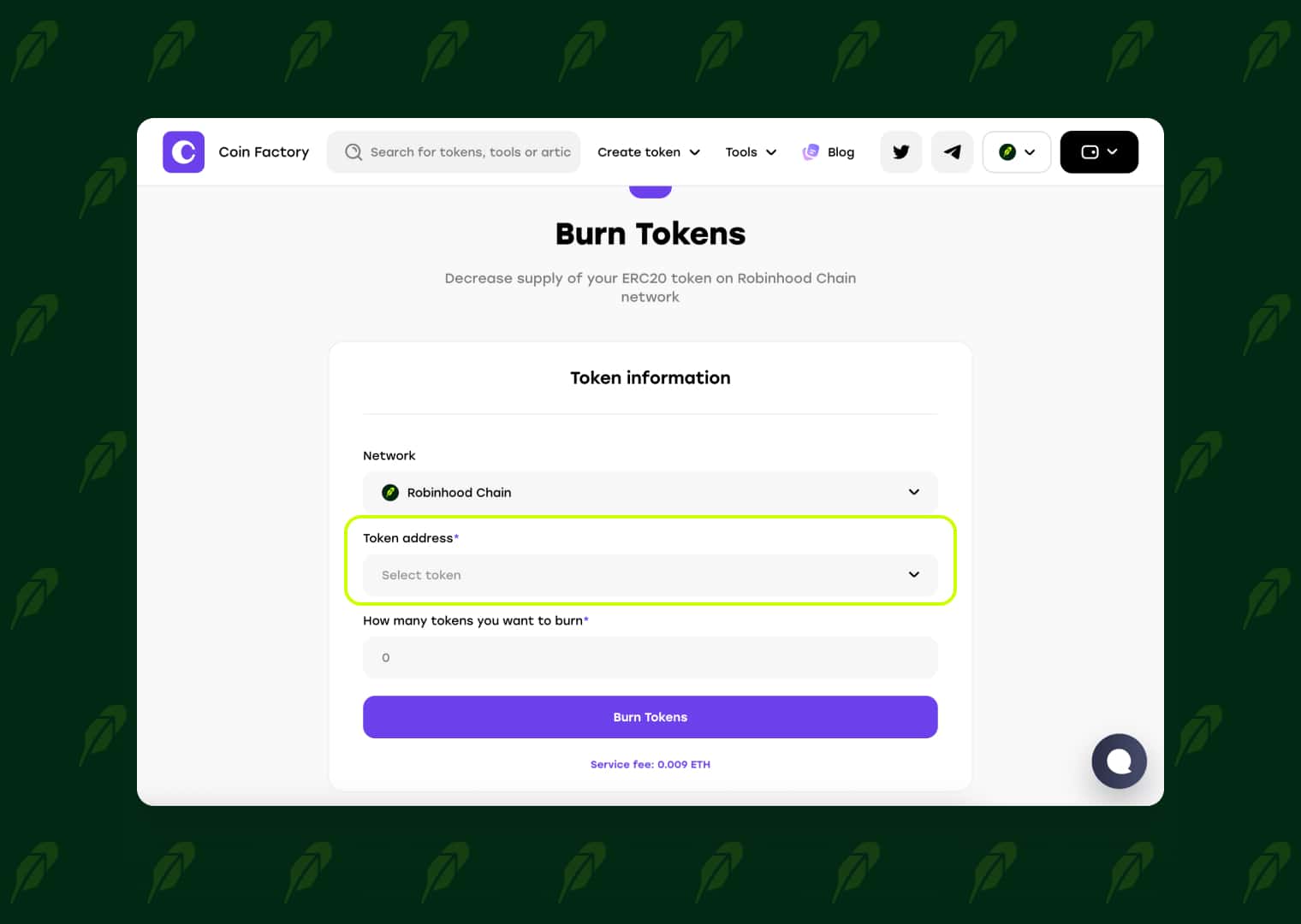
Once the token list opens, select the token you want to burn. The search bar allows you to quickly locate any token by its contract address or name.
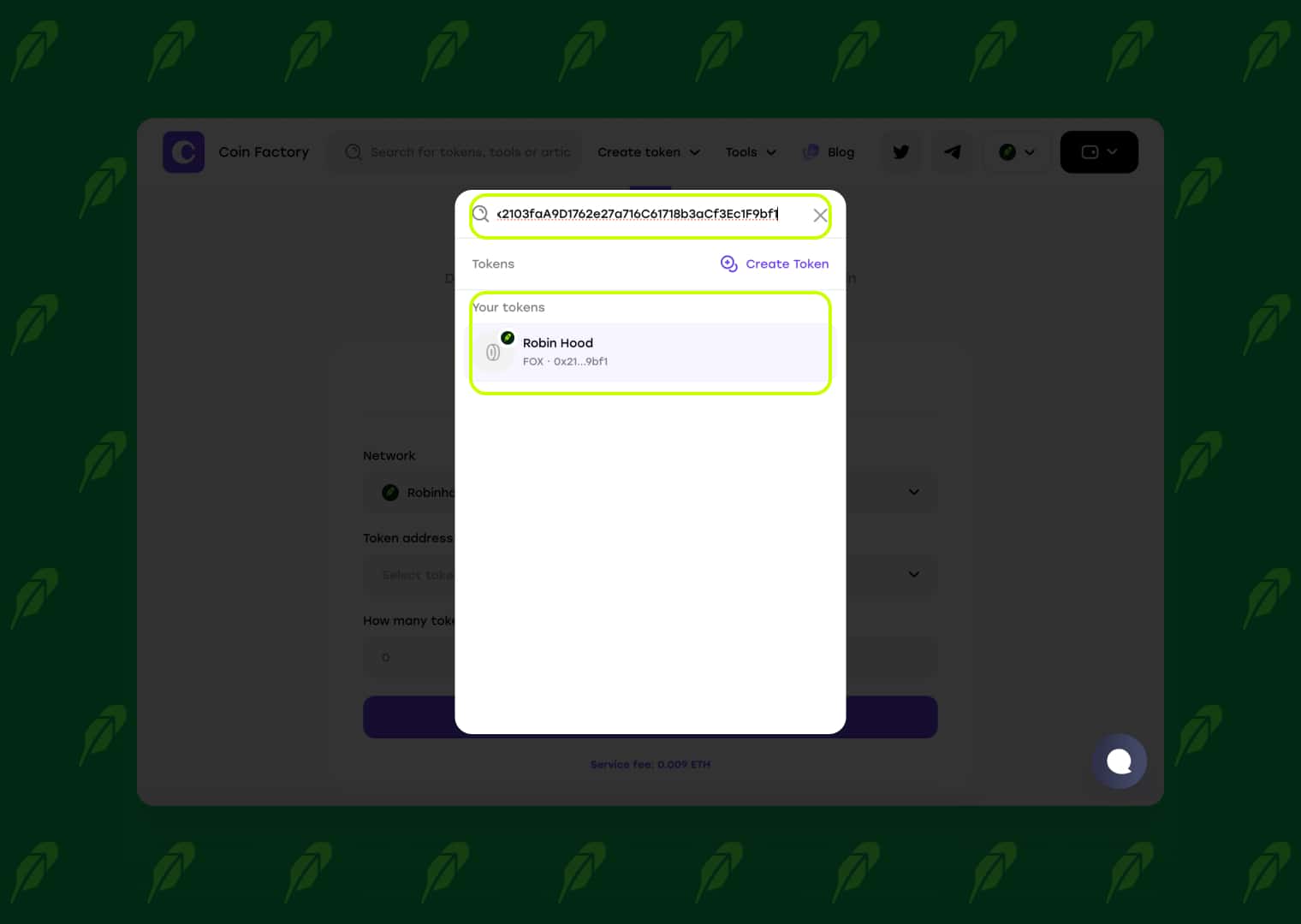
After selecting the token, enter the number of tokens you want to permanently remove from circulation. Review the amount carefully, then click the Burn [Token Symbol] button (for example, Burn FOX) to continue.
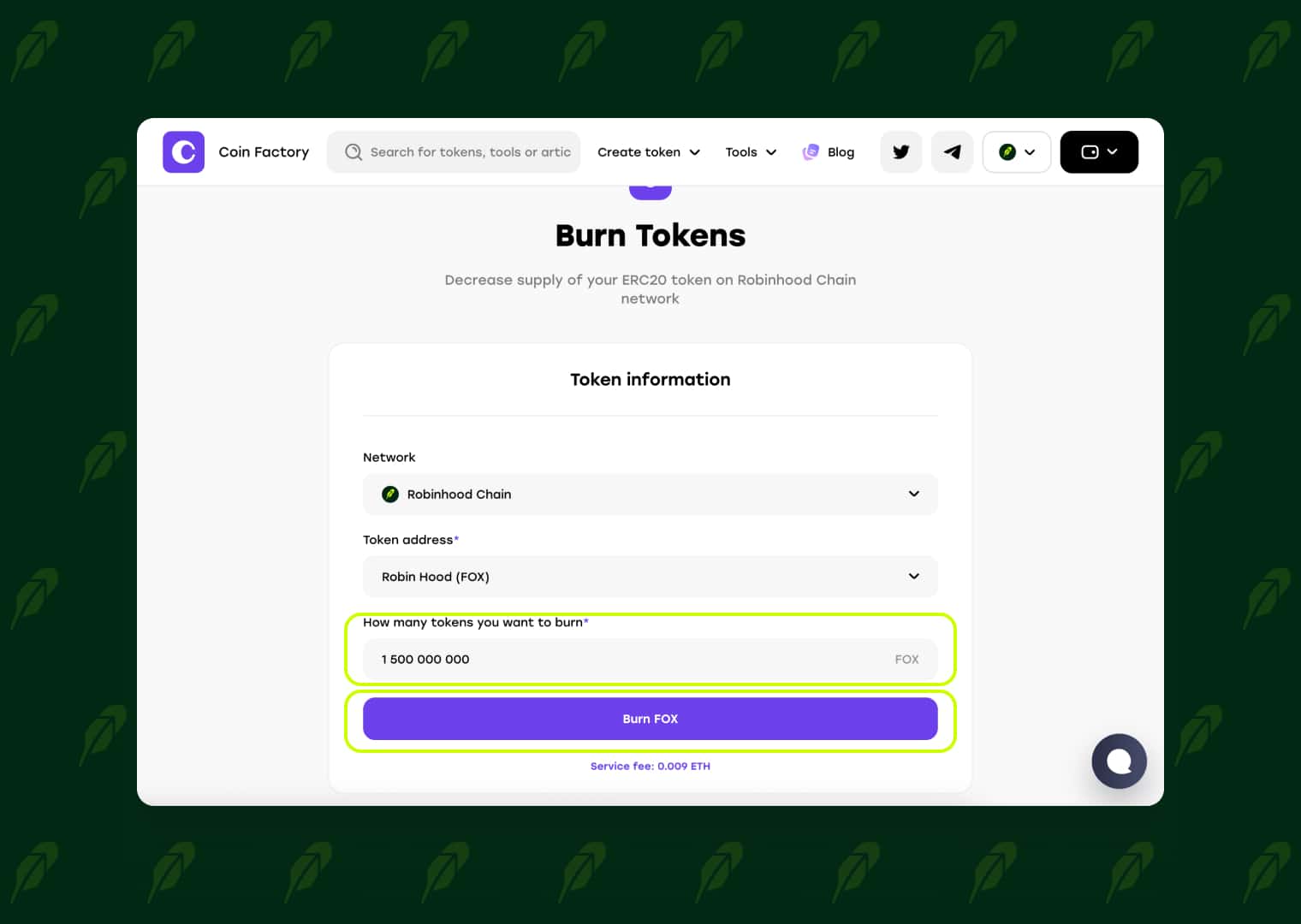
Step 4: Confirm the Transaction in Your Wallet
Click Burn Tokens and confirm the transaction in your connected wallet. Once the transaction is completed, the selected tokens will be permanently removed from circulation.
🥳 Congratulations! You have successfully burned tokens on Robinhood Chain. You can view the completed transaction in the Robinhood Chain explorer and share the burn details with your community as proof.
Conclusion
Burning tokens on Robinhood Chain is a simple but effective way to improve your tokenomics, reduce the circulating supply, and strengthen community confidence. Whether you’re managing a meme coin or a long-term crypto project, regular token burns can help support your ecosystem and demonstrate your commitment to holders.
With CoinFactory, you can burn tokens safely in just a few clicks without writing code or interacting directly with smart contracts.
Tags

Guide
Robinhood
Burn
Tokens


