


How to Burn Tokens on BNB Smart Chain (BSC) in 4 Easy Steps
Learn how to burn BEP-20 tokens on BNB Chain in 4 simple steps. Permanently reduce your token supply using CoinFactory without coding.
 CoinFactory
Why Burn BEP-20 Tokens on BNB Chain in 2026?
Launching a token is only the first step. As your project grows, managing the circulating supply becomes just as important as attracting new holders. One of the most common ways to achieve this is by burning tokens, permanently removing them from circulation.
Token burns can help create scarcity, demonstrate long-term commitment, and build confidence within your community. Many successful BNB Chain projects periodically burn part of their supply to reduce inflation and strengthen their tokenomics.
Common reasons to burn BEP-20 tokens include:
- 🔥 Reduce the circulating supply.
- 📈 Potentially increase scarcity over time.
- 🤝 Show commitment to long-term holders.
- 💎 Improve tokenomics by removing unused or reserved tokens.
- 🚀 Support community-driven burn campaigns and milestones.
In this guide, you’ll learn how to burn your BEP-20 tokens on BNB Chain in just a few simple steps using CoinFactory, without writing any smart contract code.
Step-by-step instructions
Step 1: Go to Token Burning page on CoinFactory
Open the Token Burning tool on CoinFactory. This tool allows you to permanently remove BEP-20 tokens from circulation without interacting with the smart contract manually. The entire process is completed through a simple interface and takes only a few minutes.
Step 2: Connect the wallet from which you created the token
Click the Connect Wallet button and connect the wallet that currently holds the tokens you want to burn. In most cases, this is the same wallet that was used to create the token or received the token supply.
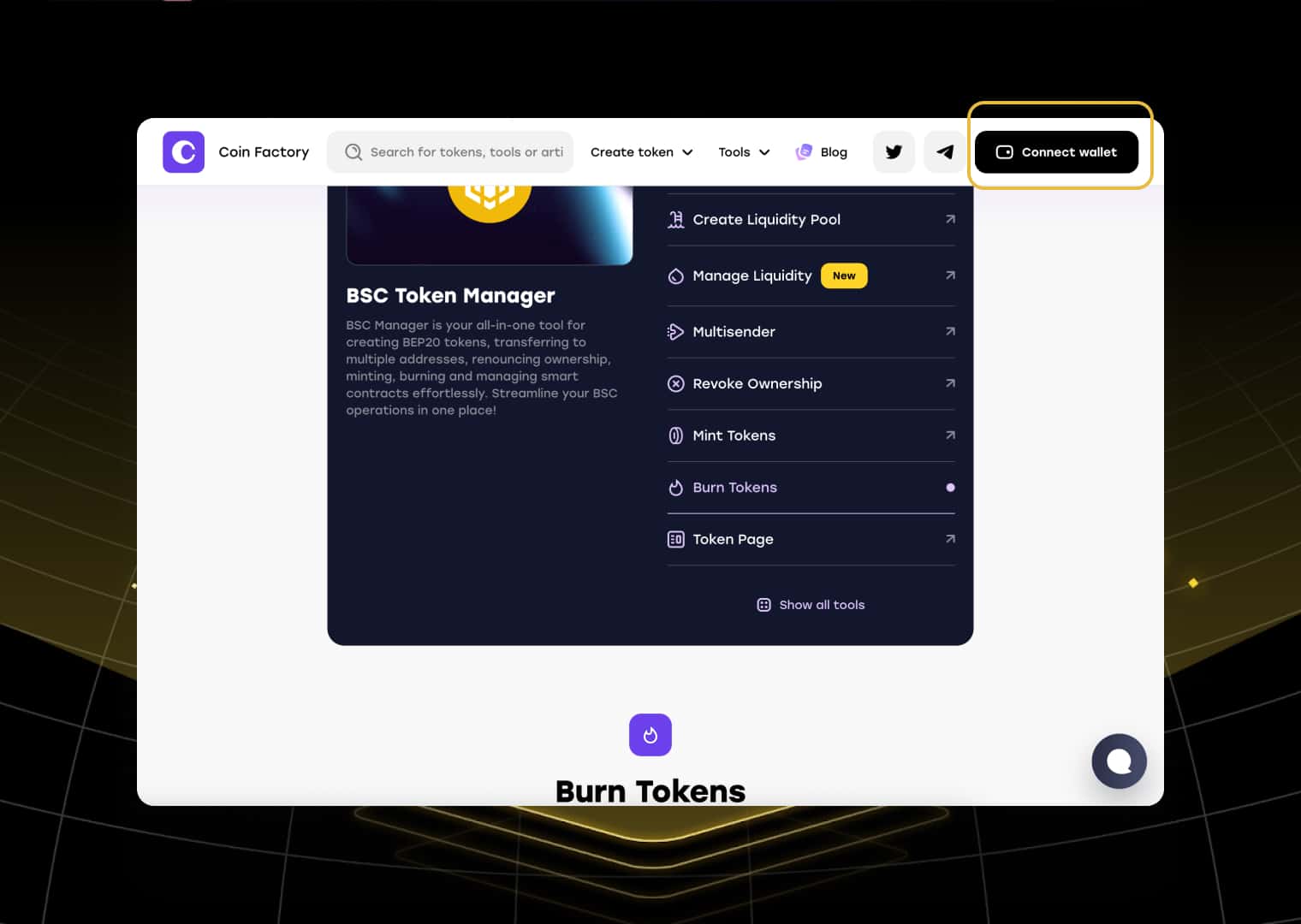
Make sure your wallet is connected to BNB Chain and has enough BNB to cover the network gas fee before proceeding.
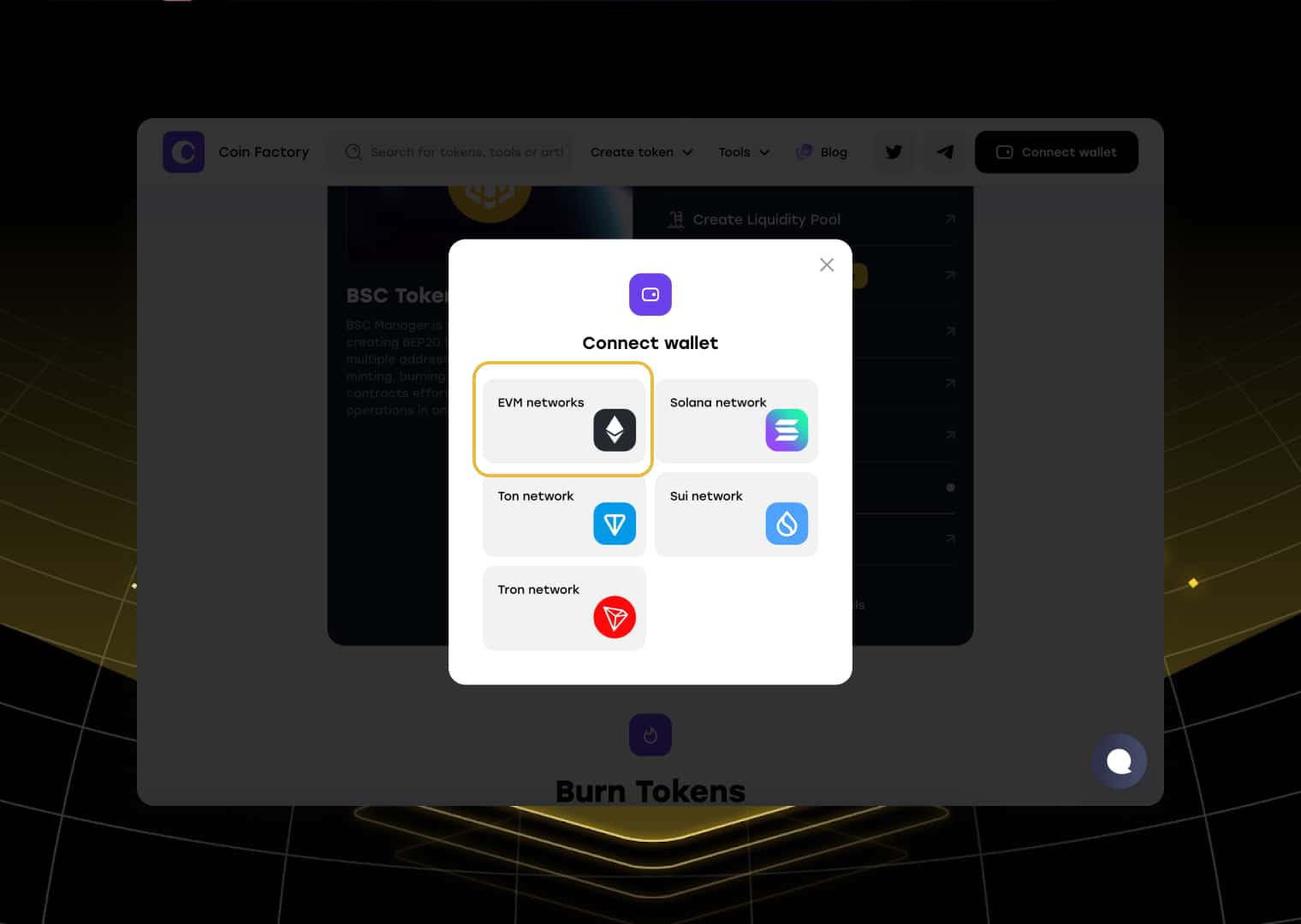
Click EVM networks
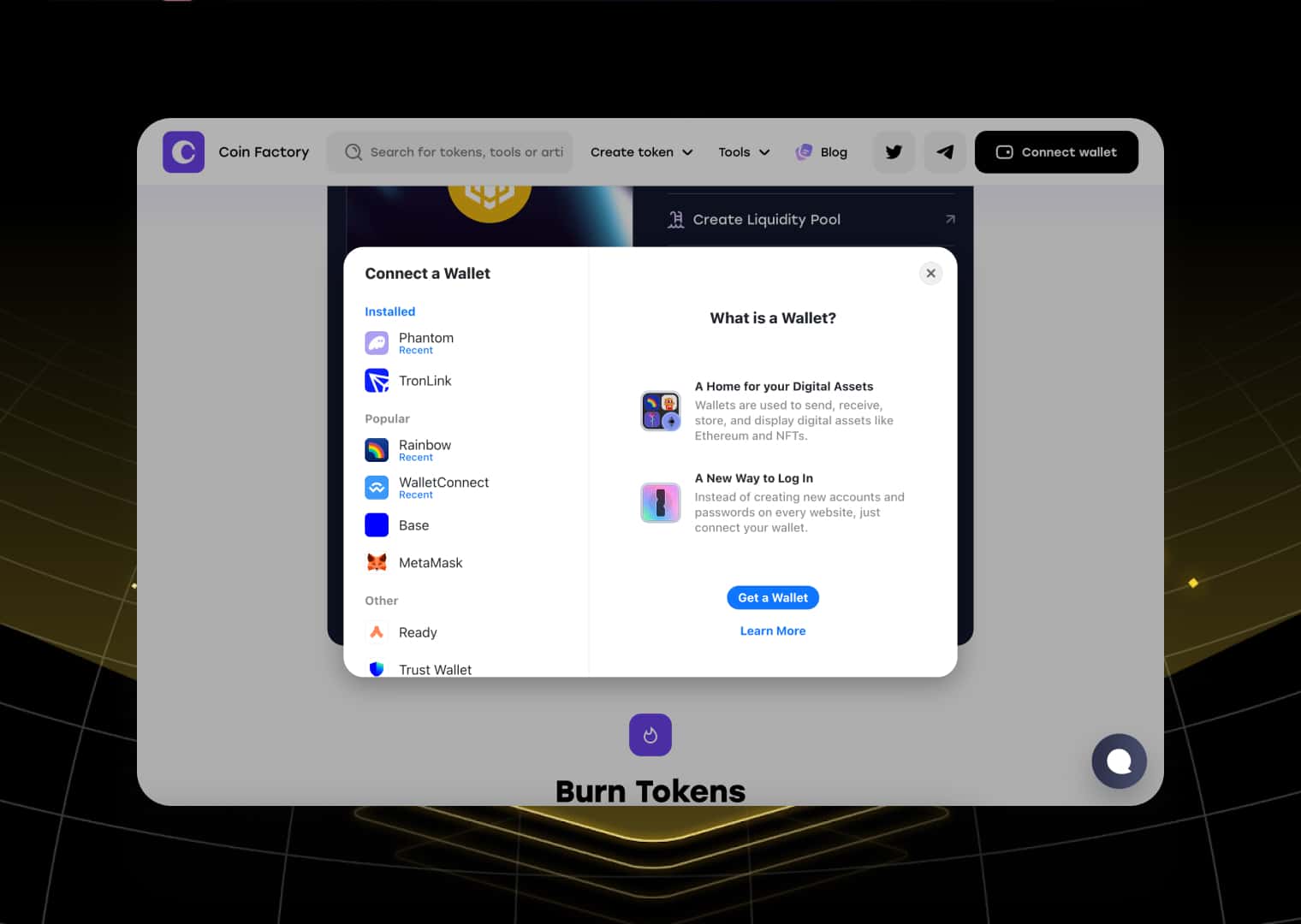
Choose a wallet app
Step 3: Enter the Token Address and Burn Amount
Paste your BEP-20 token contract address into the token field. CoinFactory will automatically detect your token and display its information.
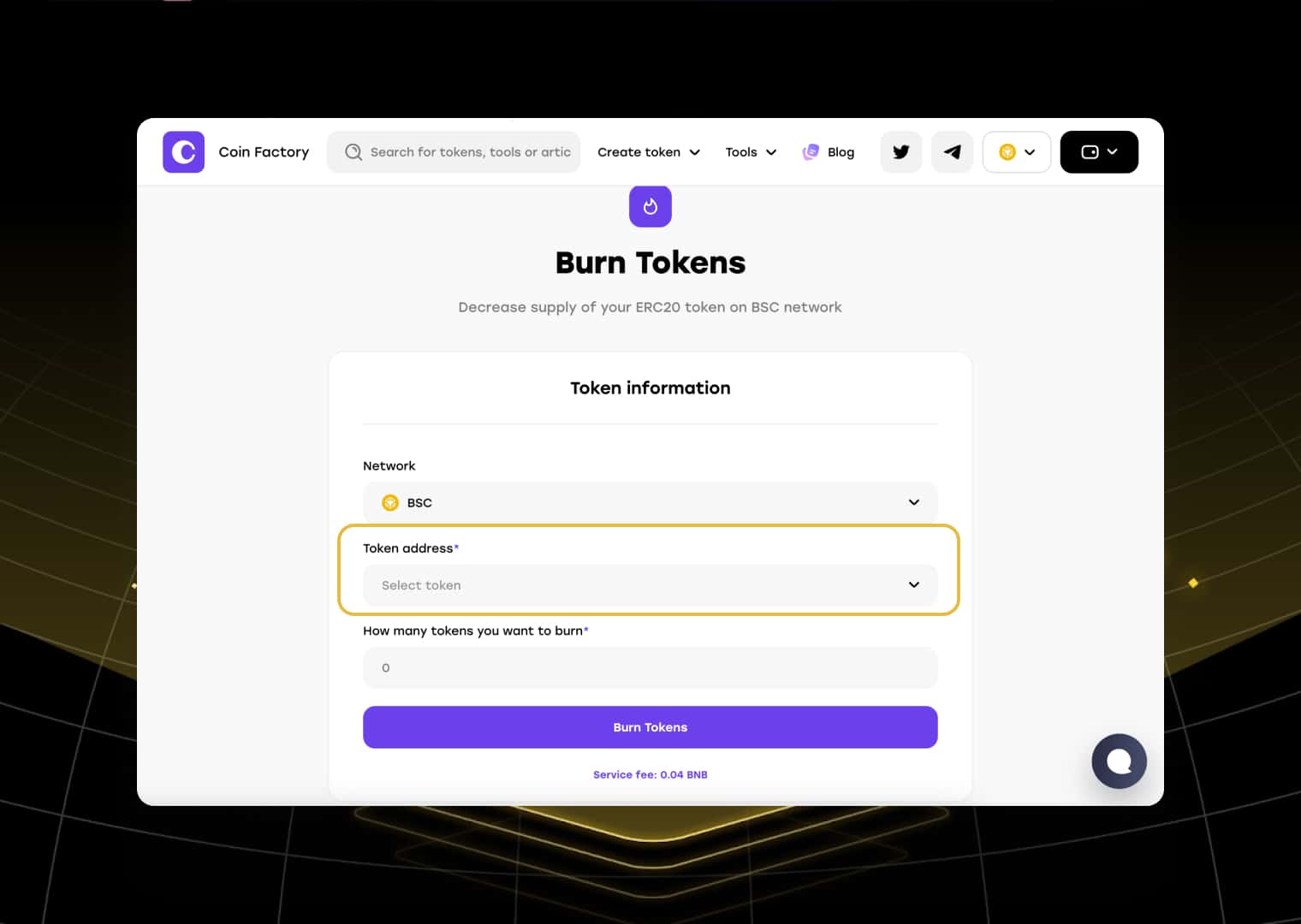
Click on the token selection field
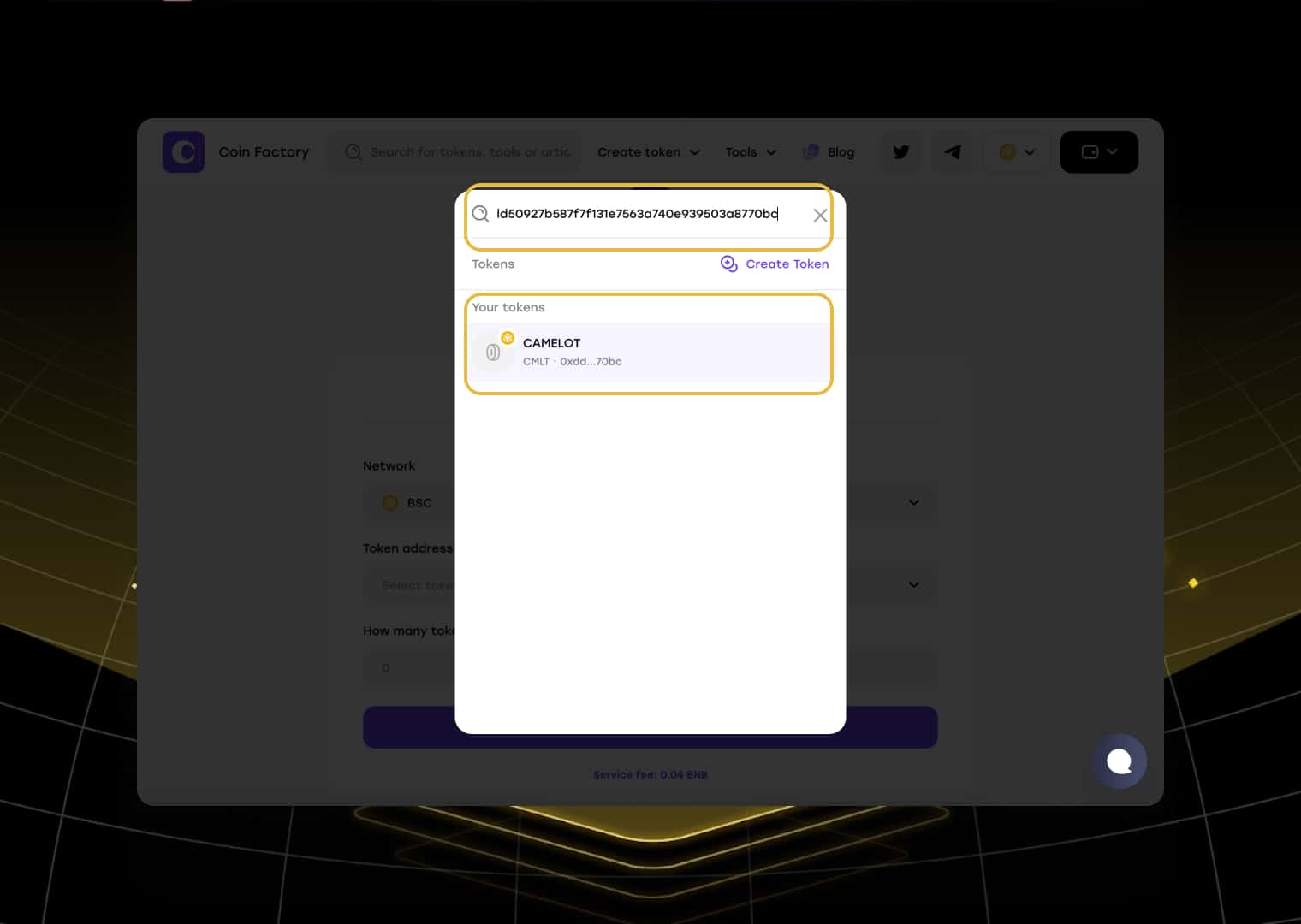
Paste the token address and click on the result
Next, enter the number of tokens you want to permanently remove from circulation. Double-check the amount before continuing, as burned tokens cannot be recovered.
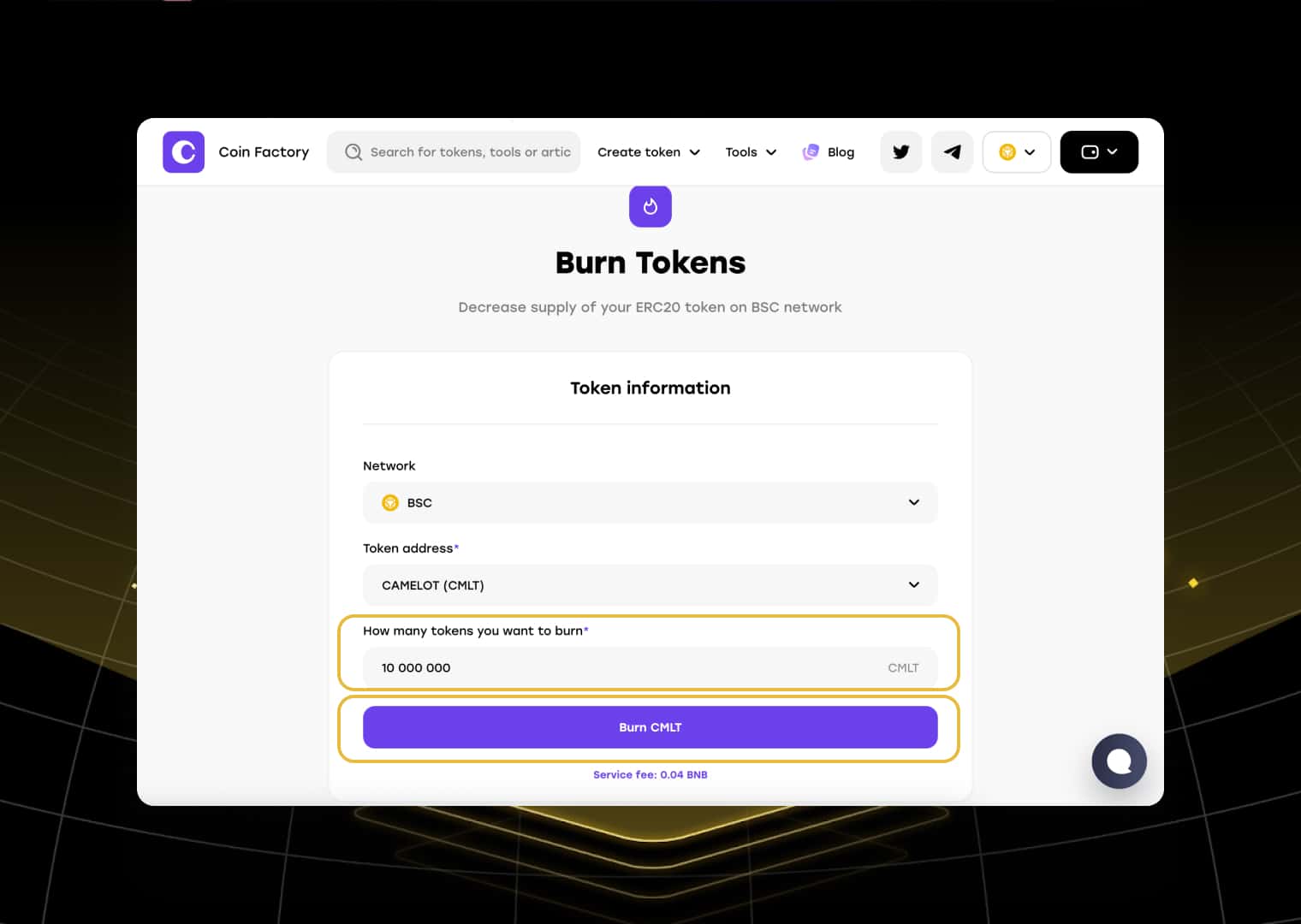
Step 4: Confirm the Burn Transaction
Click the Burn Tokens button and confirm the transaction in your wallet.
Once the transaction is confirmed on BNB Chain, the selected tokens will be sent to a burn address, permanently removing them from circulation. Your token’s total circulating supply will be reduced by the burned amount, and the burn transaction will be publicly visible on BscScan.
Conclusion
Burning BEP-20 tokens is a simple but effective way to manage your token’s supply on BNB Chain. Whether you’re reducing unused reserves, executing a community burn, or improving your tokenomics, permanently removing tokens from circulation can help strengthen confidence in your project.
With CoinFactory, the entire process takes just a few minutes and requires no coding. Simply connect your wallet, choose the amount to burn, confirm the transaction, and your tokens will be permanently removed from circulation.
Tags

Guide
Bnb
Token
Burn
Bep20 burn